
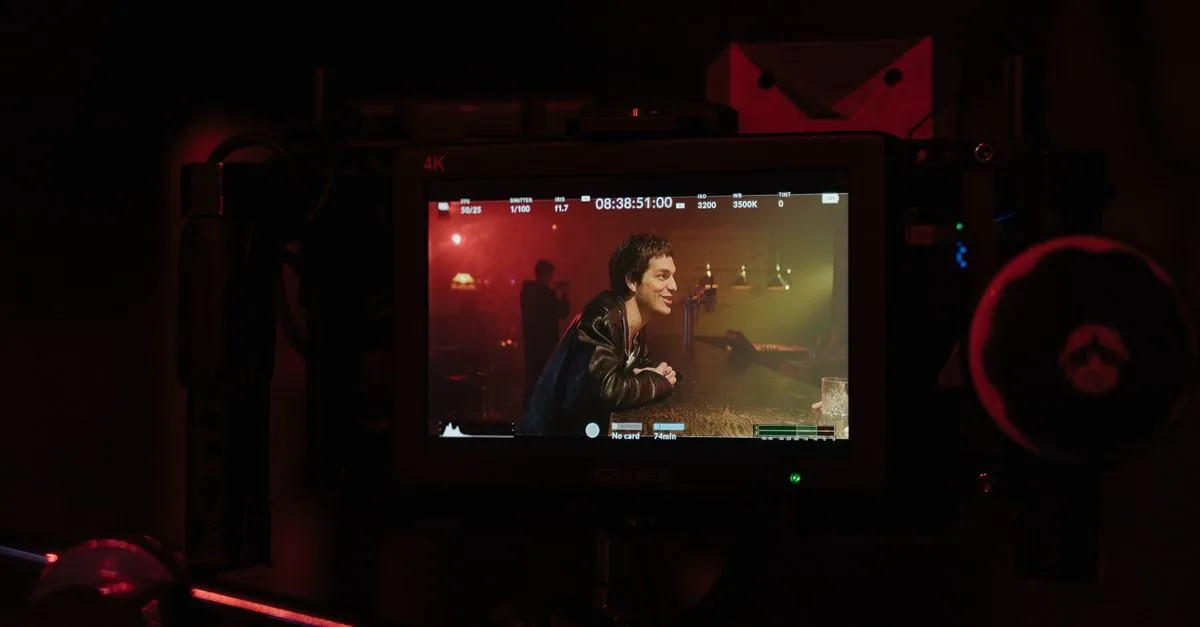
Kling 3.0 has the loudest spec sheet in AI video right now: native 4K at 60 frames per second, up to six shots generated in a single run, and a Motion Brush that lets you draw movement by hand. It undercuts Veo 3.1 on price and beats it on resolution and physics, though Veo still wins clearly on sound. Here is what Kling 3.0 actually does, where it leads, where it falls short, and whether it is the right tool for the kind of video you make.
This sits alongside our deep dives on Veo 3.1 and Seedance 2.0, and fits into the wider model comparison.
What makes Kling 3.0 different?
Two things set it apart: resolution and direction. On resolution, Kling 3.0 renders true 4K (3840 by 2160) at up to 60fps, where Veo 3.1 still outputs 1080p by default and upscales from there. That is a real, native pixel advantage rather than a marketing number. On direction, Kling generates up to six shots in one pass, handling the cuts and camera moves itself, more like a virtual director than a single-clip generator.
Underneath that sit strong motion physics, gravity, collisions, fabric, and inertia that hold up with few artifacts, plus native audio generated in the same pass. The result is a model aimed squarely at people who want cinematic, multi-shot sequences rather than one isolated clip, and who care about resolution and stable motion above all else.
It also comes in tiers. There are separate Video and Image models, each with an Omni variant that unlocks the full 4K, 60fps, and multi-shot toolkit, so the headline features live in the higher modes rather than the base one. Worth knowing before you judge it on a free-tier test that may not expose what the model can really do.
The standout features, in practice
Three capabilities are worth knowing before you try it:
- Multi-shot storyboarding. Ask for a sequence and Kling builds up to six connected shots, with transitions and shot-reverse-shot handled for you. It is the closest thing to describing a scene and getting an edited scene back.
- Motion Brush. You draw the path you want an object to travel directly on the frame. No other major model offers this, and it gives control that words alone cannot.
- Multi-character lip sync. Tag who speaks, and Kling syncs each mouth to its line across several characters and five languages.
For dialogue, the syntax is explicit: you label each line, like [Speaker: Man] "we need to move" and [Speaker: Woman] "where to?", and the model assigns the right voice and mouth to each. It handles Chinese, English, Japanese, Korean, and Spanish, which makes it useful for multilingual work, with the caveat about audio quality below.
The multi-shot feature is the one that changes a workflow. Instead of generating a wide shot, a close-up, and a reverse angle separately and stitching them, you describe the beat and Kling returns the cut sequence, camera changes and all. It is not always perfect, but even a rough six-shot draft is a huge head start over building the same sequence clip by clip.
The Motion Brush deserves a special mention. Text prompts are bad at precise movement, and you often cannot get a model to move one specific object the exact way you want. Drawing the path solves that directly: you sketch the arc a ball should follow or the direction a camera should drift, and the model obeys the stroke. For anyone who has fought a prompt to control motion, it is a genuine relief.
Kling 3.0 vs Veo 3.1: which wins?
They win at different jobs, so the honest answer is that it depends on the shot. Kling leads on the hard specs and the wallet; Veo leads on polish and sound:
- Resolution and frame rate: Kling, with native 4K at 60fps against Veo's default 1080p.
- Multi-shot: Kling, which builds a sequence in one run where Veo mostly extends single clips.
- Physics and stability: Kling, for dynamic motion with fewer artifacts.
- Audio: Veo, clearly, with more natural layered sound and tighter lip sync.
- Cinematic feel: Veo, for lighting, texture, and film-like realism.
- Price: Kling, at roughly 0.10 dollars per second against Veo's higher rates.
So the split is clean: reach for Kling when you want high-resolution, multi-shot video with dynamic physics on a budget, and reach for Veo when the scene lives or dies on dialogue and cinematic mood. Neither is simply the better model.
On cost specifically, the plans run from about 7 dollars a month at the entry tier to around 65 dollars for the top one, with a free tier that hands out daily credits to experiment. Through the fal.ai API the rate sits near 0.08 to 0.11 dollars per second without audio, comfortably under Veo. For high-volume work that price gap adds up fast.
The honest weaknesses
The spec sheet oversells a little, so know the trade-offs. Audio is the main one: independent reviewers put Kling's sound around 3 out of 5, well behind Veo, and in busy multi-character scenes the model still mixes up who is speaking. If your video leans on clean dialogue, that gap matters.
Beyond sound, character consistency is not as reliable as the best tools for complex scenes, so a face can drift when the action gets busy. Quality also degrades when you push clips to their longer extensions, and the pricing has crept upward over time. None of this sinks the model; it just means you should test it on your actual use case rather than trust the headline features.
The practical way around the audio gap is to treat Kling as a picture engine. Generate the visuals in Kling for the resolution and motion, then add or clean the dialogue and sound separately, the same layered approach a real production uses. You keep Kling's strengths without letting its weakest area, sound, decide the whole clip.
Should you use Kling 3.0?
For a lot of creators, yes, as one tool in a set rather than the only one. If your work is visual and dynamic, product motion, action, cinematic b-roll, or multi-shot sequences, Kling 3.0 is arguably the strongest and most affordable option in 2026, especially when you want genuine 4K. The Motion Brush and multi-shot generation alone can save hours of stitching clips together.
One more reason to learn it now: Kling ships fast. The 3.0 line already spans several variants and a Turbo mode, and the pace of updates means today's limits, especially audio, are the ones most likely to close next. Getting fluent in its controls now pays off as the model keeps improving.
Pick something else when the job points that way: Veo 3.1 when dialogue and audio carry the piece, and Seedance 2.0 when you need to drive a generation from reference material. The smart approach in 2026 is not loyalty to one model but matching each to the shot, and Kling 3.0 has earned a permanent place in that rotation for anything resolution- and motion-heavy. Want to learn to use these tools like a pro? The Future Tech program teaches AI video production end to end, model choice included.




