
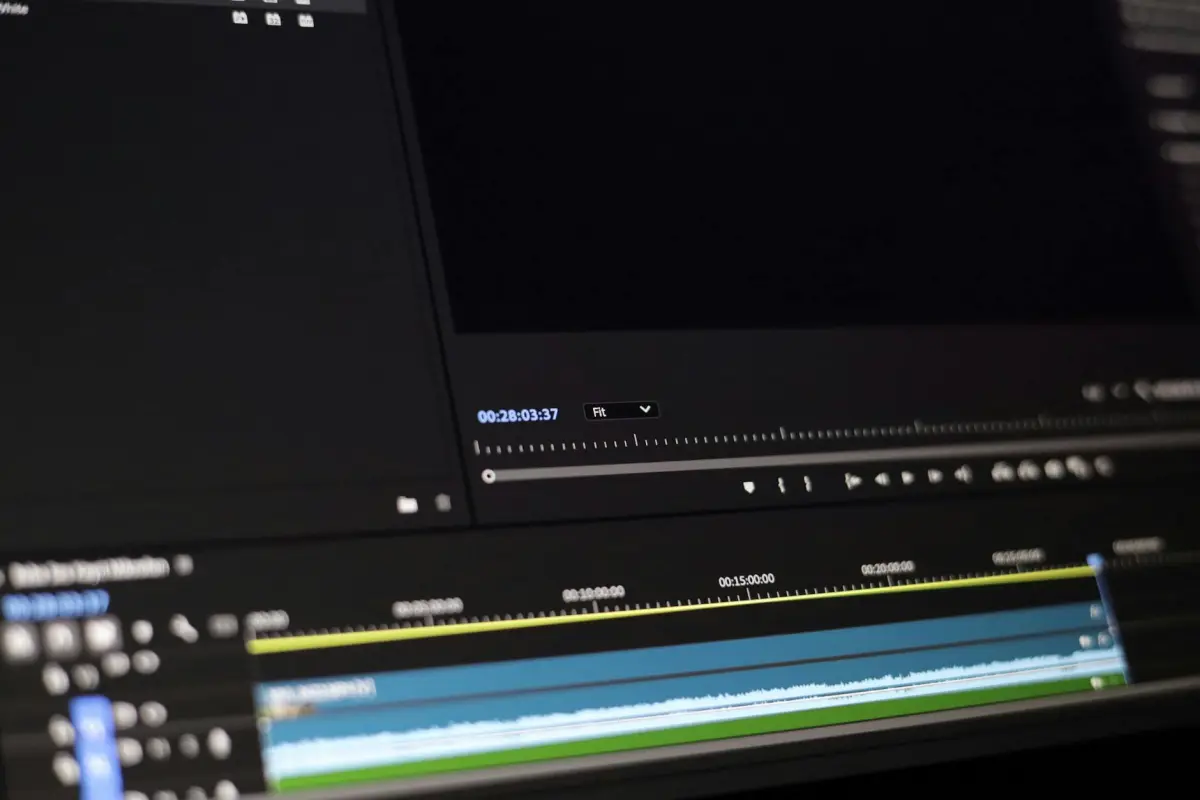
Ξεκινήστε με ένα καθαρό καρέ πηγής όπου η περιοχή είναι εντελώς απαλλαγμένη από το στοιχείο. Για αρχάριους, αυτό το απαραίτητο βήμα δημιουργεί μια ασφαλή βάση: ποτέ μην προχωράτε με ένα καρέ που δείχνει υπολείμματα, αλλιώς θα δείτε ενώσεις. Διατηρήστε την περιοχή άθικτη μέχρι να είστε έτοιμοι να ολοκληρώσετε τις διορθώσεις.
Μεγεθύνετε την περιοχή-στόχο για να χαρτογραφήσετε τα άκρα με ακρίβεια, χρησιμοποιώντας μια ανταποκρινόμενη διεπαφή. Επιλέξτε ένα ισχυρό χαρακτηριστικό όπως το κλώνο ή την επούλωση για να αναδημιουργήσετε υφές, στη συνέχεια συγκρίνετε με τα γειτονικά pixel για να διασφαλίσετε την πιστότητα. Στο Photoshop, εφαρμόστε το σετ εργαλείων εσκεμμένα και ξεκινήστε με μικρές, ελεγχόμενες διορθώσεις για να διατηρήσετε τις μεταβάσεις φυσικές. Αυτά τα βήματα είναι ιδανικά για δημιουργούς που ξεκίνησαν με απλά έργα και τώρα στοχεύουν σε πιο καθαρά αποτελέσματα.
Μετά την πρώτη διέλευση, ελέγξτε καρέ προς καρέ για να αποφύγετε την αφήνοντας τεχνουργήματα. Ο στόχος είναι να εξαλειφθούν οι ασυνέπειες χωρίς να δημιουργηθούν νέες. προσαρμόστε την ανάμειξη για να ταιριάζει με τον φωτισμό και τις σκιές. Όταν κάτι φαίνεται θολό, εφαρμόστε ένα πιο σφιχτό πινέλο και ενισχύστε την αχνότητα όπου χρειάζεται. Αν κάτι φαίνεται λάθος, ποτέ μην βασίζεστε σε μία μόνο διέλευση. Χρησιμοποιήστε τη διεπαφή για να δείτε προεπισκόπηση των αποτελεσμάτων και βεβαιωθείτε ότι οι αλλαγές δεν τραβούν ποτέ την προσοχή.
Τέλος, εξάγετε την ακολουθία με μια ασφαλή, πλήρως τεκμηριωμένη μέθοδο. Για πρωτοποριακές ροές εργασίας, αποθηκεύστε προκαθορισμένες ρυθμίσεις που αυτοματοποιούν τα βήματα κοπής, κάλυψης και συμπλήρωσης. Αυτό βοηθά τους δημιουργούς να ανακάμψουν γρήγορα εάν χρειαστεί να κάνετε επανέλεγχο. Εάν ξεκινήσατε συλλέγοντας πολλά καρέ πηγής, εφαρμόστε το καλύτερο αμέσως και επαληθεύστε τη συνέπεια σε όλη τη χρονική γραμμή. Η διεπαφή θα πρέπει να υποστηρίζει γρήγορη εναλλαγή μεταξύ της αρχικής και της επεξεργασμένης έκδοσης για να επιβεβαιώσετε ότι επιτύχατε την αφαίρεση χωρίς να διακυβεύσετε την ποιότητα.
Πρακτική ροή εργασίας για την αφαίρεση ενός αντικειμένου χρησιμοποιώντας μια εικόνα αναφοράς
Ξεκινήστε ανεβάζοντας ένα καρέ καθοδήγησης που δείχνει την περιοχή πίσω από το στοιχείο. Αυτή η πηγή βοηθά τον αλγόριθμο να ταιριάξει την υφή και τον φωτισμό σε όλη την ακολουθία, επιτρέποντας μια ομαλή ανάμειξη και διατηρώντας τη συνοχή της σκηνής.
Σχεδιάστε ένα storyboard που παρακολουθεί την αναμενόμενη θέση της περιοχής σε τρία προγραμματισμένα καρέ, διευκρινίζοντας πού πρέπει να γίνει η συμπλήρωση και ποια υφή να κλωνοποιηθεί.
Δημιουργήστε μια ακατέργαστη μάσκα για να διαχωρίσετε την ανεπιθύμητη περιοχή, στη συνέχεια βελτιώστε τα άκρα για να διατηρήσετε τη λεπτομέρεια. Χρησιμοποιήστε μια αχνή μετάβαση για να αποτρέψετε σκληρά όρια.
Ταιριάξτε το χρώμα και τον φωτισμό αναλύοντας κοντινά pixel και εφαρμόζοντας τοπικές προσαρμογές. Η γρήγορη ροή εργασίας χρησιμοποιεί συμπλήρωση βάσει επιθεμάτων και inpainting όπου υπάρχουν μοτίβα tess για την ακριβή αναπαραγωγή της υφής.
Επαναλάβετε ελέγχοντας τρία δείγματα καρέ και σημειώνοντας οποιοδήποτε σημάδι ασυμφωνιών. Προσαρμόστε την απόχρωση, τον κορεσμό και τη φωτεινότητα μέχρι το αποτέλεσμα να παραμένει άψογο.
Οι επιλογές εξαγωγής περιλαμβάνουν το webp, το οποίο προσφέρει μικρό αποτύπωμα διατηρώντας παράλληλα τις λεπτομέρειες. Κρατήστε μια έκδοση υψηλής ποιότητας για έγκριση και γρήγορους ελέγχους.
Συνήθεις παγίδες περιλαμβάνουν την αφήνοντας ορατές ενώσεις, υπερβολική ανάμειξη ή την εισαγωγή περισπασμών. Ελέγχετε συχνά την έξοδο σε διαφορετικές κλίμακες για να διασφαλίσετε τη συνέπεια.
Τελικές συμβουλές: χρησιμοποιήστε τέτοια βήματα για να διατηρήσετε τη λήψη συνεκτική, αποφεύγοντας διαρροή υδατογραφημάτων και διατηρώντας τρεις βασικές λεπτομέρειες που ταιριάζουν με τον φωτισμό, την υφή και την προοπτική.
Επιλέξτε ή τραβήξτε ένα καθαρό καρέ αναφοράς που περιέχει την περιοχή προς επεξεργασία
Επιλέξτε ένα καρέ-στόχο όπου η περιοχή προς τροποποίηση βρίσκεται μπροστά από ένα καθαρό φόντο, χωρίς κίνηση ή απόκρυψη. Χρησιμοποιήστε τρίποδο, κλειδώστε τη χειροκίνητη έκθεση και την ισορροπία λευκού, και τραβήξτε στην υψηλότερη πρακτική ανάλυση (κατά προτίμηση RAW, ή 12-bit JPG). Αυτή η προσέγγιση μειώνει τις μεταγενέστερες διορθώσεις στην μετα-παραγωγή και βοηθά να παραδοθούν εντυπωσιακά αποτελέσματα αμέσως.
Διατηρήστε τη γωνία της κάμερας και την απόσταση συνεπή με τις γύρω σκηνές για να διατηρήσετε την προοπτική. Εάν πρέπει να τραβήξετε νέες φωτογραφίες, η ίδια καδράρισμα κάνει την αναγέννηση των λεπτομερειών πολύ ευκολότερη και ελαχιστοποιεί τις ασυνέπειες ανά καρέ που θα μπορούσαν να απογοητεύσουν τους δημιουργούς και τους θεατές.
Ελέγξτε την περιοχή για λογότυπα ή στοιχεία υδατογραφήματος. Εάν αποτελούν μέρος της ζώνης που σκοπεύετε να τροποποιήσετε, επιλέξτε ένα καρέ όπου αυτά τα σημάδια παραμένουν επίπεδα και ομοιόμορφα, ώστε να μπορούν να απομονωθούν ή να αφαιρεθούν καθαρά. Εάν ένα λογότυπο είναι ενοχλητικό και όχι απαραίτητο, επιλέξτε μια εικόνα με ένα πιο απλό φόντο για να απλοποιήσετε το έργο.
Προτιμήστε σκηνές που δείχνουν την περιοχή επεξεργασίας καθαρά και χωρίς περισπασμούς. Τα καθαρά φόντα μειώνουν την πιθανότητα αναντιστοιχίας κατά τα μεταγενέστερα βήματα, καθώς και επιταχύνουν τη ροή εργασίας όταν μοιράζεστε περιεχόμενο με συνεργάτες ή κάνετε ερωτήσεις για ανατροφοδότηση.
Όταν δεν μπορείτε να ξανατραβήξετε, επιλέξτε καρέ που είναι όσο το δυνατόν πιο αντιπροσωπευτικά του φωτισμού και του χρώματος σε όλη την ακολουθία. Κανονικοποιήστε τη μέση φωτεινότητα και τη θερμοκρασία χρώματος στο αρχικό σας βήμα για να περιορίσετε τις αλλαγές χρώματος, μειώνοντας έτσι τον κίνδυνο αισθητών ενώσεων μετά τις διορθώσεις.
Απόσπασμα λίστας ελέγχου: βεβαιωθείτε ότι το καρέ έχει επαρκή ανάλυση, ελάχιστο θόλωμα κίνησης, ομοιόμορφο φωτισμό και σταθερή εστίαση. Εάν εργάζεστε επανειλημμένα στο ίδιο έργο, τραβήξτε πολλές φωτογραφίες ανά σκηνή και επιλέξτε αυτή με τα πιο συνεπή φόντα. Αυτή η προσέγγιση καθιστά ταχύτερη την διανομή αποτελεσμάτων σε άλλες ομάδες και διατηρεί το περιεχόμενο συνεκτικό σε όλες τις σκηνές.
Ευθυγραμμίστε το καρέ με τον φωτισμό, το χρώμα και τη γωνία της κάμερας της σκηνής
Η ευθυγράμμιση του καρέ με τον φωτισμό, το χρώμα και τη γωνία της κάμερας της σκηνής προσφέρει στους θεατές μια καθαρή, συνεκτική εμφάνιση σε όλη την ακολουθία. Αυτή η ρύθμιση σας δίνει ακρίβεια και σας επιτρέπει να κάνετε προσαρμογές χωρίς να αφήνετε ασυνέπειες στη λήψη, διατηρώντας την δημιουργική πρόθεση.
Ανιχνεύστε την κυρίαρχη χρωματική απόχρωση μετρώντας τα μέσο κανάλια χρώματος σε ουδέτερα σημεία. Προσαρμόστε το καρέ ώστε να ταιριάζει με το υλικό υψηλής ποιότητας που χρησιμοποιείται στα στούντιο, διασφαλίζοντας συνεπή διάθεση σε όλες τις επεξεργασίες.
Ορίστε την κατεύθυνση του φωτισμού για να ταιριάζει με το κύριο φως και το βοηθητικό φως, στη συνέχεια επαληθεύστε καρέ προς καρέ ότι οι τονισμοί και οι σκιές παραμένουν εντός ασφαλούς εύρους. Μην επιτρέπετε ποτέ την εμπλοκή.
Τοποθετήστε την κάμερα έτσι ώστε οι γραμμές του ορίζοντα και η γεωμετρία του θέματος να ευθυγραμμίζονται. Εάν εργάζεστε σε ερασιτεχνική εγκατάσταση, μικρές προσαρμογές γωνίας επιταχύνουν τη διαδικασία και διατηρούν το αποτέλεσμα υψηλής ποιότητας.
Τα βήματα για ευθυγράμμιση περιλαμβάνουν: αξιολόγηση των ενδείξεων φωτός, ισορροπία χρώματος, προσαρμογή γωνίας, επικύρωση με ουδέτερη γκρι κάρτα και επανέλεγχο καρέ προς καρέ.
Τα επεξεργασμένα καρέ παραμένουν καθαρά σε μια ροή εργασίας διαχειριστή επαγγελματικού στούντιο. Αυτό διατηρεί το έργο συνεκτικό και αφήνει ένα επαγγελματικό αποτέλεσμα για τους θεατές.
Για να αποκατασταθεί μια ομοιόμορφη εμφάνιση σε ένα κλιπ, η θαμπάδα μπορεί να χρησιμοποιηθεί προσεκτικά σε στοιχεία φόντου. Αυτό βοηθά να διατηρηθεί το κύριο θέμα ευκρινές, διατηρώντας παράλληλα την ταχύτητα και την ακρίβεια.
| Παράμετρος | Ενέργεια | Σημειώσεις |
|---|---|---|
| Κατεύθυνση φωτισμού | Ταιριάξτε το κύριο φως με τη σκηνή, προσαρμόστε εντός ±5° | Οι έλεγχοι καρέ προς καρέ υποστηρίζουν την ακρίβεια |
| Θερμοκρασία χρώματος | Μέσος όρος χρώματος σε ουδέτερα σημεία, ορίστε την ισορροπία λευκού σε 5500–6500K | Διατηρήστε τη συνέπεια σε όλες τις λήψεις |
| Γωνία κάμερας | Ευθυγραμμίστε τις γραμμές ορίζοντα και θέματος, γείρετε/πανοραμικά εντός μικρού εύρους | Χρησιμοποιήστε ένα πλέγμα για καθοδήγηση. διασφαλίστε την ακριβή ευθυγράμμιση |
| Έκθεση | Σταθεροποιήστε τη φωτεινότητα, αποφύγετε την εμπλοκή στους τονισμούς | Επανελέγξτε με το ιστόγραμμα |
Καλύψτε το αντικείμενο και εκτελέστε σύνθεση υφής για να γεμίσετε το κενό
Ξεκινήστε σχεδιάζοντας μια σφιχτή μάσκα γύρω από την περιοχή-στόχο, έτσι ώστε το όριο να είναι κλειστό με υψηλή ακρίβεια. Χρησιμοποιήστε αχνότητα για να απαλύνετε τις μεταβάσεις και να βοηθήσετε τη σύνθεση υφής να παραμένει φυσική. Βασιστείτε σε ελέγχους άκρων για να εντοπίσετε τυχόν διαρροές και προσαρμόστε αναλόγως.
Επιλέξτε μια προσέγγιση σύνθεσης υφής που χρησιμοποιεί κοντινό περιεχόμενο. Επιθετικά βασισμένα επιθέματα ή σύνθεση πολλαπλών κλιμάκων παρέχει ισχυρή κάλυψη και βοηθά στη διατήρηση του χρώματος και της δομής. Ευθυγραμμίστε τα επιθέματα με την τοπική φωτεινότητα και την κλίση χρώματος για να ταιριάζει με την περιβάλλουσα περιοχή.
Διαχείριση χρωμάτων: προσαρμόστε την ισορροπία χρωμάτων για να διατηρήσετε τη συμπλήρωση ευθυγραμμισμένη με τον φωτισμό της σκηνής. Χρησιμοποιήστε κοντινά καρέ ως οδηγό τόνου για να διατηρήσετε την εποχή ή τη διάθεση συνεπή. Ακόμα και μικρές μετατοπίσεις μπορούν να γίνουν αντιληπτές ως τεχνητές. Εφαρμόστε κλείδωμα χρώματος για να διατηρήσετε τη συνολική εμφάνιση σταθερή σε όλη την επεξεργασία.
Συνέχεια υφής: για να γεμίσετε μεγάλα κενά, συνθέστε σε πολλαπλές διευθύνσεις, πρώτα την ακατέργαστη δομή, στη συνέχεια βελτιώστε τις υφές. Χρησιμοποιήστε ένα επαγγελματικό σύνολο πλακιδίων υφής για να διατηρήσετε τη συνοχή και να αποφύγετε εμφανή πλακιδίωση. Διατηρήστε τα άκρα λεία αναμειγνύοντας με μάσκες κλίσης.
Διαχείριση περισπασμών: αποφύγετε επαναλαμβανόμενα μοτίβα που τραβούν την προσοχή. Περιστρέψτε επιθέματα, αναστρέψτε όπου είναι δυνατό, και αναμείξτε πηγές για να μειώσετε την αναγνωρισιμότητα. Αυτή η προσέγγιση ελαχιστοποιεί τους περισπασμούς και αποδίδει το καλύτερο φυσικό αποτέλεσμα.
Φύλακας ποιότητας: εκτελέστε μια γρήγορη διέλευση ανίχνευσης για να εντοπίσετε μη ταιριαστή υφή και χρωματικές ζώνες. Εάν βρεθούν, προσαρμόστε τα επιθέματα τοπικά, ή αναλύστε ξανά από μια πιο κατάλληλη περιοχή. Αυτό δίνει στους επεξεργαστές τη δυνατότητα να επιτύχουν ασφαλή, καθαρή συμπλήρωση που δεν αφήνει ίχνη της αρχικής αφαίρεσης.
Έξοδος και ροή εργασίας: Εξαγωγή σε webp για ισορροπία ποιότητας και μεγέθους, ειδικά για διαδικτυακά στούντιο και χαρτοφυλάκια. Αυτή η λειτουργία υποστηρίζεται από πολλά εργαλεία και βοηθά στη διατήρηση της ευκρίνειας κατά την προβολή σε διαφορετικές κλίμακες. Στη συνέχεια, αναθεώρηση σε διαφορετικές συσκευές για επιβεβαίωση της συνέπειας. Αυτό το εκπαιδευτικό βήμα μειώνει την πιθανότητα κραυγαλέων αστοχιών.
Βέλτιστες πρακτικές για προθεσμίες: Διατηρήστε τις επεξεργασίες μη καταστροφικές, διατηρήστε τη σειρά των αρχικών καρέ και αφήστε ένα σαφές ίχνος για μελλοντικές προσαρμογές. Εάν ένα λογότυπο ή ένα στοιχείο επωνυμίας βρίσκεται στο πεδίο, βεβαιωθείτε ότι η ακεραιότητά του παραμένει ανεπηρέαστη και ότι η πλήρωση σέβεται το επιθυμητό χρώμα και υφή.
Σταθεροποιήστε και προσαρμόστε τα γύρω καρέ για να διατηρήσετε τη συνέχεια και την κίνηση
Ξεκινήστε με μια ενισχυμένη από AI, πλήρη σάρωση σταθεροποίησης σε όλη την ακολουθία για να αντισταθμίσετε την ολίσθηση και να διατηρήσετε μια ομαλή διαδρομή κίνησης σε κάθε σκηνή.
Για τα καρέ που γειτνιάζουν με την τροποποιημένη έκταση, σφίξτε την ευθυγράμμιση επιλέγοντας 4–6 σημεία αγκύρωσης και εφαρμόζοντας μικρο-προσαρμογές στα όρια για να διατηρήσετε την παραλλαγή και τον ρυθμό του storyboard. Αυτό διατηρεί την κίνηση συνεκτική όταν ξεκινά η επόμενη λήψη και διατηρεί έναν σταθερό ρυθμό μεταξύ των κοπών.
Συμπληρώστε το προκύπτον κενό με προσεκτική δειγματοληψία υφών από κοντινές εικόνες. χρησιμοποιήστε μια προσέγγιση βασισμένη σε επιλογή για να δανειστείτε υφή, σκιά και κόκκο, στη συνέχεια αναμείξτε με μια διακριτική μεταμόρφωση για να αποφύγετε ραφές και να εξασφαλίσετε συνέχεια χωρίς να εισάγετε τεχνουργήματα.
Σε ένα premium workflow σχεδιασμένο για κινηματογραφιστές, χρησιμοποιήστε μια ενισχυμένη από AI γραμμή επεξεργασίας που υποστηρίζει πιο συνεπή κίνηση σε σκηνές, επιτρέποντάς σας να μοιράζεστε αποτελέσματα σε κοινωνικές πλατφόρμες. Αυτή η προσέγγιση διατηρεί λεπτομέρειες και διατηρεί τη διαδικασία ασφαλή από την ολίσθηση με την πάροδο του χρόνου.
Διατηρήστε ισχυρή αναφορά storyboard και μια επιλογή καρέ για να καθοδηγήσετε τυχόν προσαρμογές, διασφαλίζοντας ότι οι αποστάσεις και ο χρονισμός των καρέ παραμένουν άθικτα καθώς μεταμορφώνετε το περιεχόμενο όπου χρειάζεται χωρίς υπερβολική διόρθωση. Το αποτέλεσμα διατηρεί αφηγηματικές λεπτομέρειες και διατηρεί τα στοιχεία υφής ευανάγνωστα σε κάθε εικόνα, βοηθώντας το κοινό να εστιάσει στην ιστορία και όχι στις τεχνικές διορθώσεις.
Τελικός έλεγχος: επαληθεύστε ότι η συνέχεια διατηρείται κατά την προεπισκόπηση της ακολουθίας, διασφαλίζοντας ομαλή ρυθμό καρέ από την αρχή έως το τέλος. Αυτή η πειθαρχία διατηρεί την πλήρη, ομαλή εμπειρία για τους κινηματογραφιστές που μοιράζονται τα πάντα στο διαδίκτυο, διατηρώντας το workflow ανθεκτικό σε όλες τις εικόνες.
Γιατί να επιλέξετε το AI Video Object Remover της Clipfly: βασικά χαρακτηριστικά, τιμολόγηση και αποτελέσματα σε πραγματικό κόσμο
Ξεκινήστε με έναν βολικό, ενισχυμένο από AI καθαρισμό στον οποίο βασίζονται τα στούντιο και οι επεξεργαστές για να παραδίδουν καθαρά κλιπ για τους θεατές, χωρίς χρονοβόρες δυσκολίες στη ροή εργασίας και ακατάστατα καρέ.
Βασικά χαρακτηριστικά που ξεχωρίζουν
- Πρωτοποριακή AI που ανιχνεύει και εξαλείφει ανεπιθύμητα στοιχεία στην κίνηση, διατηρώντας τη φυσική εμφάνιση της σκηνής.
- Εξαλείφει υδατογραφήματα και λογότυπα με ακρίβεια, διατηρώντας τις λεπτές λεπτομέρειες και τη συνέχεια της κίνησης.
- Διαισθητική διεπαφή σχεδιασμένη για επεξεργαστές, προσφέροντας μια απλοποιημένη ροή εργασίας που συχνά προτιμάται έναντι ακατάστατων εναλλακτικών.
- Ευρέως υποστηριζόμενες μορφές και εισόδους, συμπεριλαμβανομένων εικόνων και πολλαπλών τύπων κλιπ, διασφαλίζοντας ότι μπορείτε να εργαστείτε με υπάρχοντα περιουσιακά στοιχεία.
- Μη καταστροφική διαδικασία που διατηρεί το αρχικό υλικό, επιτρέποντας ασφαλείς επαναλήψεις χωρίς να καταστρέφει το αρχικό υλικό.
- Προσαρμοσμένες προσαρμογές που σας επιτρέπουν να ρυθμίσετε την ακριβή εμφάνιση που θέλετε, ταιριάζοντας τις στοχευόμενες αισθητικές με ελάχιστη προσπάθεια.
- Αυτοματοποιημένες ετικέτες και δημιουργία μεταδεδομένων, απλοποιώντας την οργάνωση για ομάδες και στούντιο με μεγάλες βιβλιοθήκες.
- Αυτοματοποίηση που εξοικονομεί χρόνο και σας προσφέρει ταχύτερη ολοκλήρωση, διατηρώντας παράλληλα υψηλή ποιότητα, σε αντίθεση με τον χειροκίνητο καθαρισμό.
- Ομαλή ενσωμάτωση κατάλληλη τόσο για μεμονωμένους δημιουργούς όσο και για στούντιο, παρέχοντας μια καθαρή έξοδο κατάλληλη για μετάδοση ή ροή.
- Εξατομικευμένες προεπιλογές που προσαρμόζονται σε διαφορετικά είδη, μειώνοντας τις επαναλαμβανόμενες ρυθμίσεις και επιταχύνοντας την παράδοση για συχνά έργα.
Επιλογές τιμολόγησης
- Πρόγραμμα Εκκίνησης: ιδανικό για άτομα και μικρά στούντιο, προσφέροντας βασικές δυνατότητες με μια βολική μηνιαία επιλογή και επεκτάσιμες θέσεις όπως απαιτείται.
- Πρόγραμμα Studio: σχεδιασμένο για αναπτυσσόμενες ομάδες, περισσότερες θέσεις και υψηλότερη απόδοση, με πρόσθετα εργαλεία για την απλοποίηση των συνεργατικών ροών εργασίας.
- Πρόγραμμα Enterprise: για μεγάλες λειτουργίες, με υποστήριξη προτεραιότητας, πρόσβαση API και προσαρμοσμένες ροές εργασίας για να ταιριάζουν σε πολύπλοκες γραμμές επεξεργασίας.
Αποτελέσματα σε πραγματικό κόσμο
- Ένα boutique studio με στενό χρονοδιάγραμμα μείωσε τον χρόνο μετα-παραγωγής κατά 50–65%, επιτρέποντας στους επεξεργαστές να επικεντρωθούν σε δημιουργικές αποφάσεις και να παραδώσουν τα πρώτα προσχέδια γρηγορότερα για τους πελάτες.
- Ένας ανεξάρτητος δημιουργός μείωσε τον χρόνο που αφιερώνεται σε ακατάστατα καρέ κατά 40–60%, απελευθερώνοντας εύρος ζώνης για γυρίσματα, συγγραφή σεναρίων και δοκιμές κοινού, βελτιώνοντας συχνά τις μετρήσεις αλληλεπίδρασης.
- Ένας μεσαίου μεγέθους πρακτορείο αυτοματοποίησε τις συνήθεις εργασίες καθαρισμού σε καμπάνιες, επιτυγχάνοντας συνεπή ακεραιότητα κίνησης και μειώνοντας τις προσαρμογές αλληλογραφίας, κάτι που βοηθά στην τήρηση των προθεσμιών χωρίς να θυσιάζεται η ποιότητα.
Στην πράξη, η πλατφόρμα παρέχει στα στούντιο μια αξιόπιστη μέθοδο για να ανταποκριθούν στις προσδοκίες του κοινού, διατηρώντας την προοριζόμενη εμφάνιση κάθε λήψης, χειριζόμενη την κίνηση ομαλά και χωρίς να εισάγει νέα τεχνουργήματα. Είναι συμβατό με μια ευρεία γκάμα έργων, από προσωπικά κλιπ έως παραγωγές μεγάλης κλίμακας, και παραμένει κατάλληλο για επεξεργαστές που αναζητούν μια ταχύτερη, πιο προσωπική ροή εργασίας–συχνά αντικαθιστώντας τον χρονοβόρο χειροκίνητο καθαρισμό με μια απλοποιημένη, αυτοματοποιημένη διαδικασία που προσφέρει μετρήσιμα κέρδη αποδοτικότητας.




