
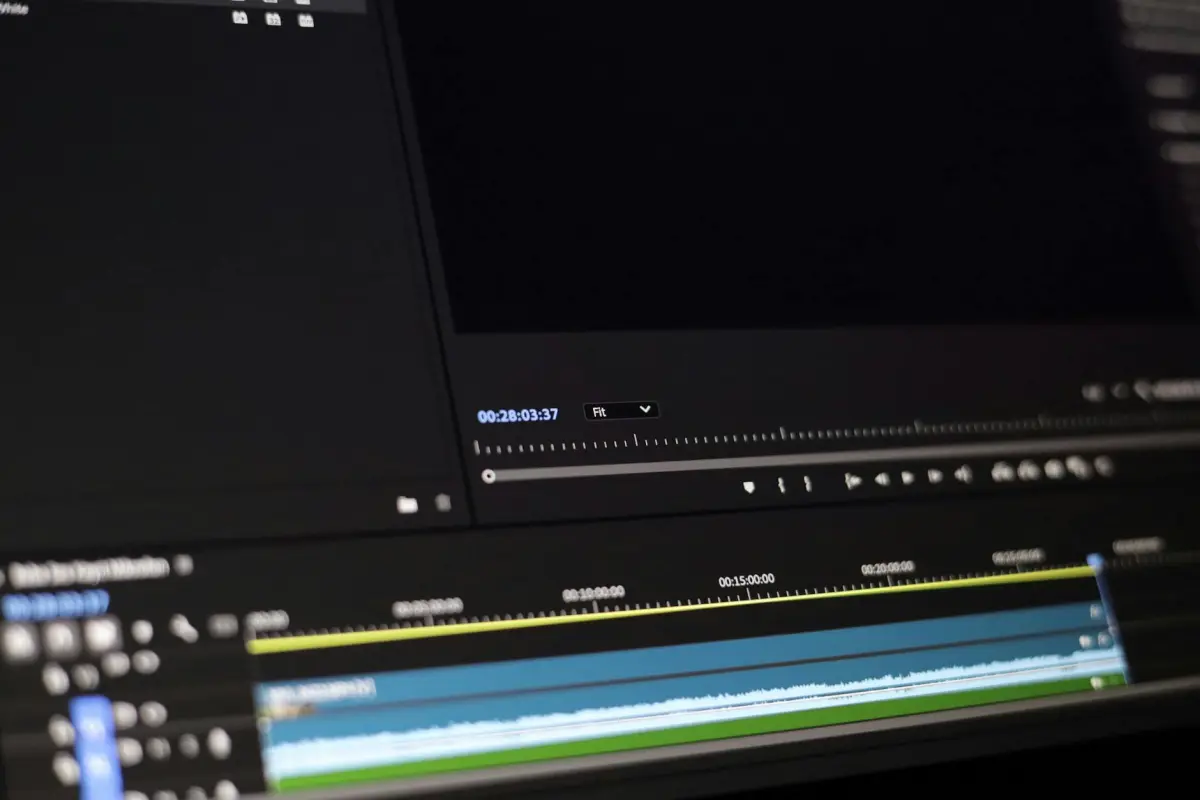

ابدأ باختيار إطار مرجعي عالي التفاصيل وقم بمحاذاة تعرضه، وتوازن الأبيض، ولونه مع المقطع المستهدف. هذا يسمح بظهور التفاصيل باستمرار ويمنع عدم تطابق الألوان أو التشويش من تدهور النتيجة. إذا كنت تعمل مع مجموعة من المقاطع، فقم بتطبيق هذه الإعدادات بشكل موحد للحفاظ على التماسك عبر اللقطات.
بعد ذلك، قم بدمج خوارزميات الشحذ والترميم لإنتاج رفع طبيعي للحواف دون تضخيم الحبيبات. غالبًا ما يستخدم سير العمل الاحترافي إلغاء الالتفاف، والشحذ المدرك للحواف، وقمع الضوضاء لتجنب القطع الفنية الواضحة. إذا كنت تريد نتائج يمكن التنبؤ بها، فتتبع المقاييس للتحقق من التقدم.
لتسريع العملية، قم بالتشغيل في وضع الدُفعات وحافظ على نفس الدقة ومعدل الإطارات ومساحة الألوان عبر العناصر؛ هذا النهج السريع يقلل من الانجراف. إذا كنت تستخدم أدوات Topaz أدوات، فاختر الخوارزميات التي تقلل الحبيبات مع الحفاظ على دقة الحواف؛ فهي تنتج تفاصيل أنظف بشكل ملحوظ.
ومع ذلك، كن على دراية بالمشاكل التي تنشأ عندما تم التقاط الإطار المرجعي بكاميرات مختلفة أو بإعدادات ISO مختلفة؛ يمكن أن تؤدي الاختلافات بين الكاميرات إلى تدهور الدقة بشكل كبير. ومع ذلك، يمكنك التعويض عن طريق تصحيح الحركة والمحاذاة الزمنية الأكثر دقة. إذا لزم الأمر، اضبط محاذاة الحركة لتقليل الانجراف وتحقق من الحواف الوهمية.
هنا نظرة موجزة: قدم مرحلة تحقق تقارن القوام والحواف الرئيسية وتسجل المقاييس؛ يمكن للمستخدم تعديل المعلمات والحفاظ على سير العمل في متناول اليد. يسمح هذا النهج بأن يتوج بخاتمة قوية لكل من المشغلين المحترفين والهواة.
سير عمل قابل للتنفيذ لتقليل الضبابية بالذكاء الاصطناعي للفيديو والصورة المرجعية
ابدأ بوضع الطيار الآلي: إنشاء خط أساس مستقر عن طريق تغيير الحجم إلى الدقة المستهدفة، وتطبيق مزيل ضوضاء قائم على التعلم، ثم مرحلة تحافظ على التفاصيل للحفاظ على وضوح الحواف مع تقليل الضوضاء. ينتج هذا النهج إطارات أوضح بسرعة وبدون قطع فنية تقريبًا، مما يتيح نتائج احترافية للرسوم التوضيحية والموضوعات المتحركة التي تتحول تحت إضاءة مختلفة. استخدم سير العمل هذا لدفع معايير الجودة إلى الأعلى مع الحفاظ على العملية قابلة للتكرار، وقابلة للمشاركة، وسهلة التدقيق على منصات مثل فيسبوك.
- المعالجة المسبقة وتعريفات الهدف
- المدخلات المطلوبة: عمق ألوان 8-10 بت، معدل إطارات ثابت، ومعايرة ألوان نظيفة؛ قم بالتحويل إلى مساحة خطية أو إدراكية قبل المعالجة إذا أمكن.
- خطة تغيير الحجم: اختر دقة هدفية من 1920x1080، أو 2560x1440، أو 3840x2160؛ احسب المقياس = الدقة الهدفية / الدقة الأصلية وادفع المقياس بحد أقصى 2x لتجنب القطع الفنية؛ استخدم Lanczos أو B-spline للحصول على نتائج عالية الجودة؛ حافظ على نسبة العرض إلى الارتفاع.
- تحديد الحواف والمناطق: حدد المناطق عالية التفاصيل (النصوص، الشعر، أنماط الأقمشة) والمناطق الديناميكية (المناطق الغنية بالحركة) لحمايتها أثناء تغيير الحجم وإزالة الضوضاء؛ يساعد هذا في الحفاظ على الوضوح حيثما يهم ويقلل الضوضاء حيثما يضر الوضوح.
- تقليل الضوضاء واستعادة النسيج
- قم بتطبيق مزيل ضوضاء قائم على التعلم تم ضبطه على ملف الضوضاء الملتقط؛ قم بتكييف القوة حسب سطوع المشهد ومستوى الضوضاء (المناطق غير الواضحة تستفيد من اكتشاف أقوى ولكنها تخاطر بظهور هالات في أماكن أخرى).
- المعلمات: ابدأ بقوة إزالة الضوضاء حوالي 0.25-0.4 للتنظيف الخفيف؛ قم بزيادتها إلى 0.5-0.8 للضوضاء الشديدة، ثم تراجع إذا ظهرت هالات؛ اختبر على عينة تمثيلية وكرر بسرعة.
- المعالجة المدركة للحواف: اتبع ذلك بخطوة تحافظ على الحواف للحفاظ على المنحنيات ناعمة دون تشويه الحواف الدقيقة؛ راقب ظهور هالات ضبابية بالقرب من الحواف عالية التباين.
- تعزيز التفاصيل المحافظة
- قم بتطبيق شبكة تعزيز النسيج أو الميزات لاستعادة التفاصيل الدقيقة في الحواف والمناطق مع الحفاظ على الإضاءة العامة؛ استهدف رفعًا دقيقًا للنسيج دون تضخيم الضوضاء.
- الضبط المدرك للدقة: قم بزيادة الشحذ قليلاً للدقة الأعلى؛ حافظ على تعديله للدقة 1080p لتجنب المظهر الاصطناعي في المناطق المظلمة.
- الميزات والأنماط: تحقق من الميزات الدقيقة في الرسوم التوضيحية والمنسوجات؛ تجنب الزيادة في الأسطح المنتظمة حيث يجب أن تبقى الأنماط هادئة.
- التناسق الزمني ومعالجة الحركة
- قم بتقدير الحركة بين الإطارات بمرور تدفق بصري خفيف الوزن؛ قم بمحاذاة الإطارات لتقليل الوميض والظلال في مناطق التفاصيل العالية (الحواف والمناطق ذات الخطوط الدقيقة).
- الانصهار الزمني: امزج الإطارات باستخدام أوزان تكيفية تفضل الإطارات النظيفة في المناطق الثابتة وتحافظ على المحتوى الديناميكي في الموضوعات المتحركة؛ تجنب تطبيق التثبيت بقوة تجعل الحركة غير طبيعية.
- فحص الجودة: قم بتشغيل معيار نافذة 5 إطارات (SSIM، PSNR، و LPIPS الإدراكي) لضمان إخراج متسق تقريبًا عبر الوقت؛ استهدف مقاييس مستقرة تقريبًا في المشاهد الثابتة وتباين مقبول في المشاهد المتحركة.
- معايير الإطارات المرجعية والتحقق
- حافظ على إطار ذهبي كمرجع للألوان/السطوع؛ احسب PSNR و SSIM و LPIPS مقابل هذا المرجع لكل مرحلة؛ استهدف تحسينات تتراوح بين 2-5 ديسيبل PSNR و 0.02-0.05 LPIPS حيثما أمكن.
- الفحوصات البصرية: افحص تناسق الإضاءة تحت إضاءة متغيرة؛ تأكد من عدم تجاوز الإبرازات واحتفاظ الظلال بالتفاصيل؛ راقب المناطق غير الواضحة أثناء الانتقالات السريعة.
- مؤشرات التقدم: تتبع الدقات وعدد الإطارات، ثم قارنها بمجموعة من المعايير لتوجيه ضبط المعلمات؛ استخدم هذه لاتخاذ قرارات سريعة وتوثيق النتائج.
- الإخراج، المشاركة، والتحقق السريع
- قم بالتصدير بالدقة الهدفية المختارة باستخدام برنامج ترميز عالي الجودة؛ احتفظ بنسخة رئيسية ونسخة أخف محسّنة للمعاينة الاجتماعية؛ قم بتخزين بيانات التعريف للمعالجة (عوامل القياس، قوة إزالة الضوضاء، مقدار الشحذ) لضمان إمكانية إعادة الإنتاج.
- معاينات جاهزة للاستخدام الاجتماعي: قم بإنشاء مقطع مستخلص مدته 4-6 ثوانٍ للتحقق من قابلية قراءة الموضوعات والوجوه والنصوص في الرسوم التوضيحية؛ يساعد هذا التحقق في ضمان استمتاع الجماهير بإطارات أوضح عند مسحها ضوئيًا على الهاتف المحمول.
- الدقة والوضوح: قم بتحميل إصدار إلى فيسبوك كاختبار سريع للتأكد من أن المظهر طبيعي وغير محسن بشكل مصطنع؛ فضل الألوان المتوازنة ودرجات ألوان البشرة المحايدة.
- استكشاف الأخطاء وإصلاحها والانتصارات السريعة
- إذا استمرت المناطق الضبابية في المناطق المظلمة، فقم بتقليل عامل تغيير الحجم وأعد تشغيل المعالجة مع مزيل ضوضاء أقوى قليلاً ولكن بشحذ أقل؛ هذا يحافظ على القوام الطبيعي دون إدخال قطع فنية.
- للقوام المزعج (الأقمشة، أوراق الشجر)، قم بتطبيق مزيل ضوضاء مستهدف في الظلال ومرور أخف في درجات الألوان المتوسطة؛ تحقق من وجود هالات حول الخطوط الرفيعة وقم بالتعديل وفقًا لذلك.
- تحولات الإضاءة: عندما تنتقل المشاهد من الإضاءة الساطعة إلى الخافتة، قم بتطبيق تصحيح جاما أو إعادة تطبيعها قبل المعالجة؛ أعد تطبيقها بعد ذلك للحفاظ على السطوع الطبيعي وتجنب الظلال الموحلة.
- تستفيد جميع المشاهد تقريبًا من مرور بصري سريع بعد التكرار الأول؛ إذا بدت الموضوعات مشحوذة بشكل مفرط، فقم بتقليل الشحذ بنسبة 10-20% وأعد التحقق من وجود قطع فنية للحواف.
تقييم نوع الضبابية: حركة، تركيز، أو قطع الضغط
صنف نوع الضبابية أولاً: حركة، تركيز، أو قطع الضغط. ثم اعزل بعض المناطق ذات القوام القوي والتدرجات المنتظمة للتحقق من خلال النظر إلى سلوك الحواف وتكرار الأنماط. استخدم فحوصات التكبير وزر تبديل التكبير؛ انظر إلى سلاسل الحواف والأنماط وقوام البشرة لتحديد الاتجاه والمصدر. يؤثر هذا التصنيف على سير عملك ويضاعف فعالية الخطوات اللاحقة تقريبًا.
تظهر علامات ضبابية الحركة كشرائط اتجاهية على طول مسار الحركة، وظلال للموضوعات المتحركة، وحواف ممدودة في المناطق التي يفترض أن تكون ثابتة. إذا رأيت هذه الأنماط، فإن الاستعادة تعتمد على إلغاء الضبابية الاتجاهية والشحذ المدرك للحركة؛ بعد التطبيق، قم بمقارنة الإصدارات للتأكد من أنك لم تفرط في شحذ البشرة أو تشوه القوام.
تظهر قطع التركيز ضعفًا عامًا، وفقدانًا للتباين الدقيق، وهالات حول الحواف الساطعة، وتشوهًا للقوام. استخدم خوارزميات إلغاء الالتفاف والشحذ المحلي لاستعادة التفاصيل دون إدخال قطع فنية جديدة. عند النظر إلى مناطق البشرة، حافظ على التحكم لتجنب الشحذ المفرط والحفاظ على اللون الطبيعي.
تظهر قطع الضغط كتلًا، وتدرجات لونية، وتشوهًا في المناطق المسطحة. قم بتطبيق مزيل القطع الفنية ومزيلات الكتل؛ قم بالتشغيل عبر إصدارات مضغوطة وقارن النتائج عبر متغيرات مضغوطة تقريبًا لتحديد أفضل الإعدادات. للمساحات المتجانسة الكبيرة، اضبط إزالة الضوضاء للون والسطوع لتقليل المناطق المرقعة مع الحفاظ على النسيج في الرسوم التوضيحية أو المشاهد التي تضم ألوان البشرة.
خطة التشخيص: اختبر على لقطات الهاتف المحمول، والمناطق ذات البشرة، والقوام الكثيف؛ قم بتسجيل النتائج للعروض التقديمية و إنشاء مجموعة صغيرة من التنزيلات مع أفضل الرسوم التوضيحية. يمكن للأدوات التي تتميز بخوارزميات إزالة القطع الفنية تسريع التحليل و تحسين النتائج إلى ما هو أبعد من التعديلات اليدوية، مما يساعدك في إنشاء نتائج موثوقة للعروض التوضيحية والمراجعات.
| نوع الضبابية | الأعراض النموذجية | الأدوات والخطوات | ملاحظات |
|---|---|---|---|
| الحركة | خطوط اتجاهية؛ شبحية؛ حواف ممتدة، خاصة في التحريك | شحذ اتجاهي؛ إزالة ضبابية الحركة؛ فحص إصدارات متعددة؛ انظر إلى لقطات الهاتف المحمول | يُطبق بشكل أفضل عندما تهيمن الحركة؛ تجنب التأثير على المناطق الثابتة |
| التركيز | نعومة عامة؛ فقدان التباين الدقيق؛ هالات | خوارزميات فك الالتفاف؛ شحذ موضعي؛ الحفاظ على نسيج البشرة | تختلف النتائج مع مستوى الضوضاء؛ اختبر على مناطق ذات أنماط دقيقة |
| عيوب الضغط | تكتل؛ تدرجات لونية؛ مناطق مسطحة ممتدة | مزيل العيوب؛ مزيلات التكتل؛ تقليل ضوضاء الألوان؛ قارن الإصدارات المضغوطة | الاستعادة محدودة بالضغط الأصلي؛ إعطاء الأولوية للنسيج الطبيعي |
إعداد صورة مرجعية: مطابقة الإضاءة والزاوية واللون
التقط إطارًا نظيفًا من نفس المشهد بنفس الإضاءة ووجهة النظر ودرجة حرارة اللون. استخدم حامل ثلاثي الأرجل، وتجنب تغيير الإضاءة، وصوّر في نفس الوقت من اليوم للحفاظ على اتساق توازن الألوان. تقلل صورة ثابتة واضحة ومتطابقة بشكل جيد من العيوب وتوفر نتائج محسنة بسرعة عندما تقوم لاحقًا بمحاذاة النغمات عبر مناطق مثل الوجوه والصور.
ثبات الإضاءة مهم: استخدم مصدرًا واحدًا محايدًا واضبط توازن اللون الأبيض على قيمة ثابتة (على سبيل المثال، 5200 كلفن لضوء النهار أو 3200 كلفن للتنجستن). هذا يحافظ على تناغم الألوان ويمنع التحولات الثقيلة أثناء تحرك الأشياء، مما يحافظ على درجات لون البشرة الطبيعية ويتجنب انحرافات الألوان التي قد تعقد التعديلات اللاحقة.
يجب أن تعكس الزاوية والتأطير اللقطات الرئيسية: ضع الكاميرا على نفس الارتفاع والمسافة، وعكس نفس منظور العدسة لتقليل التشوهات. بالنسبة للصور الشخصية، تحقق من خط النظر والمساحة العلوية؛ للمشاهد المتحركة، تأكد من أن الإطار يلتقط نفس المسافات النسبية لجعل الانتقالات تبدو سلسة.
دقة الألوان وجودة الملف: صوّر بصيغة RAW إن أمكن، واستخدم بطاقة رمادية أو مدقق ألوان لضبط توازن اللون الأبيض بدقة. عند الاستيراد، اسحب عينة لون دقيقة من المشهد لمحاذاة إطار الدليل مع بقية الصور. يتجنب هذا النهج التشبع المفرط، ويحافظ على النسيج في المناطق الكثيفة، ويحافظ على وضوح المناطق منخفضة الدقة.
ملاحظة عملية للمبدعين: غالبًا ما ينتج عن العملية تحسين مباشر قد يقدره المستخدمون والمصنعون على حد سواء. تم تطوير الطريقة لتكون سريعة وموثوقة، وتقلل من العيوب، وتضفي شعورًا احترافيًا على النتيجة النهائية التي يمكنك الاستمتاع بها. في الممارسة العملية، يعتمد العديد من المصورين والمبدعين في pixlrs على الإضاءة المتسقة وسير عمل الألوان الدقيق للحفاظ على مناطق مثل الصور الشخصية والصور من أن تبدو غير مناسبة، مما يجعل عملهم أسهل في المشاركة وأكثر جاذبية.
اختر مجموعة أدوات الذكاء الاصطناعي: إزالة الضبابية، تقليل الضوضاء، وزيادة الدقة
اختر مجموعة أدوات ذكاء اصطناعي متكاملة تجمع بين إزالة الضبابية وتقليل الضوضاء وزيادة الدقة في سير عمل دفعي. ينتج هذا النهج صورًا بحواف أكثر وضوحًا وسطوع متناسق عبر اللقطات، مع الحفاظ على مظهر طبيعي وتجنب الشحذ المفرط الذي ينتج عيوبًا في المحتوى القديم. بالنسبة للبائعين وفرق التجارة الإلكترونية، يوفر هذا الثلاثي اتساقًا مثيرًا للإعجاب عبر كتالوجاتهم ومنشوراتهم على وسائل التواصل الاجتماعي، بما في ذلك دوارات Instagram ومعارض المنتجات.
حلل كل لقطة قبل تطبيق التعديلات. ابحث عن خيارات تقوم بتخصيص قوة الاستعادة، وإزالة الضوضاء، وعامل زيادة الدقة، مع معالجة دفعية لتسريع سير العمل. عند التقييم، اختبر على عينة تمثيلية للتأكد من أن النتائج تظل وفية للمشهد؛ فضّل الميزات التي تسمح بالتركيز على الصور الإشكالية مع ترك الصور المباشرة تعمل تلقائيًا. للمستخدمين الذين يتعاملون بشكل متكرر مع كميات كبيرة، قارن حجم الملف واحتفاظ النسيج لضمان تلبية المخرجات لمتطلبات العرض عبر الأجهزة. إذا كانت بعض اللقطات غير واضحة أو كان السطوع متفاوتًا، قم بإجراء تعديلات مستهدفة لتجنب الهالات والحفاظ على الأنسجة الطبيعية.
لاستخدام الاستراتيجيات، قم بتعيين إعدادات مسبقة عبر الحملات واستخدم مزيلًا لإسقاط العيوب المستعصية وزكم تحكم لإزالة انحراف الألوان. يساعد هذا الصور القديمة على الاندماج مع الأصول الأحدث ويقلل من الحاجة إلى إعادة المحاولة في قوائم التجارة الإلكترونية. ركز على اتساق الحجم عبر الدفعات، واستخدم خيارات التركيز للصور الهامة التي تؤثر على التحويلات. إذا كنت تدير علامات تجارية متعددة، فحافظ على سير العمل متسقًا لتقديم نتائج واضحة وطبيعية تلقى صدى لدى العملاء والمشترين.
تشغيل التعديلات الموجهة: محاذاة الإطارات مع المرجع وصقل التفاصيل
ابدأ بتحديد إطار مرجعي وقم بمحاذاة التسلسل معه. يحافظ سير العمل هذا المدعوم بالذكاء الاصطناعي باستخدام أدوات Adobe والأدوات المفتوحة على اتساق الحركة عبر الصور الرقمية. إنه قابل للتكرار تمامًا ويفيد كل من الوضعيات الثابتة والمشاهد الديناميكية، مما يعزز التأثير من خلال المحاذاة الدقيقة عبر الأوقات.
- إعداد الأساس: اختر إطارًا بتفاصيل قوية كمرجع؛ قم بتمكين الإزاحات لكل إطار باستخدام التدفق البصري أو تتبع الميزات، مما يولد مسار حركة موحدًا؛ طبق نفس التحويل على جميع الإطارات للحفاظ على محاذاة الأشياء والخلفيات، ومنع الانجراف عبر الأوقات.
- صقل الحواف: طبق الشحذ على الإطارات الرئيسية؛ استخدم sharpendeblur لتعزيز الحواف بشكل انتقائي على طول صور ظلية للكائنات؛ نشر الإعدادات إلى الإطارات المجاورة للحفاظ على الوضوح عبر التسلسل.
- إزالة العيوب: قم بتشغيل تقليل الضوضاء وإزالة شبحية الحركة؛ إزالة الهالات والعيوب؛ ضبط الحفاظ على النسيج؛ تجنب الشحذ الزائد والهالات؛ التحقق من الاتساق عبر الإطارات للحفاظ على مظهر متماسك.
- فحص الجودة: قم بعرض معاينة سريعة وقارنها بالأساس؛ تأكد من تحرك الأشياء بشكل طبيعي؛ إذا ظهر انحراف في أي إطار، فأعد تشغيل مرحلة مخصصة على هذه المجموعة الفرعية؛ امزج التعديلات التلقائية واليدوية لتغطية جميع الحالات.
- التصدير والحفظ: قم بإنهاء الملف، ثم قم بتنزيل مقاطع الفيديو؛ اختر تنسيقًا متوافقًا على نطاق واسع؛ احتفظ بقائمة رائعة من الإعدادات (القوائم) للمهام المستقبلية؛ هذا الإعداد فعال بشكل خاص للدفعات الكبيرة من الأشياء والمشاهد، مما يوفر الوقت في التشغيلات اللاحقة.
تقييم الجودة والتكرار: المقاييس والفحوصات البصرية
ابدأ بتوصية ملموسة: حدد هدفًا عالي الجودة للدقة، وقم بتشغيل خط أساس سريع بمقاييس قياسية، ثم تحقق من خلال مقارنة صور جنبًا إلى جنب.
تشمل مقاييس الجودة التي يجب تتبعها معايير PSNR و SSIM و VMAF. قم بالتقاط البيانات لكل لقطة وكنتيجة شاملة، باستخدام خطوط أساس محدثة من مجموعة سطح المكتب. تعامل مع المعايير كمسألة دليل: إذا تجاوزت النتيجة حدًا مختارًا، يمكنك المتابعة؛ إذا لم يكن الأمر كذلك، فارجع إلى خطوة التحسين وتحقق مرة أخرى من المدخلات والإعدادات المسبقة.
يجب أن تركز الفحوصات البصرية على المناطق الضبابية، وهالات الحواف، وانحراف الألوان، والاتساق الزمني عبر الإطارات. قم بإجراء اختبارات بإضاءة ساطعة ومشاهد مكتومة للتأكد من أن النتيجة صامدة في استخدامات متنوعة. ابحث عن عيوب الحركة وسلامة النسيج، وقارن بالصورة المرجعية لتأكيد الحفاظ على التفاصيل دون إدخال ضوضاء.
تصميم سير العمل مهم: بناء خيارات حول سير العمل الذي يعتمد على الاستخدام، مع إعدادات مسبقة تغطي الأساليب التقليدية والمحدثة. قم بتمكين التطبيقات بنقرة واحدة لتطبيق تحسين مختار ومقارنة النتائج بسرعة. قم بتوثيق أي الإعدادات المسبقة توفر أفضل توازن بين الحدة والنسيج الطبيعي لأنواع مختلفة من الأشياء.
تحديد الإطارات وفئات اللقطات أمر بالغ الأهمية: فصل الفحوصات للأشياء والمناظر الطبيعية واللحظات التي تهيمن عليها الحركة. بالنسبة للأشياء الثقيلة، أعط الأولوية لاتساق لون البشرة والتفاصيل الدقيقة؛ للمناظر الطبيعية، ركز على وضوح الحواف ودقة الألوان. استخدم البيانات والمعايير لتبرير التبديل إلى إعداد مسبق مختلف عندما يكون نوع المشهد مهمًا.
تتيح مقارنات النقرة الواحدة طريقة مجانية وقابلة للتكرار للحكم على حالات المراجعة: قم بتشغيل تحليلات الهيستوجرام والإضاءة جنبًا إلى جنب، ثم قرر ما إذا كانت الصورة المحدثة تلبي معايير الهدف. إذا لم يكن الأمر كذلك، كرر عن طريق ضبط كثافة أو نصف القطر أو إعدادات الحفاظ على النسيج، وأعد تشغيل الفحوصات لتأكيد التحسين عبر مجموعة اللقطات.




