
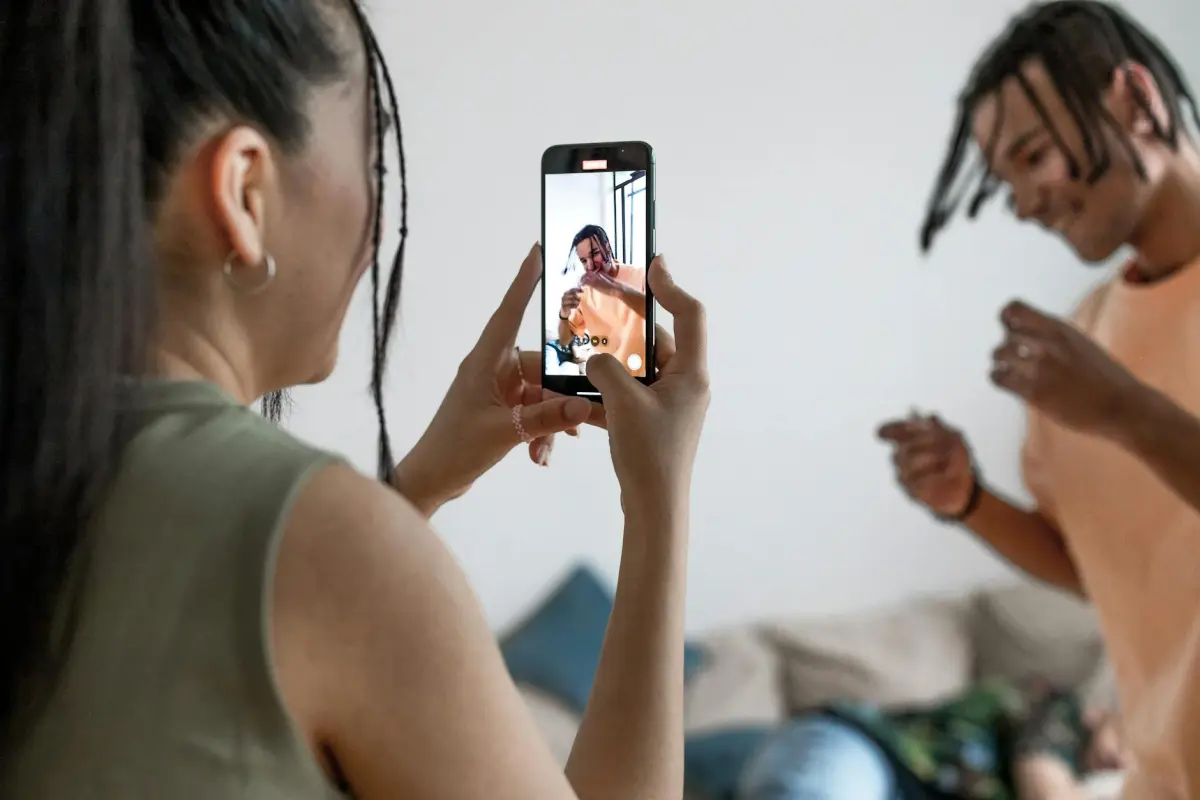
خطط لقصة مرئية ونص لتقديم محتوى مدعوم بالذكاء الاصطناعي يزيد عن 120 ثانية، بحيث يجد المشاهدون المحتوى جذابًا وتصل الرسالة بوضوح. يضمن هذا الأساس المرئيات الاحترافية وعالية الجودة منذ البداية.
المرحلة 2: تجميع الأصول بتركيز شديد. عندما تقترن نصًا مكتوبًا بصور مدعومة بالذكاء الاصطناعي من HeyGen، فإنك تعزز الواقعية وتزيد الكفاءة. هذا النهج يعمل عبر المنصات ويضمن إمكانية الوصول باستخدام التسميات التوضيحية، مما يدعم المشاهدين الذين يشاهدون بدون صوت.
معايير الإنتاج: قم بالتصدير بدقة 1080p بمعدل 30 إطارًا في الثانية بتنسيق MP4 باستخدام H.264، وحافظ على صوت نقي حوالي 128 كيلوبت في الثانية. قسم العمل إلى 4–6 مقاطع، كل منها 20–30 ثانية، مع خطاف جذاب في الثواني 8–12 الأولى. هذا يحافظ على ارتفاع مستوى التفاعل ويساعدك على التركيز على الرسائل الرئيسية أثناء زيادة المشاهدات. استخدم التسميات التوضيحية لتحسين إمكانية الوصول وأعد استخدام هذه الأجزاء عبر تنسيقات وقنوات متعددة لتوسيع نطاق الوصول مع الحفاظ على نبرة احترافية.
عبر المنصات، اتبع سير عمل مضغوط وقابل للتكرار لإنتاج نتائج متسقة. تتبع المشاهدات والاستبقاء، والتقط ملاحظات الجمهور، وكرر النص والمرئيات. الهدف هو مساعدتك في تحقيق أقصى قدر من التأثير مع الحفاظ على تكاليف الإنتاج منخفضة، وتقديم مخرجات عالية الجودة تدعم التسميات التوضيحية والسرد المتاح عبر الجماهير.
إنتاج الفيديو بالذكاء الاصطناعي: روايات طويلة واختيارات المنصات
ابدأ بسير عمل يبدأ بالنص أولاً واختر منصة تقدم معالجة مشاهد سهلة، وتصدير دفعة، وعرض موثوق لدعم الروايات الطويلة.
تبني هذه الخطوات عملية قابلة للتكرار: نص، قصة مصورة، مقطع صوتي، إنشاء مرئي، رسوم متحركة، تحرير، وتصدير، مع إعادة استخدام الأصول ذات المصدر الواحد عبر الحلقات. تساعد هذه الخطوات في الحفاظ على الاتساق.
يجب أن توازن اختيارات المنصات بين الضوابط البديهية والأسعار المعقولة؛ ابحث عن ميزات مثل الاستيراد المجمع، وإدارة الألوان الاحترافية، والترميزات المستقرة، وواجهة تدعم سير العمل التعاوني عبر فرق مختلفة.
توجّه المقاييس التخطيط: يختلف متوسط سرعة العرض حسب الدقة وتعقيد الأصول في الإنتاجات الرقمية. على جهاز كمبيوتر متوسط المدى مزود بوحدة معالجة رسومات حديثة، يتراوح تصدير 1080p60 عادةً من 10 إلى 40 ثانية لكل دقيقة، بينما قد يتطلب 4K30 مع ترميز عالي الكفاءة 2 إلى 6 دقائق لكل دقيقة.
التصدير والتوزيع: حافظ على الاتساق باستخدام ترميزات عالمية، بما في ذلك الصوت بمعدلات بت مستقرة، والحفاظ على ملف تعريف تصدير واحد عبر المشاريع؛ التسميات التوضيحية البسيطة والبيانات الوصفية تحسن الوصول.
الروايات والمرئيات: صمم قوسًا واضحًا، مع زخارف متكررة؛ استخدم الذكاء الاصطناعي لإنشاء مرئيات سياقية ومقاطع فيديو داعمة، مما يعزز المشاركة مع الحفاظ على نبرة احترافية.
الحفاظ على الأصول عبر المواسم: قم بتخزين النص الرئيسي، وملاحظات الشخصيات، وإشارات الصوت، وصور المراجع في مكتبة مشتركة؛ تدعم هذه الممارسات التعاون عبر المنصات وتسريع الدورات.
تحويل القوالب إلى سير عمل قابلة للتوسع: يؤدي تحويل نص أساسي إلى مكتبة مشاهد إلى تحسين الاتساق وتقليل المخاطر؛ وضع علامات لكل إصدار مقابل المقاييس المحددة يحافظ على سهولة الوصول إلى الجودة.
ضع مخططًا لسرد جذاب مدته 2+ دقيقة مع فصول واضحة
التوصية: ابدأ بسرد من ثلاثة فصول – الإعداد، المواجهة، الحل – يتم رسمه على إيقاعات واضحة. هذا التصميم سهل ومصمم للإنتاج باستخدام أدوات مدعومة بالذكاء الاصطناعي، وسرد احترافي، وهيكل مدفوع بالرواية يتوسع عبر المنصات. استخدم سير عمل واحد لإنتاج نتائج متسقة ولتحسين جودة الإنشاء.
تم تحديد أطوال الفصول للحفاظ على إيقاع مشدود: الفصل الأول 40–60 ثانية، الفصل الثاني 60–90 ثانية، الفصل الثالث 40–60 ثانية. تتجمع هذه الكتل، عبر الأوقات، لتتجاوز دقيقتين. ابدأ بخطاف قوي في أول 5–7 ثوانٍ، ثم ابنِ صعودًا معقولًا، واختتم برسالة موجزة تعزز الشرح. عندما تبدأ الرواية، قم بمحاذاة المرئيات مع الإشارات الصوتية لزيادة الفهم والاستبقاء إلى أقصى حد.
ملاحظات الإنتاج: استخدم موارد متاحة ورواية صوتية احترافية لدعم الرواية. صمم مرئيات تعزز كل إيقاع، واستخدم نص الشاشة بشكل مقتصد، وحافظ على جمالية أكبر ولا تُنسى. استخدم الإنشاء المدعوم بالذكاء الاصطناعي لتكييف الأصول لـ Snapchat والمنصات الأخرى، وحافظ على إيقاع وتيرة متسق لتجنب تخفيف الرسالة. ينتج هذا النهج دروسًا يمكن للمشاهدين تطبيقها ويجعل المحتوى أسهل في المشاركة وإعادة الاستخدام عبر المنصات.
| الفصل | الإيقاع | المدة (ثانية) | هدف السرد | نصائح الإنتاج |
|---|---|---|---|---|
| الفصل الأول | الإعداد والخطاف | 40–60 | تقديم البطل، المخاطر، الوعد | ابدأ بصور جريئة، وتسميات توضيحية، ونقاط شرح؛ حدد النبرة |
| الفصل الثاني | المواجهة والتصعيد | 60–90 | زيادة التوتر، كشف العقبة، اختبار الوعد | قصات ديناميكية، مرئيات مولدة بالذكاء الاصطناعي، إيقاع قائم على الإيقاع |
| الفصل الثالث | الحل والرسالة المنقولة | 40–60 | تقديم المكافأة، الدروس، الدعوة إلى اتخاذ إجراء | جملة ختامية قوية، دعوة واضحة لاتخاذ إجراء، تلخيص مع نص على الشاشة |
صياغة مواجهات قابلة للتوسع ونصوص لإنشاء فيديو بالذكاء الاصطناعي طويل
ابدأ بقوالب جاهزة للاستخدام ومواجهات مؤتمتة تقسم السرد إلى مشاهد بأهداف محددة، وإشارات إيقاع، ومواجهات الراوي لدعم إنشاء محتوى طويل وجذاب.
صمم إطارًا معياريًا يمكن إعادة استخدامه عبر مواضيع مختلفة. يسرد كل كتلة هدف المشهد، وصوت الشخصية، والإشارات المرئية، ومدخلات البيانات، وأهداف المدة، مما يتيح للمستخدمين ضبط الإيقاع مع الحفاظ على قوس قصة متماسك. يدعم هذا النهج أصواتًا ومرئيات مدعومة بالذكاء الاصطناعي، مع واجهة نظيفة لإدارة التحكم وسير العمل. استخدمه لبناء قصص مع صداقات بين الشخصيات.
1) حدد الهدف النهائي والجمهور؛ صياغة مخطط تفصيلي لكل مشهد باستخدام القوالب. 2) لكل مشهد، حدد الهدف، الصوت، إشارة الإيقاع، الإشارة المرئية، ومدخل البيانات؛ تأكد من أن هذه الكتلة تتطابق مع المدة المقصودة. 3) قم بإنشاء سطور ومواجهات الراوي التي تحافظ على نبرة متسقة عبر المشاهد، باستخدام مواجهات تشير إلى الموضوعات والقصص الأساسية.
4) قم ببناء نص بدء جاهز لكل مشهد يتضمن سطر مقدمة موجز، وإشارة انتقال، وملاحظة ختامية لدفع الزخم. 5) اختبر مع المستخدمين؛ اجمع ملاحظات حول الإيقاع والوضوح والمشاركة؛ اضبط عناصر التحكم في الواجهة وإعدادات سير العمل وفقًا لذلك. قم بتضمين المدخلات بما في ذلك مصادر النص، والنسخ الصوتية، والأصول المرئية لتوجيه قيم الإنشاء والمرئيات.
راقب جودة المخرجات النهائية من خلال فحوصات جودة وارنر والأصول الآمنة لحقوق النشر؛ قم بتخزين القوالب والأصول لمشاريع المبدعين المختلفة لتعزيز قدرتك ومهاراتك، مما يضمن سير عمل قابل للتوسع يدعم الإنتاج المدعوم بالذكاء الاصطناعي عبر مواضيع متنوعة بما في ذلك هذا النهج.
تقييم المنصات: دعم المحتوى الطويل، خيارات السرد، والأصول الإعلامية

اختر منصة يمكنها التعامل مع استضافة المحتوى الطويل، والسرد المدفوع بالذكاء الاصطناعي، ومكتبة وسائط غنية للحفاظ على سير عملك بسيطًا أثناء إنشاء محتوى تعليمي أكثر جاذبية يبقى متاحًا لجمهورك. بالنسبة للمبدع الفردي، يعزز هذا الإعداد الكفاءة، ويحول النص إلى قطعة مصقولة ويحول الأفكار إلى مشاركات متسقة عبر القنوات.
-
دعم المحتوى الطويل
- يدعم فترات تشغيل من 2 إلى 20+ دقيقة؛ بالنسبة لقطعة تعليمية مدتها 3 دقائق، تحقق من الفصول والعلامات والانتقالات السلسة للحفاظ على الإيقاع.
- تساعد الفصول المدمجة وعلامات المشهد وإشارات المخطط الزمني في تقسيم الموضوعات المعقدة دون كسر الزخم.
- خيارات تصدير مرنة (MP4، WebM)، ودقة متعددة، وتصدير تسميات توضيحية لتحسين إمكانية الوصول.
- تقلل أدوات التعاون وسجل الإصدارات من إعادة العمل عندما تساهم الفرق أو تنقح النصوص والمرئيات.
-
خيارات السرد
- صوت مدفوع بالذكاء الاصطناعي مع تنوع لغوي، وتحكم في النبرة، وإعدادات التركيز لتتناسب مع النمط التعليمي.
- خيار تحميل أو دمج التعليقات الصوتية البشرية لإيقاع طبيعي عند الحاجة.
- تحويل النص إلى كلام مع إنشاء نص وترتيب مزامنة الشفاه أو التوقيت بسلاسة مع المرئيات.
- تدعم التسميات التوضيحية والترجمات وتسميات المتحدثين إمكانية الوصول والوصول الأوسع.
- مخرجات يمكن تشغيلها مع أو بدون صوت؛ يجب أن تحل التسميات التوضيحية والمركبات محل الأجزاء المنطوقة إذا لزم الأمر.
-
الأصول الإعلامية
- مكتبات مخزون واسعة لمقاطع الفيديو والصور والأيقونات والمؤثرات الصوتية؛ شروط ترخيص واضحة وفلاتر بحث حسب الموضوع.
- استيراد وإعادة استخدام لقطاتك وشعاراتك وخطوطك وألوانك الخاصة عبر المشاريع لضمان الاتساق.
- قوالب وتراكيب (النصوص السفلية، المقدمات، الخواتيم) بالإضافة إلى إعدادات مسبقة لتدرج الألوان لتبسيط الإنشاء.
- إمكانية إعادة الاستخدام: تحويل نص واحد إلى مقاطع أقصر للمنشورات والاقتباسات أو الصور الثابتة لتوسيع نطاق الوصول.
- ضوابط جودة للمرئيات والصوت، بالإضافة إلى إعدادات مسبقة مخصصة لمنصات يوتيوب ولينكد إن والتعليمية.
نصائح للاختيار: قارن كيف تتعامل كل منصة مع تحويل النص إلى قطعة مدتها 3 دقائق، ثم إعادة استخدام هذا المحتوى في منشورات مع أو بدون صوت. ابحث عن أصول متسقة، وسهولة استيراد موادك الخاصة، وسير عمل بسيطة تقلل من جهد المنشئ. عند المقارنة بين الخيارات، فضل المنصات التي تقدم مرئيات جذابة وسهلة الوصول مع وتيرة سلسة، ومسارًا بسيطًا من النص إلى النشر.
قارن بين أفضل المنصات لمقاطع الفيديو القصصية التي تزيد مدتها عن دقيقتين
ابدأ بيوتيوب كنقطة مرجعية للمحتوى الذي يزيد طوله عن دقيقتين، لأنه يعزز الوصول، ويدعم سرد القصص الكامل، ويوفر تسميات توضيحية قوية وخيارات تحقيق الدخل.
فيميو مصمم لعروض تقديمية عالية الجودة ومتحكم بها مع تشغيل خالٍ من الإعلانات، ومشغلات تحمل العلامة التجارية، وضوابط خصوصية، وتحليلات كاملة. إنه مناسب للمشاريع التي تتطلب دقة ويقدم قوالب لتحديد وتيرة قوس تحول داخل إطار.
انستغرام يدعم القصص الأطول فقط عند اقترانه بمنشورات متقاطعة؛ تكمن قيمته الأقوى في استخلاص قطع جاهزة بحجم اللقمة تدفع حركة المرور مرة أخرى إلى مركز أكبر. لنمو التسويق والمجتمع، ادمج التسميات التوضيحية والتنسيقات المألوفة للحفاظ على العلاقات.
يتفوق سناب شات في سرد القصص العمودي والتغذية الراجعة في الوقت الفعلي؛ استخدم التسميات التوضيحية الآلية للحفاظ على الوتيرة، وإعادة تدوير اللقطات المميزة للحفاظ على تفاعل الجمهور بعد الإصدار الأولي.
تعرض فيسبوك ووتش، جنبًا إلى جنب مع شراكات وارنر، مقياسًا عبر التعليقات والمجموعات والتوصيات؛ يساعد التصميم الملاحي وأفضل القوالب في الحفاظ على وتيرة أسبوعية مستمرة ومزيج محتوى كامل للحملات.
إعداد عملي: صمم سير عمل جاهز للنشر – نص، تصوير، تسميات توضيحية، فصول، صور مصغرة؛ استخدم النسخ التلقائي والتسميات التوضيحية، حافظ على وتيرة ثابتة، وتتبع المقاييس لتحسين نهجك. تساعدك هذه العملية على الاستفادة بكفاءة من المشاركات المتقاطعة والحفاظ على توافق المحتوى مع أهداف التسويق.
خلاصة القول: صمم سردًا رئيسيًا على يوتيوب، ثم أعد تدوير المحتوى على انستغرام وسناب شات لزيادة التفاعل، بينما يخدم فيميو كملف أعمال عالي الجودة. انضم إلى الشبكات لمشاركة مهاراتك، وجمع التعليقات، وبناء مجموعة عمل رائعة وكاملة تعزز الوصول وتظهر نضج المحتوى.
إعداد سير عمل إنتاج سريع: تحسين المطالبات، والوتيرة، ومواءمة الصوت، وضمان الجودة

ابدأ بمطالبة أساسية محكمة ونص جاهز مصمم لوقت تشغيل مدته 3 دقائق. قم بصياغة ثلاثة متغيرات وقارن بينها لتحديد خط أساس عالي الجودة ومقنع يتردد صداه لدى المشاهدين ويتناسب مع هدف 3 دقائق.
خطوات تحسين المطالبات: 1) البدء بهدف واضح، وجمهور، ومواضيع؛ 2) إنتاج ثلاثة متغيرات للمطالبات؛ 3) مقارنة المخرجات من حيث الوضوح والأسلوب والوتيرة؛ 4) تثبيت أقوى مطالبة كمصدر لجميع الأصول والتسليمات.
تبدأ الوتيرة البديهية بثلاثة فصول: خطاف، رسالة جوهرية، وخاتمة. قم ببناء جمل قصيرة، من 7 إلى 12 كلمة، وأدخل مرئيات تدعم كل ضربة. حافظ على سهولة الفهم وتأثير أكبر باستخدام انتقالات حادة، وذكر مواضيع مركزة، وخيوط قصصية تربط بين الأقسام. لاحظ متى يجب تبديل المواضيع للحفاظ على ارتفاع مستوى التفاعل.
تضمن مواءمة الصوت أن يتطابق السرد مع قيمة المبدع والمواضيع المختارة. قم بمعايرة نموذج الصوت للسرعة (حوالي 140-165 كلمة في الدقيقة)، والتوقفات، والتأكيد على المصطلحات الرئيسية. استخدم مقابض للحفاظ على نبرة متسقة عبر المشاهد وعبر الأجهزة؛ اختبر بمراجعة سريعة من الفريق وقم بالتعديل حسب الحاجة.
فحص ضمان الجودة يزيل الحواف الخشنة للتوزيع الرقمي: تحقق من تطابق التوقيت مع النص، وتأكيد مستويات الصوت، وضمان محاذاة التسميات التوضيحية، وتدقيق السرديات للاكتمال. قارن بمصدر مرجعي (источник) وتأكد من أن المواد تظل عالية الجودة، وتعزيز الاتساق دون حشو. قم بتدوين الملاحظات، وتخزين النتائج، وإعادة استخدام نفس الخطوات لتسريع الإنشاء، وتعزيز الكفاءة دون جولات مراجعة إضافية.




