
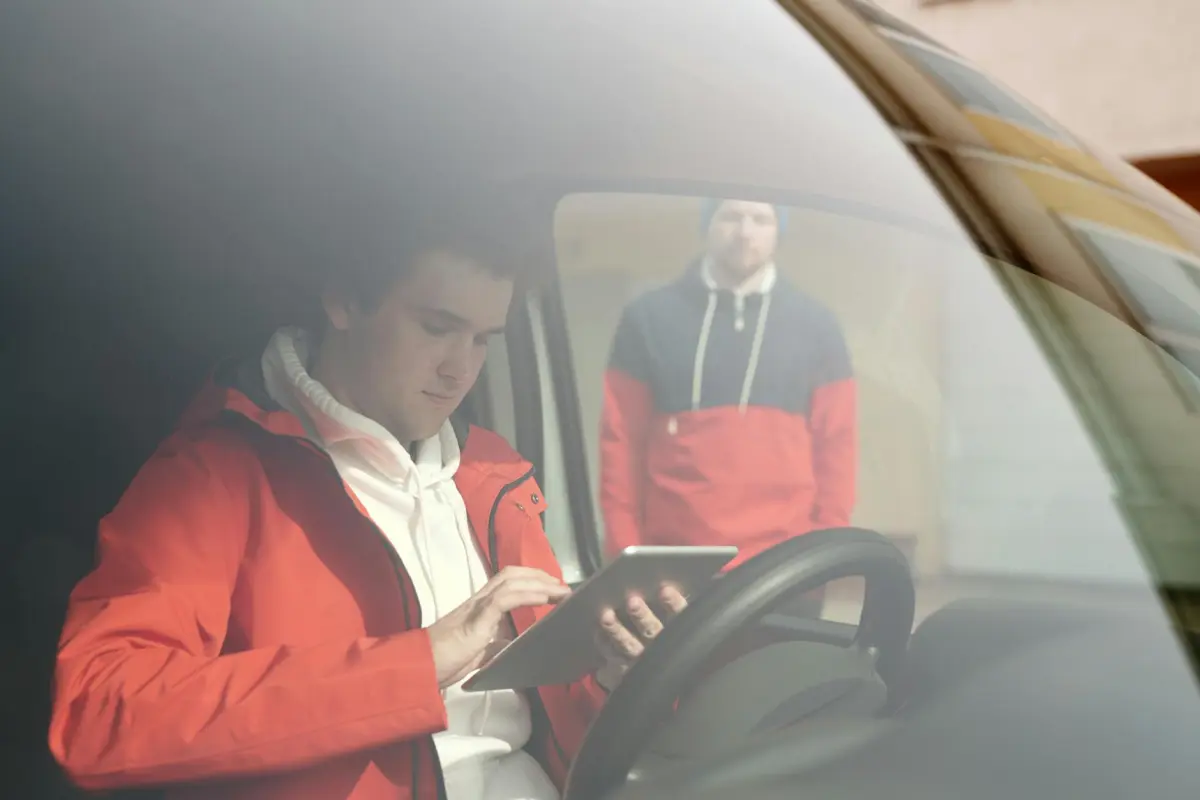

Рекомендація: Почніть з filmustage як центрального вузла для розбивок, нотаток та прив'язки ресурсів; потім додайте два спеціалізовані інструменти для створення сторібордів та планування зйомок, що забезпечить безперебійний робочий процес серед професійних команд без експериментів, які сповільнюють прогрес.
1) filmustage автоматизує розбивки, пов'язує стандартні ресурси та створює внутрішні нотатки з багатомовним інтерфейсом; він надає невидимий шар даних, який допомагає командам рано виявляти зміни обсягу, зміну тону та фактори ризику; ось стислий висновок: переваги швидко накопичуються, і кінцевий результат стає очевидним протягом тижнів.
2) StudioBinder Спрощує графіки, списки викликів та журнали зйомок; оцінка ризиків за допомогою ШІ дозволяє рано виявляти конфлікти; може підключатися до Frame.io, забезпечуючи швидкий перегляд ресурсів; знайомство зазвичай займає 20–30 хвилин; цінові плани починаються приблизно від 29 доларів на місяць за користувача, масштабуються залежно від розміру команди; цей інструмент допомагає командам досягти професійної організації, більшої прозорості та покращеної внутрішньої комунікації.
3) Frame.io Перегляд за допомогою ШІ, автоматичні транскрипції, інтелектуальна розмітка та пошук ресурсів; підтримує багатомовні коментарі; інтегрується з основними редакторами; цикли перегляду скорочуються на 30–40%; стандартні кліпи доступні в тому ж робочому просторі; елементи контролю внутрішнього доступу допомагають забезпечити безпеку.
4) ShotGrid Керування конвеєром Autodesk, автоматизація завдань, прогнозування ризиків та крос-функціональні інформаційні панелі; знайомство зазвичай займає 25–35 хвилин; підтримує багатомовний інтерфейс; інтегрується з Maya та Houdini; професійні студії покладаються на ShotGrid для узгодження робочих процесів між відділами та уникнення вузьких місць на ранніх етапах виробництва.
5) Celtx Сценарії, розробка сюжету та виробничі календарі з підказками та візуалізаціями за допомогою ШІ; хмарна співпраця дозволяє швидко приймати рішення в командах; знайомство 15–25 хвилин; базові плани — близько 25–40 доларів на місяць; доступні багатомовні шаблони; створення узгодженого наративу без дороговартісних експериментів.
6) Notion AI База знань, нотатки про зустрічі та відстеження завдань; ШІ узагальнює довгі документи; шаблони адаптують списки зйомок та графіки; підтримує шість мов; швидкий пошук дозволяє знаходити внутрішню роботу; простий спосіб підтримувати тон у командах та забезпечувати узгодженість.
7) Toon Boom Storyboard Pro Студійні дошки та аніматики з пропозиціями розміщення за допомогою ШІ; інтегрується з анімаційними конвеєрами; підтримує багатомовні ресурси та контроль тону; початкове налаштування 20–30 хвилин; ліцензії залежать від функцій, зазвичай від 19–50 доларів на місяць за робоче місце; команди використовують його для прототипування послідовностей з швидшим ітераційним циклом.
8) FrameForge 3D-попередній перегляд із блокуванням камери; планування камери та зйомки за допомогою ШІ; експорт до фінальних версій; підтримує багатомовний інтерфейс; знайомство часто займає менше 20 хвилин; типові ліцензії починаються приблизно від 20–60 доларів на місяць; допомагає продюсерам знаходити ефективність у ранніх рішеннях, роблячи коригування видимими ще до початку зйомок.
Loom – Асинхронні щоденні перегляди та відгуки режисера на основі ШІ

Використовуйте Loom як центральну платформу для прискорення щоденних переглядів та відгуків режисера. Кінематографісти завантажують дублі; режисери залишають асинхронні нотатки, все в одному місці. Один клік відкриває цикл перегляду, який мінімізує обмін інформацією туди й назад, забезпечуючи вікно виконання приблизно 24 години в перший місяць і скорочуючи його перед критичними днями.
У межах пакету створення сторібордів та анімації з щоденних переглядів забезпечується генератором; перші проходи перетворюють сцени на візуальні підказки. Спеціалізовані моделі адаптуються до мови режисера. Включені шаблони охоплюють стилі від виразних діалогів до насичених екшном послідовностей. Кінематографісти отримують доступ до коментарів у відео, анотують кадри та експортують до редакторів.
Доступність покращується завдяки інтеграції STUDIVITY: синхронізація автосубтитрів, переклад нотаток та рендеринг анімацій з нотатками про виразність, які фіксують час та темп. Креативники отримують місяць ітерацій, а потім повторно використовують матеріал для зйомок.
Практичні поради: визначте щоденний розклад, призначаючи завдання на платформі; використовуйте клік-для-анотації на ключових дублях; потім надсилайте оновлення до робочого процесу. Зберігайте нотатки стислими, використовуйте виділення в відео та спеціалізовані моделі для адаптації відгуків до словника режисера.
Як увімкнути ШІ-автотранскрипцію та пошукові щоденні перегляди
Почніть із повторюваного конвеєра прийому – транскрипції – прикріплення тексту, вибираючи механізм реального часу та надійного постачальника транскрипції. Приймайте аудіо з щоденних переглядів з камер, журналів хлопавки та окремих аудіо треків; прикріпіть згенерований текст як субтитри та шар тексту, що можна шукати.
Виберіть багатомовний механізм з чіткими цінами та високою точністю. Застосуйте двопрохідну стратегію: чернетковий прохід транскрипції, за яким слідує пост-обробка з людською перевіркою в ключових місцях.
Субтитри в реальному часі з'являються у легкому переглядачі, поки редактори переглядають щоденні перегляди на дошках, що відстежують сцени, маркери та метадані. Редактори бачитимуть результати миттєво.
Зробіть текст легко шуканим, анотуючи його ідентифікаторами сцен, акторів, мовами та ключовими словами. Створіть швидкий індекс, щоб пошук виявляв, що відбувалося в сцені за секунду; дозвольте редакторам перейти безпосередньо до точного моменту. Це дає цінний метадані.
Інтегруйте wisecut для обтинання пауз, видалення тривалих пауз та створення чистих блоків тексту, допомагаючи як редакторам, так і глядачам.
Використовуйте Slack для сповіщення команд про надходження транскрипцій, оновлення або появу нових дощок, що відображають нові зміни. Вони миттєво побачать оновлення. Використовуйте elevenlabs як додатковий механізм для доставки природно звучащих пояснювальних озвучок, які доповнюють важливі транскрипції.
Пропонуйте навчальні матеріали та стислі пояснення командам, що розвиваються; запровадьте звичку вибірково перевіряти десять рядків за раз; задокументуйте чітку модель даних, щоб усі залишалися в курсі, а пошук відповідних сегментів був легким.
Вибір правильного поєднання генераторів та управління пам'яттю зменшує затримки; розробіть процес, де новий матеріал починається зі спеціалізованих транскрипцій, з резервним корпусом.
Результати роботи включають швидший доступ до дублів, швидкі цикли чернеткового монтажу та чіткі результати пошуку, що спрямовують монтаж, тоді як глядачі отримують прозорість та постійний журнал змін.
Тайм-кодовані нотатки до сцен: розмітка дублів, акторів та безперервності
Запровадьте протокол тайм-кодованих нотаток до сцен, що працює на основі інструментів зі ШІ. Кожен дубль отримує структуровану форму із полями: часова мітка, сцена, частина, актор, репліка, тон, позначка безперервності та примітка про видалення. Це дає єдиний, шуканий журнал, який прив'язує матеріал до творчої часової лінії.
Останнє ШІ-тагування може виявляти кореляції між голосовими підказками, блокуванням, костюмами, реквізитом та рухом камери, дозволяючи проводити точніші перевірки безперервності. Клікніть, щоб прикріпити нотатки до конкретних кліпів у відзнятому матеріалі, роблячи матеріал простежуваним по всьому монтажу.
Створіть схему з полями: часова мітка, дубль, імена акторів, репліки, тони та позначка безперервності. Включіть примітку про видалення, якщо кадр потрібно видалити через невідповідність або якщо будь-який елемент порушує тональну узгодженість.
Існують обмеження: шумний звук, перекриття діалогів або анімовані послідовності можуть ускладнити транскрипцію. Зберігайте спеціальну позначку голосу для позначення невизначених фраз. Незалежно від того, чи це хмарне рішення, чи локальне, переконайтеся, що інтеграція відповідає графіку та існуючому дереву монтажу, уникаючи ізоляції даних.
Ризики Loom потребують заходів безпеки: автоматичні теги повинні перевірятися людиною, а швидкий цикл валідації перевіряє теги тону, теги акторів та частини сцени. Створення нотаток залишається структурованим; тон залишається послідовною характеристикою для всіх дублів.
Обробка заміни: якщо дубль замінено, поширюйте маркери безперервності на наступну частину, зберігаючи просторовий та лінійний контекст. Потреби редактора визначають шаблон тегування; включіть стислий опис, що фіксує зміни тону, блокування та помітні пропуски.
Експорт анотованих кліпів у списки зйомок та списки викликів
Рекомендація: створіть єдиний робочий процес експорту, який перетворює анотовані кліпи на структуровані списки зйомок і знімальні записки в реальному часі, а потім експортує їх у форматах CSV, PDF та JSON і надсилає до спільного сховища команди. Під час тестування користувачів зберігайте введення даних на ранніх етапах процесу; надайте творцеві можливість керувати чернетковими нотатками, що формують візуальні образи, зменшуючи кількість правок та забезпечуючи швидку візуалізацію плану, з більшою кількістю способів адаптації до змін потреб.
- Визначення моделі даних
- Поля: Сцена, Сценарій, Дубль, Таймкод, Локація, Камера, Об'єктив, Персонаж, Дія, Діалоги, Посилання на зображення, Аудіонотатки, Нотатки. Ця базова модель використовувалася командами для визначення стабільної структури.
- Включіть необов'язкові метадані: Погода, Реквізит, Ефекти; дозвольте обмежені поля для швидкого введення протягом перших місяців чернеткової роботи.
- Створення шаблонів
- Шаблон списку зйомок: стовпці для № зйомки, Сцена, Дубль, Таймкод, Локація, Камера, Об'єктив, Дія, Посилання на зображення. Зберігайте список коротким, щоб зменшити кількість правок пізніше.
- Шаблон знімальної записки: стовпці для Ролі, Імені, Часу виклику, Локації, Контакту, Резервного варіанту; надавайте у форматах PDF та CSV для зручного використання на особистих пристроях та для потреб команди.
- Анотування та візуалізація
- Анотуйте в реальному часі на знімальному майданчику; вводьте короткі нотатки під час появи зображень; використовуйте мітки дії для визначення послідовності. Це допомагає команді відчувати прогрес та планувати дії.
- Використовуйте моделі комп'ютерного зору для пропозиції полів із захоплених зображень; деякі поля заповнюються автоматично, що забезпечує швидший робочий процес, ніж ручне введення.
- Формати експорту
- CSV: легке імпортування до інструментів планування та календарів; PDF: друковані знімальні записки; JSON: плавна інтеграція з системами цифрового контенту, які використовує команда.
- Можливість експорту для кожної Сцени, кожного Дня або кожного Департаменту для задоволення різноманітних потреб з мінімальними правками.
- Інтеграція з робочим процесом команди
- Надсилайте результати до вибраних каналів, таких як спільний диск, електронна пошта або додаток для виробничих повідомлень; переконайтеся, що ви можете додавати мініатюри та аудіонотатки для контексту; персональні посилання допомагають кожному члену швидко отримати доступ.
- Підтримуйте єдине джерело правди; моделі використовуються для узгодження позначок між членами команди; це зменшує плутанину та прискорює вибір правильного плану.
- Контроль якості та повторне використання
- Обмежте кількість полів, щоб уникнути безладу; застосовуйте правила валідації (обов'язкові поля, формат таймкоду); зберігайте історію версій, щоб правки залишалися відстежуваними.
- Повторно використовуйте шаблони для різних сцен; визначте стандартний набір, який масштабується зі зростанням зйомки; типовий день зі 150–200 анотованими кліпами дає 24–36 сторінок списків зйомок та 12–18 рядків знімальної записки.
Керування доступом, зберіганням та сумісним з GDPR обміном
Обмежте доступ за допомогою RBAC, ініціюйте автоматичне відкликання при відкритті ключових етапів і встановіть 30-денний термін зберігання після завершення проекту, щоб дані залишалися компактними та доступними для аудиторії та творців.
Реалізуйте спільний доступ, сумісний з GDPR, шляхом створення посилань для спільного доступу з одноразовим доступом, вимагайте записів про згоду та ведіть журнали аудиту в реальному часі, щоб довести, хто відкрив певний список зйомок або розкадровку. Використовуйте псевдонімізовані ідентифікатори в розкадровках та обмежте персональні дані лише тим, що суворо необхідно для забезпечення надзвичайно цінного досвіду для підтримки творців та брендів, не розкриваючи конфіденційну інформацію.
Прийміть технічну структуру з шифруванням даних у стані спокою та під час передачі, суворим керуванням ключами та сповіщеннями в реальному часі про аномалії доступу. Зберігання відповідає етапам конвеєра: відкриття, перегляд, затвердження та архівування; зберігайте лише необхідні байти, замінюйте застарілі копії посиланнями та використовуйте спеціальний пакет для зберігання активів, забезпечуючи контроль за матеріалами, що надаються для спільного доступу. Такий детальний контроль дозволяє командам залишатися узгодженими.
Поради щодо робочого процесу: створіть єдиний, плавний пакет, який підтримує оперативний обмін, дозволяє аудиторії переглядати матеріали без необробленого відео та дозволяє брендам перевіряти статус згоди перед запрошенням зовнішніх творців. Це зменшує ризики та забезпечує неймовірно плавний досвід на різних пристроях під час початкових етапів та поточних зйомок.
| Роль або група | Обсяг доступу | Днів зберігання | Примітки |
|---|---|---|---|
| Внутрішня робоча команда | Перегляд, Редагування | 90 | Активно протягом конвеєра; автоматичне відкликання при закритті |
| Творчі партнери | Перегляд, Коментування | 30 | Швидкий обмін; водяний знак на матеріалах |
| Зовнішні консультанти | Перегляд | 14 | Потрібна NDA; обмежено списком зйомок та розкадровкою |
| Архів | Тільки для читання | 365 | Зашифровано; доступ за запитом, схваленим DPIA |
ScriptBook – аналіз сценаріїв за допомогою ШІ для зеленого світла та пакування
Запустіть ScriptBook на найновішому варіанті сценарію, щоб згенерувати звіт щодо пакування та обґрунтування зеленого світла за лічені хвилини, а потім експортуйте редагований звіт, який відповідає вашим каналам.
- автоматичний аналіз сценаріїв визначає логлайн, структуру ударних моментів, цілі персонажів та комерційні гачки; результати надають повний звіт та готовий до показу бриф для команд з пакування різних каналів.
- візуалізуйте темп і кадрування за допомогою графіків та рекомендацій щодо стилю зйомки, а також посібник зі стилів, щоб відповідати настрою фільму та бюджетним обмеженням; допомагає планувати зйомки та досягати тональних цілей.
- обробка зведених показників виявляє ризики та можливості, включаючи показники послідовності, виявлення побічних сюжетів та вплив на бюджет; підтримує рішення щодо швидких правок та вибору зеленого світла.
- недоліки: результати ШІ можуть пропускати підтекст або культурні нюанси; вимагають людського перегляду для збереження намірів та збереження контролю за творцями.
- редагований, гібридний робочий процес поєднує інсайти ШІ з навичками виробничої команди; редактори можуть коригувати кадрування, тон та акценти перед остаточним пакуванням.
- канали та експорт в один клік надсилають результати до презентацій для розробки, папок студії та зовнішніх керівників – підтримуючи команду в стані узгодженості та відстежуваності.
- зображення: автоматично згенеровані дошки ілюструють настрій, простір та візуальні орієнтири, дозволяючи швидко ітерувати без ручних ескізів.
- безкоштовний рівень пропонує базові можливості; платні рівні відкривають глибокий аналіз відповідності, інтеграцію із зовнішніми активами та просунуті прапорці ризиків.
- інтегруйте з існуючими редакторськими пакетами та робочими процесами управління активами, щоб підтримувати пакування відповідно до простору, графіка та бюджетних обмежень.
- творці можуть покладатися на цей інструмент для надання практичних, легко регульованих вхідних даних, які тематично підсилюють бачення, зберігаючи при цьому художню свободу.
Інтерпретація результатів комерційного показника та сегментації аудиторії
Впровадьте простий двошаровий механізм, який пов'язує комерційний показник з результатами сегментації аудиторії та інтегрується в міжнародний робочий процес, що дозволяє швидко створювати цільові дизайни.
Встановіть простий базовий показник: показник = 0,6 * сигнал доходу + 0,4 * схильність до сегменту, з реєстратором, який записує фактичне підвищення для кожної кампанії; має на меті виявити невеликі, поступові прирости та уникати незручних упереджень.
Використовуйте багатомовні вхідні дані для підтримки створення на різних ринках. Midjourney створює анімацію та дизайни, які перетворюють числові сигнали на готові до показу активи; узгоджуйте озвучку з тоном та тривалістю.
Зосередьтеся на значному поступовому прирості в окремих сегментах; уникайте незграбних невідповідностей між набором даних та креативом; надавайте перевагу гібридному підходу, який масштабується, зберігаючи невеликі, сфокусовані кампанії.
Створіть зв'язок між реєстратором та командою дизайнерів; наполегливо розробляйте сфокусовану стратегію, яка поширюється на міжнародні ринки; підтримуйте розвиток та повторюваність циклу створення без упереджень.




