
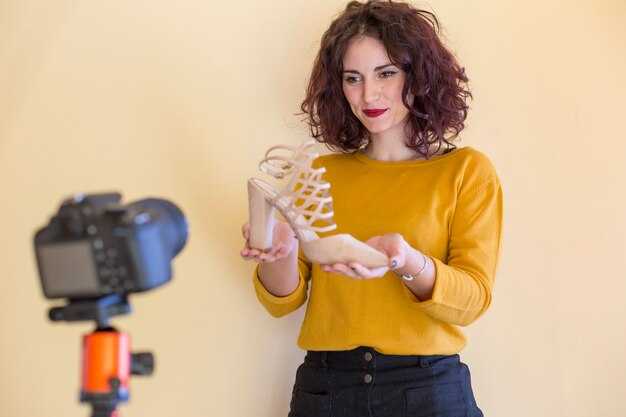
Почніть із 30-секундного фрагмента, витягнутого з одного сеансу, і переробіть його на десять соціальних шортів. Цей базовий підхід зменшує втрати та прискорює ваш темп створення, оскільки модульні вирізки краще працюють у стрічках, коли їх поєднують з точними мініатюрами та підписами.
Структуруйте кожен кліп навколо 9–15-секундної дуги: вирізки послідовностей, бекграунд та чіткі голоси за кадром, синхронізовані з відеофрагментами. Робочий процес інтегрується з вашим редактором та планувальником інструментами та підтримує процес готовим для соціальних мереж від концепції до публікації. Автоматизуйте підписи, переходи та створення тегів, щоб зменшити ручну роботу та витрати.
Встановіть щомісячну ціль – від восьми до дванадцяти опублікованих шортів за кампанію. Таке зростання екосистеми допомагає даним інформувати ітерації. Використовуйте базовий шаблон, який масштабується на різні формати; витрати залишаються передбачуваними завдяки автоматизації рутинних кроків.
Відстежуйте показники охоплення та кліків, час перегляду, збереження та сигнали аудиторії, щоб вирішити, які фрагменти переробити; експериментуйте з форматами, щоб визначити резонанс. Структура повинна підтримувати послідовний голос та стиль, щоб ваш креатив залишався впізнаваним на різних платформах.
Для максимальної результативності створіть спільну бібліотеку креативних ресурсів: бекграунди, голоси за кадром та шаблони для створення в централізованій екосистемі. Ця рутина зменшує втрати та підтримує щомісячні випуски; автоматизація завдань з вирізки контролює витрати та полегшує командну роботу для редакторських команд.
Перетворіть одне довге відео на 10 кліпів для спільного доступу з швидким звуковим дизайном та пакетним редагуванням
Рекомендація: використовуйте браузерний робочий процес, щоб розбити майстер-файл на десять стислих сегментів, кожен з яких буде спеціально створений для платформи та аудиторії.
Візуальне планування: Почніть з візуальної карти, щоб позначити десять контекстно-релевантних моментів, що вказують на сюжетні дуги та природні точки розриву, які утримують глядачів у готовності до перегляду.
Швидкий звуковий дизайн: Поєднайте легку музичну підкладку з точними звуковими ефектами, автоприглушенням та чистими рівнями діалогів; потім застосуйте послідовний темп та переходи, щоб підтримувати ритм протягом десяти частин.
Пакетне редагування: Створіть десять пресетів для кольору, обрізки, стилю субтитрів та текстових накладень; потім експортуйте пакетно однією дією, забезпечуючи узгоджений формат та метадані.
Ефективність та доступність: зберігайте файли малими для завантаження, використовуйте середні швидкості з'єднання, і надавайте опції для експорту в кількох форматах, щоб задовольнити потреби.
Брендинг та охоплення: додайте коротку вступну картку для персонального брендингу, фірмовий вихід та вигляд, готовий для мініатюр, щоб збільшити коефіцієнти на блогах та онлайн платформах.
Якість та масштаб: це рішення повністю підтримує нішеві теми; дозволяючи креаторам переробляти розширений контент без компромісів щодо цілісності оповідання, з нульовим клонуванням ресурсів.
Користувацький досвід: інтуїтивно зрозумілий інтерфейс, чіткі індикатори прогресу та контекстно-залежні підказки допомагають будь-кому легко знаходити нові можливості для повторного перегляду або посилання на розділи.
Визначте 6 вдалих моментів для захоплення уваги, щоб максимізувати утримання глядачів

1) Почніть з сміливої, прямої обіцянки в перші 2–3 секунди, поєднаної з чітким сигналом релевантності; цей сигнал змушує глядачів відчути перевагу та створює основу для сильного перегляду, сприяючи загальному зростанню для бізнесів, які це тестують.
2) Зробіть "момент удару": несподівана статистика або візуалізація, яка порушує загальний початок; використовуйте швидкі вирізки та уникайте порожнього наповнення, дозволяючи "удару" генерувати цікавість та підвищувати ранню залученість.
3) Включіть персональний кут: короткий, автентичний момент, пов'язаний з досвідом або минулим; цей особистий сигнал допомагає глядачам відчути зв'язок і будує попередню довіру, готуючи до ширшого повідомлення.
4) Додайте мікро-доказ: покажіть 2–3 швидкі результати з чіткими ефектами; цей прямий формат допомагає глядачам побачити прогрес і генерує довіру, як підхід Хауеса використовується зростаючими бізнесами.
5) Продемонструйте широку релевантність у різних контекстах: перемикайтеся між обстановками та фоном, щоб охопити різноманітну аудиторію; підтримуйте швидкий темп та різноманітні візуальні ефекти, щоб уникнути загальної сірості та підтримувати інтерес.
6) Закінчіть цільовим закликом до дії, орієнтованим на управління цінами та зростання: пряме запрошення, яке допомагає бізнесам масштабуватися, утримує глядачів, і посилається на Kapwing як швидкий, доступний інструмент для загального розвитку всіх ресурсів.
Автоматизуйте вилучення сегментів та пакетне рендерінг для 10 кліпів за один прохід
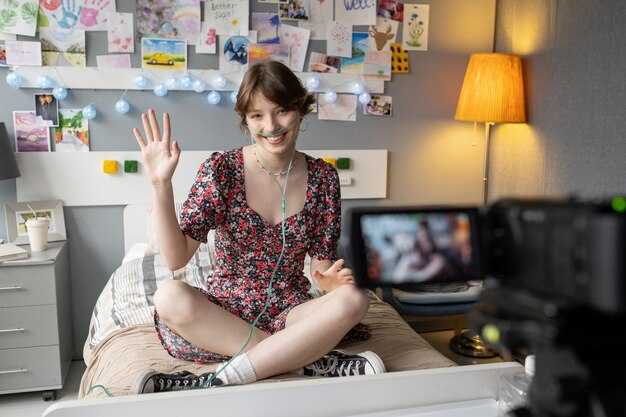
Запровадьте єдиний конвеєр автоматизації, який приймає головну запис, виявляє тематичні розриви та рендерить десять сегментів за один прохід. Цей підхід допомагає редакторам, які хочуть спростити робочий процес та максимізувати випуск.
Налаштуйте вилучення зі сигналами, такими як маркери розділів, показники часу відтворення та підказки, отримані з транскриптів, які відповідають бажаним темам: освіта, навчальні посібники та відеоблоги про стиль життя.
Приєднайте обробку підписів та накладень, використовуючи шаблони для нижніх третин, забезпечуючи послідовний розмір, шрифти та розташування на всіх десяти результатах.
Керуйте робочим процесом, керованим генератором, який ставить у чергу десять завдань рендерингу для паралельних працівників, доставляючи збережені результати та повністю автоматизований, ефективний випуск.
Важливим для успіху є гнучкий конвеєр, який редактори можуть налаштовувати: кілька предметів, різноманітні освітні кути та наративна дуга, яка зберігає контекст.
Налаштуйте робочий простір з урахуванням продуманих цінових факторів, включаючи метадані, орієнтовані на YouTube, теги, що полегшують пошук, та готові до використання шаблони, які прискорюють майбутні проекти.
Результат: рішення, яке масштабується на багато каналів, підтримуючи щільний темп, точні підписи та дотримання тем, що збільшує потенційне охоплення.
Для максимальної зручності перевикористання зберігайте шаблони та пресети; ці збережені ресурси підтримують підхід, допомагають ефективно охопити теми та зменшують неефективність.
Створіть палітру звукових ефектів: категоризуйте та призначайте SFX для кожного кліпу
Створіть базову палітру звукових ефектів з п’яти основних наборів, щоб керувати кожним сегментом; призначення тем та настроїв робить відчуття узгодженим понад усе та підвищує продуктивність для випуску відео-професіоналів.
- Визначені набори: створіть п’ять основних пулів – встановлення настрою, звукові ефекти дії, переходи, голоси за кадром, фони – і зіставте кожен з них з темою. Ця структура підтримує швидкий доступ у розкадровці та прискорює пошук за ключовими словами.
- Призначення для кожного кліпу: для кожного сегмента виберіть 2–4 звукових ефекти з відповідних наборів; переконайтеся, що відчуття відповідає сцені, і використовуйте перемикання між моментами, не перевантажуючи зведення. Підтримуйте хороший баланс, щоб звуки підтримували, а не переважали, виконувані голоси за кадром.
- Примітка щодо маркування та перекладу: позначте кожен звук ключовими словами, мовними примітками та підказками для перекладу; це робить бібліотеку придатною для пошуку та придатною для використання локальними редакторами в командах.
- Інтеграція з розкадровкою: приєднайте стислу карту звукових ефектів до розкадровки; відзначте, де фони піднімаються вище голосів за кадром, та де передні звукові ефекти повинні з'являтися в ритмі (плюс маркери для акценту).
- Зберігання та співпраця: завантажте організовану бібліотеку звукових ефектів у спільний робочий простір, яким користується команда; зберігайте папки відповідно до наборів, тем та фонів; відстежуйте ліцензування та ціни, щоб уникнути несподіванок під час термінів.
- Перевірка якості: проведіть стрес-тести на різних пристроях відтворення; перевірте, чи вихід зберігає чіткість з голосами за кадром і уникає маскування критичного діалогу; відповідно налаштуйте рівні.
- Цикл ітерації: збирайте запитання від членів команди, вдосконалюйте палітру та застосовуйте зміни, щоб підтримувати послідовність у всіх сегментах; документуйте зміни для майбутніх видань.
Точно налаштуйте синхронізацію аудіо: синхронізуйте сигнали з вирізками для покращення впливу
Вирівняйте кожен виріз до найближчого пікового вокального піку в межах 10–40 мс; використовуючи ваш редактор, увімкніть прив'язку аудіо та маркери ритму, і збережіть нову версію перед тестуванням.
Позначайте сигнали специфічними назвами (beat1, beat2), щоб ідентифікувати час для ітерацій; це інтуїтивно зрозуміле відображення прискорює повторне редагування.
Для тривалого контенту пробіжіть кілька етапів: спочатку затягніть синхронізацію діалогів, потім вирівняйте звукові ефекти дії з тонкими звуковими ефектами, щоб посилити вплив.
Технічний підхід включає приглушення фонової музики під час ключових сигналів; зберігайте діалоги чіткими за допомогою легкого налаштування компресора (поріг близько -20 дБ, співвідношення від 2:1 до 3:1). Для редакторів це нескладно.
Тестування робочого процесу: порівнюйте версії пліч-о-пліч на пристроях, відзначайте налаштування, які здаються природними, а які — ні, і записуйте повідомлення для подальших редагувань.
Агентства та команди редакторів отримують переваги від контрольного списку у стилі візарда та системи персоналізованих шаблонів, яка зберігає редагування, допомагає з кількома проєктами та фактично оптимізує процес зйомки; ваші налаштування стають інтуїтивнішими.
Створюйте заголовки, мініатюри та субтитри для окремих кліпів, які збільшують кількість поширень
Заголовки мають бути спочатку з вигодою і специфічними для кліпу, з трьома мікро-варіантами на запис. Використовуйте підхід короткої форми, надавайте конкретний результат у межах семи слів і додавайте гачок цікавості, пов'язаний із моментом, який ви зафіксували. Проведіть швидкий тест з невеликою аудиторією, щоб порівняти охоплення та бажані формулювання. Ця практика працює, тому що аудиторія реагує на чіткість та відчутні переваги, а не на абстрактні обіцянки. Використовуйте базові шаблони для прискорення створення, а потім застосовуйте індивідуалізацію для кожного кліпу, щоб підвищити потенціал поширення.
Мініатюри мають спиратися на гіперприродне освітлення, чіткі крупні плани та мінімальні накладення. Обирайте момент із сильною емоцією чи дією та тримайте обличчя або фокусну точку чіткими при малих розмірах. Використовуйте краї з високим контрастом та розбірливу типографіку (максимум шість слів). Знімайте в реальному місці, щоб підвищити автентичність. Цей базовий підхід забезпечує вищий коефіцієнт кліків та довший час перегляду.
Субтитри мають узгоджуватися з озвучкою та гачком: короткі фрази, стислі твердження та чітка ціннісна пропозиція. Тримайте речення короткими та читабельними, і включайте заклик до поширення або збереження. Використовуйте бібліотеки шаблонів субтитрів для прискорення індивідуалізації для різних кліпів і переконайтесь, що сценарій інтегрується з форматуванням короткої форми. Не можна покладатися лише на інтуїцію; базуйте рішення на даних та сигналах аудиторії. Мета — справжня чіткість, що спонукає до дії.
Тестування та оптимізація: проводьте швидкі A/B перевірки тексту мініатюр та рядків субтитрів, порівнюйте метрики за часом доби та вимірюйте відсоток поширень та охоплення. Надавайте перевагу варіанту, який забезпечує вищу залученість та відтворювані результати для різних аудиторій.
Робочий процес та ресурси: оптимізований набір використовує базовий, легкий робочий процес: вирізання, редагування та публікація у послідовному стилі. Для просунутих удосконалень освітлення, руху чи типографіки агентства можуть заповнювати прогалини, поки ви керуєте графіком розробки та бюджетом. Використовуйте ефекти Submagic, де вони підходять, і зберігайте індивідуалізацію для кожного кліпу, щоб зберегти кожну частину унікальною. Підвищуйте навички своєї команди та відстежуйте прогрес, щоб забезпечити послідовний результат.
Історія, місце та ліцензування: обирайте місця, які підсилюють основне повідомлення та дозволяють робити крупні плани на справжні моменти. Плануйте зйомки так, щоб озвучка залишалася стислою та природною, і перевіряйте ліцензування всіх активів, що використовуються в кліпі. Добре управління цим процесом забезпечує швидке створення та вищі показники поширення серед аудиторій, зберігаючи автентичність.




