
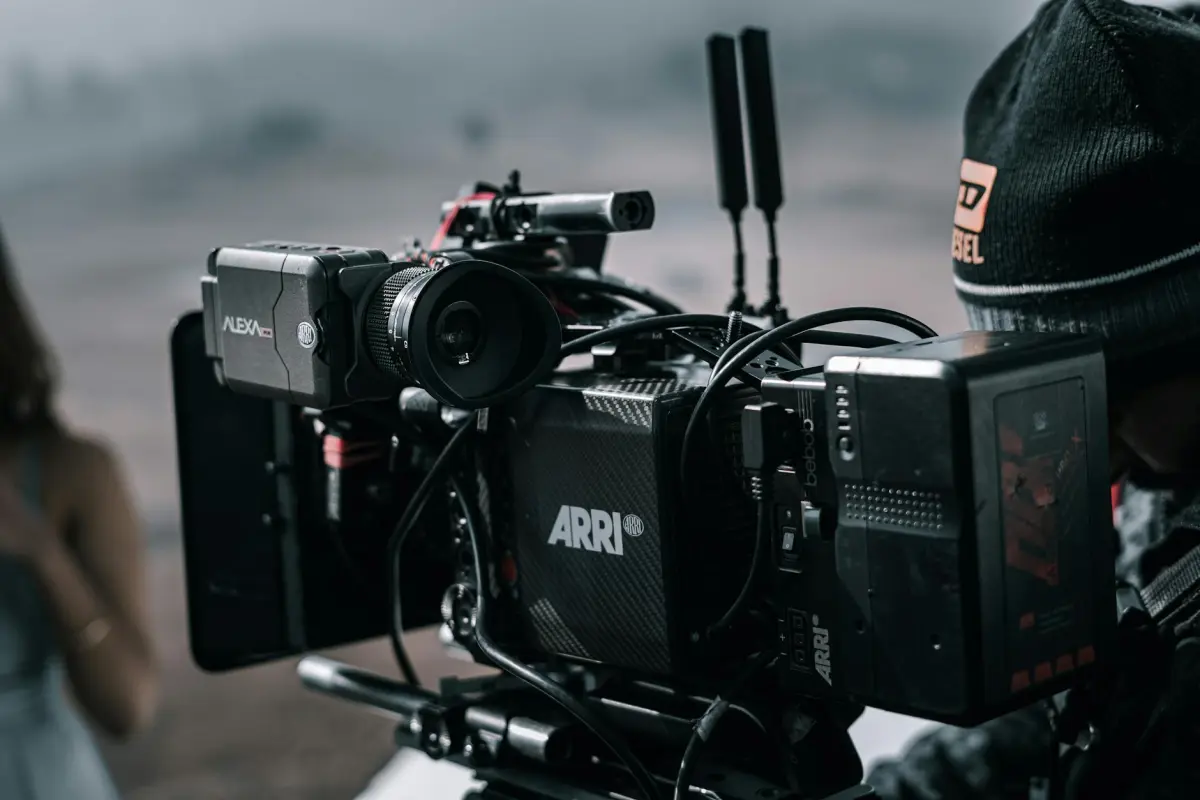

Розпочніть стислий вступний сценарій тривалістю приблизно 60 секунд, супроводжуваний одним голосом ШІ, для встановлення контексту. Просто виділіть час для тестування двох налаштувань та порівняйте реакцію аудиторії на панелі. Цей підхід створює надійний стартовий шаблон, який можна повторно використовувати в онлайн-кампаніях.
Збереження структури лаконічною допомагає швидше ітерувати. Інтегруйте мови та регіональні голоси для розширення охоплення; тримайте фонові візуальні матеріали узгодженими з відеовступом, щоб відповідності залишалися послідовними.
Вибирайте технології, що підтримують плавні інтеграції між платформами; перевіряйте чіткість ліцензування та юридичні положення, залишаючи їх на фоні, щоб уникнути порушень політики. Для робочих процесів творців ця чіткість прискорює прийняття рішень.
Використовуйте приклади для узгодження візуальних матеріалів з розповіддю; тестуйте, як фон, темп і відеовступ співпадають; відстежуйте рівні залученості для керівництва покращеннями.
Наступні кроки: публікація онлайн, моніторинг аналітики, вдосконалення сценаріїв та масштабування мовами; це підтримує бізнес-кампанії та забезпечує послідовне брендування. Не існує універсального рішення; адаптуйтеся.
Озвучення ШІ для демонстрацій продуктів: Практичний посібник
Почніть зі швидкого вступу, який викладає основну перевагу за перші 5 секунд, а потім зіставте кожну дію на екрані з розповіддю. Використовуйте чіткий, виразний тон і фіксований темп, щоб голос відповідав візуальним елементам у всіх матеріалах. Автоматизація обробляє рутинні редагування та часові установки, що підвищує ефективність і забезпечує послідовність повідомлення.
Створіть майстер-сценарій і генеруйте варіанти для конкретних платформ, щоб вміститися в різну тривалість; спочатку опублікуйте на YouTube і швидко масштабуйте на інші канали. Зберігайте формулювання відповідно до намірів та тих, що відображаються на екрані, і переконайтеся, що розповідь відповідає діям, щоб мінімізувати розсинхронізацію.
Зберігайте бібліотеку повторно використовуваних ресурсів та заповнювачів, щоб дозволити швидку заміну візуальних матеріалів без зміни розповіді, тим самим скорочуючи робочий процес та зберігаючи солідний вигляд. Розповідь повинна бути візуально привабливою та підкреслювати цінність, не звучачи роботизовано.
У сценаріях з низькою конверсією для аудиторії підкреслюйте конкретні результати з підтвердженнями та чітким закликом до дії; це допомагає перетворити намір на дію. Переконайтеся, що сценарій посилається на проблему користувача та результат, який їй слідує, щоб намір був очевидним, а відповідність між проблемою та рішенням – видимо.
Візуально синхронізуйте розповідь з основними моментами, щоб глядач міг одночасно сканувати та слухати; використовуйте сталий ритм, що відповідає діям на екрані, і зберігайте однорідний вигляд у всіх матеріалах. Це зменшує когнітивне навантаження і полегшує запам'ятовування повідомлення.
Вимірюйте та ітеруйте: відстежуйте перегляди до кінця, відсів та завершення CTA; запитуйте відгуки у тих, кого запитували, про те, що б їм хотілося бачити далі, та використовуйте ці висновки для вдосконалення шаблонів та скорочення циклів ітерацій.
Між зйомками підтримуйте бібліотеку наборів тональностей та керівництв з темпу, щоб забезпечити послідовність у всіх матеріалах; це зберігає узгодженість результатів, а автоматизація обробляє базовий темп, дозволяючи вам зосередитися на творчих штрихах, що резонують з аудиторією.
Визначте чіткі цілі та цільову аудиторію для вашої демонстрації перед написанням сценарію

Встановіть 2–3 вимірювані цілі та визначте три типи покупців перед написанням сценарію. Пов'яжіть кожну мету з завданням користувача, наданою цінністю та метрикою, яку ви можете відстежувати за переглядами або результатами тестування. Плануйте редагувати сценарій після тестування.
Визначте сегменти аудиторії: потенційні клієнти, існуючі клієнти та різні ролі в команді. Після встановлення цілей узгодьте сценарій з потребами цих груп і тримайте взаємодії прив'язаними до реальних результатів.
Карта завдань та основних взаємодій: вхід, пошук, фільтрація результатів, порівняння варіантів, завершення покупки. Використовуйте розповідь, яка відображає фактичні потоки веб-сайту та уникає статичних, загальних заповнювачів.
Розробіть покроковий план, який прив'язує сцени до реальних дій на веб-сайті, а не до статичних слайдів. Це означає, що ви можете тестувати гіпотези рано та визначати, де потрібні редагування.
Створіть легкий прототип для демонстрації потоків; уникайте статичних презентацій лише зі слайдами; тримайте ідеї зосередженими та невеликими. Прототипи підвищують чіткість і зменшують тертя при передачі.
Плануйте тестування завчасно; використовуйте реалістичні дані під час тестування; забезпечте відповідність правилам конфіденційності. Визначте, що вважається успіхом для кожного сегменту аудиторії та коли припиняти тестування.
Пакети для передачі командам: зберіть цілі, аудиторію, завдання, метрики успіху та рекомендовані плани. Включіть чіткий план запису та вкажіть, які кнопки викликають які взаємодії. Швидкі шаблони дозволяють командам повторно використовувати ресурси.
Нотатки для запису: фіксуйте ключові взаємодії, натиснуті кнопки та точки прийняття рішень; відстежуйте результати під час тестування. Ці дані підвищують послідовність та спрямовують майбутні ітерації зі збереженим часом.
Управління часом: визначте тривалість за сегментом, оцініть загальний час та порівняйте перегляди для моніторингу залученості аудиторії. Використовуйте ці засоби для адаптації темпу для гінді або інших мовних варіантів, якщо це необхідно.
Варіант на гінді: надайте субтитри або транскрипти на гінді, щоб розширити охоплення та покращити розуміння для неангломовних глядачів. Узгодьте тон з потребами персонажа та тестуйте з двомовними командами.
Підводні камені, яких слід уникати: невідповідність між потребами аудиторії та сценарієм; пропущене тестування; витік даних; перевантаження завданнями; нехтування передачею; ігнорування сигналів відповідності; покладання на застарілі ідеї замість свіжих вхідних даних.
| Етап | Результат | Метрики |
|---|---|---|
| Визначення цілей та аудиторії | Цілі (2–3); Персони (3); Карта завдань | Оцінка чіткості; Відповідність зацікавлених сторін |
| Узгодження аудиторії та завдань | Сегменти аудиторії; Сценарії використання | Покриття прогалин; Завдання зафіксовані |
| Карта сценарію | Покрокові сцени; Список взаємодій | Оціночний час на сцену |
| Прототип та чорнетка сценарію | Інтерактивний прототип; Конспект сценарію | Кількість редагувань; Результати тестування |
| Тестування та відповідність | Тестові дані; Перевірка конфіденційності; Чек-лист відповідності | Відсоток успіхів; Знайдені проблеми |
| Передача | Документ передачі; Ресурси; Підказки | Час доставки; Підтвердження зацікавлених сторін |
Вибирайте інструменти для озвучення ШІ, які відповідають тону бренду та мовним потребам
Вибирайте інструменти для озвучення ШІ, які пропонують потужні елементи керування тоном та багатомовні пресети, включаючи гінді, і перевіряйте, що вони надають експорти, готові для мобільних пристроїв, для ваших каналів.
Оцінюйте точність тону, використовуючи повзунок для налаштування формальності, теплоти та темпу; перевіряйте точність вимови та підтримку термінології в галузі; тестуйте затримку, пропускаючи короткий сценарій через конвеєр та вимірюючи загальний час.
Перевіряйте екосистему та підтримку: інтеграція з квитками, швидкі відповіді та якість обслуговування; переконайтеся, що сигнали з відгуків аудиторії захоплені; плануйте поетапне розгортання сьогодні.
Покриття мовами має значення для потенційних клієнтів та маркетингу: створюйте ідеальний діалог, що резонує з вашою аудиторією; зосереджуйтесь на якості контенту на мобільних та настільних пристроях; вимірюйте затримку та задоволеність; регулюйте тривалість вступу, щоб уникнути порожнечі.
Напишіть стислий, орієнтований на дію сценарій, узгоджений з візуальними елементами
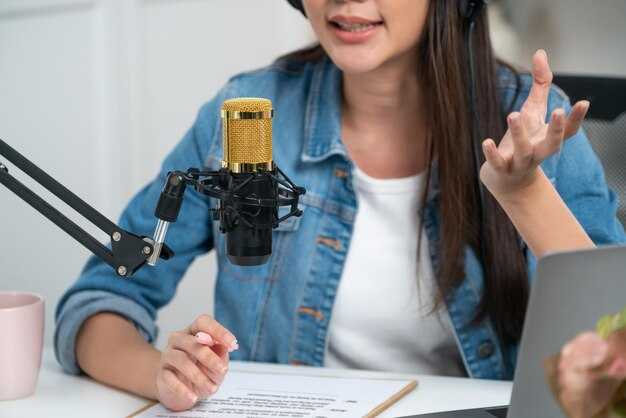
Дієве правило: прив'язати візуальні елементи до єдиного результату для покупця протягом трьох блоків загальною тривалістю 60 секунд, кожен блок пов'язаний із візуальним сигналом та вимірюваним результатом. Міжфункціональне узгодження бере дані з документів, маркетингових брифінгів та програмних сигналів для підвищення чіткості без шуму, зберігає щільність потоків та зосереджується на цінності на кожному кроці. Лише дієве оповідання прискорює розуміння.
Блок 1: Зачіпка – швидкий монтаж кроків встановлення, інформаційна панель у реальному часі та набір потоків, що показують, як покупець проходить від реєстрації до першої отриманої цінності. Візуальні елементи підкреслюють чітку типографіку та огляди програм, що ілюструють результати, які вони незабаром отримають.
Блок 2: Вивчення та дослідження – керовані огляди основних функцій, субтитри різними мовами. Візуальні позначки пов'язують кожен екран з реальною потребою, перетворюючи абстрактні заяви на значущі сигнали під час онбордингу.
Блок 3: Завершення – покажіть, як масштабуються результати, забезпечте простий шлях до завершення реєстрації та визначте наступні кроки в документації. Висвітліть можливості відтворення та потокового передавання, щоб команди могли повторно переглядати розділи, тоді як соціальна стрічка демонструє успіх користувачів та варіанти підтримки. Заклик до дії відповідає намірам та рівню покупця. Структура підходить для короткої уваги та тривалих оглядів.
Час синхронізації, акценти та візуальні підказки для природного потоку
Почніть зі створення послідовності прототипу тривалістю 15–20 секунд. Прив'яжіть точні моменти транскрипту до дій на екрані та перевірте ритм щодо візуальних елементів. Зробіть акцент на ключових моментах, щоб підвищити залученість.
Координуйте ці елементи протягом усього робочого процесу, щоб зберегти професійний вигляд, забезпечуючи юридичні дозволи, послідовний брендинг та чисту презентацію на кожному знімку екрана та підписі. Використовуйте веб-сайт як центральний пункт відліку для ресурсів та оновлень.
- Час та темп: створіть часову шкалу, яка пов'язує кожне речення зі швидкою зміною на екрані – переходом стану, виділеною областю або виділеним підписом. Залишайте короткі паузи після ключових моментів, щоб закріпити повідомлення.
- Стратегія акцентування: варіюйте ритм та мікро-паузи; виділяйте ключові слова в транскриптах кольором або жирними підписами, зберігаючи природний ритм, орієнтований на голосове сприйняття, який повторює спосіб, у який читачі швидко переглядають веб-сайт.
- Візуальні підказки на екрані: синхронізуйте підписи, стрілки, кола та виноски з точними моментами транскрипту. Використовуйте зміни розміру та контраст кольорів для спрямування уваги та переконайтеся, що підказки залишаються розбірливими на знімках екрана у стандартних розмірах.
- Точність транскрипту та ресурси: переконайтеся, що транскрипти точно відповідають візуальним елементам; збережіть копію для довідки та перевірте перед експортом. Підготуйте знімки екрана з різними станами, щоб проілюструвати етапи конвеєра пакету продуктів. Часто ці знімки стану слугують довідкою для майбутніх кампаній.
- Валідація та вимірювання: проводьте подальші тести в рамках кампаній; вимірюйте рівень запам'ятовування, коефіцієнт кліків та конверсій. Використовуйте результати для внесення змін до часу, акцентів та підказок; оновлюйте стани завершення та заохочуйте зворотний зв'язок безпосередньо до команди розробників. Це корисно для команд, які відстежують результати, інформуючи наступну ітерацію.
- Передача робочого процесу: надайте чистий пакет для веб-сайту та творців, включаючи стиснену папку з ресурсами, короткий сценарій підписів та примітку про юридичне узгодження. Надішліть інструкції безпосередньо команді розробників.
- Управління ресурсами: включайте знімки екрана різних розмірів та станів; чітко маркуйте файли для підтримки автоматизації та повторного використання в майбутніх кампаніях.
- Перевірка якості: переконайтеся, що дії при натисканні відповідають озвученню; тестуйте на різних пристроях, щоб гарантувати читабельність та послідовність досвіду.
- Метрики та ітерації: відстежуйте, які підказки краще конвертуються, робіть знімки транскриптів та часових меток, потім коригуйте в наступній ітерації.
- Документація: зберігайте посібники та знімки станів у спільному місці для підтримки подальшої роботи та завершення.
Дисципліна розробника: розглядайте послідовність як багаторазово використовувану, вносячи зміни безпосередньо в редакторі; це підтримує подальшу роботу та забезпечує узгодженість досвіду веб-сайту в кампаніях.
Оптимізуйте SEO для відео за допомогою транскриптів, підписів та метаданих
Ось конкретний пункт для початку: опублікуйте чистий транскрипт як звичайний текст на сторінці та додайте файл субтитрів, щоб пошукові системи та читачі могли отримати доступ до діалогу. коли точність висока, а синхронізація тісна, сигнали пошуку покращуються, а слухачі залишаються зацікавленими під час потокового передавання.
-
Транскрипти
- Цільова точність 98–99% після перевірки людиною; записи виправлень слід зберігати для контролю якості.
- Пишіть ясною, природною мовою; розділяйте довгі розділи на короткі абзаци, що відображають зміни теми в діалозі.
- Включіть мітки спікерів (наприклад, [Ведучий], [Інженер]) для допомоги в інтерпретації та індексації; позначте перебивання та перекриття для реалізму.
- Вставте часові позначки з інтервалом 5–10 секунд і при кожній зміні сцени, щоб відтворення відповідало субтитрам та індексації пошуку.
- Надайте як транскрипти на сторінці у форматі звичайного тексту, так і файли субтитрів для завантаження (SRT, VTT) для підтримки потокових платформ та доступності.
-
Підписи
- Надавайте закриті субтитри, що відповідають діалогу та діям на екрані; додавайте немовленнєві позначки, такі як [музика], [сміх] або [нерозбірливо], коли це доречно.
- Забезпечте, щоб темп відповідав темпу мови; уникайте довгих рядків, які перевантажують читачів, і розривайте підписи на природних межах речень або фраз.
- Пропонуйте багатомовні варіанти, де аудиторія розподілена; синхронізуйте кожний мовний трек з оригінальною часовою шкалою.
- Прикріпіть файли субтитрів до потокового плеєра та опублікуйте ресурс субтитрів, який може читати машина, для покращення індексування.
-
Метадані та структура
- Створіть точну назву: цільова довжина 50–60 символів; розмістіть основне ключове слово на початку, коли це можливо.
- Напишіть описовий опис обсягом 140–160 слів, що підсумовує контент, висвітлює переваги та містить цільові терміни.
- Створюйте розділи, прив'язуючи діалог до ключових тем або кроків; надайте часові позначки у доступному списку для соціальних мереж та пошукових систем.
- Включіть альтернативний текст для мініатюри, що підсилює повідомлення та містить ключове слово.
- Використовуйте структуровані дані на сторінці для сигналізації контексту: схема, подібна до VideoObject, з полями для name, description, thumbnailUrl, duration, contentUrl, author та uploadDate.
-
Тести та оптимізація
- Проводьте ітераційні тести (тести) варіантів назв, довжини описів та охоплення розділами, щоб виміряти вплив на покази, коефіцієнт кліків та середній час відтворення.
- Порівняйте фокус на транскриптах, багатих на ключові слова, з мінімалістичним текстом, керованим діалогом, щоб побачити, який з них забезпечує вищу залученість.аналіз
- Відстежуйте соціальні сигнали: поширення, коментарі та додавання до списків відтворення; використовуйте їх як показники резонансу та охоплення цільової аудиторії.
- Відстежуйте показники доступності: точність субтитрів, час до появи субтитрів та відгуки користувачів із допоміжних технологій для підвищення впевненості та досвіду.
-
Міркування щодо впровадження
- Призначте чіткі завдання членам команди: перевірка транскрипції, синхронізація субтитрів, складання метаданих та валідація схеми.
- Встановіть ранні проміжні цілі для завершення транскрипції, створення субтитрів та публікації метаданих, щоб прискорити цикл випуску.
- Заплануйте регулярні перегляди вибраних ресурсів, щоб забезпечити узгодженість бібліотеки контенту та соціальних каналів.
- Повідомляйте про результати: діліться знаннями з командою, щоб підвищити обізнаність про переваги SEO та доступності на всіх рівнях.




