

Начните с 30-секундного «зерна», извлеченного из одной сессии, и переработайте его в десять готовых для социальных сетей коротких роликов. Такой базовый подход сокращает потери и ускоряет темп создания, поскольку модульные нарезки лучше работают в лентах при сопоставлении с точными миниатюрами и подписями.
Структурируйте каждый клип вокруг 9-15-секундной дуги: нарезка последовательностей, видеовставки и четкие озвучки, синхронизированные с кадрами. Рабочий процесс интегрируется с вашим редактором и инструментами планирования и поддерживает процесс готовности к публикации от концепции до публикации. Автоматизируйте подписи, переходы и генерацию тегов, чтобы сократить ручную работу и затраты.
Примите ежемесячную цель — от восьми до двенадцати опубликованных коротких роликов на кампанию. Такой рост экосистемы помогает данным информировать итерации. Используйте базовый шаблон, который масштабируется по всем форматам; затраты остаются предсказуемыми за счет автоматизации рутинных шагов.
Отслеживайте метрики охвата и кликов, время просмотра, сохранения и сигналы аудитории, чтобы решать, какие кадры повторно использовать; экспериментируйте с форматами, чтобы определить резонанс. Структура должна поддерживать единый голос и стиль, чтобы ваш креатив оставался узнаваемым на разных платформах.
Чтобы максимизировать результаты, создайте общую библиотеку креативных активов: видеовставок, озвучек и шаблонов создания в централизованной экосистеме. Такая рутина сокращает потери и поддерживает ежемесячный объем производства; автоматизация задач нарезки позволяет контролировать затраты и делает совместную работу более плавной для редакторских команд.
Превратите одно длинное видео в 10 клипов для обмена с помощью быстрого звукового дизайна и пакетного редактирования
Рекомендация: используйте браузерный рабочий процесс для разделения мастер-файла на десять кратких сегментов, каждый из которых индивидуально настроен для платформы и аудитории.
Визуальное планирование: начните с визуальной карты, чтобы отметить десять контекстно-релевантных моментов, обозначить сюжетные дуги и естественные точки разрыва, которые помогут зрителям оставаться на связи.
Быстрый звуковой дизайн: Сочетайте легкую музыкальную подложку с точными звуковыми эффектами, автоматическим приглушением и чистыми уровнями диалогов; затем примените постоянный темп и переходы для поддержания ритма во всех десяти частях.
Пакетное редактирование: Создайте десять предустановок для цвета, кадрирования, стиля субтитров и текстовых наложений; затем экспортируйте пакетом одним действием, обеспечивая единообразный формат и метаданные.
Эффективность и доступность: держите файлы небольшими для загрузки, используйте средние скорости соединения и предоставляйте возможности экспорта в нескольких форматах для удовлетворения потребностей.
Брендинг и охват: включите быструю вступительную карточку для личного брендинга, фирменный ауттро и вид, готовый для миниатюры, чтобы увеличить рейтинги на блогах и онлайн-платформах.
Качество и масштаб: это решение полностью поддерживает нишевые темы, позволяя создателям перерабатывать расширенный контент без ущерба для целостности истории, с нулевым клонированием активов.
Пользовательский опыт: интуитивно понятный интерфейс, четкие индикаторы прогресса и контекстно-зависимые подсказки помогают любому легко находить новые возможности для повторного просмотра или ссылки на разделы.
Определите 6 цепляющих моментов для максимального удержания зрителей

1) Начните с смелого, прямого обещания в первые 2-3 секунды, в сочетании с четким сигналом, указывающим на релевантность; этот сигнал позволяет зрителям почувствовать пользу и создает сильное начало просмотра, способствуя росту бизнеса, который его тестирует.
2) Вставьте "крушение": неожиданная статистика или визуальный образ, который нарушает общее начало; используйте резкие переходы и избегайте пустых слов, позволяя "крушению" вызвать любопытство и усилить раннее вовлечение.
3) Привяжите личный угол: краткий, подлинный момент, связанный с прошлым или опытом; этот личный сигнал помогает зрителям почувствовать себя увиденными и создает предварительное доверие, подготавливая более широкое сообщение.
4) Включите мини-доказательство: покажите 2-3 быстрых результата с явными эффектами; этот прямой формат помогает зрителям увидеть прогресс и вызывает доверие, подобно подходу Хауэса используемому растущими бизнесами.
5) Демонстрируйте широкую релевантность в различных контекстах: переключайтесь между местами и фоном, чтобы охватить разнообразную аудиторию; поддерживайте быстрый темп и разнообразные визуальные эффекты, чтобы избежать общего шаблона и поддерживать интерес.
6) Закончите призывом к действию, основанным на ценности и направленным на управление ценами и ростом: прямое приглашение, которое помогает бизнесу масштабироваться, удерживает зрителей, и ссылается на Kapwing как на быстрый, доступный инструмент для общего развития активов.
Автоматизируйте извлечение сегментов и пакетный рендеринг для 10 клипов за один проход
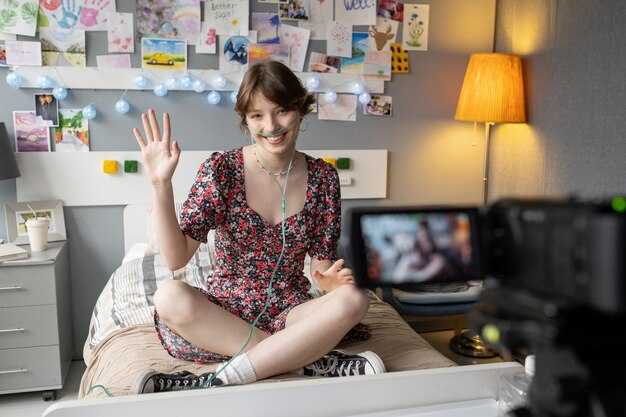
Примите единый конвейер автоматизации, который обрабатывает основную запись, обнаруживает тематические разрывы и рендерит десять сегментов за один проход. Такой подход помогает редакторам, которые хотят упростить рабочий процесс и максимизировать результат.
Настройте извлечение с помощью сигналов, таких как маркеры глав, временные метки и подсказки, полученные из транскрипции, которые соответствуют желаемым темам: образованию, учебным пособиям и влогам о стиле жизни.
Прикрепите обработку подписей и наложения, используя шаблоны для нижних титров, обеспечивая единообразный размер, шрифты и размещение для всех десяти результатов.
Используйте рабочий процесс, управляемый генератором, который ставит в очередь десять задач рендеринга для параллельных рабочих, предоставляя сохраненные результаты и полностью автоматизированный, эффективный вывод.
Важным для успеха является гибкий конвейер, который редакторы могут настраивать: несколько тем, различные образовательные подходы и сюжетная арка, сохраняющая контекст.
Настройте рабочее пространство с учетом продуманных ценовых соображений, включая метаданные, ориентированные на YouTube, теги, удобные для поиска, и готовые к использованию шаблоны, которые ускоряют будущие проекты.
Результат: решение, которое масштабируется на множество каналов, поддерживая плотный темп, точные подписи и соблюдение тем, что увеличивает потенциальный охват.
Для максимизации простоты повторного использования сохраняйте шаблоны и предустановки; эти сохраненные активы поддерживают методологию, помогают эффективно работать с темами и сокращают недоработки.
Создайте палитру звуковых эффектов: категоризируйте и назначайте SFX для каждого клипа
Создайте базовую палитру звуковых эффектов из пяти основных наборов, чтобы направлять каждый сегмент; назначение тем и настроений обеспечивает согласованность чувств сверх всего остального и повышает производительность для видеопрофессионалов.
- Определенные наборы: создайте пять основных пулов — создание атмосферы, сигналы действия, переходы, озвучки, фоны — и сопоставьте каждый с темой. Такая структура обеспечивает быстрый доступ в раскадровке и ускоряет поиск по ключевым словам.
- Назначение для каждого клипа: для каждого сегмента выберите 2–4 звуковых эффекта из соответствующих наборов; убедитесь, что атмосфера соответствует сцене, и используйте переключение между битами, не перегружая микс. Поддерживайте хороший баланс, чтобы звуки поддерживали, но не заглушали, исполняемую озвучку.
- Заметки по маркировке и переводу: пометьте каждый звук ключевыми словами, языковыми заметками и подсказками для перевода; это делает библиотеку доступной для поиска и пригодной для использования локальными редакторами в командах.
- Интеграция с раскадровкой: прикрепите краткую карту звуковых эффектов к раскадровке; отметьте, где фоны поднимаются над озвучкой, и где фоновые сигналы должны попадать в ритм (плюс маркеры для акцента).
- Хранение и сотрудничество: загрузите организованную библиотеку звуковых эффектов в общее рабочее пространство, используемое командой; сохраняйте папки в соответствии с наборами, темами и фоном; отслеживайте лицензирование и цены, чтобы избежать неожиданностей во время сроков.
- Проверки качества: проведите стресс-тесты на различных устройствах воспроизведения; убедитесь, что выходные данные сохраняют четкость при озвучке и не маскируют критически важный диалог; соответствующим образом отрегулируйте уровни.
- Цикл итераций: собирайте вопросы от товарищей по команде, уточняйте палитру и применяйте внесенные корректировки для поддержания согласованности всех сегментов; документируйте изменения для будущих изданий.
Точная настройка аудиосинхронизации: синхронизируйте сигналы с нарезками для улучшения воздействия
Выравнивайте каждый разрез по ближайшему пику вокала в пределах 10–40 мс; используя ваш редактор, включите привязку к аудио и маркеры битов, и сохраните новую версию перед тестированием.
Пометьте сигналы специфическими метками (beat1, beat2), чтобы идентифицировать время для итераций; такое интуитивное отображение ускоряет повторный монтаж.
Для длинного контента выполняйте несколько проходов: сначала подтягивайте тайминг диалогов, затем выравнивайте моменты действия с тонкими звуковыми эффектами для усиления воздействия.
Технический подход включает приглушение фоновой музыки во время пиковых сигналов; поддерживайте чистоту диалогов с помощью мягкой настройки компрессора (порог около -20 дБ, соотношение от 2:1 до 3:1). Для редакторов это очевидное решение.
Тестирование рабочего процесса: сравнивайте версии рядом на устройствах, отмечайте смещения, которые кажутся естественными, и смещения, которые кажутся неестественными, а также записывайте сообщение для последующих правок.
Агентства и редакционные группы получают преимущества от контрольного списка в стиле "визард" и системы личных шаблонов, которая сохраняет правки, помогает с несколькими проектами и фактически упорядочивает процесс съёмки; ваша настройка становится более интуитивной.
Создавайте заголовки, миниатюры и подписи для конкретных клипов, которые увеличивают количество репостов
Заголовки должны быть сначала по сути, конкретными для клипа, с тремя микро-вариантами на запись. Используйте подход краткой формы, представьте конкретный результат в пределах семи слов и добавьте крючок любопытства, связанный с моментом, который вы запечатлели. Проведите быстрый тест с небольшой аудиторией, чтобы сравнить охват и предпочтительное словарное решение. Эта практика работает, потому что аудитория реагирует на ясность и ощутимые преимущества, а не на абстрактные обещания. Используйте базовые шаблоны для ускорения создания, затем применяйте индивидуализацию для каждого клипа, чтобы повысить потенциал распространения.
Миниатюры должны опираться на гипернатуральное освещение, четкие крупные планы и минимальное количество наложений. Выберите момент с сильными эмоциями или действием и держите лицо или фокусную точку четкими при малых размерах. Используйте края с высоким контрастом и разборчивый шрифт (максимум шесть слов). Снимайте в реальном месте, чтобы повысить аутентичность. Этот базовый подход обеспечивает более высокие показатели кликабельности и более длительное время просмотра.
Подписи должны соответствовать нарративу и крючку: короткие фразы, лаконичные утверждения и четкое ценностное предложение. Держите предложения краткими и читабельными, и включите призыв к репосту или сохранению. Используйте библиотеки шаблонов подписей для ускорения индивидуализации для различных вариантов клипов и убедитесь, что скриптинг интегрируется с форматированием короткой формы. Нельзя полагаться только на интуицию; основывайте решения на данных и сигналах аудитории. Цель — реальная ясность, которая побуждает к действию.
Тестирование и оптимизация: Проводите быстрые A/B-тесты текста миниатюр и строк подписей, сравнивайте метрики по времени суток и измеряйте процент репостов и охват. Отдавайте предпочтение варианту, который обеспечивает более высокую вовлеченность и воспроизводимые результаты для разных аудиторий.
Рабочий процесс и ресурсы: Минималистичная настройка использует базовый, простой рабочий процесс: клипирование, редактирование и публикация в едином стиле. Для продвинутых настроек освещения, движения или шрифтов агентства могут заполнить пробелы, пока вы управляете графиком разработки и бюджетом. Используйте эффекты submagic, когда они подходят, и поддерживайте индивидуализацию для каждого клипа, чтобы сохранить уникальность каждого элемента. Совершенствуйте навыки своей команды и отслеживайте прогресс, чтобы обеспечить единообразный результат.
История, местоположение и лицензирование: Выбирайте места, которые подкрепляют основное сообщение и позволяют использовать крупные планы реальных моментов. Планируйте съемки так, чтобы нарратив был кратким и естественным, и проверяйте лицензирование всех активов, используемых в клипе. Хорошее управление этим процессом позволяет быстро создавать контент и увеличивает количество репостов среди аудитории, сохраняя при этом аутентичность.




