
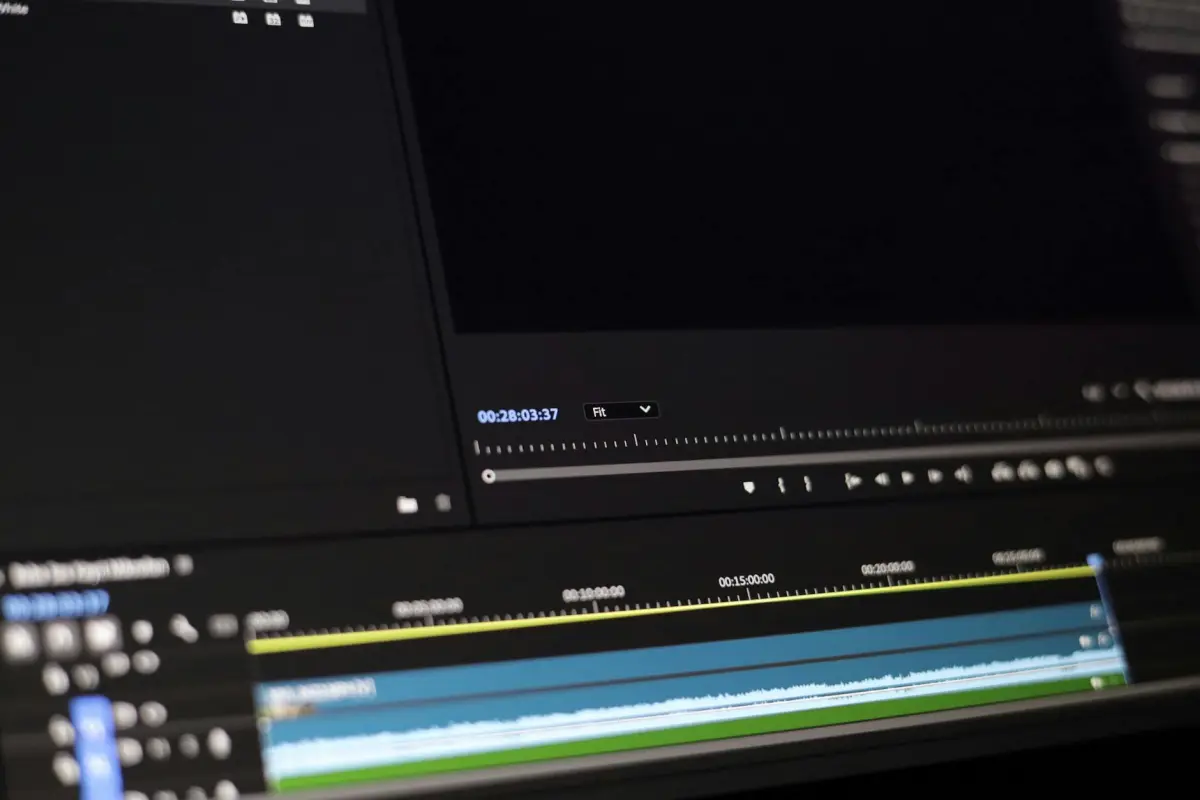

Escolha um software de fluxo de trabalho com IA integrada, com supressão de ruído, corte automático e correspondência de cores para reduzir drasticamente as etapas manuais e, principalmente, manter os projetos em andamento.
Existem 12 opções neste guia, cada uma ajustada para diferentes necessidades: criadores individuais, equipes enxutas e estúdios com alto rendimento.
Uma interface intuitiva combinada com um design proativo mantém o software acessível a equipes de todos os tamanhos, reduzindo erros frequentes, capacitando as equipes de trabalho a entregar com confiança.
Para atingir um objetivo, construa um pipeline de construção: crie modelos, salve predefinições específicas de tarefas e marque os ativos para que a pesquisa se torne direta.
Os resultados projetados dependem dos seus projetos: para cada um, defina restrições como resolução, taxa de quadros e orçamento; o sistema deve se adaptar com opções para escalar.
A transparência de custos é importante: a maioria das ofertas é cobrada mensalmente ou anualmente, com descontos para compromissos anuais; avalie o custo total de propriedade juntamente com o conjunto de recursos.
Predefinições e modelos pesquisáveis permitem uma configuração rápida: combine sua gradação de cores preferida com redução de ruído e estabilização; esta pesquisa acelera a produção em prazos apertados.
Ecossistemas atualizados anualmente trazem novas opções, como estabilização aprimorada orientada por IA, conversão de fala em texto e tratamento de ruído de fundo; certifique-se de que sua escolha acompanhe o fluxo de trabalho.
Edição de Vídeo com IA em 2025: Guia Prático para Edições Mais Rápidas
Começando com um pipeline de lote de cinco etapas, ingira mídia, segmente cenas, gere transcrições e traduções, aplique refinamentos de cor e som e exporte ativos prontos. Essa abordagem executa módulos de IA em paralelo, economizando retrabalho manual e produzindo resultados consistentes em todos os projetos.
Concentra-se em momentos chamativos, classificando segmentos usando sinais de IA (tom, movimento e interação do espectador) e alinhando-os a um arco narrativo, isolando trechos silenciosos para corte automático.
Com canais de alto volume como os de youtubers, economizar horas por semana é realista ao usar modelos, normalização automática de volume e exportações em lote. Começar com uma biblioteca de modelos sólida e pipelines separados para conteúdo longo e curto pode gerar uma economia de tempo de 30 a 50% em tarefas de rotina.
Gerando saídas multilíngues: legendas, legendas traduzidas e sobreposições regionais, permitindo a publicação em cinco idiomas e abrindo novos segmentos de público.
A interação e a colaboração são aprimoradas por um ecossistema: pilhas de nuvem permitem que as equipes trabalhem separadamente em cortes brutos, locuções ou conceitos de miniaturas e, em seguida, mesclem os resultados sem sobrescrever uns aos outros.
Partindo de uma linha de base estratégica, essa abordagem remodela o ciclo de vida da produção em um loop simplificado que reduz gargalos e acelera a iteração.
Saídas de nível profissional resultam de verificações automatizadas: normalização de volume, equilíbrio espectral e suavização de movimento, o que melhora a qualidade percebida, mesmo em escala.
Cinco conclusões concretas: invista em modelos e predefinições, mapeie idiomas e legendas, separe os pipelines para os formatos, mantenha uma biblioteca de ativos centralizada e acompanhe o ROI com análises precisas.
Os pontos a serem monitorados incluem a precisão da segmentação, o alinhamento das transcrições e a taxa de atração de segmentos chamativos, com revisões trimestrais para validar o ROI.
Identifique os recursos de IA indispensáveis para cortes e correções rápidos

Comece com a detecção automatizada de pontos de corte que identifica os limites da cena e cria cortes candidatos e, em seguida, exponha um único botão para aprová-los ou ajustá-los - isso produz um fluxo de trabalho mais simples e rápido para as equipes.
- A detecção automática de pontos de corte marca os limites da cena e gera sequências candidatas, tornando o processo de decisão mais curto para profissionais de marketing e educadores.
- Interface limpa e responsiva com um botão dedicado para aprovar, rejeitar ou ajustar cada corte; oferece suporte a iterações mais simples e rápidas.
- Opções de personalização: sensibilidade, limites de transição e duração de corte preferida; combinada com controles manuais para precisão.
- Alinhamento verdadeiramente confiável de faixas de áudio e de clipe; usa verificações cruzadas para permanecer sincronizado durante as mudanças de ritmo.
- Excelentes visualizações: reprodução em tempo real para cada candidato, com marcadores visuais para avaliar o ritmo rapidamente e reduzir o tempo de retrabalho; gaste menos tempo com refinamentos.
- Suporte desde o início: pode começar do zero ou adaptar sequências existentes; a marcação vmake ajuda a organizar cenas e ativos.
- Atualizações frequentes que adicionam novos recursos e mantêm a interface alinhada com o posicionamento para feeds sociais.
- A pontuação e as sugestões baseadas em pontos fornecem feedback quase instantâneo sobre ritmo, transições e equilíbrio entre clipes emparelhados.
- Usa computação em nuvem para lidar com projetos longos e permanecer responsivo à medida que as cargas de trabalho mudam; fornece indicadores de progresso e estimativas.
- Fundamentalmente projetado para permanecer acessível para educadores e profissionais de marketing, com automação interessante que realmente respeita o controle do usuário.
Preços, licenças e opções de avaliação para 2025

Recomendação: opte por uma licença vitalícia para um usuário combinada com uma avaliação de 14 dias para validar o ajuste antes de adicionar mais licenças.
Muitas ofertas apresentam uma variedade grande e esmagadora de estruturas de preços - licenças mensais, anuais e perpétuas - portanto, priorize preços iniciais claros, limites por usuário ou por licença simultânea e armazenamento incluído. O preço dos produtos reflete a inovação contínua. Existem muitas variantes para comparar.
Os recursos Gen-2 facilitam a geração de transcrições e permitem a automação de tarefas repetitivas; garanta o acesso a esses recursos no plano que você selecionar, pois eles capacitam as equipes a gerenciar as cargas de trabalho de forma eficiente e oferecem suporte a iterações orientadas para a reprodução. Isso oferece suporte à reprodução para iteração rápida. Para a maioria das equipes, esses recursos permitem que elas se gerenciem.
Para as equipes, procure licenças multiusuário com gerenciamento centralizado, controles de administrador e complementos escaláveis; as licenças necessárias devem ser claramente indicadas e as licenças devem ser transferíveis para os usuários. Fornecer maneiras de realocar licenças reduz o atrito e, ao mesmo tempo, mantém a governança rigorosa para os usuários.
Os termos de avaliação são importantes: procure acesso total aos recursos durante a avaliação, regras de expiração simples e uma garantia de devolução do dinheiro; evite comprometer-se escolhendo um pacote que cubra os recursos essenciais. No contrato, a palavra "palavra" pode aparecer em glossários que descrevem os ativos de transcrição.
Os recursos de treinamento variam: um curso, sessões de integração e guias com transcrição ajudam os usuários a se desenvolverem de forma rápida e independente.
Observação sobre a geometria de preços: as opções vitalícias podem criar redemoinhos no mercado; compare o custo total de propriedade na maioria dos anos para evitar cobranças surpreendentes nas renovações.
Fluxos de trabalho de corte automático, correspondência de cores inteligente e redução de ruído
Comece com uma abordagem de três etapas: corte automático para marcar as cenas, correspondência de cores inteligente para alinhar os tons em toda a biblioteca e redução de ruído direcionada para limpar o grão, usando o Movavi para manter o ofício acessível e de alta qualidade em todos os níveis.
Passe de corte automático: ative a detecção de cena com sensibilidade de 0,6 a 0,75; defina a duração mínima do plano para 1,2 segundos; ative a suavização de crossfade em 0,15 segundos; revise as marcas automáticas na linha do tempo e ajuste conforme necessário para preservar as batidas essenciais; essa cadência elétrica ajuda a manter o ritmo entre os planos.
Correspondência de cores inteligente: selecione um quadro de referência que represente a aparência desejada de um plano estabelecido; aplique o balanço de branco automático e o alinhamento de exposição em todos os clipes; ative uma curva tonal global e uma leve elevação nas sombras para criar uma sensação coesa; se algum clipe não tiver consistência no humor ou na cor, aplique substituições por clipe para que o curso permaneça alinhado com o tom dos filmes e com a expectativa do público.
Redução de ruído: aplique NR de luminância em torno de 8 e NR de croma em torno de 6; use suavização para preservar as bordas e uma leve passagem de nitidez depois; visualize com zoom de 1:1 para garantir que as texturas permaneçam intactas; evite o processamento excessivo que diminui os detalhes e aumente o NR apenas nas seções capturadas com pouca luz.
Por que essa abordagem ajuda: ela é dimensionada de um único criador para um modelo de trabalho em equipe estabelecido, garante uma sensação de alta qualidade e permite compartilhar um resultado refinado rapidamente. As predefinições baseadas em biblioteca do Movavi oferecem suporte a uma aparência personalizada e totalmente consistente que se alinha com o ofício do criador e com a disciplina dos filmes, além da passagem inicial.
```html| Etapa | Configurações Recomendadas (movavi) | Prós | Notas |
|---|---|---|---|
| Corte automático | Sensibilidade 0,6–0,75; clipe mínimo 1,2s; crossfade 0,15s | Acelera o corte bruto; preserva a estrutura da batida; escala entre projetos | Revisão necessária para quadros críticos |
| Correspondência inteligente de cores | Quadro de referência; WB e exposição automáticos; curva tonal global; substituições por clipe conforme necessário | Cria humor uniforme; reduz ajustes manuais | Use visuais personalizados para se adequar ao estilo do filme |
| Redução de ruído | NR de luminância 8; NR de crominância 6; preservação de borda; nitidez leve | Saída mais limpa; preserva a textura quando ajustado | Evite processamento excessivo em detalhes nítidos |
Alcance da plataforma: compatibilidade com desktop, web e mobile
Aplique uma única solução cross-platform, cloud-first, com o poder offline do desktop, um cliente web responsivo e aplicativos móveis para garantir uma produção ininterrupta entre as equipes. Dentro desse posicionamento, você obtém respostas rápidas aos comentários, treinamento acessível e assistência online, mantendo os recursos centralizados para profissionais de marketing e criativos.
As implementações de desktop desenvolvidas para Windows e macOS se destacam no processamento pesado e no trabalho offline, com suporte de 64 bits e aceleração de GPU. A biblioteca local espelha o catálogo online, combinando aproximadamente ativos e edições, e a solução tem preços em planos escalonados que se encaixam em operadores individuais e equipes maiores.
O alcance da web permite prototipagem rápida, transferências de projeto suaves e módulos de treinamento online. Os profissionais de marketing podem aplicar comentários extensos, reutilizar ativos e produzir resultados consistentes entre as equipes.
O acesso móvel oferece produção no local, cortes rápidos e pré-visualizações. O aplicativo móvel oferece suporte a cache offline e notificações push, enquanto a sincronização mantém o trabalho ao alcance quando online. Visualizações úteis ajudam os clientes a aprovar no local. Essas configurações exigem verificações mínimas de TI. As funções do usuário são bem definidas para restringir o acesso.
Para adoção em um período de 25 meses, invista em uma plataforma com um caminho de treinamento claro e modelos prontos; garanta assistência e documentação ao usuário; rastreie comentários e métricas de uso para refinar o posicionamento. A solução desenvolvida aqui se destaca em ajudar os especialistas a aplicar sua experiência dentro do processo, entregando resultados úteis para equipes e clientes, com planos de preços que escalam.
Modelos de exportação e predefinições prontas para redes sociais para publicação rápida
Adote um pacote de exportação padrão que inclua três predefinições de aspecto, sobreposições explicativas e legendas prontas para texto com um único clique. Essa mudança reduz as etapas manuais frequentes e torna a publicação mais rápida, preservando a alta fidelidade. O pacote está disponível para fluxos de trabalho de desktop e nuvem e pode permitir ajustes rápidos em logotipos, cores e marcas nominais. Também ajuda as marcas a permanecerem consistentes em todos os canais.
Os modelos são projetados para um vasto ecossistema de plataformas, com um conjunto de demonstração ajustado para clipes explicativos de resposta rápida e destacando vários produtos. Inclua uma trilha sonora, fundos e avatares para manter o conteúdo envolvente sem reescrever os ativos para cada postagem. As predefinições facilitam tipografia, cor e movimento consistentes, prometendo coesão em tempo real desde o rascunho até a publicação. procurando maximizar o alcance, uma biblioteca de palavras dedicada mantém as opções de legenda alinhadas com as campanhas.
As opções de exportação cobrem saídas quadradas 1:1, verticais 9:16 e largas 16:9, com legendas automáticas e blocos de texto prontos para palavras-chave. Use transições pré-construídas para evitar escolhas avassaladoras e fique no verde com buffers limpos entre as cenas. O fluxo de trabalho permanece leve, permitindo que você filtre os ativos por extensão da palavra e troque marcas nominais ou logotipos sem renderizar novamente.
Dicas de implementação: escolha o pacote de exportação padrão, escolha um modelo explicativo ou de demonstração e exporte por plataforma com um clique. Mantenha uma vasta biblioteca de predefinições e um pequeno vídeo de demonstração para mostrar os recursos. Esse ecossistema torna a publicação descomplicada e oferece suporte tanto para campanhas frequentes quanto para execuções mais longas que exigem controles sofisticados, incluindo níveis de música e combinações de fundo ajustáveis. Isso mantém as escolhas de palavras consistentes.
```



