
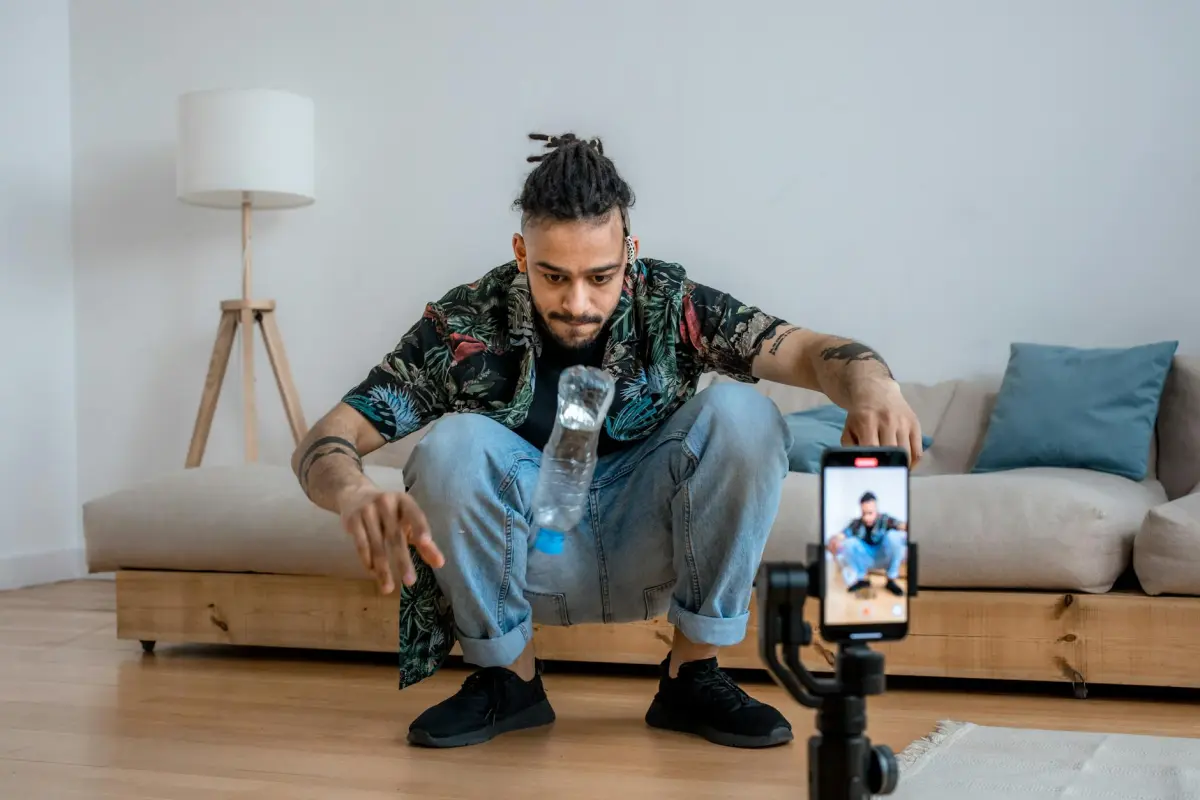
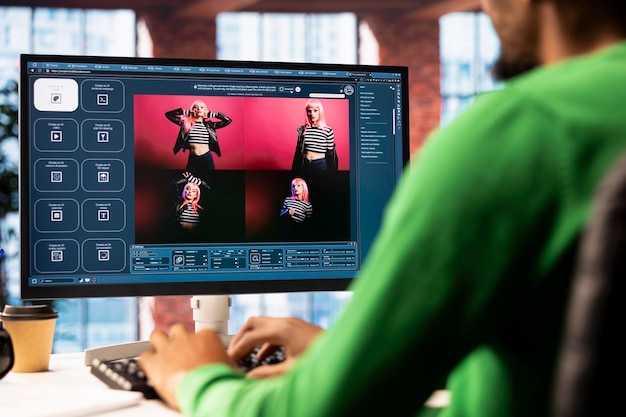
Comece por testar um gancho de IA de 3 segundos que corresponda à mensagem de fundo e defina o valor principal. Este sinal imediato ajuda a conectar o público e a estabelecer o arco da história. Como programador, pode utilizar prompts internos para ajustar o tom, o ritmo e os visuais, e depois medir a resposta no Facebook e noutras plataformas para obter feedback real.
Outro aspeto importante é alinhar as cenas com uma narrativa clara. Defina o enquadramento em torno de uma única mensagem, depois adapte legendas e imagens a diversas texturas de fundo, mantendo a emoção central. Se estiver disposto a iterar, pode executar testes A/B em variações criativas e ver qual a variante que atrai mais atenção.
Para aumentar as hipóteses de ressonância, crie um repositório de versões alternativas para cada ativo. Inclua alguns fundos, um punhado de mensagens e várias imagens para que possa acompanhar como o público reage. Mantenha o último quadro simples: um CTA claro que convida à ação no Facebook e noutras redes.
Defina métricas claras desde cedo Para avaliar o impacto, defina uma métrica de fundo para a taxa de envolvimento, tempo médio de visualização e partilhas. Analise o que provocou comentários. Trate os dados como uma bússola; nunca confie num único sinal. A última perceção é que o contexto importa – adapte o conteúdo à plataforma onde será publicado, especialmente o Facebook, onde os sinais de recompensa diferem.
Dentro do fluxo de trabalho, um hábito pequeno mas persistente de programador ajuda: documente o que funciona, o que falha e o que pode ser reutilizado noutro projeto. O fundo por detrás de cada clipe importa tanto quanto os visuais: carrega uma mensagem, conecta-se aos valores do público e aumenta as hipóteses de ser guardado e partilhado. As imagens que ilustram a ideia central reforçam a memória e moldam o ser partilhado nos feeds.
Audite os seus vídeos existentes para identificar oportunidades de polimento com modelos baseados em IA
Recomendação concreta: puxe dados das últimas oito semanas no YouTube, separe os de melhor desempenho por aumento de retenção e mapeie cada vídeo para três oportunidades de polimento impulsionadas por IA que se adequem à sua vibe principal. Em seguida, implemente três variantes por vídeo candidato usando o Filmora e meça o impacto na semana seguinte.
- Extração de dados de base
- Exporte métricas do YouTube Studio para as últimas oito semanas: duração média de visualização, curva de retenção por segundos, CTR, gostos, partilhas, comentários e taxa de salvamento.
- Crie uma folha de pontuação: para cada vídeo, anote abandonos, segmentos mais fortes e momentos que corresponderam mais comentários ou partilhas.
- Identifique 3 a 5 candidatos com o maior potencial de aumento de polimento (mesmo um pequeno aumento na retenção ou partilhas compõe ao longo de muitas semanas).
- Oportunidades de polimento por vídeo
- Otimização do gancho: encurte a introdução para menos de 5 segundos, entregue valor claro na primeira linha, teste três variantes com sons diferentes e texto nítido no ecrã.
- Áudio e sons: aplique redução de ruído, equalize a voz, adicione sons de fundo subtis para reforçar a vibe; tenha como objetivo uma assinatura sonora mais clara e envolvente para cada tópico principal.
- Polimento visual: aperte os cortes, melhore a gradação de cores para corresponder ao estado de espírito principal e corte os quadros para que o assunto permaneça em destaque; tenha como objetivo um visual limpo e criativo que deixe espaço para texto no ecrã sem sobrecarregar.
- Legendas e localização: adicione legendas precisas em chinês e russo; garanta que o ritmo corresponde à fala e legibilidade para acessibilidade do YouTube.
- Miniaturas e títulos: gere 3 conceitos de miniatura nítidos por vídeo usando modelos inspirados em IA para testar contraste, rostos e texto em negrito; alinhe com as partilhas de melhor desempenho da semana.
- Estrutura e ritmo: insira cortes rápidos ou sobreposições inteligentes para reduzir o tempo morto; teste 3 variantes que enfatizem diferentes momentos da história e, em seguida, compare o impacto no tempo de visualização.
- Plano de design de variantes
- Selecione 3 variantes para cada vídeo candidato, concentrando-se em diferentes ângulos: gancho primeiro, problema-solução e cartão final de recompensa.
- Utilize modelos assistidos por IA para montar introduções, mid-rolls e outros; mantenha a mensagem principal consistente enquanto testa frases e visuais.
- Garanta que cada variante utiliza indícios tangíveis: texto nítido, sons correspondentes e uma vibe coesa em todo o fluxo de trabalho do Filmora.
- Fluxo de trabalho de produção
- Ingira o ativo original no Filmora; aplique os modelos escolhidos; gere 2 a 3 minutos de cortes extra gerados pelo editor para testes.
- Automatize a gradação de cores e a restauração de áudio; exporte três variantes por vídeo; adicione legendas multilíngues como faixas de legendas separadas.
- Rotule os ativos por correspondência com as mensagens principais, para que iterações futuras puxem os ativos corretos rapidamente.
- Localização e acessibilidade
- Publique uma variante com legendas em chinês e outra com legendas em russo; alinhe as palavras com termos de pesquisa comuns em múltiplos idiomas.
- A acessibilidade inclusiva aumenta o potencial de venda e de partilha; acompanhe qualquer aumento no tempo de visualização de públicos multilíngues.
- Catalogar experiências entre idiomas para identificar qual a combinação de idiomas que gera o melhor envolvimento no YouTube.
- Medição e iteração
- Execute as três variantes durante uma semana; compare a retenção aos 5, 15 e 60 segundos, CTR e partilhas.
- Objetivo de ganhos incrementais: +6 a 12 % na duração média de visualização, +2 a 5 % no CTR, +3 a 7 % nas partilhas; se uma variante tiver um desempenho inferior, descarte-a e reutilize o modelo bem-sucedido em conteúdo novo.
- Documente quais os movimentos de polimento que correspondem a muitos públicos para que possa repetir a mesma abordagem em tópicos semelhantes (resultados incríveis escalam ao longo do tempo).
Dicas para vitórias rápidas: priorize introduções mais curtas, texto forte no ecrã e um final nítido com um CTA único e acionável; aposte em pequenas alterações perfeitas em vez de alterações drásticas; mantenha as experiências consistentes com a vibe principal do seu canal e os objetivos de venda que acompanha semanalmente.
Notas: use o Filmora para iteração rápida, mantenha um diário dos momentos chave que aconteceram durante as edições e partilhe aprendizagens com a equipa para ampliar o sucesso em múltiplos vídeos. Crie um processo repetível para que as suas oportunidades de polimento se tornem parte do seu fluxo de trabalho semanal, não um esforço único. Para mim e para a equipa, esta abordagem gera ganhos consistentes em muitos vídeos e ajuda-o a manter-se criativo, em seguida, a medir o impacto semana a semana.
Selecione formatos de IA que correspondam ao seu nicho e formato de vídeo
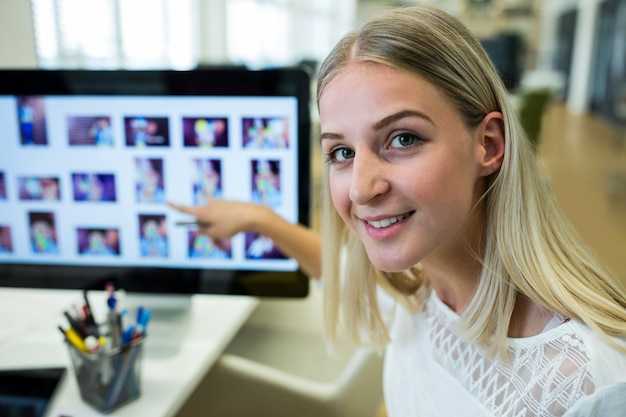
Escolha dois formatos de IA que se alinhem com o seu nicho e formato principal. Bloqueie ativos: avatares para apresentadores no ecrã, vozes ajustadas à sua marca e cenas que ilustrem cada ponto. Os pipelines de texto para vídeo proporcionam o retorno mais rápido, clareza e estilo consistente. Mantenha uma única declaração de posicionamento para cada formato para orientar o guião, os visuais e o ritmo. Utilize ferramentas de análise para comparar as taxas de conclusão e ajustar os ativos mais rapidamente.
Arquétipos de nicho e pares ideais
Saúde/fitness: combine um explicador de 15-30 segundos com 3-5 cenas e um clipe de demonstração de 40-60 segundos. Tecnologia: combine um problema-solução de 45-90 segundos com um clipe rápido de dicas de 15-20 segundos. Beleza/estilo de vida: utilize uma montagem de antes/depois de 20-40 segundos mais um walkthrough guiado por voz de 30-50 segundos. Reúna informações de termos de pesquisa e discussões do Reddit para perceber quais os ganchos que pareceram mais fortes, em seguida, alinhe guiões, cenas e avatares com esses ângulos. Utilize avatares e vozes que correspondam ao tom de cada formato para melhorar o reconhecimento e o profissionalismo.
Configuração prática e otimização
Reutilize ativos em clipes para aumentar a eficiência; mantenha um aspeto e sensação consistentes (estilo) enquanto adapta o ritmo por formato. Ative o retargeting para trazer de volta os espectadores com clipes de acompanhamento. Acompanhe métricas como a taxa de conclusão e a visualização final; ajuste texto, legendas e ordem das cenas em 24-48 horas para se manter relevante. Para profissionais de marketing, alinhe a abordagem com a intenção de pesquisa e o posicionamento a longo prazo; isto ajuda quando está preso e melhora os resultados. Experimente também ganchos estilo jogo para aumentar a memorização e o envolvimento.
Reescreva guiões e gere legendas utilizando modelos de IA
Recomendação: Reescreva cada guião em três variantes – gancho, ponto intermédio e final – para apresentar o ponto central rapidamente. Alimente as variantes num gerador baseado em IA para produzir três conjuntos de legendas, depois teste num reel curto para envolvimento e tempo de publicação. Esta abordagem poupa tempo, melhora a precisão e acelera a otimização de conteúdo para o YouTube, onde os primeiros segundos determinam a provável retenção e a taxa de cliques.
Utilize narrações em 2-3 variantes; cada uma tem um tom distinto: claro, enérgico e neutro. Pause para verificar o ritmo; alinhe a duração da narração com o comprimento do ecrã; garanta que as palavras correspondem ao conteúdo falado e são fáceis de ler no ecrã.
Abordagem de reescrita de guiões
Analise a intenção do público, extraia 1-2 pontos de valor concretos, reescreva para apresentar o benefício nos primeiros 4 segundos; execute três variantes; garanta clareza e uma única chamada para ação. Esta regra fundamental ajuda clientes e membros, mantendo a mensagem concisa e acionável. Evite jargões que atrasem o final e mantenham o conteúdo no caminho certo para o mercado-alvo.
Legendas e otimização

Gere legendas legíveis em dispositivos móveis; mantenha a primeira linha com exatamente 100-140 caracteres para linhas primárias no YouTube e mantenha a legibilidade em tela. Teste três comprimentos de legendas e escolha a versão com melhor desempenho com base na legibilidade e no envolvimento. Esta abordagem inteligente apoia uma otimização mais inteligente e melhora os resultados para clientes que consomem conteúdo em telas menores.
Fluxo de processo: Ter um plano claro reduz o risco para clientes e perfis de membros; se não for possível polir numa só passagem, realize uma segunda passagem. Aloque finanças para testar três variantes; o resultado é uma boa otimização e uma iteração mais rápida, aumentando as chances de um ciclo de postagem bem-sucedido e estabelecendo um fluxo de trabalho confiável para postagens futuras.
| Plataforma | Duração ideal | Estratégia de legenda | Métrica a monitorizar |
|---|---|---|---|
| Reels | 15-30s | Gancho em 2s, 1 benefício, 1 CTA | CTR e salvamentos |
| Shorts | 20-40s | 3 variantes de legendas; alinhar texto no ecrã | Retenção |
| Conteúdo longo | 6-12min | Capítulos claros na descrição; ritmo apoia a conclusão | Duração média de visualização |
Aprimore visuais, ritmo e branding através de edições impulsionadas por IA
Comece configurando uma configuração de 3 minutos: especifique uma paleta de marca, tipografia e posicionamento do logotipo no editor de IA, em seguida, aplique edições automatizadas para refinar cores, contraste e movimento em milhares de quadros, entregando postagens visualmente consistentes em minutos.
Branding consistente em todos os formatos
A IA analisa milhares de sinais para harmonizar o equilíbrio de cores, espessuras de fonte, enquadramento de logotipo e estilo de movimento. Crie um único conjunto de regras que o editor aplique a cada clipe, garantindo que postagens, stories, carrosséis e capítulos de conteúdo longo compartilhem a mesma linguagem. Esta consistência aumenta o impacto de vendas; legendas alinham-se com sobreposições, e o visual permanece coeso em todas as plataformas. Forneça aconselhamento à equipa: explique a lógica por trás de cada escolha e mantenha um guia de estilo vivo. Um estagiário pode gerir tokens de cor e espessuras de fonte, enquanto um profissional de marketing supervisiona as aprovações finais. As ferramentas permitem poupar tempo, produzir mais conteúdo e escalar ofertas para produtos com ciclos mais rápidos.
Velocidade, ritmo e localização
Use IA para definir o ritmo por formato: picos inferiores a 2 segundos para feeds rápidos, minutos para conteúdo longo, com transições nítidas entre os batimentos. As edições mais rápidas dependem de dados de milhares de postagens para sugerir comprimentos de cena, sobreposições de texto e pontos de nitidez. Para mercados de bahasa, ajuste automaticamente sobreposições e legendas; mantenha a relevância local enquanto preserva a unidade da marca. Stories, postagens e anúncios beneficiam de uma linguagem visual consistente, e os gestores podem monitorizar resultados para refinar o visual em todas as campanhas, poupando mais tempo e mantendo a marca coerente à medida que o público cresce. Esta abordagem aconteceu em campanhas recentes: o envolvimento aumentou, a conversa intensificou-se e as ofertas converteram de forma mais eficiente. Construir um playbook escalável ajuda as equipas a alinhar criatividade com análise e a acelerar o desempenho em milhares de postagens.
Teste ganchos, miniaturas e distribuição para impulsionar a tração inicial
Recomendação: teste três variantes de gancho nos primeiros dias: liderança de curiosidade, recompensa emocional e recompensa prática (incluindo um ângulo romântico rápido). Mantenha os primeiros 2-3 segundos rápidos, revele o objeto principal imediatamente, depois mostre o benefício até aos segundos 3-4. Termine apresentando uma chamada para ação claramente declarada, como "assistir agora" ou "aqui para ver o resultado". Use uma miniatura que pré-visualize a recompensa: close-up do objeto, texto ousado de três palavras, cores de alto contraste e um rosto humano, se possível. Esta configuração aumenta o tempo de visualização e a hipótese de partilhas. Por exemplo, meça a retenção de 1-3 segundos, e se o dia 1 mostrar uma queda abaixo de 60%, troque os ganchos e as miniaturas. Assim que tiver um vencedor, reutilize o clipe principal para cortes mais longos e posicionamentos pagos nos dias seguintes.
Estrutura de teste de gancho
harrop observa que testes rápidos e iterativos vencem. o uso desta abordagem requer um ciclo de feedback apertado: capture por que os espectadores continuam a assistir e onde desistem; use um prompt para direcionar a atenção; adicione uma nova variante de outro em 24 horas; o que aconteceu a seguir mostra que o melhor gancho muitas vezes mistura curiosidade com uma pequena surpresa visual. Planeie meses de testes, registando resultados dia após dia para construir um padrão confiável.
Plano de miniatura e distribuição
As miniaturas devem atrair a atenção em 2 segundos: mostre o objeto em quadro, limite o texto a três palavras, escolha fontes sans-serif ousadas e use cores de alto contraste. Inclua um rosto humano sempre que possível e uma subtil pista da marca para melhorar a recordação, garanta a legibilidade em pré-visualizações móveis de 9:16; adicione um pequeno emblema com as iniciais da recompensa. Plano de distribuição: publique hoje durante janelas de pico no tiktok; publique cruzado no YouTube Shorts e Instagram Reels; execute um impulsionamento pago por 24-72 horas para iniciar a tração inicial; monitore onde os espectadores desistem, especialmente nos segundos finais; use prompts para convidar comentários; reutilize o clipe principal em ativos teaser para posicionamentos pagos; acompanhe resultados ao longo de dias e meses; adapte orçamentos com base em onde a retenção é mais forte.




