
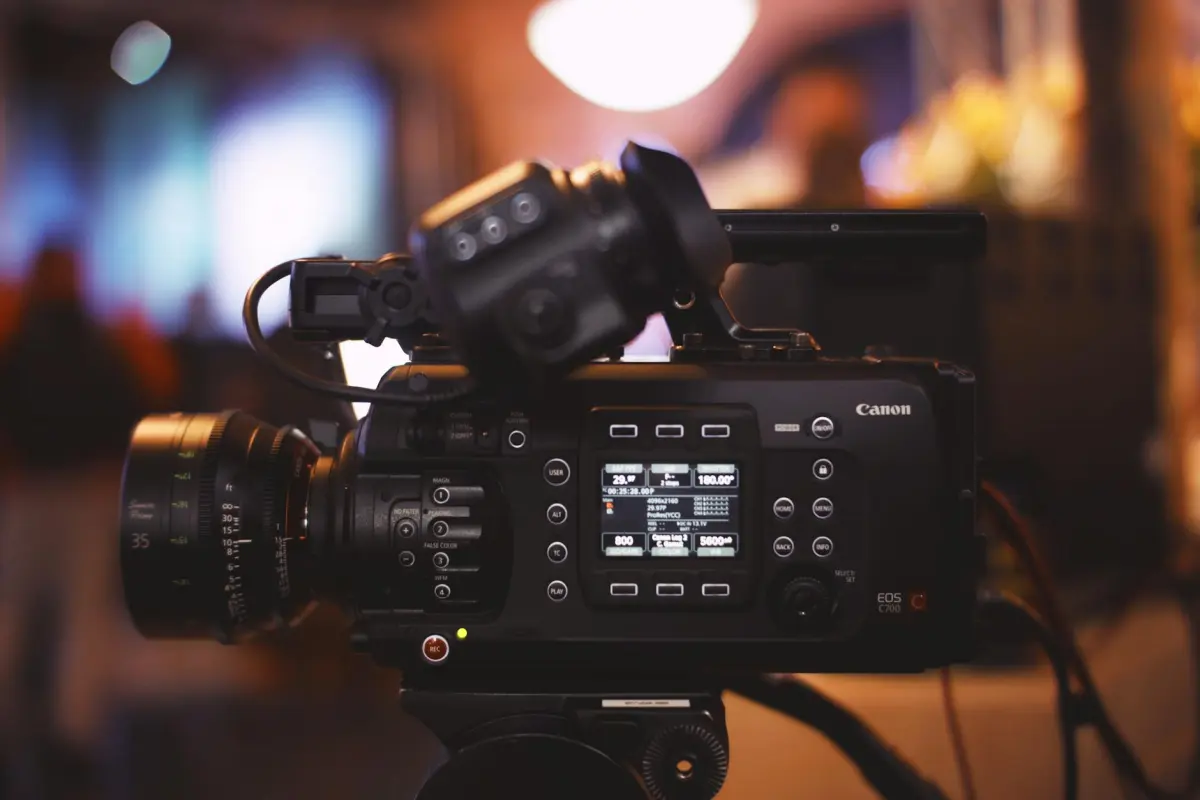

推奨: Canvaワークフローに接続でき、スケジュールをサポートし、複数の言語でボイスオーバーを提供するジェネレーターから始めましょう。継続的な出力を必要とする場合は、高度なコントロールと驚くほど安定したレンダリングを備えたモデルを選択してください。一般的な形式でエクスポートでき、検討できるデモを提供しているツールは、制作作業を短縮し、チームが常に新しい指示に対応できるよう支援します。ブランド、トーン、テンポに関する明確な境界線を設定してください。
広範なテンプレートセットを提供し、出力の並行比較を視聴できるプラットフォームをスキャンしてください。単一のプロジェクトを複数のオーディエンスに合わせることができるように、多言語ボイスオーバーと言語切り替えをサポートするものを優先してください。リリースをスケジュールし、変更を追跡し、ワークスペースを離れることなくイテレーションをプッシュできるサービスを見てください。ペース、トーン、ビジュアルリズムのコントロールが多いオプションは、ブランド境界線を維持します。これにより、常に新しい指示に追いつくことができます。
複数の言語でコンテンツを作成するチームは、Canvaテンプレートを埋め込むことができ、調整可能な速度とトーンを備えたスマートボイスオーバーを提供するジェネレーターを選択してください。ツールがアセットをどのように処理して、チャプターやエピソード全体で一貫性を維持するかを確認してください。公開前にアイデアを検証するのに役立つリアルタイムプレビューとデモを確認してください。統合機能により、スケジュールが公開カレンダーと同期していることを確認してください。
10のAIクリップ作成オプションの中から、安定した多言語ボイスオーバー、信頼性の高いスケジュール、強力なCanva統合を提供するものを優先してください。価格帯、APIアクセス、色、タイポグラフィ、ペースのコントロールレベルを比較してください。フリーミアムプランから始めてデモをテストし、スケジュールが拡大し、より多くの言語を追加する必要性が高まるにつれてスケールアップしてください。
Runway Gen 4が2025年に注目の選択肢である理由
Runway Gen 4を使用して、最小限の手作業で短いクリップやシーンの作成を自動化し、チームやキャンペーン全体での迅速な展開を可能にします。ベースラインを確立するために単一のクリップから始め、スタイルをテストしながらクリップライブラリにスケールアップしてください。
フレーム内の位置決めや、各ショットから不要な要素を削除することに優れており、セットやオブジェクト全体で一貫した品質の本格的なシーンを提供します。
字幕が組み込まれており、アニメーションオプションにより、ゼロから始めることなくバイラルになるような瞬間をクラフトできます。このプラットフォームはHeyGenやOpusClipと統合されており、Underlordの利用規約によりライセンスが予測可能に保たれ、効率的な作成ワークフローをサポートします。
チームは共有カレンダーとアセットスペース、さらにオブジェクト、セット、クリップの中央ライブラリを通じて共同作業を行うため、コンテキストを失うことはありません。
標準的な出力に満足せず、エンゲージメントを向上させる本格的なビジュアルに向かってください。
トップAI動画ジェネレーター全体で比較すべき主な機能
無制限のレンダリング実行と強力なアセット転送を提供するプラットフォームを選択してください。なぜなら、制作のスケールアップはスムーズでなければならないからです。
-
出力品質とデザイン忠実度
高解像度出力、調整可能なフレームレート、強力なカラーグレーディングパイプライン、正確なキーフレームコントロールを探してください。静的な背景シーンライブラリはタイトなペースをサポートし、ドロップインテンプレートはニッチに適合してクリエイターの出力を向上させます。エンジンは、クリエイターにレイアウト、トランジション、タイミングに関する最大限のコントロールを提供し、すべての資産が意図的で洗練されたものになるように設計されている必要があります。
-
速度、スケーラビリティ、自動化
広範なワークフローは遅延を減らし、無制限のレンダリングはピーク時のキャパシティを提供します。スクリプトからクリップへの転送やアセットのチェックアウトを自動化する手段は、チームを競争力のある状態に保ち、タイトな締切内での迅速なイテレーションを保証するのに役立ちます。
-
音声、ナレーションオプション、顔のないキャラクター
組み込みの音声合成は、言語サポートを備えた自然なプロソディーを実現する必要があります。顔のないキャラクターは音声アセットまたはAI音声に依存しますが、ライセンス条件は摩擦を避けるために明確である必要があります。デザイナーは、クリエイターのブランドに合わせてトーン、ペース、強調を調整できるため、ナレーションは製品やキャンペーンのスムーズな一部になります。
-
テンプレート、ドロップイン、カスタマイズの深さ
ブランドガイドラインを中心に設計されたテンプレート。ドラッグアンドドロップ編集、簡単なアセット交換、ストックライブラリへのアクセスが含まれます。ドロップインアセットを含めることで生産が加速され、カスタマイズ機能によりクリエイターはタイポグラフィ、スペーシング、モーションをニッチなオーディエンスに合わせて調整できます。
-
エクスポートオプション、転送手段、権利
エクスポートは、複数の解像度とアスペクト比をサポートし、透明度とオーディオトラックを備えています。転送手段は、最小限の摩擦で外部アプリやストレージにアセットを移動します。ライセンス条件は所有権を維持し、商用利用を許可する必要があります。編集された出力と生成されたアセットに対する権利を保持することで、製品の配布における多用途性を確保します。
-
ワークフロー、コラボレーション、チーム内管理
役割、承認、バージョン履歴を備えたワークスペースは、コラボレーションを簡素化します。チーム内では、簡単な引き継ぎと一貫したテンプレートがリリース全体で品質を維持し、監査証跡が説明責任と継続的な改善をサポートします。
-
分析、視聴者エンゲージメント、適応戦略
組み込みのメトリクスは、保持率、視聴時間、エンゲージメントの低下を追跡します。洞察はペースとスクリプトの調整を導きます。A/Bテスト、ヒートマップ、オーディエンスセグメンテーションを探してください。これらの手段は、チャネル全体で視聴者への影響を最大化するためにコンテンツを調整するのに役立ちます。
-
セキュリティ、プライバシー、ガバナンス、コンプライアンス
データ暗号化、アクセス制御、ポリシーベースの保持がアセットを保護します。地域のルールへの準拠と明確なデータ処理条件は、機密コンテンツを扱うチームに安心感を与えます。
-
エコシステム、統合、拡張性
APIとSDKは、CMSまたはマーケティングスタックへの自動化とコネクタを可能にします。プラットフォームにはプラグインまたはネイティブ統合が含まれており、システム間でのアセットの転送や製品全体での公開が容易になり、スムーズなクリエイターワークフローを保証します。
出力形式、解像度、エクスポートオプション

MP4(H.264)を1080p60でエクスポートすると、ストックプラットフォームや多言語ワークフローとの互換性が最大化されます。シーンがペースが速い、または視覚的に複雑な場合は、驚くほど魅力的な詳細を保持するために4K60にプッシュしてください。テンプレートを手元に置いて、言語バリアントや予算全体で出力の作成を標準化してください。プリセットを使用して、シーン間のモーション処理を微調整してください。
サポートされているコンテナには、MP4、MOV、WEBM、AVI、MKVが含まれます。MP4は、広範なアクセス可能性のためにデフォルトのままです。コーデック:H.264(AVC)は幅広いサポートを保証します。H.265(HEVC)は、4K以上で圧縮率を向上させ、効率を高めますが、エンコード時間は長くなります。ストックワークフローは両方をサポートしますが、ハードウェアが限られている場合はH.264に留める必要がある場合があります。解像度ラダーとビットレートガイド:720p(1280x720)5〜8 Mbps。1080p(1920x1080)8〜12 Mbps。1440p(2560x1440)15〜25 Mbps。4K(3840x2160)35〜60 Mbps。8K(7680x4320)120〜180 Mbps。
解像度は、24、30、または60 fpsのフレームレートと組み合わせることができます。60fpsはペースの速いシーンに適しており、24fpsは映画のようなテンポを提供します。サポートされているアスペクト比は、16:9、9:16、1:1、21:9であり、標準プレーヤーからシネマティックボードまでのレイアウトを可能にします。解像度オプションはプロジェクトのニーズに合わせてスケールし、サムネイルやキャプションの可読性を維持します。
バッチエクスポートとキューイングされたレンダリングは、プロジェクト全体での配信をスピードアップします。シーンごとのエクスポートは、管理されたワークフロー内で編集を保持します。ブランドガイドラインから作成されたテンプレートは、アセットやアーティスト全体でビジュアルの一貫性を保ちます。キャプションはSRTまたはWEBVTTでエクスポートされ、多言語教育アセットをサポートします。ウォーターマークとブランディングはオプションのままです。エクスポートプリセットはワークフローを簡素化し、照明とカラー管理オプションはビジュアルを見やすく保ちます。システムは、多言語キャプションとラベルをサポートします。
品質チェックにより、解像度の遵守、カラースペース(Rec. 709またはDCI-P3)、シーン全体の照明の一貫性が検証されます。モバイルとデスクトップで視覚的にレビューし、エンゲージメントが高いままであり、ブランディングが損なわれていないことを確認してください。キャプションを有効にし、多言語トラックの整合性を検証することを忘れないでください。将来の実行をスピードアップするために、ストックソースとテンプレートのログを保持してください。このアプローチは、教育チームをサポートし、アセット管理を簡素化し、アーティストと共にクラフトを洗練するのに役立ちます。
人気のあるツールとのワークフロー統合と自動化
AIの出力とエディター、Canvaのエコシステムを直接接続する中央自動化ハブを使用することで、プロンプトからのクリップの自動生成、アセットのリサイズ、テンプレートのクローニング、一貫したスタイルの適用が可能になり、チャネル全体でプロフェッショナルな仕上がりを実現します。
学習ループは、ブランドの忠実性を維持しながら、プロンプトを調整して出力品質を向上させます。チームは、アセットをチャネル間で再利用することでスループットをスケールアップでき、ソーシャルおよびストリーミングプラットフォーム全体に公開するYouTuberをサポートします。これらの調整により、セットアップ時間が短縮され、アセットの一貫性が保たれます。
3ステップのアプローチ:1)自動化ハブをCanvaのエコシステムに接続する、2)プロンプトからクリップを自動生成し、16:9および9:16のリサイズを実行する、3)テンプレートをクローニングして、完成したアイテムをエディターにプッシュして迅速にスケジュール設定する。出力はデバイス間で確実に再生され、テンプレートは高度に統一されたスタイルを維持します。
スケーラブルなチーム向けには、月額12ドルのプランでコアコラボレーターをカバーし、写真とテンプレートの共有ライブラリを可能にします。クラウドストレージやソーシャルプラットフォームとの直接統合により、チャネルへの直接公開が迅速化され、Canvaのアセットは洗練されたビジュアルを提供します。未来志向のセットアップは将来のニーズをサポートし、追加の手順なしでスムーズなコラボレーションと高品質な結果を保証します。
クリエイター向けの価格設定、ライセンス、アクセス
価格プランと割引
月額約29ドルのProティアから開始します。年間一括払いでは約290ドルです。これにより、非独占的なグローバルライセンスと商用利用権、月最大50回のエクスポート、組み込みのアセットライブラリへのアクセス、スクリプトからシーケンスへの変換を高速化するユーザーフレンドリーなテキストファーストのワークフローが提供されます。年間プランでは、通常、月々払いと比較して1~2ヶ月無料に相当する割引が提供されます。大規模なチームが成長すると、月額約99ドルのTeamティアは5つのシート、共有クォータ、優先サポートを追加します。エンタープライズの条件は交渉可能であり、人員規模に合わせてスケールします。イベントやローンチ中にワークロードが急増する場合は、ボトルネックを防ぐために無制限エクスポートオプションまたは高ボリュームバンドルを検討してください。主な利点は、キャンペーンのライフサイクルマイルストーンに一致する予測可能なコストであり、エッジ配信により次の制作段階で出力が準備されます。更新時に年額プランに移行して、割引を適用できます。
ライセンス権とアクセス
ライセンス条件は非独占的かつ全世界的であり、出力はアクティブ期間中にカバーされます。入力はそのままお客様の所有物となり、結果として得られるアセットには商用利用ライセンスが付与されます。シートを通じてコラボレーターを追加でき、メイン管理者がアクセスを制御します。組み込みのセキュリティと分析により、使用状況、エクスポート制限の調整、ウォーターマーキング、画面解像度を確認できます。ライブイベント中に機会が発生した場合は、営業担当者に連絡してエンタープライズ条件についてご相談ください。このプラットフォームは、強力なブランドバイブを持つモーショングラフィックスアセットを作成するための強力なツールとして機能します。エッジ配信と次の段階のリリースに向けたグローバルな準備により、ライフサイクル管理はスムーズです。既製の映画のようなシーケンスは、オペラのスタイルに合わせることができます。ライセンスが意図する使用法と一致していることを確認し、標準の範囲を超える再配布が必要な場合は、追加ライセンスを検討してください。オーダーメイドの条件が必要な場合は、営業担当者にご連絡ください。




