
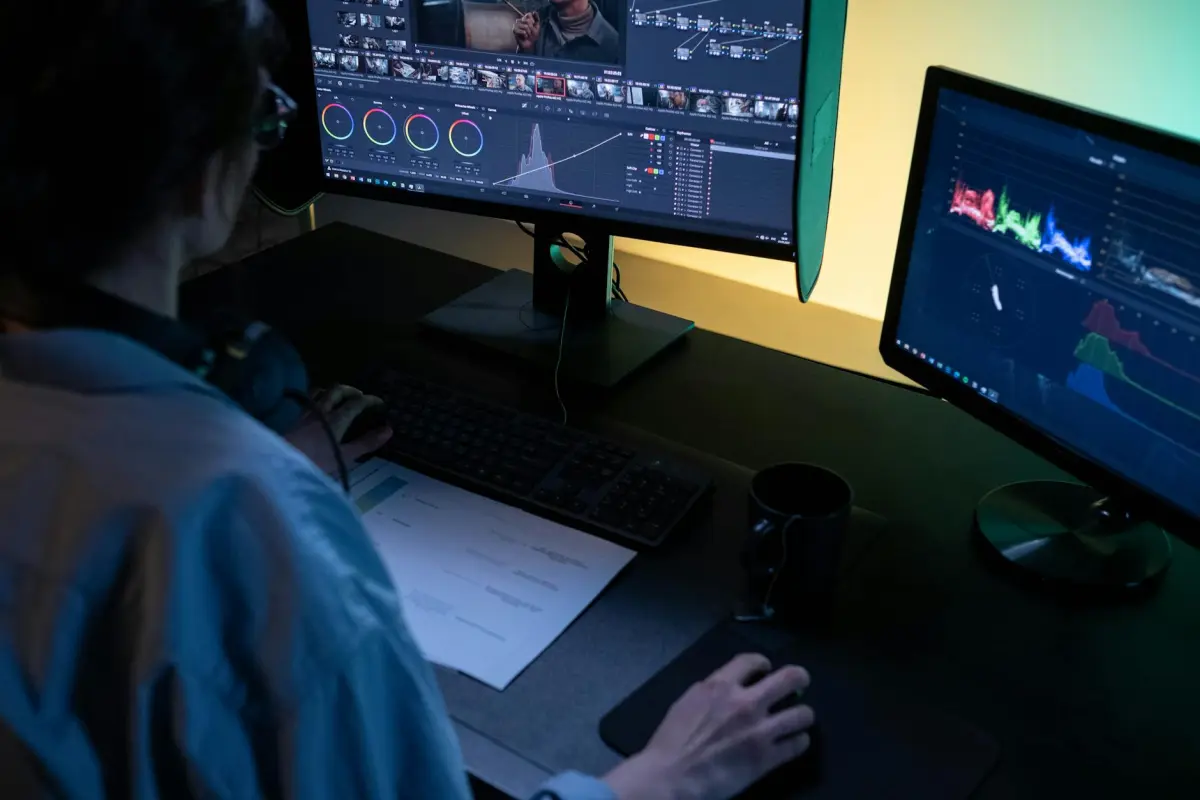
推奨:インタビュー資産や画像資産を受け入れ、プラットフォームにコンパクトで公開準備のできた作品を制作させる、高速AI駆動のワークフローから始めましょう。生の素材を摂取し、魅力的な瞬間を迅速に特定し、わずか30分未満で一貫したシーケンスを組み立てることができるクラウドベースのソリューションを選択してください。このアプローチにより、コンテンツ制作者は、何時間もの手作業による編集なしで、シャープでクリアなストーリーを届けることができるようになります。
主な機能セットには、自動音声同期、カラー調整、ムードを設定するスタイルプリセットが含まれます。システムは、個人的なトーンを生成し、ペースを調整し、エンゲージメントを高めるためにキャプションを追加できます。インタビュー主導の作品では、インタビューセグメントを強調し、フィラーをトリミングし、ビジュアルリズムをタイトに保ちます。これは、複数のクリップにわたる高速なストーリーテリングに最適です。
実際の世界テストでは、チームは手作業による編集と比較して制作時間を50〜70%削減し、わずかな時間で洗練された結果を配信しています。画像アセットとオーディオトラックを、選択したスタイルに合わせることで、作品全体で一貫したビジュアルアイデンティティを維持しながら、各ストーリーを視聴者に合わせて調整できます。
エンゲージメントを最大化するには、迅速なフックで始め、次にインタビューのハイライトを提示し、その後、サポートするビジュアルを続けます。機能プリセットを使用してテンポを制御し、エネルギッシュなトーンと親密なトーンを切り替え、音楽とスピーチのバランスを調整します。目標は、制作を高速かつ個人的に保ちながら、視聴者からのエンゲージメントの轟音を引き出すことです。
コンテンツプログラムを実行している場合、このアプローチは、長編の会話または短いハイライトのいずれかをサポートします。これにより、クリップのライブラリを迅速に制作し、同じ画像言語とオーディオキューを再利用して一貫性を構築できます。要するに、コンテンツを作成する誰もが、生の素材を効果的なストーリーテリングに変換し、チャンネル全体でのリーチと結果を向上させることができます。
誰でも使えるAIビデオ編集
具体的な成果をもたらすモジュラーワークフローから始めましょう。リーンな編集チェーンは、トリミング、分割、アラインメントにショートカットを使用し、自動文字起こしで会話を単語に変換し、字幕トラックをシーンブロックにロックします。定義済みのスタイルプリセットは、さまざまなシーンブロック間で一貫性を保ち、新しいプロジェクトでそれらのパターンを簡単に再利用できるようにします。
クリエイターのスケールアップを支援するために、このソリューションは、リアルタイムで制作と同期するデジタルワークフローをサポートします。文字起こしにより迅速な編集決定が可能になり、字幕アラインメントは正確に維持され、ショーケースは最も強力な瞬間を強調します。エクスポートは複数の形式をカバーしており、ペースを犠牲にすることなく、より長い編集を可能にする重要な機能です。
インターフェースはアクセシビリティを重視しています。明確なシーングリッド、ドラッグアンドドロップアセンブリ、および簡単な導入を可能にするように設計されたソフトウェアコア。プロジェクトに参加すると、ブログまたは企業資料をインポートし、ストーリーテリングを調整し、詳細とスタイルを強調する洗練された作品を配信できます。
クリエイティブガイダンスは、AIは才能を増強するものであり、置き換えるものではないことを強調しています。ショートカットを同僚と共有し、テンプレートを再利用し、すべての出力で一貫したスタイルを維持します。このアプローチは、テンプレートと柔軟なプリセットによってサポートされており、他の形式に適応可能で、履歴書スタイルのリールや、ブランド、長さ、プラットフォームの制約に合わせて作成されたコンテンツをサポートし、すべてが整合していることを保証します。
実践的なヒント:文字起こしは、読みやすさのためにクリーンアップする必要があります。シーンセグメントに明確に名前を付けます。字幕タイミングをスピーチペースに合わせて適用します。ショートカットを使用して、繰り返し編集を迅速に実行します。もう1つの利点は、単語が検索可能になり、コンテンツが表示されるあらゆる場所での発見を拡大することです。
AI駆動のショットスコアリングによるシーン選択の自動化
推奨:AI駆動のスコアリングエンジンを使用して候補クリップをランク付けし、タイムラインに最も関連性の高いものを自動選択します。リアリズム、感情、イベントへの適合性を捉える機能セットを定義し、ターゲットマッチを超えるショットのみを保持するために比率ベースのしきい値を適用します。長いプロジェクト内では、セグメントごとにカットオフを調整します(例:0.65〜0.75)。これにより、カバレッジとペースのバランスが取れます。
- 機能セット:物語の価値に影響を与えるメトリックを決定します。リアリズム、モーションダイナミクス、構成品質、オーディオ明瞭度、視聴者からのフィードバック、および主要イベントとの整合性を含みます。各メトリックは機能であり、それらを単一のショットスコアに結合します。
- スコアリング式:あなたのスタイルを反映する重み付けを割り当てます。例:リアリズム0.30、モーション0.25、感情0.20、イベント適合0.15、トランジション0.10。簡単な比率比較のために0〜1の範囲に正規化します。
- 候補キュレーション:セグメントごとにクリッププール全体でスコアリングを実行します。高スコア対ペナルティ比のショットを保持します。しきい値を下回るものは破棄され、境界線に近いものはブティックチームが迅速にレビューできます。
- しきい値と比率:比率カットオフ(例:0.65〜0.75)を採用して、タイムライン上の物語のほとんどを保持します。より簡潔で魅力的な結果をターゲットとするプロジェクトでは0.70〜0.80に締め付けます。
- ローカライゼーションとイベント:スペイン市場や多言語イベントに対応する場合、言語のヒント、キャプションのアラインメント、および地域固有の美的要素をサポートされる機能として含めます。挨拶、製品発表、デモンストレーションなどのイベントに合わせてクリップを調整します。
- 選択とレビュー:作成者が数個のショットを承認または交換できる迅速なレビュー担当者ステップを含め、コンバーターとプレゼンテーションステージへの迅速な引き渡しを維持します。これらの調整が最終結果を形成します。
- 出力とトランジション:すぐに使用できるシーケンスをスムーズなトランジションで生成します。コンバーターは、タイムライン対応ファイルをエクスポートし、タイミングとペースを保持して、選択したプレゼンテーションプラットフォームに即座に統合します。
- 品質ガードレール:リアリズムとエンゲージメントを監視します。シーンが唐突に感じられる場合は、トランジションまたは長いショットを優先するように比率をわずかに調整します。最終シーケンスが自然で魅力的に感じられるようにします。
監視するメトリック:処理された総分、キャプチャされたイベント数、平均スコア、および保持されたショットと破棄されたショットの比率。サポートされる形式とシステム負荷を追跡して、バイラルポテンシャルを持つプロジェクトを含むほとんどのプロジェクトでワークフローを高速に維持します。
ワンクリックキャプション、字幕、文字起こし生成
デフォルトで自動キャプション生成を有効にします。これにより、ポストプロダクション時間が短縮され、ペースが維持され、アクセシビリティが即座に向上します。このようなキャプションは、アクセシビリティ、エンゲージメント、リテンションを高め、準備された文字起こしは、スライドショーやブログでの翻訳と再利用を可能にします。自動化が大変な作業を行うため、ストーリーテリングに焦点を当て続けます。多言語リーチが必要ですか?翻訳オプションは、追加の手間なしにオンラインプラットフォーム全体でグローバルな視聴者に対応します。
- シングルクリックフローでキャプション、字幕、準備された文字起こしを提供します。英語の初期テキスト、その後、翻訳エンジンを介して40以上の言語に翻訳され、プラットフォームやソーシャルチャネルなどでのオーナーのリーチを拡大します。
- generatortransformは、ASRと翻訳を組み合わせて、通常はキャプションブロックあたりミリ秒単位で正確なテキストを迅速に生成し、手作業での調整を減らします。この結果は、スライドショー、ブログ、ショーケースのアクセシビリティを向上させます。
- フォント、色、配置、行分割を文字起こしパネルで直接調整できるカスタマイズオプション。これにより、追加の手間なしにブランドボイスと読みやすさを維持できます。
- ショートカットにより、言語切り替え、タイミングの再同期、およびクイックエクスポートが可能になります。ワークフローはオンラインプラットフォーム全体でスムーズに維持されます。
- 無料ティアは、コアキャプションと翻訳をカバーします。有料プランでは、オフライン処理、長時間の実行、およびブログやオーナーのショーケースなどのオンライン作業での優先処理が利用可能になります。
- テキストは、サウンドキューを含む会話と一致します。スライドショーやクリップ全体での読みやすさの向上、障壁の低下、および魅力的な視聴者体験の提供。
- スムーズな共有:キャプションをSRT、VTT、またはプレーンテキストとしてエクスポートします。プラットフォーム全体でスクリプト、ショーノート、または説明フィールドにコピー&ペースト可能な文字起こし。
スマート自動カラーグレーディングとクリップごとの照明調整
各ショットの明るさ、コントラスト、ホワイトバランスに適応するAI搭載の調整を適用することで、クリップごとの自動カラーグレーディングを有効にし、一貫した肌のトーンとムードを実現します。この処理は手動での微調整なしに実行され、モバイルデバイスやデスクトップでプロフェッショナルな結果を生み出し、忙しいワークフローにスピードと柔軟性を提供します。
パイプラインは、クリップごとにヒストグラム、彩度、シャドウ、ハイライト、露出を分析し、自然な粒子を維持しクリッピングを回避するターゲット調整を適用します。ユーザーは必要に応じて精密なコントロールで上書きでき、自動化の恩恵を受けながらクリエイティブな方向性を維持できます。
ディスコレトロからモダンシネマティックまで、さまざまなスタイルでパワフルで魅力的な結果が得られます。プラットフォームはプリセットとジェネレータートランスフォームスクリプトをサポートし、どこでも機能し強力な処理能力を持つ、プレゼンテーション準備完了のルックを可能にします。この製品ラインは一貫性を示し、高速レンダリングをサポートし、さまざまな予算に対応するプロフェッショナルなレンダリングライオンズプリセットを提供します。
チームやデバイスを横断する効率的なワークフローをサポートし、高価なセットアップなしにどこでも制作準備完了の結果を可能にします。
| シナリオ | ターゲット調整 | 注意点 |
|---|---|---|
| 低照度 | シャドウを持ち上げる、露出を上げる、微細なノイズ除去 | 色の忠実度を維持 |
| 高コントラスト | ハイライトを圧縮する、中間調を持ち上げる | クリッピングを防ぎ、質感を維持 |
| 温かみのある肌のトーン | ホワイトバランス補正、色相調整 | デバイス間で自然なルック |
| ディスコレトロな雰囲気 | 主要な色相の彩度ブースト、フィルムのようなコントラスト | 個性的なルック |
自動音声クリーンアップと音声同期でタイムラインを整理
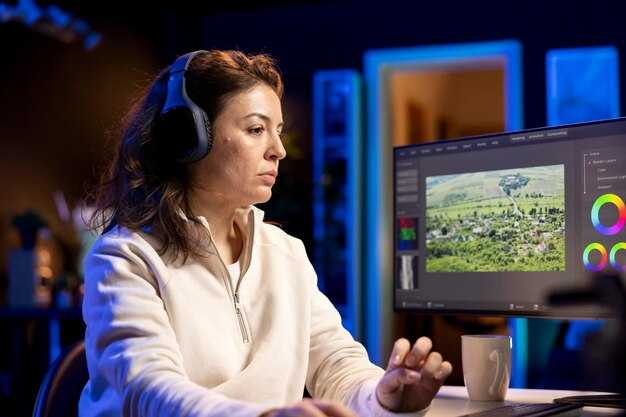
ノイズ抑制、ディエッサー、クリッピング回復を適用し、音声同期を実行して話された単語をタイムラインに合わせ、クリーンなキャプションを提供します。すぐに自動音声クリーンアップを有効にします。
オンザフライでキャリブレーション:クリップごとにノイズしきい値を調整し、ゲインを調整して、さまざまなフォーマットで対話の明瞭度に焦点を当てます。写真中心のセグメントでは、一貫したスタイルを維持します。映画では、シネマティックなバランスを維持します。最先端のRenderlionsエンジンは、正方形と横長のレンダリングの両方をサポートし、イントロフェーズ中にキャプションを拡大できます。
インスタント翻訳を使用して多言語キャプションを生成します:ASRを介してソースオーディオを特定し、翻訳ボックスを生成して、キャプションがタイムライン全体で想像力豊かで明確であることを保証します。キャプションを調整するときは、スタイルと可読性を維持し、散らかることなくクリエイティブな手がかりを追加します。必要に応じて、Renderlionsはキャプションを音声に同期し、リアルなタイミングを提供できます。
TikTok、正方形の投稿などのソーシャルフォーマットにプッシュします。タイムラインがさまざまなプラットフォームに適応し、印象的でバイラル準備完了の美学を維持し、切り抜きを防ぐためにクロップを調整し、翻訳機能を使用して品質などを維持します。
バッチ処理、テンプレート、プロジェクト保存でワークフローをスピードアップ
AI搭載のプリセットでクリップのバッチ処理を有効にし、繰り返し実行されるジョブ全体で使用するプロジェクトテンプレートを保存することから始めます使用。このアプローチは手動の手順を減らし、一貫性を高め、配信を迅速化します。
正方形、16:9、9:16などのフォーマットに合わせたテンプレートを作成し、編集キュー、画像配置、テキストブロックを事前ロードします。テンプレートは自動期間、ループオーディオ、ボイスオーバー生成をサポートし、さまざまなチャネルで洗練された結果を保証します。
プロジェクトを保存すると、画像、オーディオ、ボイスオーバー、キュー、プリセットなどのアセットの選択が保持されます。これにより、カラーグレーディング、トランジション、ワードブロックの再利用が迅速になり、命名規則は多くのアイテムにまたがるアセットの管理に役立ちます。
バッチ処理は、単一の編集ワークフローを複数のクリップに適用し、さまざまなフォーマットのバリアントを生成し、高品質の出力をエクスポートすることで効率を高めます。このテクノロジーはプロセスをスケーラブルにし、自動チェックをサポートし、オプションは簡単に見えます。
テンプレートを使用してフォーマット全体で創造性を解き放ちます。AI搭載テクノロジーは自動化を価値あるものにし、手動編集の必要性を減らします。一貫したキュー、画像、単語でアセットを管理して、明確なボイスオーバーを備えた短く洗練されたストーリーテリングを提供します。デフォルトのテンプレートを選択するか、カスタム選択を作成して、忙しいチームをサポートするスケーラブルなワークフローを確保できます。




