
Inizia con un aggancio incisivo di 10 secondi che prometta un risultato tangibile, quindi scrivi una compatta traccia in tre battute per ogni clip. Questo approccio aumenta la fidelizzazione e spinge gli spettatori verso il tuo podcast o altre risorse online, trasformando la curiosità in azione.
Costruisci un piano in 5 parti che converta un singolo script in formati per post, vlog e clip brevi. Riutilizza il messaggio principale estraendo un aggancio di 15 secondi, un riassunto di 30 secondi e una spiegazione di 60 secondi; aggiungere sottotitoli aumenta le visualizzazioni, mentre un credito chiaro nei sottotitoli preserva la fiducia e supporta gli obiettivi di entrate dei creator.
Affina le competenze fondamentali per una produzione rapida: script concisi, ritmo naturale, illuminazione nitida e audio pulito. Ogni pezzo dovrebbe includere un semplice piano per convertire gli spettatori in membri o ascoltatori del tuo ecosistema online. Questo aiuta a costruire una libreria scalabile che alimenta le entrate attraverso le piattaforme.
Il framework è estremamente flessibile e genera slancio su vari argomenti, aprendo possibilità di crescita inter-formato. Monitora le visualizzazioni, il tasso di completamento e l'aumento delle entrate per piattaforma. Effettua un confronto regolare rispetto ai periodi precedenti per quantificare i progressi; per argomenti di nicchia sulla finanza, un'angolazione forex può superare la finanza generale, e vedrai meno commenti negativi se metti il valore al primo posto. Una volta che i risultati mostrano una direzione positiva, scala con fiducia.
Ecco un flusso di lavoro pragmatico da implementare subito: analizza i tuoi 20 post principali per gli agganci più efficaci; riutilizza le clip migliori in post e vlog, pubblica con una cadenza regolare e indirizza gli ascoltatori verso il tuo podcast e i corsi online. Questo piano trasforma le vittorie rapide in entrate durature e rende la creazione di contenuti semplice anziché opprimente, perché crea un ciclo di costante miglioramento e scoperta per i tuoi membri.
Piano per Trasformare Video Lunghi in Clip Virali con la Magia dell'AI
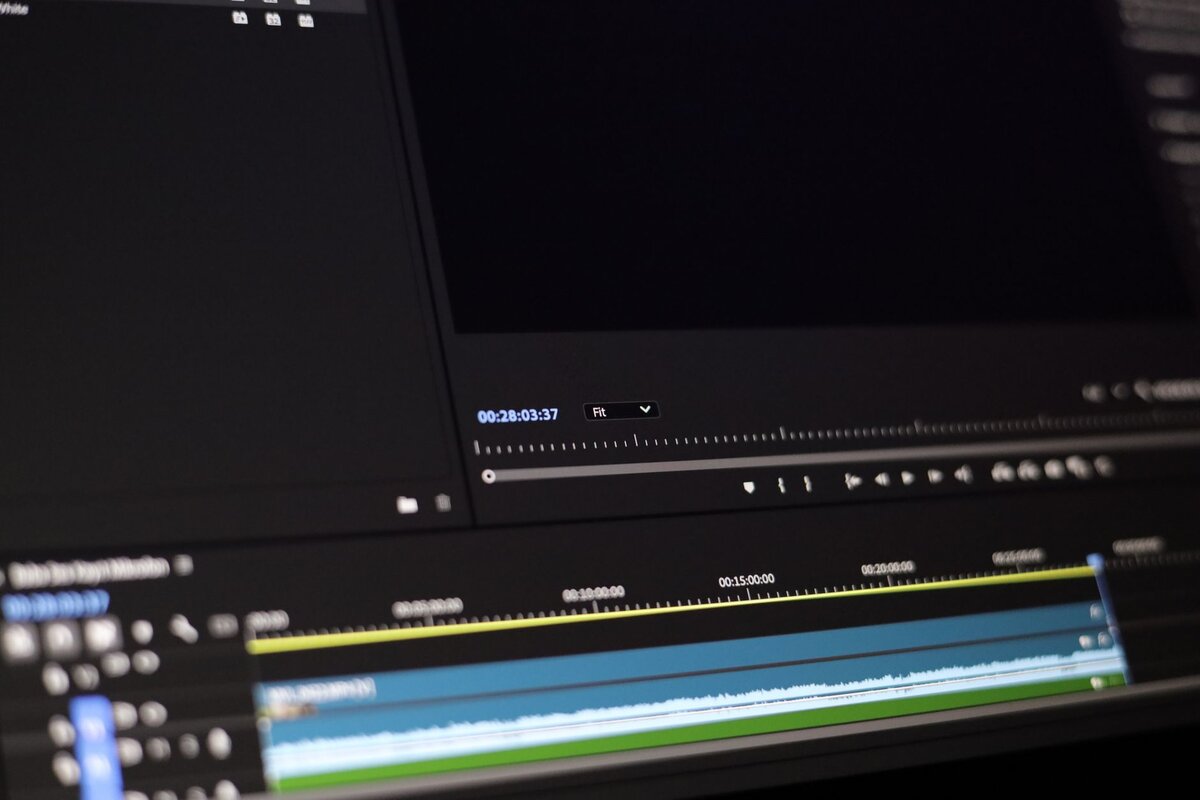
Accelera un pezzo long-form in 8-12 clip (da 15 a 45 secondi) ancorate a un singolo momento che cattura l'attenzione, usando la timeline per guidare i tagli; questo funziona sia per YouTube che per YouTube Shorts, per entrambi i pubblici.
Usa l'AI per scrivere sottotitoli concisi e selezionare automaticamente b-roll e introduzioni; ha fatto risparmiare ore al creator e aumenta la velocità, affinando le competenze.
Pubblica su YouTube e YouTube Shorts, oltre a postare su canali correlati in un'unica timeline; crea un set coeso di clip ottimizzate per miniature e titoli per massimizzare i click. Fallo sia con la portata organica che con sponsorizzazioni a pagamento per testare la realizzabilità e risultati del mondo reale.
I contenuti sportivi beneficiano di tagli rapidi e b-roll precisi che evidenziano i momenti chiave; inserisci indicatori specifici dello sport come tabelloni segnapunti o replay d'azione, mantenendo la narrazione autentica e relazionabile.
Misura i risultati in base a salvataggi, click e post per quantificare l'impatto. Un obiettivo realistico è una scintilla virale su un sottoinsieme di clip, mentre la maggior parte offre prestazioni costanti; avere il controllo sui dashboard di analisi ti aiuta a regolare ritmo, b-roll e sottotitoli; l'uso dell'editing automatico rende il flusso di lavoro semplice e scalabile, aiutandoti a risparmiare tempo e a crescere.
| Fase | Focus | Strumenti/Input | Output Atteso |
|---|---|---|---|
| Pre-taglio | Identifica i momenti salienti sulla timeline | filmato long-form, dati di fidelizzazione | 8–12 clip, agganci chiari |
| Editing e Aggancio | Installa introduzioni che catturano l'attenzione | editor AI, b-roll, sottotitoli | Clip brevi con agganci forti |
| Sottotitoli e Miniature | Testi accattivanti, elementi visivi | scrivi sottotitoli, miniature ottimizzate | CTR più elevato |
| Distribuzione | Pubblica su tutte le piattaforme | YouTube, YouTube Shorts, post, a pagamento | Click, salvataggi, coinvolgimento |
Individua l'Aggancio di 10–20 Secondi all'Interno del Tuo Lungo Video
Posiziona una battuta audace, orientata al risultato, tra 0:00 e 0:18 che prometta un risultato specifico e supportalo con una rapida prova, guidando la crescita, le visualizzazioni e i click fin dal primo momento.
- Costruzione dell'aggancio: fornisci una promessa chiara legata alla storia. Usa un beneficio misurabile (ad esempio, un aumento delle entrate, una tattica concreta) e mostra un'anteprima del risultato nei primi secondi per mantenere alta l'attenzione dell'utente.
- Segnale visivo: sovrapponi una breve grafica o testo focalizzato sui loghi che rafforzi l'affermazione. Mantienilo in linea con il brand, social-ready e visivamente pulito per minimizzare la confusione per lo spettatore.
- Allineamento narrativo: inquadra la domanda o la premessa in modo che risponda a ciò che il pubblico vuole sapere. Usa una domanda concisa e una risposta rapida per guidare la storia verso il risultato che cercano.
- Mentalità di riutilizzo: dopo l'aggancio, esporta la finestra di 10–20 secondi come clip autonoma per Shorts. Questo approccio rivitalizzato ti aiuta a rimanere presente su tutti i formati e supporta la crescita su tutte le piattaforme.
- Punta alla prova: mostra una validazione immediata – uno screenshot veloce, una statistica o un'anteprima prima/dopo – per aiutare gli spettatori a sentirsi sicuri riguardo alla promessa e a spingerli all'azione.
- Sequenza CTA: concludi l'aggancio con un invito breve e orientato all'azione che si adatti al tono migliore del brand. Mantienilo semplice, invitante e facile da attuare senza interrompere il ritmo.
- Indicatori di coinvolgimento: usa un prompt con una domanda alla fine dell'aggancio per stimolare i commenti e rispondere alle domande del pubblico ancora presenti nella didascalia o nei commenti, aumentando i segnali di coinvolgimento.
- Coerenza di presenza: mantieni una cadenza di aggancio coerente tra formato lungo e Shorts per costruire riconoscibilità e slancio "social-ready", riducendo il burnout per creator e spettatori allo stesso modo.
- Piano di misurazione: monitora la fidelizzazione al segno di 10–20 secondi, il tasso di visualizzazione completa e i click verso il segmento successivo; itera sugli agganci che sottoperformano per un migliore impatto sulle entrate.
- Ottimizzazione del fotogramma finale: posiziona una card finale minimale dopo l'aggancio che accenni a ciò che verrà dopo, assicurando che gli spettatori rimangano a guardare e non abbandonino con un netto calo di attenzione.
Incorpora questo approccio per bilanciare crescita e strategia attenta ai costi, assicurando che l'aggancio supporti la presenza, il miglior allineamento del brand e uno schema sostenibile e ripetibile tra i formati. Se vuoi, questo metodo si estende anche a clip riutilizzate per Shorts, affinando le prestazioni complessive del tuo contenuto long-form, mantenendo il burnout sotto controllo e preservando lo slancio.
Taglia e Ritma Clip con l'AI per Mantenere lo Slancio

Abilita il taglio automatico guidato dall'AI per trasformare il filmato grezzo in una sequenza di tre clip che preserva lo slancio dal primo all'ultimo fotogramma.
Rendilo un gioco da ragazzi: taglia sui picchi di energia e sui battiti del dialogo; inserisci lo script nel motore in modo che ogni taglio cada su un momento significativo.
Usa il tagging di ClipAnything e un passaggio assistito da Vizard per mantenere un ritmo serrato; contrassegna le modifiche con precisione a portata di mano per consentire un'iterazione rapida.
Mappa un piano in una timeline: punta a 30-45 secondi per pezzo con un arco costante, incorporando loghi per una presenza coerente.
I test online mostrano crescita: tempo di visualizzazione in aumento del 18%, acquisizione di abbonati intorno al 12% dopo aver ottimizzato il ritmo in base ai segnali del pubblico; offri una prova personale per convertire gli spettatori.
Ottieni da ogni ciclo allineando una call-to-action con un obiettivo di abbonamento; punta a una maggiore portata e a una maggiore fidelizzazione.
Regola il ritmo a portata di mano; mantieni una presenza online coerente su tutte le piattaforme inserendo il piano nella timeline.
Scrivi Didascalie e Progetta Miniature che Catturino l'Attenzione
Inizia con un aggancio efficace che prometta un risultato tangibile per l'intera clip. Il pubblico tende a rispondere a frasi concise che evidenziano ciò che guadagnerà nei prossimi momenti. Usa numeri o risultati concreti per ancorare le aspettative. Ad esempio, una frase come "3 correzioni per aumentare la fidelizzazione" o "vedi i risultati in pochi secondi" comunica effettivamente valore. Questo approccio tende a guidare gli spettatori a interagire piuttosto che a scorrere. Jacksfilms e Alessandro dimostrano questo schema nei loro post, tendendo a caricare prima il beneficio e a mantenere il resto conciso.
-
Didascalie che convertono
- Gancio: inizia con un vantaggio che lo spettatore può aspettarsi dall'intero pezzo.
- Contesto: aggiungi una singola frase che chiarisca cosa verrà appreso o cambiato.
- Valore: menziona cosa cattura lo spettatore guardando (competenze, trucchi, risultati).
- CTA: termina con un'azione chiara: "salva per dopo", "iscriviti" o "controlla le note dello spettacolo".
- Allineamento del marchio: mantieni tono e parole chiave qui, in linea con il marchio per migliorare la coerenza tra i post.
Miniature che catturano l'attenzione
- Utilizza un singolo elemento focale (solitamente un volto) che occupi il 60-70% dell'inquadratura per garantire la leggibilità nelle anteprime del browser e sui dispositivi mobili.
- Sovrapposizioni: limita a 2-4 parole in grassetto, testo ad alto contrasto che rimanga leggibile a dimensioni ridotte.
- Colore e contrasto: applica una palette di colori coerente, in linea con il marchio, con una forte punta di colore per distinguerti dal feed.
- Composizione: evita il disordine; posiziona il soggetto principale a sinistra o al centro con spazio negativo pulito per enfatizzare la sovrapposizione.
Flusso di lavoro che fa risparmiare fatica
- Bozza di script o punti elenco in un editor, mantenendo le righe brevi e d'impatto.
- Anteprima di didascalie e miniature in una mockup del browser per verificare la leggibilità su dispositivi mobili e desktop.
- Utilizza un sistema di modelli in modo che i post futuri seguano uno schema fluido, riducendo gli sprechi di tempo e garantendo la coerenza.
- Archivia le varianti di successo e utilizza le note dello spettacolo per guidare le didascalie e le immagini future.
Note pratiche ed esempi
- Documenta cosa funziona in ogni post; salvare questi dettagli aiuta a perfezionare script e modifiche future.
- Mantieni le linee guida qui, in linea con il marchio e applicale a ogni post per ridurre sprechi e disallineamenti.
- Approfondimenti reali da Hurkan e altri fondatori mostrano che piccole modifiche nella formulazione e nel layout possono migliorare notevolmente l'engagement senza sforzo aggiuntivo.
- Utilizza una rapida checklist di controllo: la didascalia promette valore, la miniatura è leggibile e la CTA è accessibile nelle note dello spettacolo?
Esempi pratici da modellare
- Didascalia: "3 soluzioni per aumentare la retention - vedi i risultati in pochi secondi." Miniatura: un primo piano del viso con sovrapposizione in grassetto di 3 parole: "Aumenta subito la retention". Performance del post: monitora salvataggi, condivisioni e clic sull'iscrizione.
- Didascalia: "Cosa si perdono gli spettatori nei primi 5 secondi." Miniatura: espressione facciale espressiva con sovrapposizione breve: "Guarda la rivelazione". Questo approccio è utilizzato dai post di jacksfilms e alessandro per accelerare l'apprendimento e il coinvolgimento.
Per efficienza di esecuzione, mantieni una libreria di strumenti, script e modelli che puoi riutilizzare tra le sessioni. Questo risparmia tempo e aiuta a mantenere un'esperienza coerente per il tuo pubblico. Il flusso di lavoro dell'editor dovrebbe iniziare con una bozza di didascalia grezza, quindi un layout della miniatura, seguito da rapidi controlli nel browser e un passaggio finale nell'editor. Questo processo fluido, dimostrato da fondatori e casi di studio, riduce gli sprechi e migliora l'esperienza complessiva di pubblicazione dei post, supportando al contempo una solida curva di crescita degli abbonamenti.
Adatta i formati delle clip alle specifiche di ciascuna piattaforma
Inizia con un piano a tre formati: 9:16 verticale (1080x1920) per storie e reel, 1:1 quadrato (1080x1080) per il feed principale, 16:9 orizzontale (1920x1080) per widescreen. Riformatta la tua storia principale per ogni formato preservando il battito centrale, le didascalie e i ganci visivi. Questo approccio aumenta la visibilità rispetto a un singolo layout e su più formati. Un rapido riformattamento aiuta a mantenere lo slancio tra i formati.
Crea un kit *creativo*: didascalie audaci, sovrapposizioni ad alto contrasto e ganci di 2-3 secondi posizionati nei primi fotogrammi. Utilizza sovrapposizioni di testo native della piattaforma e font leggibili per garantire la leggibilità sull'autoplay. Fornisci almeno tre righe di sottotitoli per l'accessibilità; queste dimostrazioni di struttura aumentano l'attenzione e costruiscono autorità con il pubblico su tutti i formati. Un'apertura *irresistibile* trasforma gli scroll in visualizzazioni.
Automatizza con un flusso di lavoro in autopilot: crea modelli riutilizzabili per ogni formato, esporta in batch e pianifica i post su base *mensile*. Non fare affidamento su un singolo layout; crea tre varianti per asset e ruotale utilizzando modelli. Questo muscolo costruito fa risparmiare tempo e garantisce coerenza tra i canali.
L'autorità viene da voci come abby, jason, frazier e revidai. Usa le domande per estrarre ciò che risuona: "quale fotogramma attira più attenzione?" "le didascalie aumentano la retention in un dato formato?" Compila le risposte in modelli aggiornati per rimanere *potente* e costruito.
Traccia i risultati con metriche concrete: visibilità, tasso di visualizzazione e completamento. Le scelte di design che contano aumentano la retention e la condivisione; questo *aumento* di coinvolgimento si verifica quando i formati sono allineati alle specifiche. Le revisioni *mensili* del piano rivelano cosa modificare, cosa abbandonare e cosa *riformattare* per il ciclo successivo. L'output diventa una libreria ottimale che fa risparmiare tempo e mantiene i contenuti che guidano la crescita su tutte le piattaforme.
Esegui rapidi test A/B per convalidare gancio, lunghezza e CTA
Raccomandazione: Esegui un framework A/B rapido 2x2x2 su tre leve: formulazione del gancio, durata del video e testo della CTA. Utilizza un ciclo di due settimane, targetizza 1.000-2.000 impressioni per variante per rilevare un aumento del 10-15% con il 95% di confidenza e monitora CTR, tempo di visualizzazione, retention finale, coinvolgimento della scheda finale e tasso di conversione sulle pagine di destinazione. Emetti un unico dashboard nel tuo spazio di lavoro, collegando ogni variante alla sua voce nelle note dello spettacolo e annotando l'ultimo fotogramma.
Passaggi rapidi da eseguire: dichiara tre ipotesi per gancio, lunghezza e CTA. Scrivi testi concisi per le varianti; per il test del gancio, confronta curiosità contro rivendicazione di benefici; per il test di lunghezza, confronta meno di 30 secondi contro 45-60 secondi; per il test di CTA, confronta "commenta qui sotto" contro "tocca per saperne di più". Produci miniature e brevi riassunti; pubblica con metadati coerenti su YouTube e LinkedIn; raccogli dati in un foglio di strumenti centrale e traccia impressioni aggiunte, clic, salvataggi e conversioni. Le revisioni mensili rivelano cosa funziona e il vincitore senza discussioni diventa quello predefinito. Le CTA dovrebbero convertire gli spettatori.
Note dal campo: Frazier riferisce che un gancio più forte ha aumentato la retention precoce da notevole a ottima nei test nello spazio di lavoro; Coley conferma che le performance su LinkedIn migliorano quando la CTA è esplicita e la lunghezza corrisponde all'intento del pubblico. Esperti in circoli professionali sottolineano il risparmio di tempo attraverso la creazione di modelli di ganci, finali e CTA, in modo che gli handle impiegati da questo team possano lavorare con meno sforzo manuale. Questa pipeline completa informa gli spettacoli, termina con una richiesta chiara e converte più spettatori all'azione su YouTube, LinkedIn e oltre. L'output è pronto per essere condiviso con loro e altri stakeholder, e mantiene tutto allineato agli obiettivi mensili nello spazio di lavoro. Questo offre agli esperti qualcosa da replicare in tutte le campagne.