
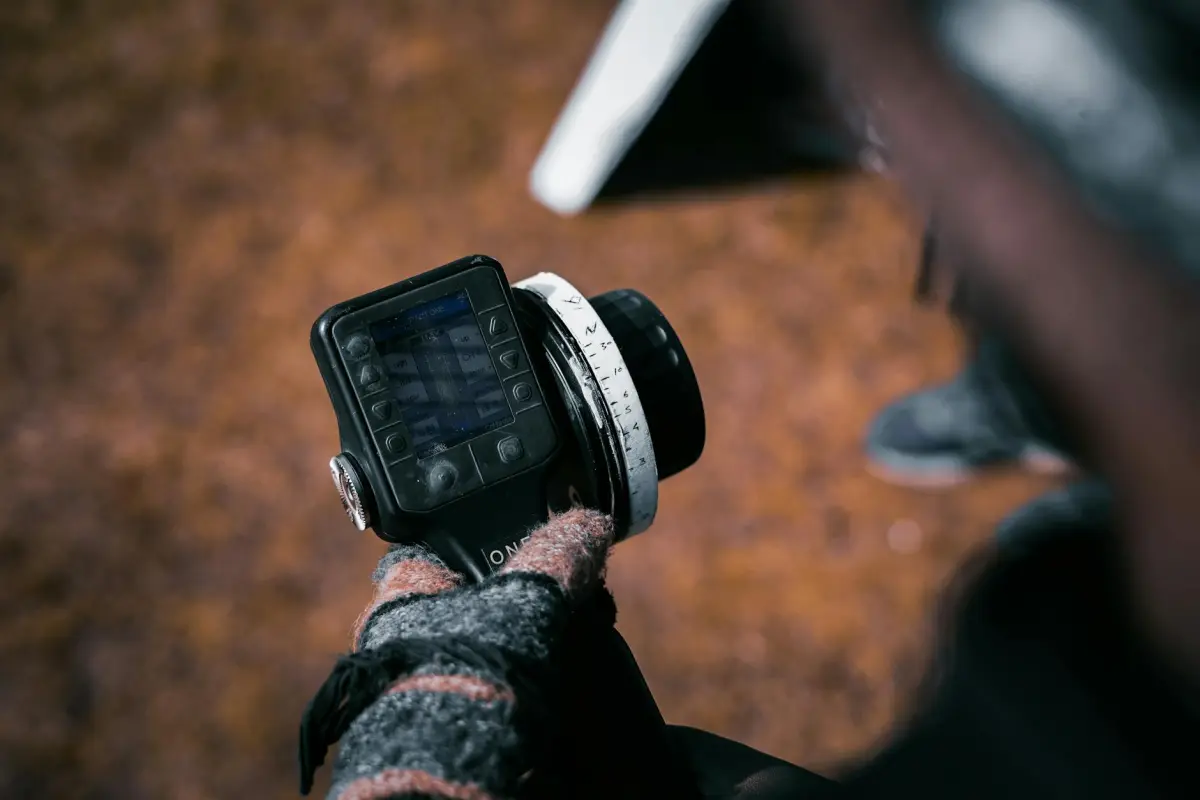
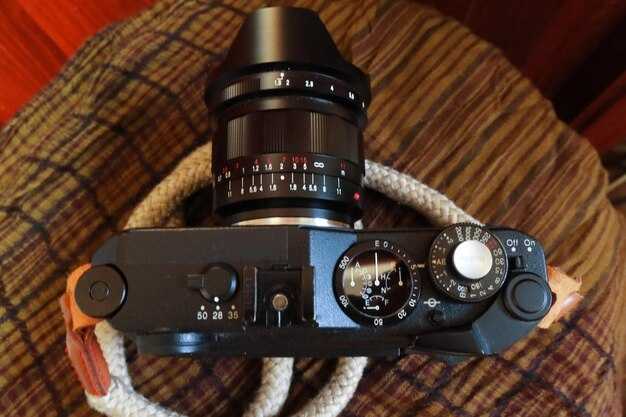
Comienza con un plano general para anclar la escena, luego pasa a un encuadre amplio que revele el jardín y las relaciones espaciales alejadas del sujeto.
A continuación, ejecuta un desplazamiento lateral de izquierda a derecha que mantenga el punto principal centrado, seguido de un movimiento superior para transicionar hacia el contexto más amplio. Realiza una segunda pasada para mantener el enfoque mientras el área circundante se mueve, preservando la continuidad del movimiento y siguiendo el ritmo de la escena.
El enfoque selectivo se convierte en una herramienta para cambiar la atención del primer plano de cristalería a un detalle lejano, luego un movimiento lateral repentino puede reencuadrar detrás del sujeto para dar pistas reveladoras. Utiliza inclinaciones ascendentes y descendentes cuidadosas para añadir profundidad sin comprometer la calidad de imagen.
Al planificar la secuencia, coloca un movimiento de grúa para ascender a un punto más alto y luego descender para enfatizar la escala. La física del movimiento exige curvas suaves en lugar de sacudidas abruptas, y cada toma debe sentirse deliberada en lugar de arbitraria.
Para cerrar, une las transiciones con una vista detrás de cámaras que regrese al contexto de establecimiento, luego finaliza con un primer plano revelador que fije la calidad de imagen y la emoción. Ese enfoque equilibra las indicaciones de izquierda a derecha, de alejamiento y superiores para servir a la narrativa en lugar de a la decoración.
12 Movimientos de Cámara Clave para Usar en Videos con IA Videos con Ejemplos; - Desplazamiento Lateral de Izquierda a Derecha
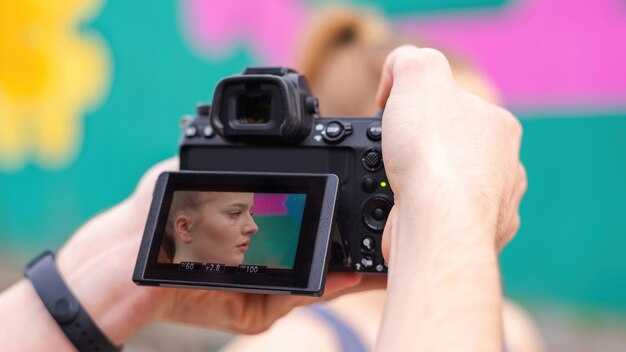
1. Desplazamiento Lateral (Empuje Lateral)Recomendación: realiza un deslizamiento suave y continuo a 0,5–0,8 m/s, manteniéndote a 8–12 m de los sujetos. Utiliza un objetivo de 28–50 mm para mantener una apariencia simple y amplia mientras el entorno circundante se expande. Esta base estática aumenta la sensación de espacio alrededor de la acción, produciendo planos generales amplios que coinciden con el ritmo de la escena. Asegúrate de que el equipo sea estable con herramientas de estabilización adecuadasherramientas; una herramienta de mano pequeña puede ayudar cuando necesitas un cambio rápido. Si escuchas un choque o una ráfaga, corta suavemente y reanuda para una continuidad de calidad, evitando cambios abruptos que interrumpan el movimiento. Ensambla y mejora el lenguaje visual manteniendo las transiciones limpias y naturales.
2. Inicio Estático, Suave Empuje LateralRecomendación: comienza con un encuadre estático, luego empuja el encuadre 1–2 m para revelar más del jardín o la calle. Utiliza una velocidad lenta y constante (0,3–0,6 m/s) y un objetivo medio-teleobjetivo (50–70 mm) para una apariencia enfocada que permanezca alrededor del sujeto. Este enfoque simple debe mantener un tono tranquilo mientras entrega escalas coincidentes entre los personajes y el fondo. El control de la luz es importante: mantén el área suavemente iluminada para evitar sombras duras. Es una buena herramienta para establecer el ambiente sin interrumpir la acción. Extiende la toma a un gran angular dramático si los personajes se mueven hacia el borde del encuadre para mejorar la calidad de la escena.
3. Lento Barrido por la EscenaRecomendación: realiza un paneo continuo de izquierda a derecha o de derecha a izquierda a una velocidad deliberada (0,2–0,5 m/s). Utiliza un equivalente de 24–35 mm para mantener tanto al sujeto como al espacio circundante en el encuadre. Este movimiento debe sentirse natural, no apresurado, permitiéndote capturar detalles estáticos mientras los personajes se mueven. El paneo es ideal para establecer el contexto alrededor de una acción central, creando una apariencia atractiva que aumenta la comprensión del espectador. Equilibra la luz para preservar la textura y evitar aplanar la profundidad; esta es una mejora clave para que coincida con otras tomas.
4. Giro Brusco a la Acción (Whip a la Acción)Recomendación: reserva para una transición nítida cuando el momento cambia. Comienza con una distancia focal media (35–50 mm), luego gira bruscamente a un ángulo más cerrado (18–24 mm) para revelar un nuevo elemento. Mantén la velocidad lo suficientemente alta como para sentirla enérgica, pero evita sacudir a la audiencia. Este movimiento repentino debe chocar con el siguiente compás, impulsando el impulso y añadiendo un toque dramático. Utiliza un corte rápido y limpio si la herramienta de IA tiene problemas con la estabilización; de lo contrario, un giro corto se verá cinematográfico y se corresponderá con precisión con el tempo de la escena.
5. Seguimiento Caminando por DetrásRecomendación: rastrea a los sujetos caminando a paso normal con una inclinación sutil para una profundidad delicada. Mantén un objetivo de 50–85 mm para preservar la proporción entre los personajes y el área circundante. El objetivo es un movimiento suave y continuo que imite el paso natural, creando una apariencia íntima sin sobrepasar. Esta técnica es ideal para diálogos o acciones grupales donde deseas mostrar reacciones alrededor del sujeto principal. Utiliza una herramienta ligera para la movilidad y asegúrate de que el fondo permanezca en el encuadre para mantener la sensación de espacio y calidad.
6. Gran Arco de Gran Altitud (Círculo Estilo Aéreo)Recomendación: realiza un gran arco alrededor de la escena desde una posición elevada (o una apariencia simulada de dron). Mantén una velocidad suave y un campo amplio (24–50 mm) para mantener todos los elementos clave a la vista. El arco debe establecer la geografía y la escala, proporcionando una visión general dramática que muestre cómo los personajes se mueven dentro del jardín o el área abierta. Utiliza herramientas de estabilización de postprocesamiento para evitar deriva; el resultado debe sentirse expansivo y cinematográfico, con una apariencia claramente definida que mejore la narrativa general.
7. Elevación de Grúa para Elevación DramáticaRecomendación: levanta desde el suelo a una perspectiva más alta para revelar relaciones verticales y enfatizar la acción. Utiliza un objetivo medio-largo (60–100 mm) para una apariencia comprimida y dramática, con el sujeto entrando por el marco inferior y subiendo a la porción superior. Este movimiento crea anticipación y establece jerarquías entre los personajes, haciendo la escena más dinámica. Mantén la iluminación constante para evitar cambios abruptos; el movimiento de grúa debe sentirse intencional y suave, no abrupto.
8. Mirada Ascendente en Ángulo Bajo Mientras los Sujetos se MuevenRecomendación: posiciona la lente baja e inclina hacia arriba mientras los personajes se acercan o pasan por el encuadre. Este ángulo añade poder y dramatismo mientras mantiene visible el jardín o el paisaje urbano en el fondo. Utiliza un rango de 24–40 mm para una apariencia fuerte y expansiva; aumenta la sensación de importancia del momento. Mantén una velocidad de fotogramas constante y un toque ligero en los cambios de enfoque para preservar una estética suave y coincidente en todas las tomas.
9. Barre a Través para TransicionesRecomendación: realiza un rápido paneo horizontal seguido de un corte inmediato o una inclinación coincidente en el siguiente plano. El objetivo es crear un puente cinético entre dos compases sin perder continuidad. Mantén el movimiento corto (0,15–0,25 s en movimiento) y asegúrate de que ambos extremos compartan iluminación y color similares para que la transición parezca intencional. Esta herramienta es ideal cuando necesitas un cambio de cadencia rápido que aún se sienta cohesivo y suave.
10. Dolly hacia Adelante para Revelación en Primer PlanoRecomendación: comienza con un plano medio, luego empuja lentamente hacia el sujeto para revelar una reacción o un detalle. Utiliza un objetivo cerrado (70–85 mm) para comprimir el espacio y enfatizar la expresión o la textura. Un dolly controlado aumentará el impacto del sujeto mientras mantiene una línea de acción simple y limpia. Este enfoque funciona bien para mejorar la intención del personaje y se puede combinar con un ligero aumento de luz para realzar el drama.
11. Arco Circular Alrededor de los PersonajesRecomendación: mueve la cámara en una suave trayectoria circular alrededor del grupo, manteniendo al sujeto cerca del centro del encuadre. Utiliza un objetivo gran angular (24–40 mm) para capturar el entorno y los personajes que se mueven dentro de él. Este movimiento crea una apariencia inmersiva, permitiendo a los espectadores observar reacciones desde múltiples ángulos. Mantén el arco gradual para evitar inclinar la toma; esta es una forma estable y coincidente de mostrar relaciones y acción en una secuencia única y coherente.
12. Plano General Estático Amplio con Sutil Cambio de LuzRecomendación: finaliza con un plano amplio, mayormente estático, que establezca el entorno. Permite un pequeño cambio de luz a través del encuadre para refrescar el ambiente sin alterar la composición. Este plano debe sentirse tranquilo pero con propósito, proporcionando contexto para la siguiente secuencia. Debe ser simple de ejecutar con un objetivo amplio (16–35 mm) y una plataforma estable, ofreciendo una apariencia limpia que mejore la calidad general y actúe como ancla visual para la historia. Ensambla y mejora la sensación de lugar y prepara acciones futuras, invitando a los espectadores a permanecer con la narrativa a medida que la escena se expande.
Configuración de Desplazamiento Lateral: Posicionamiento, Encuadre y Seguridad
Comienza con una línea de base lateral fija: alinea el camión de modo que su eje lateral esté centrado en el eje vertical del encuadre a una altura de aproximadamente el 50 %. Coloca un elemento de primer plano resistente (estante, caja) a 1,5–2,0 m de distancia para crear profundidad, mientras mantienes a los personajes en el plano medio y el plano lo suficientemente amplio como para mostrar detalles del fondo. Esta disposición estabiliza el movimiento y aclara la dirección del seguimiento, al tiempo que permite un punto de referencia limpio para los movimientos a lo largo de la trayectoria.
Marco y seguridad: mantenga la acción principal centrada en el encuadre, conservando una referencia del primer plano mientras deja espacio en la parte superior para la luz. En escenas de jardín, mantenga a los gatos detrás de una barrera de seguridad para evitar que se desplacen al set. Utilice una grúa solo cuando esté asegurada con un segundo operador que guíe los movimientos; evite cualquier riesgo cerca del borde y prevenga vuelcos. El movimiento circular debe mantenerse en un arco lento y amplio; la inclinación debe mantenerse entre 15 y 20 grados, y el zoom se usa para transferir la atención de una plataforma al punto focal. Si se necesitan créditos o etiquetas, colóquelos fuera de pantalla o en el borde superior para evitar el desorden.
Práctica y comprobaciones: coloque calzos en las ruedas, ate el equipo y verifique las marcas de altura antes de comenzar. Mantenga una distancia segura de los transeúntes, incluidas las mascotas, y ensaye la transferencia de equipo de la plataforma a la cama para reducir el movimiento brusco. Para mejorar la calidad de imagen, agregue luz desde un lado y aumente la iluminación alrededor del sujeto, logrando una mejora sin deslumbramiento. Para cambios estables de izquierda a derecha, confíe en una base estable y controle la dirección del viaje para evitar desviaciones. Mantenga el encuadre constante entre tomas para mantener la secuencia de créditos y una toma final clara.
Kit de herramientas de estabilización: gimbals, rieles y estabilizadores para tomas en movimiento
Recomendación: Empiece aquí: seleccione un gimbal ligero de 3 ejes con capacidad de carga útil de 2 a 3 kg, un deslizador motorizado de 60 a 90 cm y un chaleco estabilizador para mantener el equipo equilibrado. Este trío produce tomas de establecimiento fluidas y épicas, al tiempo que controla la inclinación, el ángulo y el zoom en cada giro.
Especificaciones del gimbal: elija una unidad que ofrezca orientación fija cuando sea necesario, un amplio rango de inclinación y curvas de velocidad programables para aumentar la precisión del movimiento. Prefiera modelos con modos de seguimiento de baja latencia, motores silenciosos y una forma compacta para un fácil montaje en rieles. Equilibre este equipo cuidadosamente para mantener todo el equipo estable durante tomas largas.
Los rieles proporcionan potencia de deslizamiento lineal alrededor del sujeto. Elija deslizadores motorizados de 60 a 120 cm con placas de baja fricción y topes finales fuertes para evitar descarrilamientos, y combínelos con un kit de estabilizador para seguimiento de manos libres detrás del operador. Las abrazaderas de riel deben ser adecuadas para una configuración rápida, asegurando una línea base fija. Esto elimina la deriva mientras realiza cambios bruscos a la izquierda y a la derecha y ajustes hacia arriba y hacia abajo, revelando nuevos ángulos sin romper el impulso.
Notas técnicas: las tomas de establecimiento se benefician de movimientos lentos y deliberados; comience detrás del sujeto y rodee para revelar la escena. Use micromovimientos hacia arriba y hacia abajo y de izquierda a derecha para ajustar el ángulo mientras los mantiene dentro del encuadre. Un zoom controlado agrega profundidad, mientras que los cambios bruscos aumentan el impacto épico sin romper la continuidad. Esta mejora produce impresiones reveladoras e inmersivas para toda la secuencia, que la tensión aumenta la sensación.
Mantenimiento y seguridad: inspeccione el desgaste del equipo; equilibre las tareas, las temperaturas de las bobinas y mantenga los cables ordenados para evitar riesgos de choque. Antes de los rodajes, establezca un bucle de prueba en un set cerrado para confirmar un movimiento suave; mantenga el vapor de la condensación a raya calentando los componentes en entornos fríos. Almacene los rieles en posición vertical, lejos de la humedad; recargue las baterías para mantener carreras épicas y un rendimiento fijo y estable durante largos períodos.
Planificación de trayectorias: puntos de inicio, trayectoria y fin para la sincronización de IA
Establezca un punto de inicio fijo, una trayectoria cerrada y un punto final alineado con el siguiente compás de la secuencia para que la sincronización de IA sea sólida en todos los clips. Defina tres anclas: índice de fotograma, coordenadas espaciales y orientación, para que cada toma fluya hacia la siguiente con una deriva mínima.
El punto de inicio debe alinearse con el borde de entrada del encuadre, mirar en la dirección de la acción y bloquear una pequeña cantidad de movimiento inicial para evitar fluctuaciones. Marque este punto como ancla en los metadatos para que los pasos posteriores permanezcan anclados a una única referencia.
La planificación de trayectorias ofrece bucles rectos, de arco amplio o circulares alrededor de un sujeto. Los giros de izquierda a derecha conservan la composición y evitan cambios bruscos; mantenga el movimiento dentro de márgenes seguros detrás de los obstáculos, asegurando que su corredor admita a los personajes y la acción. Ajustes sutiles de la curvatura brindan una calidad épica sin romper la continuidad; rastree el tiempo de extremo a extremo para mantener el tempo del movimiento y la calidad del metraje.
El punto final debe cerrar el arco limpiamente y alinearse con el corte posterior. Coloque el final detrás del actor o alrededor del sujeto para mantener la consistencia, luego registre las coordenadas finales y el tiempo del fotograma para una transición fluida al siguiente clip.
El bloque de metadatos almacena datos de inicio, trayectoria y fin: coordenadas, índices de fotogramas, orientación, tiempo y tomas de referencia. Úselo para revisar imágenes y créditos, mapear a productos y acciones, y mantener un registro de las decisiones para futuras tomas. Este enfoque respalda los mejores resultados en varias escenas, desde escenas de jardín hasta configuraciones épicas en la calle, al tiempo que mantiene el proyecto organizado y escalable.
Validación entre escenas: pruebe en entornos simples con sujetos en movimiento como personajes o gatos, luego compare las métricas de calidad. Si el metraje muestra deriva detrás de objetos estables o en secuencias de vapor o acción, ajuste las coordenadas y el radio de inicio/trayectoria/fin. El objetivo: alineación constante en secuencias de conducción y alrededor de oclusiones, proporcionando imágenes limpias y de alta calidad en cada toma.
Sincronización con IA: sincronice el movimiento con el diálogo, los compases y las acciones
Recomendación: Alinee la inclinación o el seguimiento principal con el compás del diálogo 0,25 segundos después del inicio, manteniendo la cara centrada y la apariencia épica. Esto mantiene la mejora de la calidad y mantiene la atención en la acción durante toda la secuencia.
-
Planifique un mapa de sincronización por compases: asigne una señal a cada compás, por ejemplo, inclínese en la primera sílaba, un paneo sutil en la siguiente, luego una micro-deriva para enfatizar. Apunte a un desfase de 0.2-0.4 segundos para evitar cambios bruscos y mantener la fluidez del movimiento.
-
Estabilice la cara: habilite el seguimiento para mantener la cara en el encuadre; cuando el sujeto se mueva, debería fijar una línea base fija durante 0.2-0.3 segundos para evitar la deriva; asegurando que las imágenes permanezcan claras y la apariencia permanezca estable en lugar de estática. Esto preserva la atención y reduce el riesgo de choque en cortes rápidos.
-
Adapte el movimiento al diálogo y la acción: diseñe movimientos que respondan al diálogo en pantalla, los compases y la acción física, manteniéndolos en cadencia. Utilice curvas de coincidencia para que la inclinación, el paneo y los empujes se alineen con la cadencia; evite cambios bruscos mientras conserva el impulso. Asegúrese de que toda la postura se alinee con la cadencia y la acción de la escena.
-
Control de calidad e iteración: renderice una pasada rápida para verificar la coherencia de la cara, el cuerpo y la escena. Si es necesario, ajuste desfases de 0.05 a 0.15 segundos para ajustar la sincronización; inspeccione de 60 a 90 fotogramas por segundo para confirmar que las imágenes permanezcan nítidas y la apariencia siga siendo épica. Mantenga el proceso simple y repetible utilizando un kit de herramientas fijo.
Consejos adicionales: utilice herramientas accesibles para rastrear datos de movimiento y aplicar una respuesta informada por la física al diálogo. Caso en cuestión: un pequeño rastro de vapor de movimiento en el cuerpo realza la intención, mientras que el seguimiento se mantiene fuerte en tomas amplias, medias y cerradas. Esto produce un ritmo natural y coherente sin romper la continuidad y ayuda a mantener la atención en la cara durante los momentos de acción.
Iluminación y exposición: Mantenimiento de un aspecto consistente durante el movimiento
Bloquee el ISO, la velocidad de obturación y el balance de blancos en manual al principio y manténgalos fijos durante toda la secuencia; esto asegura un aspecto consistente en todas las tomas.
Utilice una referencia neutra y mantenga la temperatura del color alrededor de 5600 K para la luz del día o alrededor de 3200 K para interiores, manteniéndola alrededor del mismo valor al transferir entre ángulos, para todo el encuadre alrededor del equipo y los alrededores.
Para evitar la sobreexposición o la subexposición durante la transferencia entre plataformas, confíe en un histograma y mantenga una velocidad de exposición fija; gradúe en posproducción si es necesario, pero no altere la iluminación durante la marcha.
Asigne una configuración de iluminación simple y plana: una luz principal en una altura y distancia consistentes; use relleno para mantener las sombras suaves y no demasiado duras, de modo que el contraste dramático permanezca intacto a medida que las tomas se mueven por el espacio.
Al mover una grúa o un dolly, mantenga la misma exposición fotograma a fotograma; un seguimiento constante no debería crear cambios abruptos en la gradación o las sensaciones, especialmente en momentos amplios o épicos.
Prepare las transiciones de encuadre colocando una referencia fija en la plataforma o el borde del set; esto facilita la coincidencia cuando las tomas van de escenas estáticas a en movimiento.
En posproducción, aplique una única LUT o aspecto que conserve el balance de color original; confirme con un conjunto de fotogramas de créditos y escenas para garantizar la continuidad.
Para escenas con personas, mantenga la luz principal y el relleno equilibrados a medida que se mueven en diferentes planos; esto mantiene los tonos de piel naturales en todas las secuencias.
La continuidad se traduce en el video final, manteniendo el tono constante de principio a fin.
| Configuración | Orientación |
|---|---|
| ISO | Bloquear valor; mantener constante en toda la secuencia |
| Obturador | Fijar a la velocidad de fotogramas objetivo; evitar ajustes al transferir entre equipos |
| Balance de Blancos | Balance de blancos manual con una referencia neutra; reutilizar entre tomas |
| Temperatura de Color | Mantener alrededor de 5600K (luz diurna) o 3200K (interiores) |
| Relación de Iluminación | Mantener la luz principal/de relleno dentro de un rango estrecho |
| Filtros ND | Aplicar de manera consistente cuando esté brillante para evitar la sobreexposición |
| Control de Exposición | Diafragma de exposición fijo para evitar sobre/subexposición durante la transferencia |
| Equipo en Movimiento | Movimientos de grúa/travelling: ajustar el etalonaje, no la iluminación |
| Aspecto en Postproducción | Usar un único aspecto; asegurar la coincidencia entre escenas y créditos |




