
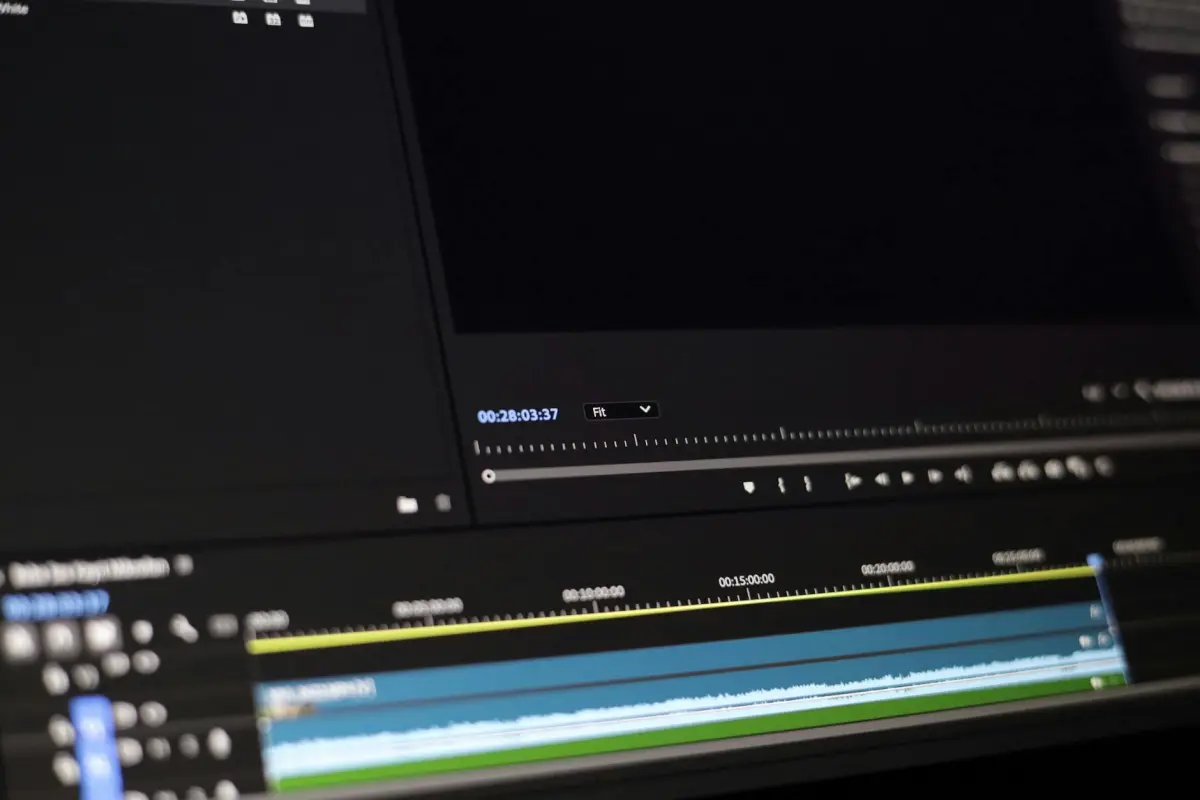
Εισαγάγετε τη σουίτα υπότιτλων της Kapwing και ενεργοποιήστε τους υπότιτλους αυτόματα για να εξοικονομήσετε χρόνο και να βελτιώσετε την προσβασιμότητα. Αυτή η πρώτη φάση αποδίδει μια τεράστια βασική γραμμή που οι περισσότερες ομάδες μπορούν να βελτιώσουν σε λεπτά αντί για ώρες, αυξάνοντας την εμβέλεια σε ξένους ακροατές.
Ανεβάστε το απόσπασμα, επιλέξτε τις γλώσσες-στόχους και ξεκινήστε τη μηχανή. Το σύστημα προσφέρει μια περίληψη του ανιχνευμένου λόγου και δημιουργεί μια καθαρή, χρονοσημασμένη ροή που μπορείτε να επεξεργαστείτε στον ενσωματωμένο επεξεργαστή. Η ροή εργασίας ολοκληρώνεται αποτελεσματικά, επιτρέποντας στους επεξεργαστές να αφιερώνουν λιγότερους κύκλους σε επαναλαμβανόμενες διορθώσεις.
Εφαρμόστε τα κορυφαία εργαλεία επεξεργασίας εργαλεία για να διορθώσετε δυσνόητους όρους, σημεία στίξης και αλλαγές γραμμής. Αυτό το βήμα βοηθά στη διατήρηση της ακρίβειας σε έναν τεράστιο κατάλογο, μειώνοντας τις αλληλεπιδράσεις και διασφαλίζοντας ότι το τελικό σύνολο υπότιτλων είναι έτοιμο για ροή, αρχειοθέτηση ή κοινή χρήση σε μια διαδικτυακή τάξη ή πορεία.
Γιατί αυτό είναι σημαντικό: η σημασία του προσβάσιμου περιεχομένου είναι μετρήσιμη στην εμβέλεια. Η δημιουργία υπότιτλων που αναγνωρίζει ξένα γλωσσικά σήματα βοηθά στην κατανάλωση περιεχομένου από ένα τεράστιο κοινό, φτάνοντας δυνητικά σε ένα εκατομμύριο περισσότερους θεατές. Η Kapwing προσφέρει μια απλοποιημένη ροή εργασίας που ενισχύει την ανακάλυψη και μειώνει τον χρόνο κατανάλωσης περιεχομένου.
Περίληψη: η διαφορά μεταξύ αυτοματοποιημένων υπότιτλων και χειροκίνητης επεξεργασίας είναι σαφής. Σε δοκιμές, οι αυτοματοποιημένες φάσεις μείωσαν τον χρόνο παράδοσης κατά 40-70% ανάλογα με την πολυπλοκότητα του αποσπάσματος, ενώ η ακρίβεια παραμένει κοντά στα υψηλότερα αξιολογημένα σημεία αναφοράς μετά από μια σύνοψη επεξεργασίας. Αυτή η προσέγγιση βοηθά τις ομάδες να κλιμακώσουν την παραγωγή, διατηρώντας παράλληλα υψηλή ποιότητα, καταναλώνοντας λιγότερους πόρους ανά απόσπασμα.
Βήματα εστιασμένα στην ιδιωτικότητα για τη δημιουργία υπότιτλων με AI
Υιοθετήστε επεξεργασία εντός συσκευής με μοντέλα εκτός σύνδεσης για να διατηρείτε ακατέργαστο υλικό τοπικά και να μειώνετε την έκθεση. Αυτό το ουσιαστικό βήμα προστατεύει το περιεχόμενο πριν από τη δημοσίευση.
Περιορίστε τη μεταφορά δεδομένων από προεπιλογή: απενεργοποιήστε τις αυτόματες μεταφορτώσεις, απαιτήστε ρητή συγκατάθεση πριν από την αποστολή αποσπασμάτων και διατηρήστε τις μεταγραφές αποθηκευμένες μόνο στις συσκευές των χρηστών, εκτός εάν εγκριθεί σαφής σκοπός. Αυτοί οι έλεγχοι βοηθούν επίσης στην αποφυγή ακούσιας έκθεσης.
Επιλέξτε ένα σύνολο λειτουργιών που είναι πρώτα στην ιδιωτικότητα: κρυπτογράφηση κατά τη μεταφορά και κατά την αποθήκευση, ελάχιστα μεταδεδομένα που εμφανίζονται και έλεγχοι που επιτρέπουν στους θεατές να γνωρίζουν τι συλλέγεται. Αυτό δείχνει τη σημασία του ελέγχου των χρηστών επί των δεδομένων.
Επιλέξτε υπηρεσίες και εφαρμογές από μια αξιόπιστη μάρκα που προσφέρει σαφείς πίνακες ελέγχου ιδιωτικότητας. Αυτοί οι έλεγχοι προέκυψαν από σχόλια χρηστών και εστιάζουν σε εργαλεία στούντιο εκτός σύνδεσης που επιτρέπουν τη λήψη μοντέλων και δεδομένων τοπικά.
Προσοχή στην ταχύτητα: τα μοντέλα εκτός σύνδεσης μπορεί να εκτελούνται πιο αργά. Σχεδιάστε ένα βήμα όπου η αρχική πέραση γίνεται τοπικά, στη συνέχεια, παρέχετε μια επιλογή προστασίας ιδιωτικότητας για τη δημοσίευση υπότιτλων.
Εξατομίκευση εμπειρίας: επιτρέψτε στον δημιουργό να προσαρμόσει το στυλ των υπότιτλων, διατηρώντας τα δεδομένα του θεατή απόρρητα. Αποφύγετε τη συλλογή στυλ ομιλίας ή αναγνωριστικών πέρα από το απαραίτητο κείμενο.
Στις εφαρμογές στούντιο, προσφέρετε έναν εύκολο στη χρήση διακόπτη ιδιωτικότητας και μια σαφή ειδοποίηση σχετικά με τον χειρισμό δεδομένων. Δημοσιεύστε μια διαφανή σημείωση ιδιωτικότητας καλωσορίζοντας φίλους και ακόλουθους που παρακολουθούν περιεχόμενο.
Διατηρήστε ακριβή αποτελέσματα με εκτενείς ελέγχους ποιότητας σε τοπικά επεξεργασμένες μεταγραφές. Επικεντρωθείτε στην πιθανή μεροληψία στα γλωσσικά μοντέλα χωρίς να στέλνετε δεδομένα προς τα έξω.
Επιλογές λήψης: παρέχετε μια εύκολη διαδρομή για τη λήψη των δημιουργούμενων υπότιτλων ως αρχεία .srt ή .vtt χωρίς μεταφόρτωση οτιδήποτε. Η ευκολία υποστηρίζει τη συνοχή της μάρκας και την εμπιστοσύνη των χρηστών.
Παρακολούθηση τάσεων: συλλέξτε ανωνυμοποιημένα μετρικά τοπικά και επίσης δημοσιεύστε περιλήψεις ιδιωτικότητας. Καθώς ωριμάζουν οι λειτουργίες που εστιάζουν στην ιδιωτικότητα, η αγορά γίνεται πιο σίγουρη και η αφοσίωση στη μάρκα αυξάνεται στις κοινότητες που παρακολουθούν.
Προσδιορισμός πηγών δεδομένων και ελαχιστοποίηση έκθεσης PII
Ελέγξτε πρώτα τις πηγές δεδομένων και περιορίστε την εισαγωγή σε αυτές με ρητή συγκατάθεση. Βασιστείτε σε μεταγραφές με άδεια χρήσης και υλικό δημόσιου τομέα παγκοσμίως. Αυτό ελαχιστοποιεί την έκθεση προσωπικά αναγνωρίσιμων πληροφοριών και επιταχύνει τους ελέγχους συμμόρφωσης. Διατηρήστε ένα μητρώο πηγών δεδομένων που περιγράφει την προέλευση, την άδεια και τους όρους διατήρησης. Αυτές οι καταχωρίσεις θα πρέπει να περιλαμβάνουν μια γρήγορη ανασκόπηση του εάν το υλικό περιέχει αναγνωρίσιμα στοιχεία και εάν μπορεί να υποστηρίξει τη ροή εργασίας αυτόματων υπότιτλων.
Αυτοματοποιήστε τον εντοπισμό και την απόκρυψη PII εντός των μεταγραφών χρησιμοποιώντας μοτίβα regex και ελαφρούς ταξινομητές. Το σύστημα εκτελεί απόκρυψη και επικάλυψη, μετατρέποντας ευαίσθητα στοιχεία σε σύμβολα κράτησης θέσης. Η ευθυγράμμιση λέξη προς λέξη είναι σημαντική. Αντικαταστήστε με ουδέτερους όρους αντί να παραλείψετε εντελώς το περιεχόμενο. Αυτό δεν υποβαθμίζει την επακόλουθη μετάφραση ή την αναγνώριση φωνής, εφόσον οι αντικαταστάσεις παραμένουν συνεπείς. Τέλος, δοκιμάστε με συνθετικές φράσεις για να διασφαλίσετε ότι οι χρωματικά κωδικοποιημένοι δείκτες αντικατοπτρίζουν τη μεταγραφή και μεταφράζονται σε όλες τις γλώσσες.
Θέστε όρια για την εισαγωγή εντός της ροής εργασίας μόνο σε μη αναγνωρίσιμο υλικό. Εξαιρέστε ακατέργαστα αποσπάσματα από εύκολα αναγνωρίσιμα περιβάλλοντα. αποφύγετε την απόληψη από ιδιωτικά κανάλια όπως το facebook. Κρυπτογραφήστε τα αποθηκευμένα τμήματα και επιβάλλετε σύντομες περιόδους διατήρησης. Διατηρήστε αρχεία καταγραφής ελέγχου που δείχνουν ποιος απο το προσπέλασε δεδομένα και τι μετασχηματίστηκε, χωρίς να εκθέτετε ακατέργαστο περιεχόμενο.
Η τακτική αναθεώρηση και η βαθμολόγηση κινδύνου σε αυτές τις πηγές παγκοσμίως θα πρέπει να πραγματοποιείται τουλάχιστον μία φορά ετησίως. Χρησιμοποιήστε ένα απλό σύστημα τριών χρωμάτων: πράσινο για χαμηλό κίνδυνο, κίτρινο για μέτριο κίνδυνο, κόκκινο για υψηλό κίνδυνο. Τα χρώματα βοηθούν τους αρχάριους να εκτιμήσουν τον κίνδυνο με μια ματιά. Η αναθεώρηση θα πρέπει επίσης να αντικατοπτρίζει εάν οι μεταφράσεις ή τα βήματα μεταγραφής περιλαμβάνουν δείγματα φωνής από μοναδικά άτομα, μετατρέποντας ευαίσθητο υλικό σε γενικά μπλοκ αντί για ονόματα (φράση). Στη συνέχεια, μεταφράστε αυτά τα ευρήματα σε ενημερώσεις πολιτικής.
Πρακτικά βήματα για αρχάριους ξεκινούν με πολλά ασφαλή σύνολα δεδομένων. genny για τη δημιουργία συνθετικών δειγμάτων δοκιμής. εκτελέστε ελέγχους ιδιωτικότητας griffin σε μεταγραφές. δοκιμάστε τη ροή εργασίας με μερικά αποσπάσματα για να παρατηρήσετε τον χρωματικά κωδικοποιημένο κίνδυνο. στη συνέχεια, μεταφράστε τα μεταδεδομένα σε γλώσσες-στόχους. Μετατρέψτε τις σημειώσεις σε μια εφαρμόσιμη λίστα ελέγχου και διατηρήστε έναν ζωντανό πίνακα ελέγχου lovos-lovo που επισημαίνει PII. Εστιάστε σε φυσικά μοτίβα φωνής και πιστότητα σε επίπεδο φράσης για να διασφαλίσετε πολύτιμα αποτελέσματα αυτά τα χρόνια.
Σύγκριση μεταγραφής εντός συσκευής έναντι cloud: επιπτώσεις στην ιδιωτικότητα

Σύσταση: Προτιμήστε τη μεταγραφή εντός συσκευής όταν η κρισιμότητα της ιδιωτικότητας είναι υψηλή. Η επεξεργασία στο cloud παραμένει επιλογή μόνο με μη ευαίσθητα αποσπάσματα. Αυτό διατηρεί το περιεχόμενο εντός της συσκευής και μειώνει την έκθεση από εξωτερικά κανάλια.
Η αναγνώριση εντός συσκευής εκτελείται πλήρως τοπικά, επομένως η λήψη, η επεξεργασία και η προκύπτουσα μεταγραφή παραμένουν με τον χρήστη. Οι μηχανές που βασίζονται σε audiorista και lovo προσφέρουν ισχυρή απόδοση σε φορητούς υπολογιστές και κινητές συσκευές, με επιλογές εξαγωγής του αρχείου ως κείμενο ή json και στη συνέχεια επισύναψής του σε ένα απόσπασμα. Η μεταγραφή στο cloud βασίζεται σε απομακρυσμένες μηχανές, οι οποίες μπορούν να ενισχύσουν την αναγνώριση και να επιτρέψουν τη μάθηση μέσω μεγαλύτερων μοντέλων. Ωστόσο, δημιουργεί κινδύνους ιδιωτικότητας επειδή το υλικό μεταδίδεται και αποθηκεύεται από τρίτο μέρος μέσω ενός καναλιού. Τα μοντέλα cloud μπορούν να αναγνωρίζουν καλύτερα τις προφορές και να προσαρμόζονται με την πάροδο του χρόνου, προσθέτοντας οφέλη ταχύτητας και αυξάνοντας την έκθεση.
Οι δυναμικές κόστους διαφέρουν: οι υπηρεσίες cloud τιμολογούνται ανά ώρα υλικού και ανά απόσπασμα, οδηγώντας σε υψηλότερο συνεχιζόμενο κόστος με μεγάλα έργα. Η κατανάλωση ενέργειας εντός συσκευής είναι εφάπαξ κόστος υλικού. Μια πολυεπίπεδη προσέγγιση παρέχει ευελιξία για ομάδες με ποικίλες ανάγκες καναλιών: προεπιλογή για εντός συσκευής, εναλλαγή σε cloud όταν η υψηλότερη ακρίβεια ή η ευρύτερη κάλυψη είναι απαραίτητη. Όταν χρησιμοποιείται το cloud, λήψη αποτελεσμάτων σε τοπικό αρχείο και αποθήκευση των υπόλοιπων κρυπτογραφημένων.
Έλεγχοι ιδιωτικότητας και βήματα ροής εργασίας: περιορίστε τη συλλογή δεδομένων αυστηρά σε αυτά που είναι απαραίτητα για τη μεταγραφή, αποφύγετε την αποθήκευση ακατέργαστων αποσπασμάτων στο cloud και διατηρήστε τις τελικές μεταγραφές στην τοπική αποθήκευση. Ακολουθήστε τις διαδικασίες συναίνεσης, παρέχετε στους χρήστες ορατότητα σχετικά με τα αποσπάσματα που επεξεργάστηκαν και επιτρέψτε μια γρήγορη εναλλαγή μεταξύ μηχανών (lovo vs audiorista) για να ευθυγραμμιστείτε με τις απαιτήσεις του καναλιού και τις ανάγκες συμμόρφωσης.
Πρακτικά μετρητά προς παρακολούθηση περιλαμβάνουν την καθυστέρηση (εκτιμώμενη ταχύτητα από την έναρξη έως την λεζάντα), την εμπειρία παρακολούθησης και την αξιοπιστία του επιπέδου μεταγραφής. Οι επιλογές εντός συσκευής παραμένουν εύκολες στην ανάπτυξη σε ομάδες, ενώ το cloud κλιμακώνεται με τον όγκο σε τμήματα καναλιών. Όταν η ιδιωτικότητα είναι η προτεραιότητα, η πρώτη επιλογή παραμένει μια προσέγγιση βασισμένη στη μηχανή, με ένα επίπεδο cloud για τη σύλληψη ακραίων περιπτώσεων, και στη συνέχεια επιστρέφει στην τοπική αποθήκευση, διασφαλίζοντας την ασφαλή λήψη του τελικού αρχείου.
Εφαρμόστε ισχυρή διακυβέρνηση δεδομένων: κρυπτογράφηση, έλεγχος πρόσβασης και διατήρηση
Αυτά τα αρχεία πρέπει να κρυπτογραφούνται σε ηρεμία και κατά τη μεταφορά χρησιμοποιώντας AES-256 με μια κεντρική υπηρεσία διαχείρισης κλειδιών. περιστρέψτε τα κλειδιά ετησίως. διασφαλίστε ότι τα αντίγραφα ασφαλείας παραμένουν κρυπτογραφημένα. καθώς τα δεδομένα εισέρχονται στη ροή εργασίας, εφαρμόστε κρυπτογράφηση, ελέγχους ακεραιότητας και ξεχωριστές εγκρίσεις ανάκτησης.
- Κρυπτογράφηση και διαχείριση κλειδιών: Αυτά τα αρχεία πρέπει να κρυπτογραφούνται σε ηρεμία και κατά τη μεταφορά με AES-256. ανάπτυξη ενός κεντρικού θησαυροφυλακίου κλειδιών (KMS ή HSM). επιβολή αυτοματοποιημένης περιστροφής κλειδιών σε καθορισμένο πρόγραμμα. διατηρήστε τα αντίγραφα ασφαλείας δεδομένων κρυπτογραφημένα. διασφαλίστε ότι η πρόσβαση στα κλειδιά καταγράφεται και απαιτήστε διπλές εγκρίσεις σε κρίσιμες λειτουργίες. δοκιμάστε την αποκατάσταση σε απομονωμένα περιβάλλοντα για να επικυρώσετε τη χρονική στιγμή και την ακρίβεια.
- Έλεγχος πρόσβασης: Εφαρμόστε την πρόσβαση με ελάχιστα προνόμια χρησιμοποιώντας RBAC ή ABAC. απαιτήστε MFA. επιβάλλετε σύντομους χρόνους λήξης συνεδρίας. διαχωρίστε τα καθήκοντα για να μειώσετε τον κίνδυνο. πραγματοποιήστε τριμηνιαίες ανασκοπήσεις πρόσβασης. διατηρήστε αμετάβλητα αρχεία καταγραφής. διασφαλίστε ότι οι κονσόλες που βασίζονται σε πρόγραμμα περιήγησης και οι αυτόνομοι πελάτες μοιράζονται ένα ενοποιημένο πλαίσιο εξουσιοδότησης.
- Διατήρηση και διάθεση: Ορίστε παράθυρα διατήρησης ανά τύπο και ευαισθησία δεδομένων. ορίστε αυτοματοποιημένη λήξη. τα δεδομένα εισέρχονται στην ουρά διάθεσης κατά πρόγραμμα. διαγράψτε μόνιμα τα στοιχεία μόλις λήξει το παράθυρο. διατηρήστε ένα αρχείο καταγραφής διάθεσης και ίχνη ελέγχου. εφαρμόστε νομικές αναστολές όταν χρειάζεται. ευθυγραμμίστε τη χρονική στιγμή με τους ρυθμιστικούς κύκλους. ελαχιστοποιήστε την αποθήκευση σε αυτά τα στοιχεία για να μειώσετε τις δαπάνες.
- Χειρισμός μέσων και ευαισθησία: Αντιμετωπίστε τα προφορικά δεδομένα με προσοχή. περιορίστε τη διανομή στην ανάγκη προβολής. παρακολούθηση συμβάντων προβολής και αναπαραγωγής. διασφαλίστε ότι οι επισημασμένες μεταγραφές συνοδεύουν τα μέσα. διαχωρίστε τα φωνητικά δεδομένα από τα ακατέργαστα αρχεία όπου είναι δυνατόν. διατηρήστε ουδέτερη επισήμανση και δείκτες απόχρωσης για την υποστήριξη ροών εργασίας δημιουργικότητας χωρίς να εκθέτετε ευαίσθητο υλικό. χρησιμοποιήστε ετικέτες μεταδεδομένων lovos για την κατηγοριοποίηση της ευαισθησίας και της διατήρησης.
- Διακυβέρνηση και εργαλεία: Δημιουργήστε ένα αρθρωτό, συμβατό με τα πρότυπα πλαίσιο που λειτουργεί τόσο σε περιβάλλοντα προγράμματος περιήγησης όσο και σε αυτόνομες εφαρμογές. εφαρμόστε επισήμανση lovos για την ταξινόμηση στοιχείων. χρησιμοποιήστε ουδέτερες, χρήσιμες ετικέτες για την ανακάλυψη. προσθήκη μεταδεδομένων χρονισμού (ημερομηνία δημιουργίας, δικαιώματα πρόσβασης, λήξη) για την υποστήριξη ακριβών αναφορών επί έτη. παρακολούθηση δαπανών και προσθήκη ελέγχων κόστους. διασφαλίστε ότι τα δεδομένα μπορούν να ανακτηθούν μόνιμα και με ασφάλεια. διατηρήστε την προέλευση των δεδομένων συν μια λεπτομερή, δημιουργική πολιτική διατήρησης.
Επικυρώστε την ακρίβεια των υποτίτλων, προστατεύοντας παράλληλα τον ακατέργαστο ήχο
Εισαγάγετε μια διπλή επικύρωση: ενεργοποιήστε την αυτοματοποίηση ενώ ένας συντάκτης ελέγχει κάθε τμήμα. Διατηρήστε τον αρχικό ακατέργαστο ήχο σε ασφαλή αποθήκευση, ξεχωριστά από τα περιεχόμενα επεξεργασίας, ώστε οι συγκρίσεις με τις λεζάντες να παραμένουν μη καταστροφικές και ενώ διατηρείται η προέλευση. Χρησιμοποιήστε τεχνολογικά ελεγχόμενα στοιχεία πλατφόρμας που διασφαλίζουν ότι κάθε βήμα επεξεργασίας καταγράφει ενέργειες και διατηρεί την προέλευση, και σχεδιάστε τη ροή εργασίας για να εξυπηρετεί τους πελάτες με σαφείς, χρονο σημαδευμένες σημειώσεις. Η ευθυγράμμιση πολλαπλών πλατφορμών βοηθά στη διασφάλιση της συνέπειας μεταξύ των πλατφορμών.
Δημιουργήστε μια δομημένη ροή εργασίας ανασκόπησης: αφού ένας γεννήτριας παράγει ένα σύνολο λεζάντων, δρομολογήστε τον σε έναν συντάκτη για να πραγματοποιήσει ανασκόπηση σε επίπεδο γραμμής. Καταγράψτε μια αναφορά με αντικειμενικά μετρητά όπως ποσοστό σφαλμάτων λέξεων, ευθυγράμμιση χρονισμού και κάλυψη, συν μια ποιοτική αξιολόγηση. Καταγράψτε τις αποκλίσεις και αναθέστε τες στα αρμόδια μέλη της ομάδας, διατηρώντας ανέπαφη τη συνολική ιστορία.
Μη καταστροφικές δοκιμές: εκτελέστε ελέγχους κατά την επεξεργασία χωρίς να αντικαταστήσετε τον ακατέργαστο ήχο. διατηρήστε ένα ίχνος ελέγχου. αναπαραγάγετε σε ορισμένα πολύπλοκα συστήματα για να επαληθεύσετε τη συνέπεια. Πραγματοποιήστε διασταυρούμενους ελέγχους σε πολλές πλατφόρμες για να επικυρώσετε την ευθυγράμμιση και τη ροή των προτάσεων, και διασφαλίστε ότι οι έξοδοι πληρούν τα καθορισμένα πρότυπα αυτοματοποίησης.
Οδηγίες διασφάλισης: αποθηκεύστε τον ακατέργαστο ήχο σε κρυπτογραφημένους τόμους. περιορίστε την είσοδο και την πρόσβαση. εφαρμόστε δικαιώματα βάσει ρόλου. εάν οι πελάτες απαιτούν, παρέχετε μια επεξεργασμένη προεπισκόπηση, διατηρώντας παράλληλα τον ακριβή ήχο εκτός σύνδεσης. Αυτό δεν θυσιάζει την ιδιωτικότητα. Συμπεριλάβετε ένα ελάχιστο στιγμιότυπο περιεχομένων για γρήγορη ανασκόπηση, διατηρώντας παράλληλα τα ευαίσθητα δεδομένα ασφαλή.
Ισορροπία αυτοματοποίησης με παραμετροποίηση: η αυτοματοποίηση επιταχύνει την επικύρωση. μαζί με ρυθμιζόμενα κατώφλια, ελέγχους και επιλογές εμφάνισης, επιτρέψτε στους συντάκτες να προσαρμόζουν την ευαισθησία χωρίς να διακόπτουν την αλυσίδα φύλαξης. Αυτή η μικτή προσέγγιση μειώνει τον κίνδυνο, επιτρέποντας γρήγορη αλλαγή σε ορισμένα έργα.
Κλείσιμο ενότητας: ακολουθήστε ένα αυστηρό σχέδιο χειρισμού δεδομένων, πραγματοποιήστε τελική επαλήθευση και, στη συνέχεια, δημοσιεύστε μόνο αφού η ανασκόπηση είναι ολοκληρωμένη. Διατηρήστε μια αναφορά περιεχομένων που συνοψίζει τις ενέργειες, τα αποτελέσματα και τυχόν εξαιρέσεις. Η έξοδος του γεννήτριας θα πρέπει να ευθυγραμμίζεται με την πολιτική και τις λειτουργικές εκτιμήσεις συγκεκριμένων πλατφορμών σε πολύπλοκα συστήματα.
Διασφαλίστε τη συγκατάθεση του χρήστη, τις γνωστοποιήσεις και τις επιλογές εξαίρεσης
Σύσταση: Παρέχετε μια προτροπή συγκατάθεσης μέσα σε δευτερόλεπτα από την πρώτη υποβολή πολυμέσων και απαιτήστε ρητή έγκριση πριν ξεκινήσει η επεξεργασία υποτίτλων ή η διατήρηση δεδομένων. Η προτροπή θα πρέπει να είναι σύντομη, πλούσια σε περιεχόμενο και να προσφέρει ελέγχους ανά έργο για την προσαρμογή των ρυθμίσεών σας.
Οι γνωστοποιήσεις πρέπει να περιγράφουν τους τύπους δεδομένων (ηχητικά ίχνη, μεταγραφές, φράσεις), τη χρήση δεδομένων (βελτιώσεις υπηρεσιών, έλεγχοι ποιότητας, εποπτεία) και την πρόσβαση σε δεδομένα (εσωτερικοί συντάκτες, ελεγκτές). Αναφέρετε το προεπιλεγμένο παράθυρο διατήρησης (60 ημέρες) και επιτρέψτε προσαρμογές ανά έργο. υποδείξτε ότι ορισμένο περιεχόμενο γίνεται αναζητήσιμο και ότι το πλαίσιο διαμορφώνει την ερμηνεία. Συμπεριλάβετε έναν σύνδεσμο προς την πολιτική απορρήτου και μια περίληψη σε απλή γλώσσα που διευκρινίζει τα βασικά της διαχείρισης δεδομένων. Εάν το περιεχόμενο έχει βαθμολογηθεί για ευαισθησία, ενεργοποιήστε μια ενισχυμένη προτροπή με επιπλέον προστασίες.
Οι επιλογές εξαίρεσης πρέπει να είναι απλές. Παρέχετε εναλλαγές ανά στοιχείο ή ανά έργο, μια εξαίρεση με ένα κλικ και μια επιλογή για απενεργοποίηση της αποθήκευσης φράσεων ή της συμμετοχής σε διαδικασίες βελτίωσης. Διασφαλίστε ότι οι αλλαγές συγκατάθεσης τίθενται σε ισχύ αμέσως και διατηρήστε ένα ίχνος ελέγχου σε μεγάλους όγκους συμβάντων για την υποστήριξη της λογοδοσίας.
Σε μια παραδοσιακή ροή εργασίας συντάκτη, παρουσιάστε ένα απλό στιγμιότυπο απορρήτου που καλύπτει τα βασικά και τις βαθιές εκτιμήσεις που σχετίζονται με την παραμετροποίηση της χρήσης δεδομένων. Η προσέγγιση πρέπει να είναι ελκυστική αλλά σαφής: ορισμένες ομάδες θέλουν να διατηρούν τα δεδομένα τοπικά, άλλες επιλέγουν να μοιράζονται ένα περιορισμένο πλαίσιο. Χρησιμοποιήστε μια απλή φράση για να συνοψίσετε τις επιλογές συγκατάθεσης, ώστε η κατανόηση να γίνει αυτόματη και η προκύπτουσα εργασία υπότιτλων να διατηρεί τη σαφήνεια σε κάθε τμήμα κοινού.
Εφαρμογή και προστασίες: σχεδιάστε το UI ώστε να είναι βολικό και προσβάσιμο, να φορτώνει σε δευτερόλεπτα και να επιτρέπει την προσαρμογή του κειμένου συγκατάθεσης ώστε να ταιριάζει με τη φωνή της επωνυμίας. Παρέχετε μια σαφή εξήγηση για το ποιες έξοδοι γίνονται αναζητήσιμες και πώς να αποθηκεύσετε ή να διαγράψετε λίστες φράσεων. Διατηρήστε τους όγκους αρχείων καταγραφής διαχειρίσιμους με μια προεπιλογή διατήρησης βάσει πολιτικής που μπορεί να παρακαμφθεί από το πλαίσιο του έργου. Μια αποτελεσματική, φιλική προς τον συντάκτη ροή εργασίας υποστηρίζει την αύξηση της διαφάνειας, καθιστώντας τη διαδικασία ελκυστική για κάθε συμμετέχοντα.
Οι ενημερώσεις της πολιτικής χειρισμού δεδομένων πρέπει να ειδοποιούν τους χρήστες και να επιτρέπουν την ανάκληση της συγκατάθεσης ανά πάσα στιγμή. κάθε ενημέρωση καθίσταται άμεσα αποτελεσματική, εκτός αν δηλώνεται διαφορετικά. Διατηρήστε μια προσβάσιμη, διατυπωμένη περίληψη που αυξάνει την κατανόηση και διατηρεί το περιεχόμενο υπότιτλων, σεβόμενη παράλληλα τις προσδοκίες του κοινού.




