
Beginnen Sie mit der Definition eines Referenz-Frames für die Szene; bewahren Sie dessen Komposition und übertragen Sie dann die Bearbeitungen in die Timeline.
Generieren Sie eine Bandbreite alternativer Blickwinkel für jede Aufnahme: eine nähere Nahaufnahme, eine mittlere Aufnahme, einen breiten Kontext. Konvertieren Sie diese Optionen dann in separate Ebenen, die entlang der Timeline verlaufen, wodurch der Übergang zwischen den Frames erleichtert wird. Implementieren Sie eher einen gestaffelten Plan als eine einzelne Verschiebung.
Verwenden Sie tiefere Referenz-Hinweise, um das Modell zu führen; integrieren Sie dann Bearbeitungen schrittweise in die Timeline. Beschreiben Sie die Ergebnisse in kurzen, präzisen Worten; das Beschreiben der Ziel-Shot-Kompositionsform hilft, die Absicht zu übersetzen. Sie sind in der Lage, Übergänge präzise zu verfeinern; ein schwieriger Teil liegt darin, die Kontinuität bei tiefergreifenden Verfeinerungen zu wahren.
Um sich an den traditionellen Workflow anzupassen, legen Sie eine Baseline fest und übertragen Sie die nächsten Iterationen in erhöhte Kompositionen. Behandeln Sie die Bewegung während der Timeline als eine Erzählung, wobei Textüberlagerungen jede Veränderung des Blickwinkels verdeutlichen.
Behalten Sie eine einzige Referenz bei, die während der Exporte sichtbar bleibt; kommentieren Sie nur die Änderungen im Protokoll, auch kleinere Verschiebungen, um die Reproduzierbarkeit zu gewährleisten.
Integrieren Sie eine Feedbackschleife, in der die KI alternative Perspektivwahlmöglichkeiten vorschlägt, die durch Beschreibungstext gekennzeichnet sind; wählen Sie als Nächstes die beste Passform aus und führen Sie sie erneut mit einer engeren Bandbreite für eine tiefere Kohäsion durch. Überprüfen Sie dann, ob jeder Übergang in der Timeline reibungslos verläuft.
Führen Sie eine lebendige Text-Referenz, die jede Änderung des Sichtfelds beschreibt; dies hilft Ihnen, die Ergebnisse mit dem ursprünglichen Ziel in Einklang zu bringen, das von den Mitarbeitern gesehen und in eine kohärente Sequenz in der Timeline übersetzt wird.
Halten Sie die Ausgaben zugänglich: Fügen Sie Metadaten hinzu, geben Sie Frame-Größen an, erhalten Sie Seitenverhältnisse, konvertieren Sie Beschriftungen in eine kompakte Legende und verwenden Sie sie dann für zukünftige Projekte wieder.
Praktischer Leitfaden zur Neugestaltung und Winkelsteuerung mit Runway Aleph
Sperren Sie eine viersegmentige Sequenz: Weitwinkel, mittlerer Frame, enge Nahaufnahme, Makro-Detail. Legen Sie in Runway Aleph einen Baseline-Ausschnitt und eine Zielposition für jede Phase fest; weisen Sie Startzeiten zu (0s, 4s, 8s, 12s) und stellen Sie sicher, dass sich die Ansicht progressiv verengt. Dieser einfache, professionelle Workflow führt zu reibungslosen, überzeugenden Übergängen und ermöglicht es den Objekten, lesbar zu bleiben, während sie sich zwischen den Segmenten bewegen.
Verwenden Sie Keyframes, um Position, Skalierung und Rotation für jedes Segment zu fixieren; wenden Sie Ease-Kurven an, um die Bewegung zwischen den Punkten flüssig zu halten. Behalten Sie den gleichen Baseline-Kontrast und die gleiche Farbbeziehung bei, um ruckartige Stilbrüche in der Sequenz zu vermeiden.
Verarbeiten Sie Motive, indem Sie einen vorhersehbaren Abstand und eine vorhersehbare Ausrichtung beibehalten; passen Sie die Zuschnitte an, um den Charakter und die lesbaren Gesichtsausdrücke zu schützen, während sie sich über die Segmente bewegen. Dies reduziert Abweichungen und verbessert die Fähigkeit, eine klare Geschichte in einer einzelnen Szene zu erzählen.
Animationen und Segmente: Steuern Sie Perspektivwechsel mit Prompt-gesteuerten Steuerelementen; führen Sie eine einfache Vorlage, die Sie für mehrere Projekte wiederverwenden können. Dieser Ansatz führt zu mehr Stilen und hilft Ihnen, Optionen schnell zu vergleichen.
Testen Sie mit unterschiedlicher Beleuchtung und Motiven; protokollieren Sie Metriken zu Drift, Zuschnittstabilität und Skalierungskonsistenz. Verwenden Sie einen Social Test, den Sie mit einem kleinen Publikum durchführen, um zu messen, wie überzeugend sich jede Perspektive anfühlt. Iterieren Sie, bis Sie sich verbessert haben, und sperren Sie dann die bevorzugte Konfiguration für die Veröffentlichung.
Nennen Sie bei Bedarf die Quell-Assets und exportieren Sie sie mit Metadaten, die Segmentzeiten, Zuschnittwerte und Easing-Kurven dokumentieren. Bereiten Sie mehrere Seitenverhältnisse vor, um sie an die Zielplattformen anzupassen, bevor Sie sie veröffentlichen.
Begriffe: Bestätigen Sie die Lizenznutzung für Overlays und Schriftarten; erfassen Sie Berechtigungen in den Projektnotizen, damit die Teams das gleiche Aussehen in einem professionellen Kontext reproduzieren können.
Stile und Perspektiven: Variieren Sie das Aussehen, indem Sie Farbgebung, Kontrast und Vignette pro Segment austauschen. Verwenden Sie einen einzigen narrativen Strang, um das Publikum orientiert zu halten, während Sie mehrere Blickwinkel erkunden; dies führt zu einem insgesamt überzeugenderen Werk.
Fügen Sie zwischen den Szenen einen kurzen Übergangshinweis ein–Audio oder visuell–, der die Verschiebung signalisiert und den Rhythmus beibehält. Dies unterstützt ein stabiles Tempo und verbessert die Publikumsbindung in Social Tests.
Checkliste für die Veröffentlichung: Überprüfen Sie die Auflösung, die Integrität des Zuschnitts auf den Zielgeräten und stellen Sie sicher, dass die Bildunterschriften mit den Segmenten übereinstimmen. Führen Sie eine einfache Quellenangabe und eine kurze Beschreibung der Technik, um anderen zu helfen, Ihre Ergebnisse zu reproduzieren.
Wählen Sie Quellmaterial mit stabiler Bildgestaltung und konsistenter Beleuchtung aus

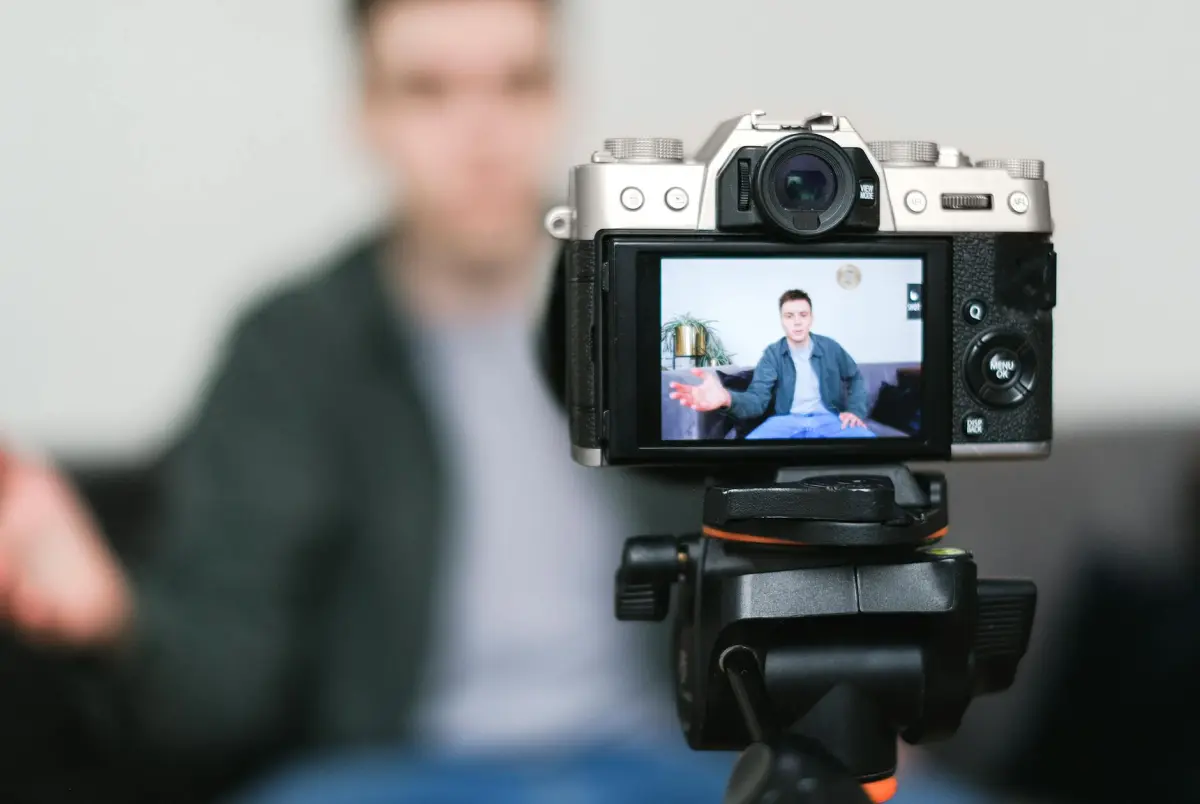
Sperren Sie das Setup auf einem Stativ; sorgen Sie für eine feste Komposition während der gesamten Sitzung. Verwenden Sie einen einzigen Hintergrund; stellen Sie sicher, dass die Beleuchtung über alle Einstellungen hinweg identisch ist; positionieren Sie das Motiv konsistent innerhalb des Frame-Bereichs. Diese Basis ist erforderlich, um zuverlässige KI-Ergebnisse zu erzielen.
- Hardware gesperrt: Stativ oder feste Halterung; vermeiden Sie Handheld; minimieren Sie Bewegungen; wenn eine Bewegung erforderlich ist, beschränken Sie sie auf einen einzelnen kontrollierten Schwenk oder Neigung; hält das Motiv in einer statischen Komposition zentriert.
- Beleuchtungskonsistenz: tageslichtausgeglichene Quellen; konstante Farbtemperatur (typischerweise 5600K); kein Flimmern; Farbmesserwerte; CRI 90+; Hauptlicht bei ~45 Grad; Füllung gegenüber mit geringerer Intensität; Gegenlicht von oben zur Trennung.
- Belichtungssteuerung: manueller Modus; Verschluss 1/50 für 24fps; 1/60 für 30fps; ISO niedrig gehalten; Auto deaktivieren; WB mit einer Graukarte zu Beginn der Sitzung eingestellt; WB für alle Clips sperren.
- Farbreferenz: Verwenden Sie eine 18% Graukarte; nehmen Sie eine Farbkarte auf, die einen Aleph-Patch enthält; wählen Sie den Farbraum Rec. 709 oder P3 gemäß der Pipeline; wenden Sie ein konsistentes Gamma- oder Log-Profil an; stellen Sie sicher, dass die Monitore farbkalibriert sind; teilen Sie die Referenz mit den Coloristen.
- Metadaten-Tagging: Szene, Einstellung, Kamera, Objektiv, WB, Belichtung, Beleuchtungsaufbau; im zentralen Katalog speichern; feste Auflösung und Bildrate beibehalten; bevorzugen Sie 4K 60p oder 6K 24p je nach Einschränkungen.
- Asset-Organisation: Platzieren Sie die Quellen in einem einzigen Ordner; erstellen Sie eine separate Farbkartenschicht; stellen Sie eine gebrauchsfertige Sequenz für die Bearbeitung bereit; pflegen Sie ein Ziel für den Coloristen-Pass.
- Verifizierung: Überprüfen Sie innerhalb von 24 Stunden; berechnen Sie die Drift zwischen aufeinanderfolgenden Frames; Schwellenwert von 2% Frame-Drift; wenn dieser überschritten wird, planen Sie Nachdrehs ein; dieser Ansatz reduziert möglicherweise Nacharbeiten.
- Veröffentlichungsbereitschaft: Fügen Sie Metadaten hinzu; geben Sie Farbraum, Gamma an; liefern Sie Notizen zur Integration in die generative Pipeline; weisen Sie Motivgrenzen zu; stellen Sie die Ausrichtung auf nachgelagerte Modelle sicher.
- Vielfalt in verschiedenen Umgebungen: Erfassen Sie Material an verschiedenen Standorten; protokollieren Sie die Beleuchtung der einzelnen Umgebungen; verwenden Sie Aleph als Referenz-Patch, um die Farben über Szenen hinweg auszurichten; behalten Sie die Basiseinstellungen bei, um Variationen zu minimieren; dies unterstützt wahrscheinlich bessere Ergebnisse in der Postproduktion.
Natürlich bietet der Ansatz eine stabile Grundlage für Video-Projekte; die Ergebnisse dürften in verschiedenen Umgebungen kohärenter erscheinen. Der Prozess konzentriert sich ausschließlich auf die Steuerung von Belichtung, WB, Komposition und die Erzeugung einer besseren Sequenzintegrität für Coloristen, die Nachdrehs bearbeiten. Anstatt Drift nachträglich zu korrigieren, bewahrt dieses Setup die Wiedergabetreue. Der Aleph-Patch auf einer Farbkarte sorgt für kameraübergreifende Konsistenz; eine spezielle Ebenenstrategie unterstützt die saubere Integration in eine generative Pipeline; publish-ready Assets umfassen Metadaten, Farbraum, Gamma, Drift-Notizen. Dieser Text priorisiert praktische Entscheidungen über das Setup, nicht die Theorie; das Gesamtziel bleibt ein stabiler Input, qualitativ hochwertigere Outputs und ein klareres Erscheinungsbild in den endgültigen Videoergebnissen.
Konfigurieren Sie die Source-to-Target-Zuordnung in Runway Aleph für Framing-Änderungen
Laden Sie den Quellclip in Runway Aleph, wechseln Sie zur Registerkarte "Mapping", aktivieren Sie die Source-to-Target-Zuordnung, stellen Sie die Normalisierung auf 0–1 ein, weisen Sie Ankerpunkte für Motiv und Horizont zu, passen Sie Skalierung und Zuschnitt-Proxys an, klicken Sie auf "Anwenden" und speichern Sie dann als Profil.
Erkunden Sie integrierte Presets für Stile wie Cinematic, Documentary, Dramatic Mood; diese Optionen helfen, die Absicht in Parameterwerte zu übersetzen; Tools in der Benutzeroberfläche beschleunigen den professionellen Einsatz für eine konsistente Ausgabe über verschiedene Inhalte hinweg; viele Teams haben diese Presets übernommen.
Interpretieren Sie die Ergebnisse mit einem professionellen Blick; messen Sie die Auswirkungen auf die Betonung des Motivs, das Kompositionsgleichgewicht und die Shot-Abdeckung; passen Sie die Mapping-Gewichtungen an, um die Wiedergabetreue zu maximieren, anstatt nur eine grobe Annäherung zu erreichen; das Nachahmen von Bewegungsmustern wird plausibel, wenn Parameterbeschränkungen beachtet werden.
Grenzen beschreiben: die meisten Ergebnisse basieren auf Trainingsdaten; es besteht ein Risiko bei der Beschreibung des Transformationsverhaltens; stellen Sie sicher, dass quantitative Kontrollen vorhanden sind.
Zukünftige Richtung: Exportieren Sie ein Standard-Mapping-Profil innerhalb der Benutzeroberfläche; stellen Sie eine Dokumentation dafür bereit, ermöglichen Sie die Wiederverwendung über Reels hinweg; verstehen Sie die Workflows, stimmen Sie sie mit professionellen Content-Pipelines ab, um skalierbare Abläufe zu erzielen.
Hinweise zur Qualität: die Ergebnisse hängen von der Kalibrierung ab; streben Sie eine größtmögliche Wiedergabetreue über alle Stile hinweg an; führen Sie ein prägnantes Protokoll für Trainingsiterationen.
Schlussfolgerung: um die Wirkung zu verstehen, beschreiben Sie das trainierte Mapping, fügen Sie Ergebnisse hinzu und planen Sie die fortgesetzte Verfeinerung mithilfe der integrierten Werkzeuge in Aleph, um die Eingabe in eine verfeinerte Ausgabe umzuwandeln.
Set Target Angles: Pan, Tilt, and Zoom Control (PTZ) with Interpolation
This approach provides predictable PTZ trajectories for reelmindais tasks. Define three target positions for a scene: yaw, pitch, zoom. Use a 12–24 frame window to produce smooth motion; avoid abrupt shifts. Upload them as metadata for working previews; colorists later compare against original shots to verify accuracy. Images from each capture set help verify spatial relationships, while varying frames show performance across shots.
Interpolation types: linear, cubic, cosine curves offer different motion profiles. Linear yields quick response; cubic yields natural acceleration, deceleration; cosine reduces overshoot. Select according to target speed, scene texture, subject motion.
Positioning workflow: supply spatial targets, ensure cropping configuration aligns with composition above baseline. This mimics traditional cinematography style. Use cropping strength to adjust framing without reframe; maintain natural motion.
Metadata schema: required fields include scene, target_positions, frame_rate, duration_frames, colorists notes, reelmindais tag, images referenced, upload timestamp. The table below shows example values. This setup supports working pipelines for reviews and reprocesses.
Operational tips: build a strong set of positions; vary across shots to yield significant motion diversity. Use generators to simulate alternate viewpoints; look at results on videos before finalizing. Provide a question: does the motion feel natural to viewers? If yes, proceed; otherwise adjust spatial cropping; finally settle on the smoothest sequence. Strong spatial constraints keep imagery stable during crop changes.
| Target Position (Yaw, Pitch, Zoom) | Interpolation | Frames | Expected Outcome | Notes |
|---|---|---|---|---|
| Yaw 15°, Pitch -5°, Zoom 1.0x | Linear | 12 | Crisp transition | Baseline |
| Yaw -25°, Pitch 10°, Zoom 1.5x | Cubic | 24 | Smooth arc | Use easing |
| Yaw 0°, Pitch 0°, Zoom 0.8x | Cosine | 18 | Gentle reset | Reuse values |
Maintain Motion Continuity: Apply Keyframes and Motion Tracking to Avoid Jumps
Place baseline keyframes at critical frame boundaries to anchor motion across sequences. Rely on motion data from the initial frames; this creates a stable path between shots, preserving mood during transitions. The technique offered clarity where data drift threatened the flow; Finally, verify alignment to avoid drift across frames. These steps require careful timing.
Use automated motion trackers for coarse motion; add targeted keyframes where data shifts. Whether fast pans or subtle moves occur, refinements at critical moments maintain coherence across shots, yielding polished, professional looks. Emphasis on smoothness reinforces narrative coherence.
Experimenting using easing curves helps pacing, allowing motion to accelerate then decelerate naturally. This reduces perceptible jumps during transitions, preserving mood, viewer focus. It works across diverse sequences, offering practical value for editors relying on intuitive workflows. Results were smoother. Simply testing alternative placements reveals best results.
Exploring perspectives through layered motion anchors supports consistent looks across different scenes. Place offsets on multiple tracks to harmonize motion across sequences; this approach reduces abrupt shifts, ensuring a stronger narrative rhythm.
Finally, evaluate impact by relying on trained models, intuitive tools. zdnet guides on workflows offer practical context for professional practice. Compare generating sequences; observe where smoother transitions emerge. This prompts a question: do shifts feel natural rather than abrupt? Relying on these checks ensures a reliable baseline, producing a smooth result, paramount for professional output while maintaining mood.
Validate Results and Choose Export Options for Social Media, Edits, and Archiving
Export three deliverables: social reels, edits project bundle, archival copy; preserve the original clips, metadata, text notes from reelmindais for future reference.
- Quality validation across scenes, movements, shots; Often verify cohesive visuals; confirm narration alignment; check color grade across varying lighting; verify text overlays remain legible within safe zones; ensure playback remains smooth on mobile, desktop; crew reviews using training notes; then publish.
- Social media deliverables: platform specs; 9:16 vertical; 1080x1920; 30–60 seconds; MP4 H.264; 12 Mbps; color Rec.709; audio AAC 44.1k; captions; safe zones; legible text; different thumbnail variants; reels-focused trims; supports Instagram Reels, TikTok, YouTube Shorts; some channels require 1:1 or 9:16; vary length; provide an impressive set of thumbnails; reelmindais text for auto-caption; publish-ready versions; then proceed.
- Edits-ready exports: preserve layer order via project file; choose ProRes 422 HQ; or DNxHR 444; supply 1080p plus proxy versions; timecode tracks; a text-based scene log; descriptive labels; for training crew; intuitive reference material; then deliver to the editor.
- Archival master copies: keep lossless master in ProRes 422 HQ; DNxHR 444; maintain mezzanine MP4 for quick lookup; organize with lego-influenced folder naming; ensure aleph tag for library; include a text-based metadata file; compute checksums; store across two locations; then confirm.




