
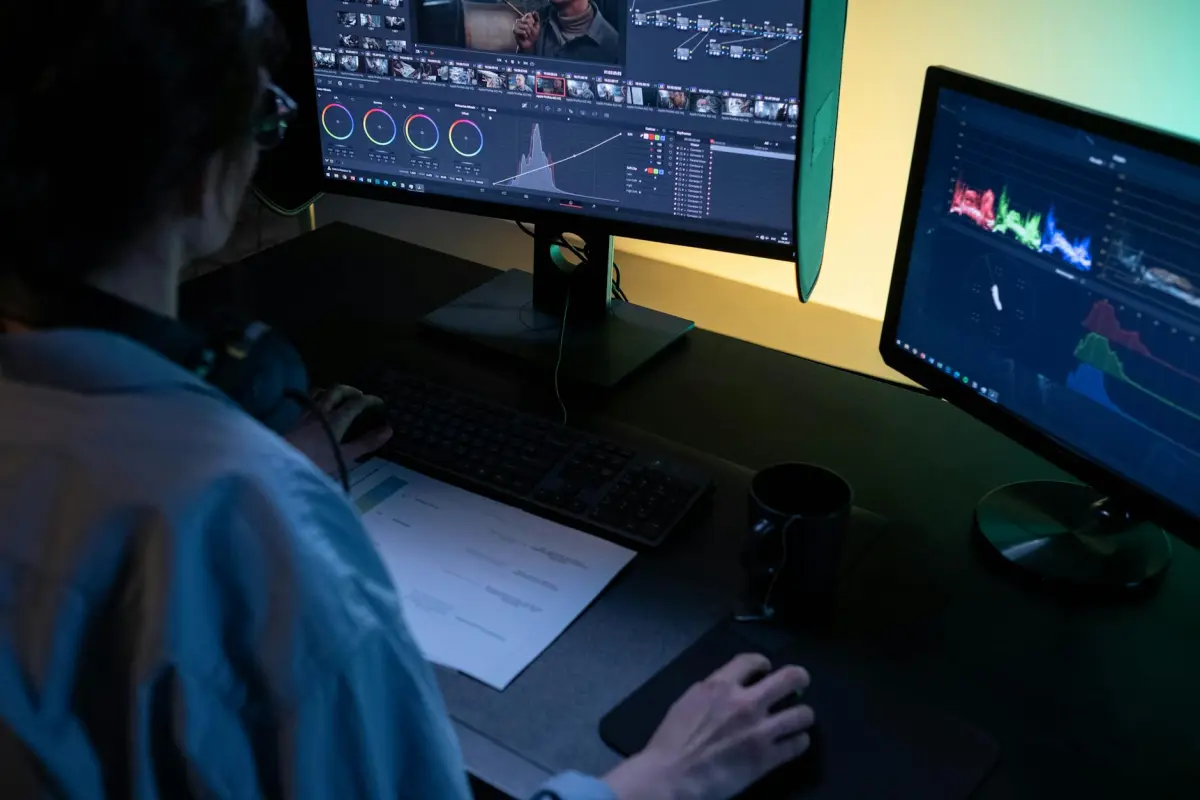

Beginnen Sie mit modularen KI-Voreinstellungen, um die Bearbeitungszeit um 40 % zu verkürzen und die Qualität von Clips und Fotos zu verbessern. Ermöglicht die Konfiguration von drei Starter-Pipelines – Rohschnitt, Farbkorrektur und automatische Untertitel – und das Messen der Gewinne im Vergleich zu einer manuellen Basislinie. Dieser Ansatz ist es wert, für Arbeitsabläufe mit mehreren Aufträgen und engen Fristen validiert zu werden.
Um die Konsistenz über mehrere Formate hinweg zu gewährleisten, erstellen Sie eine einzige Pipeline, die Kernaufgaben automatisiert. Sie sollte Gesichtserkennung, Farbabgleich und Untertitel abdecken, mit einer gemeinsamen Asset-Bibliothek, die Ideen und Assets über verschiedene Fälle hinweg aufeinander abstimmt. Das Tagging und die Metadatenerstellung sollten für die Wiederverwendung ausgelegt sein und das System sollte die Leistung im Laufe der Zeit verfolgen.
Unterstützen Sie chinesische Arbeitsabläufe mit mehrsprachigen Prompts und lokaliserbaren Untertiteln. In der Praxis können Sie der KI Sprachmodelle zuführen, die für diese Märkte optimiert sind, wodurch die Lokalisierungszeit von Tagen auf Stunden reduziert und die Reichweite jedes Projekts erweitert wird.
Beim Mischen mehrerer Kameraeingaben kann die KI automatisch Winkel synchronisieren, stabilisieren und intelligente Übergänge anwenden. Erstellen Sie 2-3 Fälle pro Projekt, um Bearbeitungen zu vergleichen und Stilunterschiede zu erfassen. Verfolgen Sie, wie sich jeder Ansatz auf die Bearbeitungszeit und die Kundenreaktion auswirkt, damit Sie entscheiden können, welche Methode am besten skaliert.
Nutzen Sie Schreibfunktionen, um Bildschirmtext, Szenenbeschreibungen und Metadaten zu generieren. Die Anwendung von KI zur Erstellung mehrerer Untertitelvarianten hilft bei der Anpassung von Angeboten an Kunden. Verfolgen Sie Ideen kampagnenübergreifend und skalieren Sie die Ergebnisse entsprechend Budgets und Fristen, um effiziente Arbeitsabläufe zu gewährleisten.
Messen Sie, was wichtig ist, mit einem schlanken Dashboard: Zykluszeit, Fehlerrate, Asset-Qualität und, wo zutreffend, Zuschauerbindung. Dies versetzt Teams von Ratenarbeit zu datengesteuerten Bearbeitungen und unterstützt diese Entscheidungen mit greifbaren Zahlen. Was Sie lernen, informiert darüber, was als Nächstes optimiert werden soll.
Beginnen wir mit einem sechswochigen Pilotprojekt in zwei Projekten, dann erweitern wir auf drei Märkte mit chinesischer Sprachabdeckung. Nutzen Sie diese Ergebnisse, um die Pipeline zu verfeinern, Foto-Assets hinzuzufügen und auf neue Kunden auszuweiten. Ein stetiger Rhythmus erhält die Qualität, wenn die Skala wächst.
Praktische Trends, die die KI-Videobearbeitung 2025 gestalten
Beginnen Sie mit generierten Untertiteln und poliertem Hintergrund-Audio, um auffällige Materialien zu erstellen, die leicht zu lesen sind.
CapCut-Vorlagen ermöglichen die schnelle Zusammenstellung kleiner, modularer Szenen: Erstellen Sie einen kurzen Textblock, fügen Sie Untertitel hinzu und legen Sie zusammenhängendes Hintergrund-Audio darüber, um ein poliertes Ergebnis zu erzielen.
Technologien automatisieren die Ausrichtung zwischen Skripten und Stimmen, sodass Sie eine natürlich klingende Sprache generieren und mit minimaler manueller Anpassung auf Track setzen können.
Strategietipp: Erstellen Sie eine zentralisierte Bibliothek mit generierten Texten, kurzen Skripten und Hintergründen; diese Assets bilden das Rückgrat für die schnelle Produktion und reduzieren das Risiko von Diskrepanzen zwischen den Assets.
Suchen Sie nach Möglichkeiten, die Ausgabe sehr auffällig zu halten, indem Sie Text, Untertitel und Musik kombinieren; dort, wo einfache Änderungen der Farbkorrektur und der Übergänge große Gewinne erzielen.
Leistungsverfolgung: Lesen Sie die Zielgruppenanalysen und passen Sie Hintergründe, Untertitel und Audio in den nächsten Zyklen an; dies ermöglicht schnelle Iterationen und polierte Ergebnisse.
Stimmqualität: Kling kann alternative Stimmen und Skripte generieren; vergleichen Sie diese mit menschlichen Referenzen und wählen Sie die natürlichste Option.
Flexibilität bei Hintergründen: Verwenden Sie Stock-Materialien, um geschichtete Szenen zu erstellen; pflegen Sie einen kleinen Pool von Sounds, um Wiederholungen zu vermeiden und die Atmosphäre konsistent zu halten.
Top KI-Editoren für 2025: Kernstärken und ideale Anwendungsfälle
Beginnen Sie mit Runway: Bietet einen leistungsstarken Generator und Asset-Manager, der Footage, Musik und Untertitel in einem einzigen Arbeitsbereich verwaltet. Er skaliert von Anfänger-Prompts bis hin zu fortgeschrittenen Arbeitsabläufen, sodass Teams Ideen entdecken und die Freiheit zum Experimentieren genießen können, anstatt sich mit Tools auseinanderzusetzen. Untertitel werden automatisch generiert, und Bearbeitungen können vor der Bestätigung visualisiert werden, was Zeit spart und die Ergebnisse schnell verbessert.
Descript liefert einen transkriptionsbasierten Workflow: Verwalten Sie Erzählungen, fügen Sie Musik hinzu, tauschen Sie Audio aus, generieren Sie Overdubs und erstellen Sie Transkripte für Untertitel. Die Konsistenz über Projekte hinweg macht es attraktiv für Unternehmen, die ihre Inhalte und Marketingmaterialien verbessern und gleichzeitig schnelle Produktzyklen unterstützen möchten.
Kapwing glänzt bei schnellen Social-Media-Clips und Vorlagen: Bietet unkomplizierte Untertitel, Hintergrundentfernung, Farbvoreinstellungen und vollständige Zusammenarbeit, die Teams helfen, Assets über Kampagnen und Produkteinführungen hinweg zu skalieren.
Synthesia zeichnet sich durch generatorgesteuerte Erklärvideos und Schulungsmaterialien aus: Erstellen Sie Avatar-Stimmen, verwalten Sie Sprachoptionen und veröffentlichen Sie über Kanäle mit Untertiteln, die sich mit den Marketingbedürfnissen weiterentwickeln.
Die aufkommenden Optionen Veed und Movio legen Wert auf Zugänglichkeit, mehrsprachige Untertitel und schnelle Iterationen. Für ganzjährige Kampagnen können Strategien angewendet werden, die einen primären Generator für Konzepte mit einer transkriptionsbasierten App für Materialien und einem untertitelbasierten Tool für Barrierefreiheit koppeln. Konzentrieren Sie sich auf konsistente, skalierbare Arbeitsabläufe und kamerafertige Assets zur Unterstützung von Marketinginitiativen.
Schnelle, Social-Media-taugliche Bearbeitungen: Optimierung für Shorts und Reels

Empfehlung: Beginnen Sie mit einem 9:16-Format und 6-9 Sekunden langen Haken; aktivieren Sie das automatisierte Trimmen um Bewegungshinweise, um die Wirkung auf mobilen Feeds zu erhalten; exportieren Sie Variationen für TikTok und ähnliche Apps.
- Präzises Trimmen um Action-Beats hält Bearbeitungen straff; schneiden Sie innerhalb von 0,15–0,25 Sekunden am Spitzenpunkt der Bewegung, um das Tempo beizubehalten.
- Integration von Bildschirmtext und Untertiteln mit schnellen Grafiken, ohne Gesichter zu überladen; stellen Sie die Lesbarkeit auf kleinen Bildschirmen sicher und erhalten Sie den Realismus durch konsistente Farbkorrekturen.
- Wechseln Sie zwischen den Aufnahmen die Hintergründe und Beleuchtungen, um vielfältige Hintergrundästhetiken zu liefern; verwenden Sie kleine Setups, die von Managern und Filmemachern verwaltet werden, um das Momentum während der Skalierung aufrechtzuerhalten.
- Verwenden Sie mehrere Formate aus einer einzigen Quelle: 9:16 für Shorts und Reels, 1:1 für Raster-Feeds, 4:5 für Porträtplatzierungen; dies unterstützt die Skalierung über Plattformen hinweg.
- Prognosegesteuertes Trimmen: KI-gestützte Vorschläge prognostizieren Aufbewahrungsspitzen; wenden Sie diese Erkenntnisse an, um Arbeitsabläufe zu transformieren und Bearbeitungen über sie hinweg zu skalieren.
- Hintergrundvielfalt: Vermeiden Sie repetitive Bilder durch Mischen von realen Orten mit kontrollierten Studio-Szenen; dies stärkt den Realismus und erreicht ein breiteres Publikum.
- Pacing von Live-Action mit subtilen Overlays: Integration von Branding, Lower-Thirds und Motion Graphics, während die Bearbeitungen sauber und auf den Inhalt fokussiert bleiben; komplexe Zeitpläne unterbringen, ohne zu überladen.
- Metricool-Integration: Verfolgen Sie alles, was wichtig ist – Reichweite, Speicherungen, Kommentare, Abschlussrate; nutzen Sie die Ergebnisse, um Pacing, Untertitelplatzierung und Farbkorrektur zu verfeinern.
- Engagement-Hooks: Passen Sie Thumbnails und Eröffnungsrahmen für TikTok und ähnliche Apps an; winzige Anpassungen bei Kontrasten oder Farben können das Aussehen und die Zuschauerbindung verbessern.
Fazit: Dieser Ansatz revolutioniert die Arbeitsweise von Teams und hilft ihnen, mehrere Bearbeitungen mit konsistentem Aussehen zu liefern. Die Vorteile wurden sowohl von kleinen als auch von großen Teams gesehen, da er sich über Plattformen hinweg skalieren lässt.
Echtzeit-KI-Bearbeitung: Auto-Cut, Auto-Reframe und Bewegungseffekte

Nutzen Sie KI-gestütztes Auto-Cut und Auto-Reframe, um Stunden in Minuten zu verwandeln, und fügen Sie dann Bewegungseffekte hinzu, um wichtige Momente hervorzuheben.
Die Stärken dieses Workflows umfassen schnellere Durchlaufzeiten, konsistente Rahmung über verschiedene Seitenverhältnisse hinweg und automatische Übergänge, die den narrativen Rhythmus beibehalten, wie in Filmszenarien.
Die Automatisierung wurde für Manager und Produktionscrews entwickelt und hilft, Projekte auf Kurs zu halten, während sie Ausgaben ermöglicht, die die Leistung über Szenen hinweg visualisieren.
Kostenkontrolle: Automatisierung reduziert teure Post-Produktionsschritte und liefert schnellere Ergebnisse bei gleichbleibender Qualität und Authentizität; es lohnt sich, die Budgets schlank zu halten.
Internetfähige Pipelines ermöglichen die Fernzusammenarbeit; Voreinstellungen reisen schnell und helfen, auch bei externen Dreharbeiten auf dem gleichen Stand zu bleiben. Internetzugang ermöglicht die Fernbegutachtung durch Manager.
Bildungsstrategien verankern die Akzeptanz; Schulungsmodule, die in Produktlinien integriert sind, vereinfachen die Zusammenarbeit zwischen Teams und Managern und verwandeln Lernen in Handeln für ein Team. Hier sind praktische Ansatzpunkte.
Praktische Schalter: Legen Sie automatische Schnittschwellenwerte fest, um abrupte Schnitte zu vermeiden, passen Sie die Ränder für automatische Neubildung an, um in sicheren Zonen zu bleiben, und pflegen Sie Bewegungsmuster für subtile Betonung; führen Sie schnelle Tests mit diversen Aufnahmen durch, lesen Sie die Ergebnisse und validieren Sie das Tempo.
Um wettbewerbsfähig zu bleiben, integrieren Sie weiterhin KI-gestützte Werkzeuge unter Beibehaltung von Authentizität und Vertrauen des Publikums und verfolgen Sie Stärken über Auswertungen, um Prozesse zu verfeinern und Potenziale zu erschließen. Hier geht es nicht um Ersatz; Augmentation zählt.
KI-gestützte Untertitel und mehrsprachige Untertitel
Aktivieren Sie automatisch generierte Untertitel und mehrsprachige Untertitel zu Beginn des Projekts mit CapCut, um die Durchlaufzeit zu verkürzen und die Produktivität von Managern und Teams zu steigern. Dieser Ansatz beruht auf einem starken Generator, der Audio von der Kamera analysiert und in Text umwandelt, mit Satzzeichen und Zeilenumbrüchen, die für Feeds und längere Beiträge angepasst sind. Pflegen Sie ein einzigartiges Glossar von Begriffen, um die Konsistenz über Fotos, Materialien und andere zu gewährleisten.
Hier ist ein konkreter Arbeitsablauf, den Sie hier anwenden können: Sammeln Sie Assets (Fotos, Materialien und Clips), stellen Sie sauberes Audio sicher und führen Sie dann CapCut aus, um automatisch Untertitel in der Basissprache zu identifizieren und zu generieren. Verwenden Sie einen Übersetzungsgenerator, um mehrsprachige Versionen zu erstellen, und gleichen Sie die Zeitsteuerung an jede Aufnahme an. Überprüfen Sie die Ergebnisse gemeinsam mit Managern und Content-Leitern, korrigieren Sie die Terminologie und sperren Sie endgültige Blöcke. Speichern Sie vollständige Untertitelpakete und Vorlagen zur Wiederverwendung in Projekten, um die Skalierbarkeit des Unternehmens zu ermöglichen.
Diese Praktiken entwickeln sich weiter, wenn sich Modelle verbessern; identifizieren Sie Lücken in der Abdeckung (technische Begriffe, Markennamen, Slang) und aktualisieren Sie das Glossar entsprechend. Selbst wenn sich Begriffe je nach Sprache unterscheiden, bleibt eine einzigartige Stimme über Materialien hinweg hier konsistent. Verwenden Sie Assets, um auffällige Overlays zu erstellen, die die Szene nicht verdecken; die Ausrichtung an Kamerabewegungen und die Fotozusammensetzung sind für die Lesbarkeit wichtig. Verwenden Sie "kling" als Zeichen für die endgültige Genehmigung in Projektnotizen. Diese Innovation beschleunigt die Zugänglichkeit für ein breiteres Publikum.
Messen Sie die Auswirkungen auf Managementebene: Verfolgen Sie Genauigkeit, Latenz und Zuschauerbindung; verwenden Sie Fotos und andere Assets, um die Lesbarkeit zu benchmarken; erstellen Sie Business-Dashboards, um Produktivitätssteigerungen und Kosteneinsparungen aufzuzeigen. CapCut-Automatisierung hilft dabei, fehlerhafte Untertitel zu identifizieren und schnell zu korrigieren, wodurch die Ergebnisse über Sprachen und Teams hinweg konsistent bleiben, auch wenn Assets von mehreren Kameras stammen.
| Sprache | Durchlaufzeit pro Minute | Untertitelgenauigkeit | Anmerkungen |
|---|---|---|---|
| Englisch | 0,8–1,0 Min. | 92–96 % | Baseline; CapCut-gestützt |
| Spanisch | 0,9–1,2 Min. | 90–93 % | Begriffsgrossarium passt; CapCut-aktiviert |
| Mandarin | 1,1–1,4 Min. | 88–92 % | Tonlagenanpassung; Glossarsynergie |
| Französisch | 0,9–1,3 Min. | 90–94 % | Ausspracheanpassung; CapCut-unterstützt |
Sicherheit, Rechtmäßigkeit und Wasserzeichen: Schutz bearbeiteter Inhalte
Wenden Sie ein halbtransparentes Wasserzeichen mit 30 % Deckkraft auf jeden bearbeiteten Clip an, bevor Sie ihn teilen. Verwenden Sie eine konsistente Ecke, z. B. unten rechts, mit einem kleinen Logo und einem Hash der Projekt-ID zur manipulationssicheren Beweisführung. Dies ist in der Praxis leicht zu überprüfen. Dieser Ansatz macht den Schutz skalierbar und reduziert mögliche Lecks.
Holen Sie schriftliche Lizenzen für Musik, Schriftarten und Stock-Assets ein; speichern Sie Quittungen und Lizenzbedingungen. Holen Sie schriftliche Model-Releases ein, wenn Gesichter erscheinen. Führen Sie ein chronologisches Protokoll der Bearbeitungen und Berechtigungen, um die Herkunft nachzuweisen. Diese schriftliche Aufzeichnung verbessert den Schutz und die Rechenschaftspflicht.
Wasserzeichenoptionen umfassen sichtbare Zeichen, die sich langsam bewegen, oder winzige Fingerabdrücke, die in Metadaten eingebettet sind. Für schnelle Sichtbarkeit wenden Sie ein kleines Wasserzeichen nahe unten rechts an, das auf Smartphones lesbar ist und auf größeren Bildschirmen nicht störend wirkt. Verwenden Sie CapCut, um Metadaten-Tags und einen einfachen Hash einzubetten, um die Herkunft zu verfolgen, ohne den gesamten Arbeitsablauf zu beeinträchtigen. Sprachspuren sollten markiert werden, um Falschzuweisungen zu verhindern.
Kennzeichnen Sie Bearbeitungen auf YouTube deutlich; deklarieren Sie KI-gestützte Schritte; stellen Sie Untertitel zur Verbesserung der Zugänglichkeit bereit. Die Verwendung von Richtlinien hilft Teams, konsistent zu bleiben.
Experimentieren Sie mit kleinskaligen Tests, um die Reaktion und das Vertrauen der Zuschauer zu messen. Sammeln Sie dort Daten zu Engagement und Wahrnehmung, um Wasserzeichen und Kennzeichnungen zu verfeinern.
Heutige Bedenken hinsichtlich des Missbrauchs bestehen fort; gehen Sie diese durch schriftliche Richtlinien, schnelle Antworten und klare Haftungsausschlüsse an. Dies unterstützt die Schaffung von Vertrauen und schützt alles Erstellte.
Dieser Ansatz ermöglicht es Erstellern, Inhalte frei zu produzieren und gleichzeitig Rechte zu wahren und die Zugänglichkeit über Geräte hinweg zu gewährleisten. Ideen leiten jeden Schritt.
Es gibt Bedenken hinsichtlich Falschzuweisungen; mehrsprachige Arbeitsabläufe sollten chinesische Untertitel und klare Zuordnungen enthalten. Heutige Assets können mit CapCut-Vorlagen kombiniert werden, um eine schnellere Produktion und Inspiration zu ermöglichen.
Hier ist eine prägnante Checkliste für den Anfang: schriftliche Lizenzen, Platzierung des Wasserzeichens, Deckkraftoptionen, Handhabung von Bewegungen, ein einfacher Deaktivierungspfad und Hash-basierte Herkunft.




