
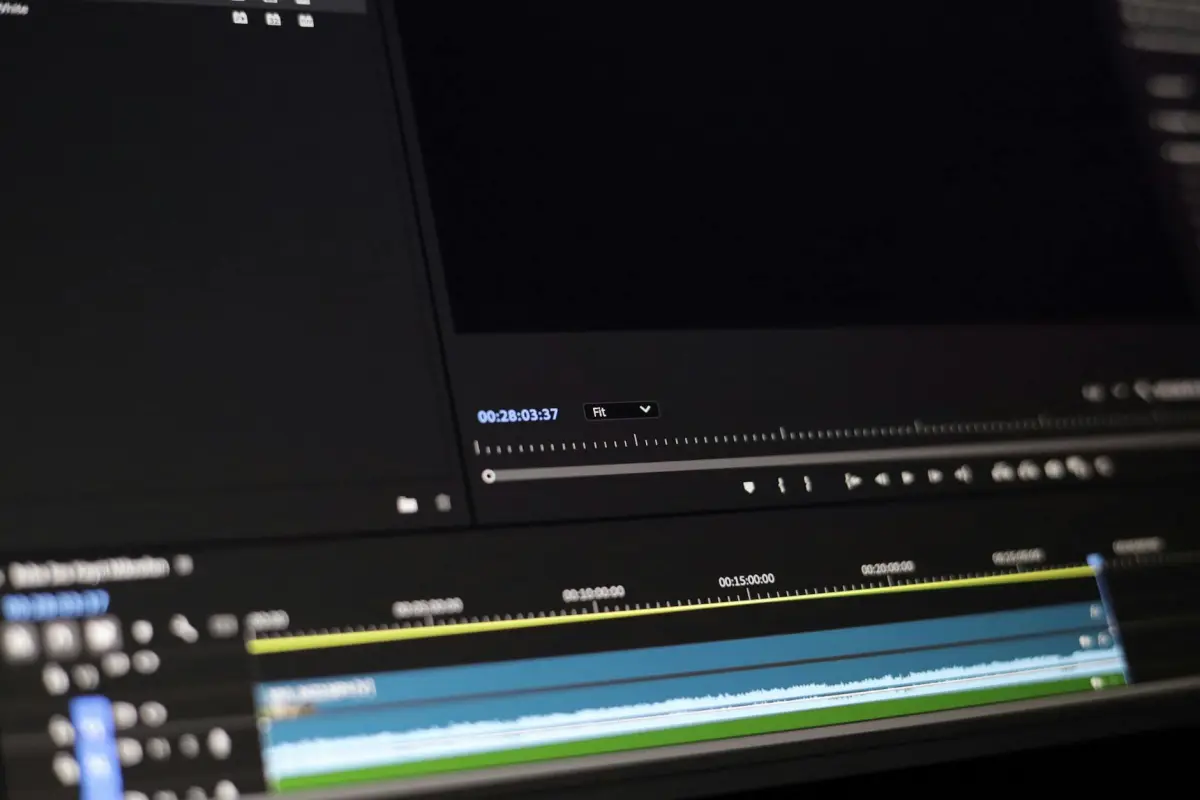

توصية: ابدأ بعرض توضيحي لمدة 60 ثانية يستند إلى قالب مثبت، مع تحديد كل قيمة لكل مشهد، ثم اضبط الإيقاع والانتقالات للوضوح.
استخدم واجهة مدعومة بالآلة لتحويل نصوص السيناريو إلى مشاهد، ثم طبق مواضع الكاميرا، والتنزيلات، والميزات الجاهزة لتسريع سير العمل. سيحسن الجميع مقاطع الشرح الخاصة بهم باتباع هذه الخطوات، مما يؤدي إلى نتائج أسرع.
في الممارسة العملية، تفيد الفرق بأنها قللت وقت الإعداد بما يصل إلى النصف، مع الحفاظ على إيقاع يبقي الجمهور منخرطًا. بالنسبة للفرق التي تحتاج إلى علامات تجارية موثوقة، يدعم النهج الخطط للحملات المتكررة، ويمكنك إعادة استخدام مقاطع الشرح عبر المشاريع. هذا يساعد الجميع على الحصول على قيمة أكبر من كل شيء آخر.
الميزات الرئيسية التي يجب البحث عنها: مكتبة قوالب جاهزة، واجهة سهلة الاستخدام، زوايا كاميرا قابلة للاختيار، نصوص سيناريو يتم إنشاؤها تلقائيًا لمقاطع الشرح المعرفية، وتنزيلات بنقرة واحدة. إذا كنت بحاجة إلى شرح مواضيع معقدة، فإن عرضًا توضيحيًا قويًا يعرض تسلسل مقاطع شرح خطوة بخطوة يساعد الجميع على فهم قيمة النهج. بفضل النواة الآلية، تصبح هذه العملية أسرع مع الحفاظ على الجودة.
كيف تبدأ: قم بوضع الخطوط العريضة لبعض الخطط القصيرة، وسرد مقاطع المشهد، وتعيين تحركات الكاميرا، وجدولة نافذة نشر. يوازن النظام الإيقاع، ويحافظ على صوت العلامة التجارية، ويشجع الجميع على المساهمة. بعد التصدير، شارك التنزيلات مع زملائك وعملائك، ثم استخدم التحليلات لتحسين مقاطع الشرح المستقبلية.
سير العمل العملي لتحويل المطالبات إلى مقاطع فيديو جاهزة للمشاركة
ابدأ بموجز من صفحة واحدة: حدد المتابعين، والنبرة، واللحظات الدقيقة التي يجب التقاطها. قم بتعيين مطالبة موجزة لكل مشهد، وحدد المدد المستهدفة، ودون إشارات التعليقات التوضيحية. تسرع هذه الخطة المستندة إلى الصفحات المشاريع الأولية وتقلل من المراجعات.
اعتمد سير عمل المطور باستخدام fliki و kling: أدخل مطالبة كل مشهد في المطور، واختر المرئيات والرسوم المتحركة، وطبق حركات الكاميرا الأساسية. يعزز هذا النهج الاتساق ويبسط التحرير. حافظ على وضوح المرئيات وتوافقها مع النص.
إدارة الأصول:فضل المرئيات من طرف ثالث فقط عندما تكون التراخيص واضحة؛ تتبع الاعتمادات لكل أصل وأدرج الاعتمادات للمرئيات التي تم إنشاؤها لتلبية الامتثال. استخدم دليل تصميم مرئي واحد لضمان جولات متماسكة عبر المقاطع. هذا يقلل المخاطر ويحسن الأمان.
تحسين الصوت: أضف تعليقًا صوتيًا شخصيًا، وضبط النبرة، وتأكد من ظهور الابتسامات بشكل طبيعي؛ امزجها مع موسيقى خلفية مناسبة للمزاج دون أن تطغى على الرسالة. على مدار العملية، حافظ على ضيق التعديلات لتجنب الانحراف. تبدو النتيجة سهلة الاقتراب وتعمل كشرح.
التصدير والنشر: اختر تنسيقات عالمية، وأنشئ إصدارات متوافقة مع الأجهزة المحمولة، وأرفق وصفًا موجزًا للصفحة، وشارك على صفحتك وخلاصة وسائل التواصل الاجتماعي. قم بتتبع التنزيلات والمشاركة، ثم كرر المطالبات لزيادة عدد المتابعين. من خلال البدء بمجموعة مطالبات مدمجة، فإنك تستفيد من السهولة والسرعة. ينتج هذا النهج مكاسب ثابتة للمنشئين ويساعد الأفكار على الوصول إلى المتابعين.
صياغة مطالبات دقيقة لتحديد النبرة والأسلوب والمشاهد
توصية: ثبت النبرة في نواة المطالبة للتواصل مع الجمهور؛ قصرها على ثلاث صفات تصف المزاج: هادئ، واثق، فضولي. استخدم مرئيات عالية الدقة لضبط التوقعات من البداية وضمان الوصول إلى الموجز الإبداعي لجميع أعضاء الفريق.
قم ببناء المطالبات حول ثلاثة أقسام: النبرة، الأسلوب، المشاهد. بالنسبة للنبرة، حدد المزاج والإيقاع ومستوى الرسمية. بالنسبة للأسلوب، حدد الأنواع مثل الوثائقي أو التعليمي، والسمات المرئية مثل لوحة الألوان والطباعة، وقرر بين التمثيل الواقعي أو بدون وجوه إذا لزم الأمر. بالنسبة للمشاهد، قم بتسمية المشهد 1، 2، 3 مع إعدادات الإضاءة وإشارات الكاميرا. قم بتضمين مثال قصير سطر لكل قسم لتثبيت الفريق. ضع في اعتبارك رمزًا غريبًا مثل flikis للإشارة إلى لحظة مرحة. استخدم سياقًا محليًا أو عبر الإنترنت للحفاظ على تماسك الأمور.
مثال: النبرة: براغماتية، تعليمية، ودودة؛ الأسلوب: وثائقي، طباعة نظيفة، ألوان زاهية؛ المشهد 1: سوق محلي في الساعة الذهبية، شارع ضيق، إضاءة دافئة؛ الكاميرا: لقطة مقربة ليد تقلب صفحة، إمالة ثابتة؛ المشهد 2: لقطة واسعة لشخصية رمزية واقعية في شكل بدون وجه؛ الموسيقى: صوتيات ناعمة؛ إشارة: flikis لتغيير الإيقاع؛ النهاية: تظهر الاعتمادات في الختام.
لتبسيط إعادة الاستخدام، قم بصياغة قالب: اجعله سهل الاستخدام والنسخ والتعديل لكل مشهد. اربط بالأصول المخزنة عبر الإنترنت لتسهيل الوصول إليها من قبل أعضاء الفريق. قم بوضع علامات على الأصول حسب الصورة و الموسيقى و الأنماط، وحافظ على الاتساق عبر المنشورات. خطط لساعات من الاختبار للعثور على التوازن الصحيح بين المزيد من التنوع و القيمة.
نصائح عملية: احتفظ بكتالوج مشهد قصير، وتحقق من صحة أصول عالية الدقة، وتأكد من وضوح الاعتمادات والترخيص. عندما تقوم بتغيير النبرة، قم بذلك عن طريق مفتاح تبديل واحد وقم بضبط الصورة و الموسيقى وفقًا لذلك. يقصر هذا النهج ساعات التحرير وينتج نتائج متسقة وقوية بصريًا عبر المنشورات.
لوحة القصة من النص: ترجمة السرديات إلى مرئيات وإيقاع
ابدأ بدليل من صفحة واحدة: التقط السرد الأساسي في نص سيناريو، ثم قم بتعيين المشاهد عبر لوحة قصة للتحكم في الانتقالات والإيقاع؛ قم بالمواءمة مع احتياجات العملاء وقيود الإنتاج العالمية.
استخدم الإنشاء عبر fliki لصياغة سلسلة مذهلة من الإطارات من النصوص؛ تأكد من تكرارات سريعة وسهلة لفرق الإنتاج وسير عمل المبدعين، مما يفتح الإنتاج بسرعة، ويوفر نقرة سريعة لأصحاب المصلحة.
قم ببناء شجرة متفرعة من المشاهد: يرتبط كل فرع بنوع لقطة، أو انتقال، أو إطار ثابت، مما يضمن تنوعًا سريعًا دون فوضى. ابحث عن عدم التوافق مبكرًا. ضع في اعتبارك اللون والتأطير والإيقاع؛ حافظ على إيقاع متسق عبر مشاهد متعددة.
يمكن للمعلمين وفرق التعليم إعادة استخدام دليل يدرب رواة القصص؛ قم بدمج اختبار سريع للتحقق من المواءمة مع مسار العميل.
للحفاظ على الزخم، قم بجدولة دورة شهرية: قم بتحسين النصوص، وضبط الانتقالات، واختبار الإنتاج مع جماهير حقيقية؛ الهدف هو إنتاج مذهل وسريع ووحدات قابلة للتطوير عالميًا.
| المرحلة | الإجراء | الناتج |
| المفهوم | صياغة نص حي ورسم خريطة لشجرة مشاهد | توضيح الهدف والجمهور والنتيجة |
| التصميم | تحديد أنواع اللقطات والانتقالات وما إذا كان الإطار ثابتًا أم ديناميكيًا | وسم التوقيت والإيقاع المرئي |
| المراجعة | المشاركة للعملاء والمعلمين؛ التعديل حسب قيود الإنتاج | خطة التسلسل النهائية |
| الإطلاق | نشر مقتطفات، جمع التعليقات عبر الاختبار | الناتج جاهز لقنوات متعددة |
إنشاء أو مصدر الصوت: خيارات التعليق الصوتي والصوت المحيطي والموسيقى
ابدأ بتحديد نهج تعليق صوتي أساسي يتناسب مع نبرة علامتك التجارية، ثم أضف أجواء محيطة وطبقة موسيقية لرفع السرد. يحسن الإيقاع المتسق عبر مشاريع متعددة تمييز جمهورك، ويجب منح الاعتمادات للمبدعين عندما تتطلب التراخيص ذلك. هناك خيارات في دفتر مدونة لتتبع الأصول والقرارات. مصدر الأصول من منصات متعددة، بما في ذلك renderforests ومكتبات الأسهم وشبكات المستقلين، لتشغيل سير عمل قابل للتطوير وسهل التصميم مصمم تمامًا لعروض ugc الطراز والإصدارات الحقيقية.
الخطوات الرئيسية لبناء مجموعة صوتية قوية:
- استراتيجية التعليق الصوتي
- راوي بشري: إيقاع طبيعي وفروقات دقيقة عاطفية؛ تتراوح الأسعار النموذجية للمستقلين من 100 إلى 300 دولار للدقيقة؛ تسليم خلال 24-72 ساعة للنصوص القصيرة؛ ابدأ بنص تجريبي لصقل التوقيت مقابل المرئيات.
- أصوات مرخصة أو اصطناعية: توسع سريع؛ قم بتجربة عدة أصوات، أكد الإيقاع بعرض توضيحي، وتجنب النغمات الروبوتية التي تكسر الانغماس.
- سرد بأسلوب المحتوى الذي ينشئه المستخدم: حافظ على اللغة بسيطة ومباشرة؛ قم ببناء النصوص لمقاطع قصيرة تتكرر عبر المشاريع لتعزيز العلامة التجارية؛ تأكد تمامًا من الاتساق.
- صوت محيطي
- قوام محيطي: اختر قوامًا يتناسب مع الإيقاع - هادئ، نشط، أو سينمائي؛ تأكد من أن المستويات تسمح للتعليق الصوتي بالظهور بوضوح؛ استخدم صدى خفيف لـ إنشاء مساحة عبر مسار الصورة.
- مناظر صوتية: فضل حلقات صوتية أقل من 20-30 ثانية لللقطات السريعة؛ قم بتداخل الانتقالات لمنع التحولات المفاجئة التي تشتت انتباه الجماهير.
- خيارات الموسيقى
- مقطوعات مجانية الاستخدام: ابحث حسب الحالة المزاجية والإيقاع؛ تحقق من أن الترخيص يغطي الاستخدام التجاري عبر المنصات؛ تحقق من متطلبات الإسناد للمنشورات أو العروض التوضيحية.
- تلحين مخصص: قم بتكليف لحن موجز إذا كنت بحاجة إلى شعور فريد؛ قم بمزامنة الإيقاع مع سرعة القطع لدعم اللحظات التحويلية.
- اختبار العروض التوضيحية: قم بتجربة عدة مقطوعات مقابل مرئيات حقيقية؛ اختر الخيارات التي تحافظ على القراءة في وجود أصوات أمامية.
- الترخيص، والإسناد، والخصوصية
- شروط الترخيص: الاستخدام عبر المشاريع وإعادة التوزيع؛ قم دائمًا بإسناد المبدعين عند اللزوم؛ احتفظ بسجل إسناد في مدونة مركزية أو سجل أصول.
- اعتبارات اللائحة العامة لحماية البيانات: احصل على موافقة عندما تؤثر بيانات المستخدم على خيارات الصوت؛ قم بتخزين الأصول والبيانات الوصفية بشكل آمن؛ وثق السياسة في موجز المشروع.
- سير العمل، والأصول، والاتساق
- تسمية الملفات وتنظيمها: قم بتضمين اسم المشروع، ونوع الأصل، والحالة المزاجية، والصوت، والإصدار؛ حافظ على مصدر واحد للحقيقة في بيئة بناء؛ دعم إعادة الاستخدام عبر المنصات.
- الإصدار والنسخ الاحتياطي: احتفظ بنسخ متعددة في مستودع سحابي؛ قم بوضع علامات على الأصول حسب الحالة المزاجية، والإيقاع، والمدة لدعم العروض التوضيحية وإصدارات الإصدارات الحقيقية.
- محاذاة الصور والمرئيات: تأكد من أن شدة الصوت تتناغم مع المرئيات بحيث تظل القصة الإجمالية متماسكة عبر الجماهير.
- الإسنادات والسجلات: قم بتوثيق شروط الترخيص، وتتبع الاستخدام عبر المشاريع؛ احتفظ بمدونة مركزية للرجوع إليها.
إعدادات العرض وتنسيقات الإخراج: الدقة، ومعدلات الإطارات، ونسب العرض إلى الارتفاع
التوصية الأساسية: قم بالتصدير بدقة 1080p (1920x1080) بمعدل 30 إطارًا في الثانية بتنسيق MP4 (H.264) لتلبية احتياجات الجمهور في سياقات تعليمية وضمان تجربة تنزيل سلسة. توازن هذه الدقة بين وضوح المرئيات وأحجام الملفات العاملة على الأجهزة القياسية.
- خيارات الدقة:
- 720p (1280x720): ملفات أصغر، معاينات سريعة للمتعلمين على شبكات محدودة.
- 1080p (1920x1080): الافتراضي للفصول الدراسية والدورات التدريبية عبر الإنترنت؛ توافق واسع للمقدمين.
- 1440p (2560x1440) أو 4K (3840x2160): للمشاريع التي تتطلب مرئيات واضحة؛ استخدمها فقط إذا كانت الأصول وأجهزة التشغيل تدعمها؛ قم بإنشاء مشتقات بدقة أقل للتوزيع.
- خيارات معدل الإطارات:
- 24 إطارًا في الثانية: شعور سينمائي للحركة البطيئة ومقاطع الحديث.
- 25 إطارًا في الثانية: مناسب للمناطق التي تستخدم معيار PAL؛ قريب إدراكيًا من 30 إطارًا في الثانية لمعظم المتعلمين.
- 30 إطارًا في الثانية: قياسي للحركة السلسة والتعليق الواضح.
- 60 إطارًا في الثانية: الأفضل للمرئيات الديناميكية والعروض التوضيحية التفاعلية؛ ملفات أكبر وأوقات تصدير أطول.
- خيارات نسبة العرض إلى الارتفاع:
- 16:9: الافتراضي لأجهزة الكمبيوتر المكتبية والفصول الدراسية وأجهزة العرض.
- 9:16: سير عمل الجوال أولاً؛ مثالي للهواتف الذكية والأجهزة اللوحية.
- 1:1: تنسيق مربع يناسب خلاصات الوسائط الاجتماعية وعروض الأفكار السريعة.
- نسب مخصصة (مثل 4:3) عندما تكون الشاشات القديمة شائعة؛ خطط لنهج متجاوب للتكيف عبر الأجهزة.
التسليم وإمكانية الوصول:
- قدم تنسيقات متعددة من مشروع واحد: 1080p30 للتنزيلات، 720p30 للنطاق الترددي المنخفض، و 9:16 للعروض التقديمية للجوال.
- قم بتضمين تراكبات تحويل النص إلى كلام للمعلمين الذين يهدفون إلى الوصول إلى الجماهير التي تعاني من تحديات في القراءة؛ تأكد من أن الترجمات متزامنة ويمكن الوصول إليها.
- قم بإرفاق مقتطفات موسيقية واحترافية وتعليقات صوتية؛ تأكد من الترخيص للاستخدام التعليمي عبر المنصات؛ قم بتصدير الصوت بدقة 44.1 كيلو هرتز أو 48 كيلو هرتز؛ حافظ على مستويات صوت ثابتة لتجنب التحولات المفاجئة التي تشتت الانتباه.
نصائح سير العمل:
- احتفظ بمشروع رئيسي مصمم للتكيف مع تنسيقات متعددة؛ استخدم إعدادات Renderforest المسبقة لتبسيط التبديل بين الدقات ومعدلات الإطارات.
- عندما يتم إطلاق مشروع، قم بتخزين مسودة رئيسية بدقة 4K وقم بإنشاء جميع المسودات الأخرى للحفاظ على الاتساق وتوفير الوقت.
- اختبر كل إصدار على الجوال وسطح المكتب للتأكد من إمكانية قراءة المرئيات والترجمات؛ اضبط أحجام الخطوط والكثافة وفقًا لذلك.
- تُبسط اختصارات Kling في المحرر الخطوات المتكررة والمزامنة عبر التنسيقات.
ضمان الجودة: فحوصات سريعة وإصلاحات شائعة أثناء الإنتاج
قم بإجراء قفل لضمان الجودة لمدة 5 دقائق في كل مرحلة: النصوص متوافقة مع الإجراءات على الشاشة، والأصوات متزامنة مع التوقيت، والإخراج النهائي عالي الدقة؛ لاحظ الأسئلة للوضوح السريع من الفريق.
فحوصات الصوت: راقب المستويات، وتجنب التشبع، وقلل من الضوضاء الخلفية؛ قم بتقييم توازن السطوع لمنع الإطارات الباهتة أو الموحلة؛ افحص الانتقالات بحثًا عن عيوب، وتحقق من أن الأصوات تبدو طبيعية عبر جميع المقدمين وفريق مدونة الفيديو. إذا لزم الأمر، اضبط مسارات الميكروفون وأعد تسجيل الأسطر.
سلامة المرئيات: تأكد من اتساق الألوان عبر المشاهد، وتأكد من خلو الإطارات من الخدوش، وتحقق من سلاسة الحركة بالمعدل المخطط له؛ اختبر عيوب الحواف في اللقطات السريعة وتحقق من التصدير بدقة عالية لكل إخراج. تأكد من أن اللقطات الزوجية أو مشاهد الحشود تحافظ على الاستمرارية.
إيقاع السرد: تأكد من أن النصوص تغطي النقاط الأساسية، وتجيب على الأسئلة المتكررة، وتتوافق مع الوتيرة مع الخطة؛ تحقق من الترجمات والبيانات الوصفية للأصول الجاهزة للتنزيل؛ تحقق من الرسوم المتحركة الواقعية للشخصيات والصور الرمزية التي يستخدمها فريق مدونة الفيديو.
ضبط المنصة: بالنسبة لتطبيق TikTok، فرض استخدام 9:16 عموديًا، وشِد الإيقاع في الثواني القليلة الأولى، وحافظ على اختصار الترجمات؛ لعمليات Kling و Fliki، تأكد من توافق التصدير واتزان السطوع؛ قدم رئيسيًا مناسبًا للتنزيل بالإضافة إلى نسخة مضغوطة للمنشورات والمتابعين.
التوثيق والدعم: قم بتسجيل الإصلاحات في مدونة مشتركة؛ انشر برنامجًا تعليميًا قصيرًا للمشاكل المتكررة؛ قم بتعيين أدوار الدعم؛ احتفظ بخطة إنتاج حية تقلل من الحاجة إلى إعادة العمل وتحافظ على تفاعل المتابعين؛ شارك بالتأكيد شيئًا مفيدًا للآخرين، مثل القوالب وقوائم المراجعة.




