
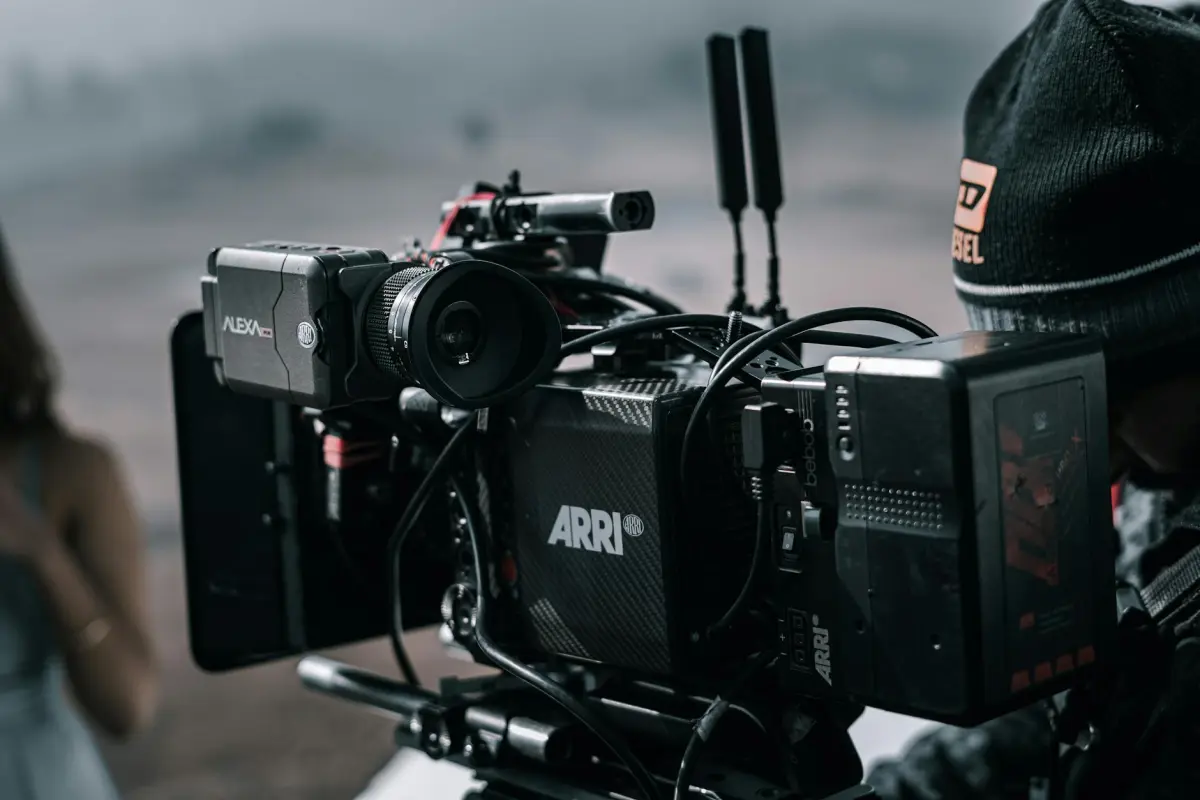

ابدأ بمقدمة موجزة مدتها حوالي 60 ثانية مصحوبة بصوت واحد بالذكاء الاصطناعي لتحديد الخلفية. ببساطة، خصص وقتًا لاختبار إعدادين ومقارنة استجابة الجمهور على لوحة. هذا النهج ينشئ قالبًا موثوقًا به يمكنك إعادة استخدامه في الحملات عبر الإنترنت.
الحفاظ على الهيكل بسيطًا يساعد على التكرارات الأسرع. ادمج اللغات والأصوات الإقليمية لتوسيع نطاق الوصول؛ حافظ على توافق المرئيات الخلفية مع المقدمة للحفاظ على اتساق المباريات.
اختر تقنية تدعم عمليات الدمج السلسة عبر الأنظمة الأساسية؛ تحقق من وضوح الترخيص وأن الشروط القانونية محفوظة في الخلفية لمنع خروقات السياسة. بالنسبة لتدفقات عمل المُنشئ، فإن هذا الوضوح يسرع القرارات.
استخدم أمثلة لمواءمة المرئيات مع السرد؛ اختبر كيف تتوافق الخلفية والوتيرة و المقدمة؛ تتبع معدلات المشاركة لتوجيه التحسينات.
الخطوات التالية: النشر عبر الإنترنت، مراقبة التحليلات، تنقيح النصوص، والتوسع عبر اللغات؛ هذا يدعم حملات الأعمال ويضمن اتساق العلامة التجارية. ليس هناك حل واحد يناسب الجميع؛ قم بالتكيف.
التعليقات الصوتية بالذكاء الاصطناعي للمنتجات التوضيحية: دليل عملي
ابدأ بمقدمة سريعة توضح الفائدة الأساسية في الثواني الخمس الأولى ثم قم بمطابقة كل إجراء على الشاشة مع السرد. استخدم نبرة صوت قوية وواضحة ووتيرة ثابتة حتى يتوافق الصوت مع المرئيات عبر الأصول. تتعامل الأتمتة مع التعديلات الروتينية والتوقيت، مما يزيد من الكفاءة ويحافظ على اتساق الرسالة.
قم ببناء نص رئيسي وقم بإنشاء متغيرات خاصة بالمنصة لتناسب أوقات تشغيل مختلفة؛ انشر أولاً على يوتيوب وقم بالتوسع إلى قنوات أخرى بسرعة. حافظ على صياغة الكلمات متوافقة مع النوايا وتلك الموجودة على الشاشة، وتأكد من أن السرد يتطابق مع الإجراءات لتقليل عدم التزامن.
احتفظ بمكتبة أصول قابلة لإعادة الاستخدام وعناصر نائبة للسماح بالتبديل السريع للمرئيات دون تغيير السرد، مما يقلل من سير العمل ويحافظ على مظهر قوي. يجب أن يكون السرد جذابًا بصريًا ويؤكد على القيمة دون أن يبدو آليًا.
في السيناريوهات ذات الجماهير ذات معدلات التحويل المنخفضة، أكد على النتائج الملموسة مع التأكيدات ودعوة واضحة لاتخاذ إجراء؛ هذا يساعد على تحويل النية إلى إجراء. تأكد من أن النص يشير إلى مشكلة المستخدم والنتيجة التي تتبعها، بحيث تكون النية واضحة والمطابقة بين المشكلة والحل واضحة.
قم بمزامنة السرد بصريًا مع النقاط البارزة حتى يتمكن المشاهد من المسح والاستماع في وقت واحد؛ استخدم إيقاعًا ثابتًا يتطابق مع الإجراءات التي تظهر على الشاشة، وحافظ على المظهر المتماسك عبر جميع الأصول. هذا يقلل من العبء المعرفي ويجعل الرسالة أسهل للتذكر.
قم بالقياس والتكرار: تتبع المشاهدة الكاملة، والانقطاعات، وإكمال الدعوات لاتخاذ إجراء؛ اطلب ملاحظات من الأشخاص الذين سُئلوا عن ما يرغبون في رؤيته لاحقًا، واستخدم تلك الرؤى لتنقيح القوالب وتقصير دورات التكرار.
بين جلسات التصوير، حافظ على مكتبة من إعدادات النبرة المسبقة وإرشادات الوتيرة لضمان الاتساق عبر الأصول؛ هذا يحافظ على توافق المخرجات وتتعامل الأتمتة مع التوقيت الأساسي حتى تتمكن من التركيز على اللمسات الإبداعية التي تلقى صدى لدى الجمهور.
حدد أهدافًا واضحة والجمهور المستهدف للعرض التوضيحي الخاص بك قبل كتابة النص

حدد 2-3 أهداف قابلة للقياس وحدد ثلاث شخصيات للمشترين قبل كتابة النص. اربط كل هدف بمهمة المستخدم، والقيمة المقدمة، ومقياس يمكنك تتبعه في المشاهدات أو نتائج الاختبار. خطط لتعديل النص بعد الاختبار.
حدد شرائح الجمهور: العملاء المحتملون، والعملاء الحاليون، والأدوار المختلفة عبر الفرق. بمجرد تحديد الأهداف، قم بمواءمة النص مع احتياجات هذه المجموعات وحافظ على ربط التفاعلات بالنتائج الحقيقية.
ارسم المهام والتفاعلات الأساسية: تسجيل الدخول، البحث، تصفية النتائج، مقارنة الخيارات، إكمال عملية شراء. استخدم سردًا يعكس تدفقات موقع الويب الفعلية ويتجنب العناصر النائبة الثابتة والعامة.
قم بتطوير مخطط تفصيلي خطوة بخطوة يربط المشاهد بالإجراءات الفعلية لموقع الويب بدلاً من الشرائح الثابتة. هذا يعني أنه يمكنك اختبار الفرضيات مبكرًا وتحديد مكان الحاجة إلى التعديلات.
قم ببناء نموذج أولي خفيف الوزن لعرض التدفقات؛ تجنب العروض التقديمية الثابتة المعتمدة على الشرائح فقط؛ حافظ على تركيز الأفكار وصغرها. تزيد النماذج الأولية من الوضوح وتقلل من احتكاك إجراءات التسليم.
خطط للاختبار مبكرًا؛ استخدم بيانات واقعية في الاختبار؛ تأكد من الامتثال لقواعد الخصوصية. حدد ما يعتبر نجاحًا لكل شريحة من الجمهور ومتى تتوقف عن الاختبار.
حزم التسليم للفرق: اجمع الأهداف والجمهور والمهام ومقاييس النجاح والمخططات الموصى بها. قم بتضمين خطة واضحة للمسجل، وأشر إلى الأزرار التي تثير تفاعلات معينة. تتيح القوالب السريعة للفرق إعادة استخدام الأصول.
ملاحظات المسجل: سجل التفاعلات الرئيسية، والأزرار التي تم النقر عليها، ونقاط القرار؛ تتبع النتائج أثناء الاختبار. تزيد هذه البيانات من الاتساق وتوجه التكرارات المستقبلية مع توفير الوقت.
إدارة الوقت: حدد المدة لكل مقطع، وقدر الوقت الإجمالي، وقارن المشاهدات لمراقبة تفاعل الجمهور. استخدم هذه الوسائل لتكييف الوتيرة للغة الهندية أو اختلافات لغوية أخرى، إذا لزم الأمر.
خيار اللغة الهندية: قدم ترجمات أو نصوصًا بلغة الهندية لتوسيع نطاق الوصول و تحسين الفهم للمشاهدين غير الناطقين بالإنجليزية. قم بمواءمة النبرة مع احتياجات الشخصية والاختبار مع فرق ثنائية اللغة.
الأخطاء التي يجب تجنبها: عدم التوافق بين حاجة الجمهور والنص؛ تخطي الاختبار؛ تسرب البيانات؛ التحميل الزائد بالمهام؛ إهمال التسليم؛ تجاهل إشارات الامتثال؛ الاعتماد على الأفكار القديمة بدلاً من المدخلات الجديدة.
| المرحلة | المخرجات | المقاييس |
|---|---|---|
| تحديد الهدف والجمهور | الأهداف (2-3)؛ الشخصيات (3)؛ خريطة المهام | درجة الوضوح؛ توافق أصحاب المصلحة |
| مواءمة الجمهور والمهام | شرائح الجمهور؛ حالات الاستخدام | تغطية الفجوة؛ المهام الملتقطة |
| مخطط القصة المصورة | مشاهد خطوة بخطوة؛ قائمة التفاعلات | الوقت المقدر لكل مشهد |
| النموذج الأولي ومسودة النص | نموذج أولي تفاعلي؛ مخطط النص | عدد التعديلات؛ نتائج الاختبار |
| الاختبار والامتثال | بيانات الاختبار؛ فحوصات الخصوصية؛ قائمة التحقق من الامتثال | معدل النجاح؛ المشكلات التي تم العثور عليها |
| التسليم | وثيقة التسليم؛ الأصول؛ الإشارات | وقت التسليم؛ موافقة أصحاب المصلحة |
اختر أدوات التعليق الصوتي بالذكاء الاصطناعي التي تتناسب مع نبرة العلامة التجارية واحتياجات اللغة
اختر أدوات التعليق الصوتي بالذكاء الاصطناعي التي تقدم عناصر تحكم قوية في النبرة وإعدادات مسبقة متعددة اللغات، بما في ذلك اللغة الهندية، وتحقق من أنها توفر تصديرات جاهزة للجوال لقنواتك.
قم بتقييم دقة النبرة باستخدام شريط تمرير للسحب لضبط الرسمية والدفء والوتيرة؛ تحقق من دقة النطق ودعم المصطلحات الخاصة بالصناعة؛ اختبر زمن الاستجابة عن طريق إرسال نص قصير عبر خط الأنابيب وقياس الوقت من البداية إلى النهاية.
تحقق من النظام البيئي والدعم: تكامل التذاكر، والاستجابات السريعة، وجودة الخدمة؛ تأكد من التقاط الإشارات من ملاحظات الجمهور؛ خطط لإطلاق مرحلي اليوم.
تغطية اللغة مهمة للعملاء المحتملين والتسويق: ابتكر حوارًا مثاليًا يلقى صدى لدى جمهورك؛ حافظ على التركيز على جودة المحتوى عبر الأجهزة المحمولة وسطح المكتب؛ قم بقياس زمن الاستجابة والرضا؛ اضبط طول المقدمة لتجنب الصمت.
اكتب نصًا موجزًا يركز على العمل ومتوافقًا مع المرئيات
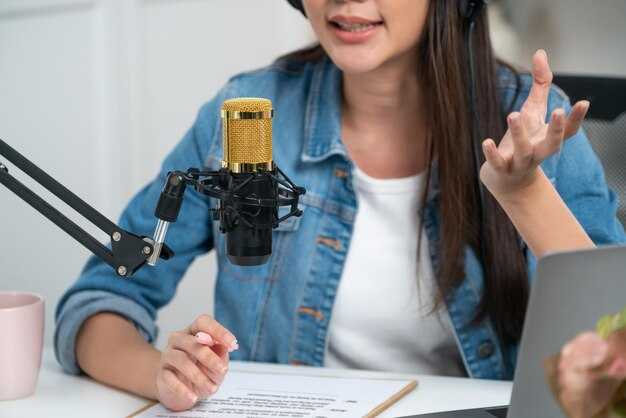
قاعدة قابلة للتنفيذ: قم بتثبيت المرئيات على نتيجة واحدة للمشتري عبر ثلاث كتل بإجمالي 60 ثانية، يتم ربط كل كتلة بإشارة مرئية ونتيجة قابلة للقياس. يؤدي التوافق الوظيفي المتعدد إلى الاستفادة من المستندات، وموجزات التسويق، وإشارات البرامج لتحسين الوضوح دون ضوضاء، ويحافظ على سلاسة التدفقات، ويركز على القيمة في كل منعطف. يقوم السرد القابل للتنفيذ فقط بتسريع الفهم.
الكتلة 1: خطاف - مونتاج سريع لخطوات الإعداد، ولوحة معلومات في الوقت الفعلي، ومجموعة من التدفقات التي توضح كيف ينتقل المشتري من التسجيل إلى القيمة الأولى. تؤكد المرئيات على الطباعة الأنيقة والجولات عبر التطبيقات التي توضح النتائج التي سيحصلون عليها قريبًا.
الكتلة 2: التعلم والاستكشاف - جولات إرشادية لميزات أساسية، وترجمات بعدة لغات. تشير استدعاءات مرئية تربط كل شاشة باحتياج حقيقي، وتحول الادعاءات المجردة إلى إشارات ذات معنى أثناء الإعداد.
الكتلة 3: خاتمة – توضيح كيفية توسع النتائج، وتوفير مسار بسيط لإكمال الإعداد، وإبراز الخطوات التالية في الوثائق. تسليط الضوء على إمكانيات التشغيل والبث حتى تتمكن الفرق من إعادة تشغيل أقسام، بينما يعرض موجز اجتماعي نجاح المستخدم وخيارات الدعم. يتوافق CTA مع النية ومستوى المشتري. يتناسب الهيكل مع فترات الانتباه القصيرة والمراجعات الأطول.
توقيت المزامنة، التركيز، والإشارات على الشاشة لتدفق طبيعي
ابدأ بإنشاء تسلسل نماذج أولي مدته 15-20 ثانية. قم بتعيين إيقاعات النسخ الدقيقة للإجراءات التي تظهر على الشاشة وتحقق من الإيقاع مقابل العناصر المرئية. ارفع التركيز على اللحظات الرئيسية لزيادة التفاعل.
نسق هذه العناصر عبر سير العمل للحفاظ على شعور احترافي، وضمان الموافقات القانونية، والعلامة التجارية المتسقة، والعرض النظيف على كل لقطة شاشة وتسمية توضيحية. استخدم الموقع الإلكتروني كنقطة مرجعية مركزية للملفات والتحديثات.
- التوقيت والإيقاع: قم ببناء خط زمني يربط كل جملة بـ تغيير سريع على الشاشة – انتقال حالة، منطقة مميزة، أو تمييز تسمية توضيحية. اترك وقفات قصيرة بعد النقاط الرئيسية لترسيخ الرسالة.
- استراتيجية التركيز: نوّع الوتيرة والتوقفات الدقيقة؛ قم بتمييز الكلمات الرئيسية في النصوص عن طريق التسميات الملونة أو العريضة، مع الحفاظ على إيقاع صوتي طبيعي يعكس كيفية تصفح القراء على موقع إلكتروني.
- الإشارات على الشاشة: قم بمزامنة التسميات التوضيحية، والأسهم، والدوائر، والتوضيحات مع اللحظات الدقيقة في النص. استخدم تعديلات الحجم وتباين الألوان لتوجيه الانتباه، وتأكد من أن الإشارات تظل قابلة للقراءة عبر لقطات الشاشة بأحجام افتراضية.
- دقة النسخ والملفات: تأكد من أن النصوص تتطابق تمامًا مع العناصر المرئية؛ احتفظ بنسخة مرجعية وتحقق منها قبل التصدير. قم بإعداد لقطات شاشة متعددة للحالات لتوضيح مراحل خط الإنتاج لمجموعة المنتجات. غالبًا ما تكون هذه الالتقاطات للحالة مرجعًا للحملات المستقبلية.
- التحقق والقياس: قم بإجراء اختبارات متابعة عبر الحملات؛ قِس الاحتفاظ، والنقر، والتحويلات. استخدم النتائج لتحسين التوقيت، والتركيز، والإشارات؛ قم بتحديث حالات الإكمال وشجع على تقديم ملاحظات مباشرة لفريق الإنتاج. هذا مفيد للفرق التي تتتبع النتائج، ويُعلم التكرار التالي.
- تسليم سير العمل: قم بتوفير حزمة نظيفة لناسخ الموقع والمبدعين، بما في ذلك مجلد مضغوط للملفات، ونص تسمية توضيحية قصير، ومذكرة موافقة قانونية. أرسل التعليمات مباشرة إلى فريق الإنتاج.
- إدارة الملفات: قم بتضمين لقطات شاشة بأحجام وحالات مختلفة؛ قم بتسمية الملفات بوضوح لدعم الأتمتة وإعادة الاستخدام في الحملات المستقبلية.
- فحص الجودة: تحقق من أن إجراءات النقر تتوافق مع السرد؛ اختبر عبر الأجهزة لضمان قابلية القراءة والتجربة المتسقة.
- المقاييس والتكرار: تتبع أي الإشارات تحقق تحويلات أفضل، والتقط النصوص والتوقيتات، ثم قم بالتعديل في التكرار التالي.
- التوثيق: احتفظ بالدروس التعليمية ولقطات الحالات في موقع مشترك لدعم العمل اللاحق والإكمال.
انضباط المبدع: عامل التسلسل على أنه قابل لإعادة الاستخدام، مع إجراء تعديلات مباشرة في المحرر؛ هذا يدعم المتابعة ويحافظ على تجربة الموقع متماسكة عبر الحملات.
تحسين تحسين محركات البحث للفيديوهات باستخدام النصوص، والتسميات التوضيحية، والبيانات الوصفية
إليك نقطة انطلاق ملموسة: انشر نصًا نظيفًا بصيغة نص عادي على الصفحة وأرفق ملف تسميات توضيحية حتى يتمكن كل من محركات البحث والقراء من الوصول إلى الحوار. عندما تكون الدقة عالية والمزامنة محكمة، تتحسن إشارات البحث ويبقى المستمعون منخرطين أثناء البث.
-
النصوص
- استهدف دقة 98-99٪ بعد المراجعة البشرية؛ يجب الاحتفاظ بسجلات التصحيحات لمراقبة الجودة.
- اكتب بلغة واضحة وطبيعية؛ قسّم الأقسام الطويلة إلى فقرات قصيرة تعكس تحولات الموضوع في الحوار.
- قم بتضمين تسميات المتحدثين (مثل، [المضيف]، [المهندس]) للمساعدة في التفسير والفهرسة؛ حدد المقاطعات والتداخلات للواقعية.
- قم بتضمين طوابع زمنية على فترات تتراوح بين 5-10 ثوانٍ وعند كل تغيير مشهد حتى يتوافق التشغيل مع التسميات التوضيحية وفهرسة البحث.
- قدم كل من النصوص النصية على الصفحة وتنسيقات التسميات التوضيحية القابلة للتنزيل (SRT، VTT) لدعم منصات البث وإمكانية الوصول.
-
التسميات التوضيحية
- قدم تسميات توضيحية مغلقة تتطابق مع الحوار والإجراءات التي تظهر على الشاشة؛ أضف تلميحات غير لفظية مثل [موسيقى]، [ضحك]، أو [غير مسموع] عند الاقتضاء.
- تأكد من أن الإيقاع يعكس سرعة الكلام؛ تجنب الأسطر الطويلة التي تربك القراء، وقم بتقسيم التسميات التوضيحية عند حدود الجمل أو العبارات الطبيعية.
- قدم خيارات لغات متعددة حيثما يتوزع الجمهور؛ قم بمزامنة كل مسار لغة مع الجدول الزمني الأصلي.
- قم بإرفاق ملفات التسميات التوضيحية بمشغل البث وانشر مصدر تسميات توضيحية قابل للقراءة آليًا لتحسين قابلية الزحف.
-
البيانات الوصفية والهيكل
- قم بصياغة عنوان دقيق: استهدف 50-60 حرفًا؛ ضع الكلمة المفتاحية الأساسية في البداية إن أمكن.
- اكتب وصفًا وصفيًا من 140-160 كلمة يلخص المحتوى، ويسلط الضوء على الفوائد، ويتضمن المصطلحات المستهدفة.
- قم ببناء فصول عن طريق ربط الحوار بالموضوعات أو الخطوات الرئيسية؛ قم بتوفير الطوابع الزمنية في قائمة سهلة الوصول للأسطح الاجتماعية والبحث.
- قم بتضمين نص بديل للصورة المصغرة يعزز الرسالة ويحتوي على كلمة مفتاحية أساسية.
- استخدم البيانات المنظمة على الصفحة للإشارة إلى السياق: مخطط يشبه VideoObject مع حقول للاسم، والوصف، والصورة المصغرة، والمدة، وعنوان المحتوى، والمؤلف، وتاريخ التحميل.
-
الاختبارات والتحسين
- قم بإجراء اختبارات متكررة (اختبارات) على متغيرات العناوين، وطول الوصف، وتغطية الفصول لقياس التأثير على الانطباعات، ومعدل النقر، ومتوسط وقت التشغيل.
- قم بمقارنة التركيز على نصوص غنية بالكلمات المفتاحية مقابل نص بسيط يعتمد على الحوار لمعرفة أيها يحقق تفاعلًا أعلى.تحليل
- تتبع الإشارات الاجتماعية: المشاركات، والتعليقات، وإضافات قوائم التشغيل؛ استخدمها كمؤشرات على الصدى ومدى وصول الجمهور المستهدف.
- راقب مقاييس إمكانية الوصول: دقة التسميات التوضيحية، ووقت وضع التسميات التوضيحية، وملاحظات المستخدم من التقنيات المساعدة لتعزيز الثقة والتجربة.
-
اعتبارات التنفيذ
- قم بتعيين مهام واضحة لأعضاء الفريق: تدقيق النصوص، وتوقيت التسميات التوضيحية، وصياغة البيانات الوصفية، والتحقق من صحة المخطط.
- ضع معالم مبكرة لإكمال النص، ووضع التسميات التوضيحية، ونشر البيانات الوصفية لتسريع دورة الإصدار.
- جدول مراجعات منتظمة للملفات المحددة لضمان الاتساق عبر مكتبة المحتوى والقنوات الاجتماعية.
- شارك النتائج: شارك الدروس المستفادة مع الفريق لزيادة الوعي بفوائد تحسين محركات البحث وإمكانية الوصول على كل مستوى.




