
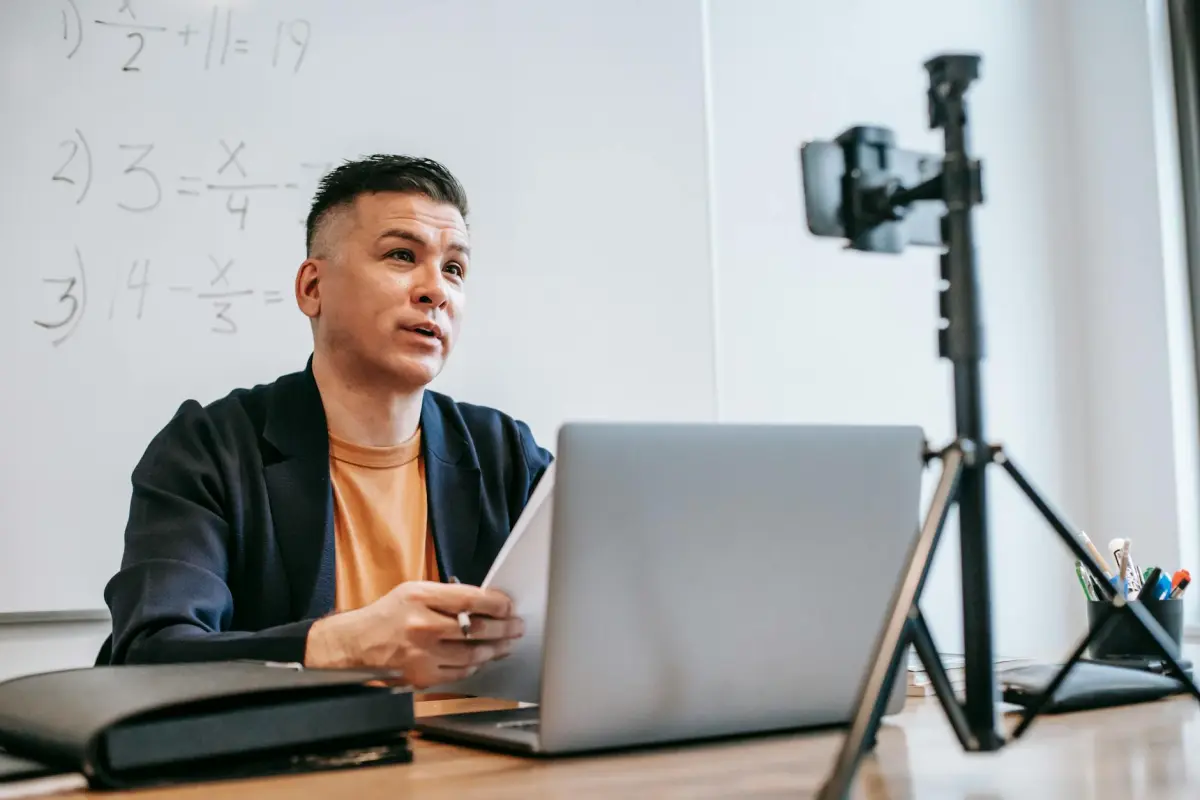

يقلل استخدام مخطط موجز وخطة من 3 لقطات من التعقيد من البداية. حافظ على نطاق ضيق: نقطة واحدة لكل جزء وفائدة واحدة قابلة للاستخلاص لكل شاشة. مع إعداد استوديو ومجموعة إضاءة، تحصل على توفير في الوقت وإعادة المحاولات؛ خطط لتعليق صوتي واضح، وصور واضحة، وميزات تدعم المتعلمين.
يُسرّع التعاون عملية الإنتاج؛ ويقلل النص الواضح من التسجيلات غير الضرورية ويوحد الصوت والتعليقات التوضيحية والصور نحو سرد معلوماتي. أشرك عددًا قليلاً من خبراء الموضوع في البداية؛ تختفي العديد من التعديلات عند مشاركة خطة رئيسية والتعامل مع النص كـ جزء من سير العمل. صمم أجزاء تتطلب تقديم مطالبتين فقط لشرحها. ضع إرشادات تتطلب الحد الأدنى من التعديلات للحفاظ على العملية موجزة. نجح هذا النهج في جعل سير العمل أكثر سلاسة عبر الأدوار.
نظم نافذة الخمس دقائق بهيكل من ثلاثة فصول: خطاف، محتوى أساسي، وخاتمة. حدد النص الظاهر على الشاشة بـ 20-40 كلمة لكل شاشة؛ دع الصور تنقل النقطة. استخدم إعداد كاميرا واحدًا للاتساق؛ هذا يحافظ على التعقيد يمكن التحكم فيه. فضل أداة تحرير موثوقة واحدة وحزمة رسومات مناسبة للاستوديو للحفاظ على سير عمل سريع ونظيف. الاستفادة من الإضاءة الطبيعية واللقطات الثابتة تعطي مظهرًا رائعًا بدون معدات ثقيلة. حافظ على التعليق الصوتي حول 130-150 كلمة في الدقيقة لتناسب مدة الخمس دقائق. ابحث عن إجابات موجزة بسرعة في التعليقات.
قِس النجاح بمقاييس واضحة: معدل الإكمال، متوسط مدة المشاهدة، وإجراءات المشاركة (المشاركات، التعليقات، إعادة التشغيل). استخدم النتائج لتحسين النصوص والمشاهد والصور للمقاطع المستقبلية - تحقيق تحسينات مستمرة بتكلفة متواضعة. حافظ على سير عمل استوديو قابل لإعادة الاستخدام؛ قم بتخزين الأجزاء في مجموعة أدوات وشاركها عبر الدورات لتوفير الوقت والحفاظ على الاتساق.
كيفية إنشاء مقاطع فيديو تعليمية قصيرة في 5 دقائق باستخدام أدوات تسجيل الشاشة
ابدأ بجلسة تسجيل شاشة واحدة باستخدام Loom؛ قم بإعداد مخطط موجز قبل البدء، مع التركيز على فائدة رئيسية يمكن لجمهورك تطبيقها فورًا. تساعد هذه الخطة حتى في البقاء موجزًا عندما يبدو الموضوع كثيفًا، وتجنب مقدمة طويلة تبطئ الوتيرة.
حافظ على بساطة البنية: خطاف، رسالة أساسية، ملخص سريع. أخبر جمهورك بما سيتعلمونه، ثم بيّن لهم ذلك. استخدم محررًا بسيطًا وتقنيات عملية لتجميع المقاطع؛ هذا يقلل من الاحتكاك ويحافظ على قصر المدة. هذا سير العمل يبقي عملك مركزًا ويحافظ على تفاعل جمهورك.
اعرض الصور باستخدام الوسائط المتعددة والرسوم المتحركة باعتدال؛ أبرز مصطلحًا واحدًا أو اثنين رئيسيين، واستخدم مقاطع الفيديو لإيضاح الإجراءات أو السياق. استمر في عرض الإجراء الأساسي بوضوح، واتبع قاعدة عملية: حدد عدد العناصر المرئية المتزامنة ببضع عناصر، مما يحسن الفهم والاستبقاء. هذا يساعد الرسالة على الوصول بشكل أسرع وبأقل قدر من التشتيت.
جودة الصوت مهمة. استخدم نبرة واضحة، سرعة ثابتة، وأقل قدر من الكلمات الحشوية. يمكن للصوت المناسب في الوقت المناسب تحويل الأفكار المجردة إلى خطوات ملموسة، مما يساعدك على تعليم المفاهيم والحفاظ على الاهتمام مرتفعًا. يمكن لهذا النهج أن يجعل المفهوم أسهل للفهم ويضمن أن المستمعين يفهمون الأشياء الرئيسية التي تريدهم أن يستخلصوها.
استخدم المكتبات والقوالب لتوفير الوقت: اختر الخطوط والأيقونات والمقاطع القصيرة التي تتناسب مع موضوعك. توجد الكثير من الأصول في المكتبات، لذا يمكنك تسريع الإنتاج دون تلويث الرسالة. تجنب الإضافات غير الضرورية التي تبطئ عملية عرض النقطة الرئيسية.
قبل النشر، قم بمراجعة سريعة للتعديل: قم بتقليم المساحات الفارغة، تحقق من التعليقات، تأكد من المدة، واضمن إمكانية الوصول. إذا لم تتمكن من التقاط كل شيء في تمريرة واحدة، قسم العمل إلى سلسلة صغيرة من المقاطع وانشرها كمجموعة متماسكة. حدد الأشياء المهمة لتعزيزها في كل مقطع.
إطار عمل مدته 5 دقائق لمقاطع الفيديو التعليمية باستخدام أدوات تسجيل الشاشة
ابدأ بإطار زمني مدته خمس دقائق: اختر مصدرًا وأهميته، اكتب نصًا موجزًا بحوالي 150-180 كلمة، وقم بتسجيل التقاط شاشة يتبع النص من البداية إلى النهاية. دعنا نتحقق من التدفق: بداية واضحة، عرض توضيحي ملموس واحد، وفائدة واضحة للاستخلاص. قدم بتقديم احترافي يدعم التعلم بسهولة ويبقي العقل مركزًا على المادة.
استخدم مزيجًا من العناصر المرئية لتناسب المادة: تشمل أنواع العناصر المرئية الشرائح، ونوافذ المتصفح، وواجهة المستخدم للتطبيقات، والرسوم البيانية السريعة. اجعل المادة مرئية فقط عندما تدعم النقطة؛ قم بالتبديل بين واجهة المستخدم والنص لتجنب التحميل الزائد. استخدم أمثلة ذات صلة لتعزيز الأهمية، وقم بتوضيح الخطوات حتى يتمكن المشاهدون من متابعة التدفق دون تأخيرات أطول.
تحقق من أن كل ثانية على الشاشة تتوافق مع النص. حافظ على إيجاز التعليقات، وتجنب الفقرات الطويلة، وقم بتحرير التسجيلات لتقليل الحشو. اذكر المصدر بوضوح في الأسفل، وأشر إلى المادة في الشريحة النهائية لـ تحسين المصداقية. يجب أن تكون الكلمات التي تختارها قابلة للتنفيذ تقريبًا وسهلة المشاركة؛ فوائد السرد الموجز تفوق التقديم المطول.
الأدوات والنهج: اختر برنامج تسجيل الشاشة لالتقاط واضح وسير عمل مبسط. إذا كنت تريد مقدمًا بدون الظهور على الكاميرا، فيمكن لـ Synthesia توفير صوت طبيعي أثناء تحكمك في الوتيرة. هذا يدعم التقديم بفعالية، ويساعدك على تحقيق نتائج التعلم بشكل أكثر فعالية.
البحث عن المواد وتحسين إطارك: ابحث عن المواد ذات المصادر القوية، وقم بتخطيطها في قوس قصير، وصياغة نص يستخدم كلمات بسيطة وخطوات ملموسة. يستجيب تقريبًا جميع المتعلمين للأمثلة ذات الصلة؛ تحقق من هذه الأشياء عبر التكرارات لتعظيم الأهمية. إذا كنت بحاجة إلى إنتاج أقصر، فاستخدم الاختصارات وقلل تسلسل النقرات للبقاء ضمن الحد الزمني لخمس دقائق، مما يؤدي إلى تسجيل موجز يسهل استيعابه.
حدد الفائدة الأساسية وهيكل مدته 60 ثانية

اختر فائدة أساسية واحدة وشكّل كل سطر حولها؛ هذا الرابط يعمل كدليل للمتعلمين ويحافظ على المحتوى الخاص بك بسيطًا وسهلًا ولا يُنسى في جميع مقاطع الفيديو.
هيكل 60 ثانية: 0-10 ثوانٍ خطاف، 10-40 ثوانٍ شرح للمحتوى الأساسي بمثال بسيط مثالي للمتعلمين، 40-60 ثانية خاتمة تذكر الفائدة مباشرة وتخبر المتعلمين بما يجب فعله بعد ذلك. استخدام تنسيقات مثل عمودي أو مربع لتناسب المنصات. الإطار يأخذ رسالتك ويجعل الفائدة الرئيسية واضحة.
ابدأ بشيء ملموس يوضح الفائدة الأساسية؛ استخدم أسلوبًا بصريًا بسيطًا وتنسيقات تناسب المنصة؛ تحدث مباشرة إلى المتعلمين بصوت بسيط وملموس؛ الهيكل ينقل المشاهد من الفضول إلى الإجراء.
الوتيرة والتخطيط المرئي: احتفظ بشكل واحد على الشاشة، وحدد النص الظاهر على الشاشة، واستخدم المطالبات لتوجيه التفكير؛ هذا الشكل يرسخ السرد ويدعم الانتشار عبر الأجهزة.
المحتوى والتفاعل: أضف مطالبة تفاعلية، ثم أجب باختصار؛ هذا يخلق تفاعلًا وفائدة لا تُنسى، مما يمنح المتعلمين خطوة تالية واضحة وفهمًا أسرع.
توفر القوالب التي تم إنشاؤها لسير العمل هذا نظامًا قابلاً للتكرار؛ استخدم هذه القوالب لقضاء وقت أقل في التحضير ووقت أطول في تحسين التأثير؛ يمكن لورش العمل تطبيق الإطار على تنسيقات متنوعة، مما يضمن بقاء كل شيء واضحًا ولا يُنسى، وهذا النهج يعطي نتائج متوقعة.
اختر مسجل شاشة خفيف الوزن وإعدادًا سريعًا
استخدم تطبيق Loom الخفيف الوزن لسطح المكتب لبداية سريعة: قم بالتثبيت، وتسجيل الدخول، وحدد تسجيل الشاشة بدقة 1080p/30fps مع تصدير MP4. في الطبقة المجانية، يقتصر طول المقطع على 300 ثانية، مما يجعل دورات الإنتاج قصيرة والملفات النهائية قابلة للإدارة. ينتج عن هذا التقاطات واضحة بأقل تأخير، مما يجعلها مثالية لدرس موجز ذي تمريرة واحدة يركز على العناصر المرئية الأساسية.
للعمل دون اتصال مع تراكبات قوية، يوفر ScreenPal (المعروف سابقًا باسم Screencast-O-Matic) ميزتي Screen Only و Screen + Webcam، مع تمييز بسيط للمؤشر وتراكبات للعناوين. بعد التثبيت، قم بتعيين الإخراج إلى MP4، 1080p، 30fps، وتمكين الصوت. يستغرق الإعداد السريع أقل من خطوتين، مما يجعله عمليًا لسلسلة سريعة من المقاطع حول موضوع معين.
إليك بروتوكول سريع: اختر مسجلًا أساسيًا واحدًا وأعد استخدامه عبر سلسلتك؛ حافظ على هادفة التراكبات - يجب أن تعزز الخطوات، لا أن تشتت. خذ مقطع اختبار مدته 10 ثوانٍ للتحقق من الالتقاط في الوقت الفعلي والصوت، ثم اضبط قبل النشر. يمكنهم تطبيق قاعدة: استهدف الاتساق، استخدم نفس القالب عبر المنصة لتوفير الوقت، وتأكد من أن الجودة تتناسب مع الجمهور. إذا كنت تخطط على المدى الطويل، ففكر في مقدمات بأسلوب Synthesia للحفاظ على العلامة التجارية مع الحفاظ على وضوح العناصر المرئية. هذا النهج يحترم قيود الطاقة لديك ويتناسب مع المنصات التي تدعم لغات متعددة، مع السماح لك بالابتعاد عن التحرير الثقيل. العبارة هنا بسيطة: السرعة والوضوح والعمليات المتكررة تقود إلى النتائج.
| المسجل | لماذا يتألق | أفضل استخدام | المنصات | الحد |
|---|---|---|---|---|
| Loom | إعداد سريع جداً؛ 1080p/30fps؛ تصدير MP4 | شروحات قصيرة؛ لقطات سريعة | Windows، Mac، ويب | حد الفئة المجانية: 300 ثانية لكل مقطع |
| ScreenPal | خيار غير متصل بالإنترنت؛ تراكبات؛ تسميات توضيحية | دروس إرشادية | Windows، Mac | خطط مدفوعة تضبط الحدود |
سجل بصوت واضح وتخطيط بسيط على الشاشة
استخدم ميكروفون USB قلبي، وضعه على بعد 6-12 بوصة من الفم، وأضف فلتر بوب. اضبط الالتقاط على 44.1 كيلو هرتز، 16 بت، في غرفة هادئة ذات أسطح ناعمة لامتصاص الصدى. انقل لوحة المفاتيح خارج الإطار أو قم بكتم الصوت عندما لا تتحدث؛ هذه الخطوات تقلل من الضوضاء. النتيجة هي مسار صوتي نظيف لمشاركة الدروس بفعالية؛ هذا هو خط الأساس العملي لشرح النقاط الأساسية.
تخطيط الشاشة: اختر من بين ثلاثة خيارات للمرئيات: 1) رأس نظيف مع قائمة نقطية واحدة؛ 2) شاشة مقسومة معك على جانب ورسم بياني رئيسي على الجانب الآخر؛ 3) فيديو بملء الشاشة مع تسميات توضيحية. استخدم خطًا واحدًا، وتباينًا عاليًا، ونصوص عنوان كبيرة لدعم الأهداف. ضع الكاميرا على مستوى العين لتقليل إمالة الرأس، وحافظ على حركة خفية؛ مقطع رسوم متحركة قصير يمكن أن يبرز مصطلحًا دون تشتيت. يجب أن تظل المرئيات متسقة عبر المشاهد وتتماشى مع تدفق الخطوات.
أثناء التسجيل، تتبع صوتك ومرئياتك مقابل أهداف الدراسة. استخدم نمط كاميرا مباشر أو شاشة مباشرة لتوضيح الخطوات؛ تحقق من المستويات باستخدام مقياس يصل إلى حوالي -6 ديسيبل، ثم اترك مساحة للقمم. إذا انخفض مستوى الصوت، توقف وأعد التحدث؛ فكر في ميكروفون ثانٍ إذا كانت الغرفة صاخبة. للحصول على استمرارية أفضل، احفظ ثلاث تسجيلات واختر الأفضل بشكل عام. يجب أن يكون المسار النهائي نظيفًا؛ ادمجه مع المرئيات وأضف تسمية توضيحية قصيرة لكل من الأشياء الثلاثة. قبل المشاركة، راجع التدفق والتوقيت، وتأكد من أن المرئيات تدعم شرح ثلاث أفكار أساسية: الأهداف، والأساليب، والنتائج. هذا يعزز قوة الرسالة ويساعد على الدراسة والاستيعاب. نصيحة أخرى: قم بمعاينة على شاشة صغيرة للتأكد من سهولة القراءة عبر الأجهزة.
أضف تلميحات مرئية: تعليقات توضيحية، تمييزات، وترجمات
توصية: قم ببناء خريطة تلميحات قبل التحرير؛ ضع 2-4 تلميحات لكل مشهد، كل منها محدود ببضع كلمات؛ اجعلها متوافقة مع المحتوى المنطوق حتى يتمكن المتعلمون أيضًا من القراءة والمشاهدة دون توقف. للتنفيذ، نوصي بخط أساس قدره تلميحان لكل جزء، لأن هذا النهج يحافظ على الوتيرة ثابتة وسهلة للمراجعة السريعة.
يجب أن تظهر التعليقات التوضيحية بالقرب من حافة المرئيات، وليس فوق التفاصيل الرئيسية. مع الأخذ في الاعتبار سياق الحياة أيضًا، استخدم تسميات بسيطة ونمط "مرئيات أولاً" يساعد المتعلمين عندما يتم تشغيل تلميح صوتي. تتطلب هذه التلميحات معايرة دقيقة لتجنب الازدحام. يجب أن يكون النص قصيرًا ومنظمًا حتى يتمكن المستخدمون من مسح المحتوى أثناء الاستماع.
يجب أن تستخدم التمييزات مخططًا عالي التباين حول المرئيات الرئيسية؛ اختر لونًا يشير إلى الأهمية (أصفر على داكن، سماوي على فاتح). تجنب الوميض؛ حافظ على الحركة الدنيا لتجنب التشتيت. بالنسبة للمتعلمين ذوي الإنجازات العالية، يساعد ترميز المفاهيم المتكررة باللون على الذاكرة؛ قم بإرفاق شارة صغيرة بأسلوب الأخبار في المنطقة حتى يتمكن المشاهدون من رؤيتها بنظرة سريعة.
يجب أن تكون الترجمات دقيقة ومتزامنة مع الكلام؛ قدم تسميات المتحدث عندما تظهر أصوات متعددة؛ حافظ على كل سطر قصيرًا (سطر أو سطرين لكل شاشة) حتى يظل المحتوى قابلاً للقراءة. استخدم خطًا بسيطًا مع مربع خلفية ناعم لتحسين سهولة القراءة؛ إذا ظهر اختصار أو نطق غير عادي، فقدم تلميحًا نطقًا سريعًا. من أجل إمكانية الوصول، قم بتوفير ملف نصي منفصل يمكن للمستخدمين تنزيله أو إعادة استخدامه للبحث.
الاختبار والتحسين: قم بإجراء جولة سريعة مع متعلمين لديهم احتياجات مختلفة؛ اجمع التعليقات حول سهولة القراءة، والوتيرة، وما إذا كانت التلميحات تساعد دون أن تسحب الانتباه عن المحتوى. ركز على عدد التلميحات لكل مشهد؛ إذا أبلغ المستخدمون عن ارتباك، فقلل إلى تلميحين لكل جزء واضبط الصياغة. يجب أن يظل سير عمل التحرير منظمًا وسهلًا بالنسبة لك لإدارته؛ هذا يجعل العملية أسرع ويساعد على سهولة الرجوع. أظهرت النتائج من الاختبارات السريعة أن هذا النهج يحسن الاستدعاء ونقل الأفكار القائمة على المهارات. هذا النهج يستند إلى تجارب عملية.
القص، التسميات، والتصدير: ما بعد الإنتاج السريع
قم بالقص إلى 60-90 ثانية، إزالة الحشو، وضع الفكرة الأساسية في أول 15-20 ثانية لجذب الانتباه وتسريع الفهم. هذا النهج يحافظ على درس حياتك واضحًا ومفيدًا بشكل مباشر للطلاب، ويقلل من الضوضاء ويحافظ على وتيرة ثابتة.
- استراتيجية القص: حدد خطًا سرديًا واحدًا يتماشى مع القراءة على الشاشة والإيقاعات المرئية. قم بقص جميع التجاوزات، وإزالة الإطارات المزدحمة، وتأكد من أن كل قطع يدفع القصة إلى الأمام. يجب أن تبدو النتيجة وكأنها جلسة استوديو نظيفة بدلاً من اختبار شاشة مزدحم، مما يساعد الجمهور على البقاء منخرطًا عبر فترات زمنية وأجهزة مختلفة.
- التسميات والترجمة: قم بإنشاء تسميات دقيقة متزامنة مع السرد، مع اقتصار الأسطر على سطرين على الشاشة. قدم ترجمات للوصول إلى فئات لغوية مختلفة؛ التسميات تدعم سرعة القراءة وإمكانية الوصول. إنها ذات قيمة خاصة عندما يشاهد الطلاب بدون صوت أو في أماكن مشتركة، مما يجعل المحتوى قابلاً للاستخدام في المناطق الصاخبة والفصول الدراسية المتنوعة.
- إصدارات التصدير: قم بإنشاء الإصدار أ للعرض في الفصول الدراسية، والإصدار ب للمشاركة عبر الإنترنت، والإصدار ج للوصول دون اتصال بالإنترنت. يحافظ كل ملف على دعوة لاتخاذ إجراء وهوية بصرية متسقة، مما يوفر الوقت عندما تحتاج إلى نشر الأخبار أو تكييف موادك لمنصات مختلفة. هذا النهج المعتمد على الإصدارات يتجنب التكرار ويحافظ على سير العمل نظيفًا.
- الصوت والمرئيات: تطبيق تقليل الضوضاء، وتوحيد المستويات، والتحقق من دقة مزامنة الشفاه. المسار الصوتي المزدحم يفسد التعلم؛ استهدف صوتًا واضحًا وثابتًا مع حد أدنى من التشويش وحجم ثابت. استخدم تدرجًا لونيًا محدودًا وطباعة واضحة لتقليل الحمل المعرفي والحفاظ على التركيز على الدرس الأساسي.
- التخطيط والوتيرة: استخدام نصوص موجزة على الشاشة لمدة 3-4 ثوانٍ لكل سطر وملاحظات نقطية موجزة لتعزيز النقاط دون طغيان السرد. تتناسب هذه الإيقاعات مع كل من الاستهلاك السريع وجلسات القراءة الطويلة، وتدعم أنماط التعلم الشائعة وتحافظ على سهولة الوصول إلى المحتوى.
- ملاحظات تفاعلية وتلميحات استوديو: تضمين مطالبات تفاعلية دقيقة (استطلاعات، مطالبات تأمل سريعة، أو تنبيهات) لتعزيز المشاركة دون كسر التدفق. في مقابلة أو إعداد استوديو، حافظ على إيقاع ثابت حتى لا يشعر الطلاب بالاستعجال ويمكنهم استيعاب الأفكار الرئيسية في تمريرة واحدة.
- حلقة التغذية الراجعة: قم بإجراء مراجعة سريعة مع مجموعة صغيرة من الطلاب لجمع تعليقات عملية حول سهولة القراءة، ودقة الترجمة، والوتيرة. استخدم الرؤى لتحسين الإصدار قبل المشاركة النهائية، مما يضمن بقاء المواد ذات صلة بالحياة اليومية والأخبار الحالية.
قائمة تدقيق سريعة: تحقق من أن الفكرة الرئيسية الافتتاحية واضحة، وأن التسميات التوضيحية دقيقة، وأن الترجمات تُعرض بسلاسة، وأن الإصدار النهائي ينتقل بسلاسة عبر الأجهزة. ركز على مستوى الوضوح الذي تريد أن يحققه جمهورك، وتأكد من أن دعوة اتخاذ الإجراء واضحة وقابلة للتنفيذ. تذكر، الوضوح أفضل من الإسهاب؛ اجعل المحتوى موجزًا، بقصص تترجم إلى تطبيقات واقعية وحافظ على المشاركة بوتيرة ثابتة. إذا كنت ترغب في الوصول إلى جمهور واسع، فقم دائمًا باختبار المقطع في ظروف قراءة ولغات مختلفة، ولا تنسَ دعوة التعليقات لتحسين الإصدار التالي، وسترى تحسينات أسرع وصولًا أوسع عبر مجتمعك.




