
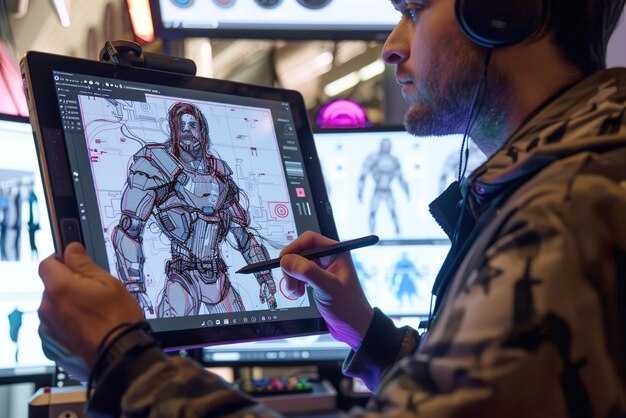
من أين تبدأ: قم برسم اللقطات على لوحة القصة، واختر نسب الإخراج (الأكثر شيوعًا: 16:9، 9:16، 1:1)، وصياغة موجز موجز يرسخ الإضاءة والمزاج والحركة.
هذا المزيج يفيد الهواة والمحترفين: المحاذاة المبكرة بين صانعي الأفلام و الرسامين تضمن الاستمرارية، بينما يتولى الذكاء الاصطناعي الرسوم المتحركة والعمق، مما يتيح لـ style3d المرور عبر المشاهد مع الحفاظ على المنطق المكاني.
حدد إشارات محددة: الإضاءة، اتجاهات الكاميرا، تحولات الحركة، وتغيرات المنظور، ثم قم بتشغيلها خلال تدفق الذكاء الاصطناعي دون انحراف، بينما تساعدك تلك الضوابط الافتراضية على التحقق من كل إطار للحد من الأسئلة لاحقًا في العملية.
للتوسع، بسّط الحلقة: الأصول المعيارية ومكتبة المطالبات القابلة لإعادة الاستخدام تقطع وقت التكرار، مع الحفاظ على معظم المظهر الأساسي عبر الأفلام. استخدم خط أنابيب style3d للحفاظ على تناسق العمق، واعتمد على الكاميرات الافتراضية عند الاقتضاء لمحاكاة الحركات المعقدة دون استنزاف الموارد.
إنشاء مقاطع فيديو سينمائية بالذكاء الاصطناعي من الرسومات: دليل عملي
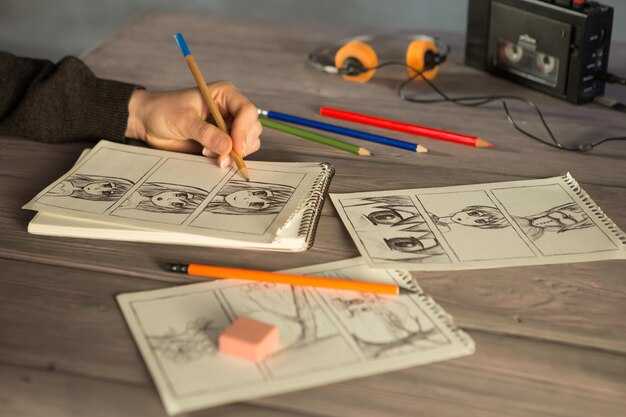
ابدأ برسم واضح كمصدر إدخال ومطالبة محددة بدقة لتوجيه الحركة و الإضاءة و الصوت المولدة بالذكاء الاصطناعي؛ وهذا يتيح التخصيص ويمهد الطريق للنماذج الأولية التي يمكنك التحقق من صحتها قبل الإنتاج الكامل.
ارسم اللغة المرئية عن طريق سرد الأنماط و الشخصيات مبكرًا؛ قم بتخزين النماذج الأولية في مكتبة للوصول السريع، مما يتيح عروضًا قابلة للتكرار باستخدام مطالبة واحدة. استخدم خط أنابيب مولد بالذكاء الاصطناعي يمكنه دمج الأصول والحركة و الصوت للحفاظ على سير العمل القابل للتخصيص.
اعتنق عقلية "تصميم نعم" لتسريع تكرار العناصر المرئية والإيقاع و الأنماط، حتى تتمكن من استبدال الدافع بسرعة دون زعزعة بنية المشهد. كرر توازن الألوان باستخدام سير عمل محاكى بفرشاة هوائية لتعزيز الواقعية مع الحفاظ على الإبداع.
اضبط اختيار النموذج بمقارنة اختبارات صغيرة النطاق مع خط أساس لقياس نتائج التصور؛ وهذا يحدث ثورة في طريقة ترجمة الفرق بين الرسومات إلى المزاج والحركة. إنه يقدم نتائج يمكن التنبؤ بها، ثم يضيف تحسينات حسب الحاجة، حيث يكون التوازن بين التحكم والعفوية مهمًا. حافظ على سير عمل يعمل بدون ركود ويحتضن حلقات التغذية الراجعة المستمرة.
حافظ على مكتبة مرنة من الأصول المخصصة، مع علامات بيانات وصفية لـ الأنماط والمواقع و الشخصيات. قم بإنشاء موصلات لنقاط نهاية واجهة برمجة التطبيقات حتى تتمكن من التكامل مع خطوط الأنابيب الحالية لبعض التكرار السريع، مما يضمن محاذاة المخرجات المولدة بالذكاء الاصطناعي مع المزاج والإيقاع المستهدف. تتبع النتائج في لوحة تصور خفيفة الوزن لاكتشاف الانحراف والحفاظ على مزامنة الصوت قيد الفحص.
جهز مدخلات رسم واضحة واختر مولد فيديو AI متوافق
اختر أداة تقبل خطوط إدخال واضحة وتدعم النقل الفوري إلى الحركة. لتحقيق نتائج واقعية، تحقق من أن المحرك يمكنه رسم الخطوط إلى نماذج الحركة الأساسية دون تشويه.
تأكد من أن مدخلات خط الأساس نظيفة: ضربات جريئة، مسافات متسقة، وتباين عالٍ لتبسيط التعرف بواسطة نموذج الذكاء الاصطناعي. تجنب التظليل الذي يمكن أن يشوش اكتشاف الحواف.
يجب أن تشمل خيارات التصدير PNG و SVG أو مخططات المتجهات حتى تتوسع العناصر المرئية عبر خيارات نسبة العرض إلى الارتفاع. هذا يحافظ على حدة العناصر المرئية عند التبديل بين تنسيقات 16:9 أو 9:16 أو مربعة.
اختر مولدًا بمعاينة في الوقت الفعلي ومزامنة شفاه. فهي تسرع التكرار وتقلل التخمين للوسائط التي تحتاج إلى محاذاة الكلام مع أفواه الشخصيات.
استكشف سير العمل المسبق حول firefly و doodly كنقاط انطلاق. فهي تتيح النقل السريع لمفاهيم الرسم إلى تسلسلات رسوم متحركة، مع الحفاظ على التحكم من خلال المطالبات.
صيغ المطالبات التي تصف اللون والإضاءة وزاوية الكاميرا والحركة، وترسيخ العناصر المرئية في نقطة محددة في الرسم. استخدم القوالب في الأداة لتوجيه الصياغة وكتابة مطالبات موجزة لتبسيط العملية الإبداعية.
فكر في مستويات: توفر الخيارات الموجهة للتعليم دقة أقل ومطالبات محدودة، بينما تفتح المستويات الاحترافية مخرجات دقة أعلى ومطالبات أكثر ومعالجة أسرع، مما يحافظ على السرعة عبر التكرارات.
ادمج الصوت مبكرًا: قم بمحاذاة سرعة الموسيقى مع إيقاعات الحركة، ومكّن مزامنة الشفاه حتى تتبع سطور الحوار بشكل طبيعي. هذا يقلل من العمل اللاحق ويواكب قابلية تسليم الوسائط النهائية.
ضع في اعتبارك محاذاة نسبة العرض إلى الارتفاع والعناصر المرئية: حدد نسبة العرض إلى الارتفاع مبكرًا، واضبط معدل الإطارات، وخطط للتصديرات لقنوات التوزيع. يمكن تعديل المطالبات المعدة مسبقًا لتناسب 16:9 أو 9:16 أو 1:1 دون إعادة التفكير في المفهوم.
فكر إلى الأمام بخارطة طريق مدتها 10 أشهر لمشروع: قم برسم معالم رئيسية لنتائج التعليم، وأعد استخدام سير العمل عبر مشاهد متعددة. إنها تنقل المعرفة بين فرق صانعي الأفلام والرسامين، وتفتح إمكانيات.
إنشاء قائمة لقطات ولوحة قصة للعرض بواسطة الذكاء الاصطناعي من الرسومات
التوصية: ابدأ باستخراج الرسومات على الورق ورسم كل إشارة إلى قائمة لقطات، ثم قم بتجميع لوحة قصة تقارن العناصر المرئية بالمطالبات. هذا النقل للأفكار من الورق إلى الإطارات يسرع عرض الذكاء الاصطناعي ويحافظ على النية الإبداعية سليمة.
حدد المعلمات الأساسية قبل رسم الإطارات: نسب العرض إلى الارتفاع (نسب 16:9، 9:16، 1:1)، أحجام الإطارات، ولغة الحركة، بما في ذلك السرعة. لكل عنصر، لاحظ هدف المشهد، وزاوية الكاميرا، ونوع الانتقال. قم بإنشاء حلقة نماذج أولية: اختبر عروض الفيديو من الرسومات، واضبط المطالبات، وشّد المحاذاة مع رؤيتك. يدعم هذا النهج بشكل خاص الإبداع في ظل المواعيد النهائية الضيقة.
قم بتطوير قالب قائمة لقطات يمكن لمولد الذكاء الاصطناعي قراءته: حقول للمشهد، الوصف، نوع الإطار (CU، MS، Wide)، النسب، السرعة، مسار الحركة، ملاحظات الإضاءة، والمطالبات. احتفظ بعمود منفصل للاختلافات لالتقاط اللقطات السريالية. استخدم هذا كعمود فقري لمشاركة الوسائط والأصول التسويقية.
استخدم الاختلافات: لكل إطار، استكشف لوحات الألوان والأنسجة ومنحنيات الحركة لصياغة اختلافات سريالية. أفكار المطالبات: تحولات الإضاءة، تراكبات حالمة، وانتقالات غير متوقعة. كرر في حلقة نماذج أولية واختر أفضل النتائج للوحة القصة.
تشمل المخرجات لوحة قصة نهائية، وقائمة لقطات مفصلة لكل إطار، وحزمة مطالبات جاهزة لمولد الذكاء الاصطناعي. استخدم سير عمل reelmind لتخزين الوسائط، وتتبع التكرارات، وتمكين المشاركة مع فرق التسويق والإعلام. إذا اختبرت باستخدام firefly، قم بتخصيص المطالبات لكل لقطة لمقارنة المخرجات. هذا يدعم أصول التسويق الأسرع واتساق العلامة التجارية، مع السماح للإبداع بالتنفس من خلال النقل من الورق إلى الشاشة.
إنشاء خط أنابيب قابل للتكرار: رسم → فيديو AI → تحرير وتدرج لوني
اعتمد قالبًا ثابتًا وقابل للتكرار: حول الرسم إلى فيديو AI باستخدام مكتبة مطالبات واحدة، مع الحفاظ على الاتساق في اللون والإيقاع، ثم ابدأ التحرير والتدرج اللوني على مخطط زمني نظيف ومتسق. أيضًا، قم بتخزين الأصول في هيكل ملف مخصص مع مجلد إدخال ومجلد إخراج لمنع الانحراف.
- هيكلة المدخلات
- اضبط معدل الإطارات (24 أو 30 إطارًا في الثانية) ونسبة العرض إلى الارتفاع (16:9 أو عمودي)؛ حدد المدة الأساسية والإطارات الرئيسية لترسيخ لوحة القصة.
- قم بتجميع قائمة أفكار بنغمات كوميدية ومرحة؛ حدد مراجع الحركة، زوايا الكاميرا، وإشارات الإضاءة لتوجيه كل من توليد الذكاء الاصطناعي والتحرير اللاحق.
- قم بتنظيم المطالبات والأصول في ملف أساسي؛ افصل الرسومات إلى مجلد مسمى بوضوح لإعادة الاستخدام السريع.
- توليد فيديو AI
- قم بتشغيل دفعة من 3-6 اختلافات باستخدام مكتبة مطالبات متسقة؛ قم بقفل إعدادات العرض للحصول على لون وإضاءة مستقرين عبر المخرجات.
- قم بتقييم الاختلافات من حيث استمرارية الإطار والمحاذاة مع لوحة القصة؛ اختر أفضل تطابق وصدّر فيديو أساسيًا إلى ملف مرحلي.
- حافظ على نسيج العناصر المرئية عن طريق تطبيق لغة كاميرا موحدة وإشارات إضاءة عبر الاختلافات.
- التحرير والتدرج اللوني
- قم بالاستيراد إلى محرر احترافي؛ ضع المقاطع على مخطط زمني واحد واقطعها للحفاظ على إيقاع ضيق نحو القوس السردي.
- قم بتطبيق التدرج اللوني باستخدام LUTs وتعديلات يدوية لتوحيد النغمة؛ قم بتكييف التعديلات مع التصميم الرقمي أو ثلاثي الأبعاد المختار (style3d، مظهر كوميدي).
- أضف تعليقًا صوتيًا، ومؤثرات صوتية، وموسيقى لرفع المزاج؛ تأكد من المزامنة مع إيقاعات الحركة وانتقالات الإطارات.
- التحقق من تزامن الصوت، والاستمرارية، والتشوهات؛ التأكد من أن كل إطار يحافظ على الفكرة والجمالية المقصودة.
- توثيق التعديلات في دليل موجز و إنشاء قائمة تحقق سريعة للدورات التالية؛ تطبيق عمليات عرض أسرع للموافقات.
- تسجيل الملاحظات في ملف مركزي وتطبيق التغييرات على الدفعة التالية لزيادة الكفاءة.
- أرشفة النسخ الأصلية، والنسخ الوسيطة، وملفات المشاريع بتسميات متسقة؛ تسجيل إصدارات الأدوات وإعدادات العرض في ملف مخصص.
- بين التكرارات، احتفظ بنسخة واحدة غريبة الأطوار ونسخة واحدة أكثر تحفظًا لتوسيع الأفكار.
- مشاركة مخطط موجز مع الزملاء للتوافق على الأهداف والحفاظ على المعايير المهنية.
استخدام الذكاء الاصطناعي في سير عملك: متى تعتمد على الذكاء الاصطناعي مقابل التحسين اليدوي
ابدأ بالذكاء الاصطناعي لتوليد مرئيات ورسوم متحركة أساسية تلقائيًا، وكن لديك مفهوم واضح ودقة قابلة للتحقيق؛ احتفظ بالتحسين اليدوي للنسيج، والتوقيت، والحركة الدقيقة.
يمكن للذكاء الاصطناعي التقاط الأفكار بسرعة على الورق وتحويلها إلى عروض أولية، بما في ذلك تسلسلات سريالية، ولكن يجب تعديل تدرج الألوان والعمق يدويًا لتجنب مظهر مسطح.
تسمح لك المنصات ذات الأدوات القابلة للتخصيص بتكييف الرسوم المتحركة والمرئيات؛ يمكن للذكاء الاصطناعي أتمتة المحاذاة لمزامنة الشفاه وتوقيت التعليق الصوتي، بينما يتقن اللمس البشري النطق والمزاج.
الدقة وخطوط العرض: قم بتشغيل مراحل الذكاء الاصطناعي لتسريع العملية، ثم قم بعرض التسلسلات النهائية بدقة عالية بعد التعديلات اليدوية.
سير عمل التحرير: ضمن جلسة واحدة، أفكار ترسمها على الورق، يتم تحويلها إلى مشاهد رقمية، ثم يتم تحسينها: توازن الألوان، والظلال، وتفاصيل النسيج.
التعاون مع المعلمين والمخرجين: شارك مسودات الذكاء الاصطناعي على المنصة، واطلب الملاحظات، وكرر العمل حتى تبيع المرئيات المفهوم.
تنفيذ فحوصات الجودة: الحركة، والاستمرارية، وتزامن الصوت، والاتساق البصري
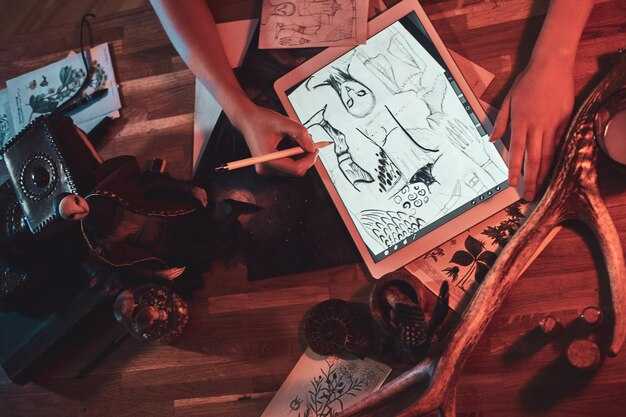
قم بتشغيل فحص جودة تلقائي فور الانتهاء من العرض باستخدام وحدة برامج متخصصة تحدد خلل الحركة، وانحراف الاستمرارية، وعدم محاذاة الصوت، وتحولات الألوان عبر التسلسلات. اختر خط أساس من المشاريع السابقة وقم بتخصيص العتبات حسب الجوانب وهدف التسليم؛ أنتج تقريرًا نظيفًا بعلامات نجاح/فشل وملخصًا جاهزًا وسهل المشاركة لسير عمل الإعلانات والإنستغرام.
فحص الحركة: قم بقياس حركة كل إطار باستخدام التدفق البصري أو مطابقة الكتل؛ احسب إزاحة RMS والزخم عبر الإطارات. حركة RMS مقبولة: 0.3-0.6 بكسل لكل إطار للمقاطع المستقرة؛ ما يصل إلى 1.0-1.5 بكسل للحركة السريعة الشبيهة بالرسم السريع، وأكثر من 1.5 بكسل يؤدي إلى تنبيهات. إذا ظهرت ارتفاعات، قم بتشغيل التثبيت تلقائيًا أو اضبط توقيت الإطارات؛ احتفظ بنقاط التحول التي تشير إلى الحركة المقصودة.
فحص الاستمرارية: تتبع الإضاءة، ودرجة حرارة اللون، والظلال، والتعرض عبر التحولات. استخدم منحنى مرجعي نظيف ومطابقة الهيستوغرام للحفاظ على مظهر متسق بين اللقطات. ابحث عن عدم التطابق حول نقاط التحول أو التحولات في المنظور التي تكسر الزخم؛ قم بتعيين درجة استمرارية من 0 إلى 1، وقم بتطبيق LUT مخصص تلقائيًا إذا انخفضت الدرجة عن 0.8، مما يشير إلى الحاجة إلى محاذاة تدرج الألوان.
تزامن الصوت: قم بتشغيل الارتباط المتقاطع بين شكل الموجة الصوتية والإشارات المرئية (حركة الشفاه أو المقاطع الصوتية المتطابقة). اضبط التسامح في حدود ±25 مللي ثانية للكلام، ±40 مللي ثانية للحظات حرجة لمزامنة الشفاه، و ±60 مللي ثانية للإشارات المحيطة. تأكد من المحاذاة عبر التسلسل؛ إذا تم اكتشاف انحراف، اضبط الجدول الزمني أو أعد ترميز الصوت مع إعادة معاينة طفيفة؛ قم بإنشاء سجل يوضح توزيع الإزاحة والتصحيحات الموصى بها.
الاتساق البصري: فرض خط أنابيب تصميم واحد يغطي اللون، والحبيبات، والتوهج، ونعومة الحواف. قم بتثبيت نسب العرض إلى الارتفاع وتجنب الاقتصاص في منتصف التسلسل؛ قم بتطبيق مطابقة الهيستوغرام للحفاظ على توازن الألوان عبر المشاهد؛ تحقق من اتساق النسيج على الورق، والقماش، وخطوط الرسم؛ حافظ على تناسق الحركة والإضاءة، بما في ذلك حركة الدوران والبحث عن عدم تطابق محتمل. استخدم مقياسًا إدراكيًا مثل SSIM للوصول إلى أعلى من 0.92 للمقاطع النظيفة.
تكامل سير العمل: قم بتجميع قالب جودة جاهز يتضمن مقاييس مثل motion_rms، و continuity_score، و audio_sync_offset، و visual_coherence_score. قم بتصدير النتائج بتنسيق JSON وأرفقها ببيانات وصفية للأصول؛ قدم اقتراحات محددة بدرجات رقمية ومجموعة من الإجراءات التصحيحية؛ قم بتمكين التبسيط عن طريق مشاركة النتائج مع الفرق التي تتعامل مع الأصول الإعلانية ومنشورات الإنستغرام.
الأتمتة والتخصيص: قم بتعيين العتبات الافتراضية حسب الجوانب، ثم اسمح للمشاريع المتخصصة بتخصيص القيم؛ قم بتطبيق خوارزميات مخصصة تعدل سلوك كل مشهد تلقائيًا؛ قم بإرجاع تقرير نظيف وجاهز لاتخاذ القرار؛ قدم خيارات مثل النجاح أو الحاجة إلى المراجعة والتحويل إلى مواصفات خاصة بالمنصة.
التحليلات والتكرارات: تتبع زخم الحركة، ونقاط التحول، واتساق النسيج في حلقة مدفوعة بالتصميم. تساعد هذه الرؤى في تبسيط خطوط الإنتاج الإبداعية، وتحويل الرسومات إلى تسلسلات مصقولة جاهزة للمشاركة؛ تحدث المعجزة عندما ترفع جودة الدقة الأصول النهائية للحملات الإعلانية وخلا خلاصات الإنستغرام.




