
توصية: الخطوة الأولى: قم بتمكين مولد مجاني مدعوم بالذكاء الاصطناعي ينتج سلسلة إطارات من منظور "فوق الكتف" لالتقاط الحركة الطبيعية. يصبح الرسم السريع مخططًا دليلًا مفيدًا للمسودة الأولى للتسلسل، مما يقلل من وقت التكرار.
ملاحظات إصدار نوفمبر تسلط الضوء على ميزة مدفوعة بالقواعد تقوم بترجمة مخطط خام إلى تسلسل إطارات متماسك مع الحفاظ على الحركة. يتم تدريب المحرك على المشاريع السابقة، مما يوفر نتيجة متوقعة عبر المشاهد ويقلل من إعادة العمل.
تسمح أزرار التعريب للفرق بتكييف المطالبات لتفضيلات إقليمية، لذلك ما تتوقعه كل فرقة محلية يظهر في التسلسل. هذا التحسين في التجربة يساعد على مواءمة الأهداف الإبداعية عبر أصحاب المصلحة والمناطق الزمنية.
بالنسبة للممارسين، فإن تبني لوحات القصة كعملية تركز على البيانات يدعم التكرار الأسرع. يمكن لمولد مجاني تصدير مجموعة من الإطارات المناسبة للسرد، وهي مناسبة للمراجعات الداخلية وقوائم اللقطات الأولية.
تعمل حيل التخطيط على تحسين إيقاع الإطار: تنويع الزوايا للتأكيد على الحركة، والتقاط وجهات النظر من "فوق الكتف"، وحجز اللقطات القريبة للقراءات الرئيسية. يحسن هذا النهج تجربة الفريق والعملاء، ويساعدك على تخطيط الخدمات اللوجستية في وقت مبكر.
نتطلع إلى المستقبل، فإن ما تكسبه هو نواة قابلة للتكرار ومنظمة: يمكن تحديث المولد مع تطور المشاريع؛ وستكرر بشكل أسرع، وتقلل المخاطر، وتقدم إطارات تتماشى مع الأهداف الإبداعية الحالية. يدعم هذا أيضًا التطلع إلى الأمام من خلال الحفاظ على الحركة الطبيعية عبر المشاهد.
مولد لوحات قصة بالذكاء الاصطناعي من النص لإنشاء فيديو أسرع
استخدم صانع خطط مدعوم بالذكاء الاصطناعي يحلل نصًا وينتج شبكة كاملة للقطات باللقطة. يجب أن يحول نبضات الحوار، واتجاهات المشهد، وإشارات الحركة إلى تسلسل محكم من البداية إلى النهاية. يدعم هذا إنشاء سير عمل سريع ومتكرر ويزيد من كفاءة فريق الصناع بدءًا من الصفر. يمكن تعديل منحنيات الطول والإيقاع لتناسب المزاج ووقت التشغيل، مما يتيح البدء بشكل أسرع.
تعتمد معظم الاستوديوهات على شبكة منظمة لتحديد الزوايا والانتقالات وأنماط اللقطات قبل الإنتاج. ينتج خرج الذكاء الاصطناعي خيارات مثل الألواح من "فوق الكتف"، واللقطات الواسعة، واللقطات القريبة، مما يسمح للصانع باختيار المظهر الذي يخدم الإيقاع والطول بشكل أفضل.
تأتي إمكانية الوصول والتكيف في المرتبة الثانية: تحل الصور الرمزية محل الممثلين في المسودات الأولية، وتظهر التسميات التوضيحية تلقائيًا، ويمكن للمشاهدين المختلفين فحص التسلسل باستخدام النص البديل والتباينات المقروءة. يمكن لهذا الترتيب تحسين الوضوح عبر المراجعات، مما يؤدي إلى تكرار أسرع وتمكين التجريب السريع. سيظهر هذا للمشاهدين الإيقاع المقصود.
يسمح خيار التصدير لك بإنشاء ورقة خطة مطبوعة محكمة أو معرض تفاعلي يعرض العناصر والملاحظات والإشارات والتوقيت. هذا يبقي المبدعين متحكمين في التسلسل دون إعادة كتابة النص.
يضيف تحديث نوفمبر المزيد من الصور الرمزية، وأنماط جديدة، وإعدادات مسبقة لإمكانية الوصول، مما يحسن الكفاءة. يجب أن يتيح هذا للفرق بدء العمل بشكل أسرع والتكيف عبر المشاريع، وتوسيع نطاق المظاهر وخيارات الإيقاع.
تعيين النصوص إلى لوحات القصة: تحديد المشاهد، النبضات، الانتقالات
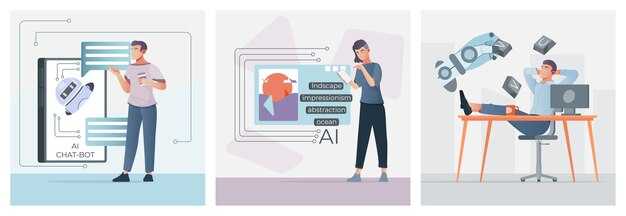
حدد كل مشهد كنبتة محددة وأغلق ملاحظة انتقال واحدة، وإشارة حركة، واقتراح زاوية في خريطة موجزة. تساعد هذه الخريطة في الحفاظ على رؤية متسقة عبر الفريق، وتسرع الرسم المدعوم بالذكاء الاصطناعي.
قم بتعيين مدة لكل نبتة، وإشارة حركة، وزاوية مرئية؛ قم بتخزينها في جدول محدد حتى يتمكن غير الخبراء من المتابعة دون تخمين. ما هو مهم هو اتساق التسمية والتوقيت عبر المشاهد لتجنب الانحراف في التسلسل النهائي. قم بتضمين الميزات المهمة مثل التسمية المتسقة، والطوابع الزمنية، والنسبة المئوية للإكمال لتسريع التبني. يصبح هذا بسهولة دليلًا يمكن للفرق إعادة استخدامه بسرعة.
نصائح التنفيذ: استخدم سير عمل برمجي يحتفظ بوثيقة حية؛ أضف ملاحظات سريعة، مثل المطالبات الجاهزة، وإضافة واضحة للانتقالات؛ هذا يعزز التعاون داخل الفريق ويرفع وتيرة الإنشاء.
الزوايا والحركة: حدد لكل مشهد الزوايا الرئيسية (واسعة، متوسطة، قريبة) وإشارات الحركة؛ احتفظ بمجموعة كاملة من الخيارات لجعل الانتقالات تبدو سلسة في المونتاج النهائي. هذه الإضافة تقلل من التفاعل وتسرع العملية لغير الخبراء المشاركين في الفريق.
مرحلة الرسم: ابدأ من الصفر باستخدام تسميات مشاهد سريعة من 5-8 كلمات؛ تملأ طبقة الذكاء الاصطناعي المرئيات بينما تحتفظ بالتحكم في النبضات الرئيسية والانتقالات؛ يمكن لهذه الخريطة الجاهزة توفير الوقت وإعادة استخدامها عبر المشاريع.
| العنصر | نهج التعيين | الإرشاد |
|---|---|---|
| المشهد | وحدة التسلسل؛ تحديد الهدف، الإعداد، والهدف لإشارة الحركة | حافظ على الإيجاز؛ تأكد من أن الخط الأساسي يتماشى مع النبضات اللاحقة |
| النبضة | هدف من سطر واحد؛ المدة؛ الإشارة | قم بالتسمية بوضوح، على سبيل المثال، "النبضة 3: تقريب، يتصاعد التوتر" |
| الانتقال | النوع (قطع، تلاشي، تلاشي متقاطع)؛ التوقيت | وثق كما هو محدد لمنع الانحراف |
| الزوايا | زوايا الكاميرا الرئيسية؛ ضمان الاستمرارية | استخدم مجموعة ثابتة؛ حافظ على المرجع عبر المشاهد |
| الحركة | إشارات الحركة؛ السرعة، التخفيف | حافظ على الاتساق مع النبضات |
| ملاحظات / ملاحظات | أفكار تقريبية؛ ملاحظات للمرئيات | احفظ لوحة الملاحظات للرجوع إليها |
| التعاون / الفريق | الأدوار؛ المسؤوليات؛ البرامج المستخدمة | يمكن لغير الخبراء المساهمة؛ يبني التعاون |
اختيار نماذج ومطالبات الذكاء الاصطناعي: اختر أدوات، وتراخيص، وأوقات تشغيل
اختر مكدس نموذج انتشار مستضاف محليًا ومرخص بشكل متساهل ويعمل على أجهزة استهلاكية، بالإضافة إلى وقت تشغيل خفيف الوزن ومحرك مطالبات، للحفاظ على التحكم وتقليل التكلفة وتسريع التكرار. ابحث عن نماذج تقدم تراخيص مجانية للاختبار وواجهة معيارية تدعم دفعات المطالبات. سيجعل هذا الإعداد سير عملك متوقعًا ويسمح لك بالتكرار بشكل أسرع، خاصة عندما تواءم المطالبات مع اتجاهك الأسلوبي.
الترخيص: تحقق من أن المخرجات مسموح بها للاستخدام التجاري بموجب الترخيص؛ تفضل تراخيص نمط MIT/Apache أو CC-BY في مسارات الإنشاء؛ تأكد من وضوح حقوق بيانات التدريب؛ احتفظ بسجلات شروط الترخيص لأنها تؤثر على المشاركة وعمل العملاء؛ تم توضيح الشروط مع القائد القانوني.
خيارات وقت التشغيل: وحدة معالجة الرسومات المحلية للحصول على زمن استجابة ثابت أو وحدة معالجة رسومات سحابية مدارة بالتوسع التلقائي؛ تأكد من إمكانية تكرار النتائج عن طريق التعيين؛ تخزين النتائج مؤقتًا؛ تعيين ضوابط الميزانية؛ التخطيط لعمليات تسليم أسرع؛ الحفاظ على تكامل تخطيط الصفحة؛ استخدم أوقات تشغيل الحاويات. سيشعر هذا النهج بالموثوقية وسيمنح فائدة واضحة في السرعة والتكلفة، كما سيجعل النتائج أسهل في التخطيط.
المطالبات: قم بإنشاء قالب ينتج تسلسلات متماسكة؛ قم بتضمين حقول لهدف المشهد، ونبضة السرد، والزاوية، والإضاءة، والملمس؛ حدد "علامة" أسلوبية (على سبيل المثال، رسم زيتي، واقعي، لون مسطح)؛ يمكن للمطالبات استخدام اللغة الطبيعية ولكن يجب أن تشفر قيودًا للمرئيات؛ حافظ على تنسيق المطالبة متسقًا لتسهيل الأتمتة. ثم قم بإنشاء دفعة من المطالبات لاختبار التوافق مع تخطيط الصفحة. هذا النهج في التحدث يجعل التعاون أسهل.
تكامل سير العمل والمشاركة: قم بالمواءمة مع مخطط لوحات القصة وطاقم العمل؛ استخدم Boords لتعيين المشاهد إلى الصفحات؛ حافظ على مدخلات من المصمم؛ تعطي العملية مدخلات من الفريق؛ حافظ على تخطيطات صفحات طبيعية؛ شارك المسودات بتنسيق واحد؛ لأن Boords وStoryboarder يدعمان المرئيات بشكل جيد.
خطوات التنفيذ والمقاييس: حدد معايير واضحة للنجاح؛ قم بقياس وقت الإنشاء لكل لقطة؛ تتبع الاتساق البصري؛ اضبط المطالبات وفقًا لذلك؛ قم بتخزين النتائج لإعادة الاستخدام؛ نظرًا لأنه يتم تخزين المخرجات، يمكنك إعادة استخدام المطالبات لتسريع المشاريع المستقبلية؛ هذا يوفر ساعات ويرفع مستوى السرد.
سير عمل إنشاء اللوحات: تحويل المشاهد إلى صور مصغرة مع اتجاهات الكاميرا
ابدأ بمطالبات قصيرة تحدد المشهد، والإجراءات الرئيسية، والزوايا المقصودة. هذا يحافظ على كفاءة سير العمل ويضمن أن مجموعة اللوحات تتوافق مع قوس السرد لمخطط لوحات القصة.
عرّف الزوايا بوضوح: لقطة مقربة لوجه شخصية، من فوق الكتف للحوار، لقطة واسعة تأسيسية. أضف توجيهات الكاميرا: تحريك لليسار، إمالة للأعلى، تقريب، تحريك ثابت، أو لقطة ثابتة. هذه الإشارات تحول المشاهد المصغرة إلى صور مصغرة توصل المزاج دون الحاجة للنص المطول.
اربط الإجراءات بالمرئيات: أظهر الإجراء الرئيسي في الإطار، ثم ادعمه بإجراء ثانوي في الخلفية. استخدم الظلال والضوء لتعزيز المزاج؛ تأكد من وجود ظلال واضحة حيث تتطلب إمكانية الوصول تباينًا واضحًا.
ادمج المراجع للأسلوب والنبرة، وقم بتعيين أفاتارات للشخصيات لتوضيح الأزياء والتعبيرات. هذا يساعد الجمهور على قراءة العلاقات بسرعة ويضمن بقاء التصور متسقًا.
أسباب الاحتفاظ بالصور المصغرة قصيرة: تقييم سريع من قبل مصمم اللوحات القصصية، ملاحظات أسرع، ولغة بصرية متسقة عبر التسلسل. مجموعة لوحات منظمة جيدًا تقلل من التراجع والتكرار وتدعم سير عمل فعال للمبدع.
إمكانية الوصول: قم بوضع تسمية لكل لوحة بنص بديل موجز؛ صف توجيهات الكاميرا بلغة بسيطة لمساعدة القراء الذين يعتمدون على التكنولوجيا المساعدة. يمكن للأفاتارات نقل العاطفة عندما يكون النص قليلًا؛ حافظ على أن تكون السردية شاملة.
المراجعة والتكرار: حافظ على مصدر وحيد للحقيقة عن طريق تخزين المراجع للشخصيات، والأزياء، والملحقات؛ تتبع التغييرات على الأوامر وتوجيهات الكاميرا حتى يتمكن مصمم اللوحات القصصية من التحسين بسرعة وإعادة استخدام الأنماط في مشاهد مستقبلية. مجموعة اللوحات تعمل كلوحة قصصية للتخطيط والمراجعة.
قوالب الإخراج: تبنى هيكلًا يعتمد على الخيارات يتضمن حقولًا لاسم المشهد، الإجراءات، الزوايا، وتوجيهات الكاميرا. هذا التخطيط سهل لإعادة الاستخدام عبر مشاهد مماثلة ويبقي المبدع مركزًا على مهام سرد القصص الأساسية.
الحفاظ على التماسك البصري: قوالب للأسلوب، والشخصيات، والأصول
قم بتثبيت مجموعة قوالب نمطية واحدة للأسلوب، والشخصيات، والأصول كعمود فقري جاهز لكل مشروع. أنشئ ثلاث طبقات للقوالب: أساسية، موسعة، وصقل نهائي. كل طبقة تأتي مع رموز ألوان ثابتة، ومقياس طباعي، وإعدادات مسبقة للحركة، وشبكة جاهزة للوحات القصصية (12 عمودًا، 1920x1080). هذا يضمن شعورًا متسقًا من الإطار الأول إلى القطع النهائي وتسريع عمليات التسليم بين المبدع والمصمم والرسام.
حدد مسارات الأصول وهيكل مجلدات منضبط: /styles، /characters، /assets/movements، /props. قم بتعيين معرف فريد وختم إصدار لكل أصل. أنشئ مدخلات من المصمم والرسام مخصصة لأجزاء اللوحات القصصية؛ استخدم مخطط بيانات وصفية: الاسم، الوسم، الغرض، الترخيص. طبق اتفاقية تسمية تشفر النوع والاستخدام (style-color، character-v1، prop-wood). هذا يقلل وقت البحث ويسرع التجميع النهائي مع الحفاظ على مسارات التدقيق وقابلية التكيف.
قابلية التكيف والتحكم في المظهر: يجب أن تدعم القوالب مظهرًا مؤسسيًا مقابل مظهر سينمائي. قدم مجموعتين من الإعدادات المسبقة للإضاءة، وثلاث طبقات تراكب للأنسجة، ومنحنى ألوان مرن. ثم قم بتفكيك اللوحة القصصية عن طريق تبديل الأجزاء النمطية بدلاً من إعادة بناء المشاهد؛ هذا يحافظ على الحركة والاندفاع، ويبقي الهيكل العام متوافقًا مع مجموعة الأدوات المتطورة. تأكد من أن المدخلات من المصمم والرسام تتوافق مع مظهر نهائي متسق عبر الأفلام.
انتقالات الأصول: حدد حركات قياسية (مسح، تلاشي، انزلاق) بتوقيت ثابت للحفاظ على الإيقاع؛ تأكد من أن الحركة تتماشى مع إيقاعات اللوحات القصصية. حدد منحنيات الحركة للشخصيات والملحقات بحيث يظل الشعور متماسكًا عبر اللقطات. استخدم هيكلًا واحدًا للأصول بحيث تقرأ حركتها كوحدة واحدة عبر المشاهد.
القياس والتكرار: راقب كفاءتها عن طريق تتبع معدل إعادة الاستخدام، والوقت اللازم للانتهاء من اللوحة، وعدد الأصول التي تم لمسها لكل مشروع، والطرق التي تقلل بها القوالب من عمليات التسليم؛ قم بإجراء مراجعة ربع سنوية لتقليم الأنماط غير المستخدمة، وتحديث الألوان، وتوسيع مكتبة الأصول. النتيجة هي سير عمل إبداعي فعال، جاهز لتحويل المدخلات إلى إطارات مصقولة بأقل قدر من الاحتكاك.
الأتمتة والتصدير: فحوصات الجودة، والتنسيقات، والتكامل في خط أنابيب العمل الخاص بك
قم بتطبيق بوابة تصدير ثابتة تطلق فحوصات الجودة الآلية والتنسيق قبل مغادرة الأصول للاستوديو.
- فحوصات الجودة
- تتبع الحركة والتوقيت: تحقق من أسماء المسارات، وترتيب التسلسل، والمحاذاة مقابل الرؤى المخططة؛ تأكد من بقاء تفاعلات الشخصيات متسقة عبر عمليات القطع.
- السلامة البصرية: تأكد من بقاء التأثيرات، والانتقالات، والإشارات الأسلوبية موحدة؛ تحقق من التأطير والقص عبر نسب العرض إلى الارتفاع؛ تبقى تدريجات الألوان ضمن المساحات المستهدفة (sRGB أو DCI-P3).
- الأصول والتنسيق: تأكد من وجود جميع الأصول في المكتبة؛ تحقق من معرفات الأصول؛ حقول التنسيق (المشهد، العنوان) موجودة؛ تسميات توضيحية / ترجمات موجودة عند الحاجة؛ البيانات الوصفية تتوافق مع القالب.
- مقاييس الجودة: فحوصات قابلة للبرمجة لأخطاء الترميز، وعيوب الإطارات، مزامنة الصوت، انجراف؛ تحقق من أن معدل الإطارات والدقة تتطابق مع الملف الشخصي المستهدف.
- مسار التدقيق: سجل الأوقات، والفحوصات التي مرت/فشلت، وأرقام الإصدارات؛ قم بتمييز العناصر التي فشلت للمراجعة اليدوية المبكرة؛ إعادة التشغيل لاحقًا يتم تشغيلها تلقائيًا.
- إرشادات متغيرة: إذا تغيرت المواصفات، فتقوم فحوصات الجودة بتشغيل إعادة التحقق؛ تقوم الأتمتة بإعادة تشغيل الفحوصات للحفاظ على المحاذاة.
- توفير المتخصصين: تتعامل الأتمتة مع الفحوصات الروتينية، مما يوفر لأعضاء الفريق التركيز على الاستثناءات والصقل الإبداعي.
- التنسيقات والتغليف
- عمليات التصدير المدعومة: MP4 (H.264) للبث، MOV (ProRes) للأرشفة، WebM لتطبيقات الويب؛ قدم خيارات احتياطية للأجهزة حسب الحاجة.
- الدقات ومعدلات الإطارات: قياسي 1080p60، 4K30؛ قدم 1080p30 لغير الخبراء؛ افتراضي إلى 16:9 وتضمين متغيرات 9:16 للحملات عبر الهاتف المحمول.
- الصوت: 48 كيلو هرتز ستيريو، AAC؛ تضمين مسارات صوتية منفصلة اختيارية للإصدارات المدبلجة أو التعليقات.
- مساحات الألوان: sRGB لمعظم المنصات، P3 لـ HDR؛ تطبيق رسم خرائط نغمي متسق عبر جميع التنسيقات.
- البيانات الوصفية والتنسيق: ترقيم تلقائي للمشاهد، وتسمية نظيفة، وأوقات، ومراجع في البيانات الوصفية للتغليف.
- التكامل في خط أنابيب العمل الخاص بك
- مشغلات الأتمتة: بدء التصدير من المحرر إلى التغليف عبر API؛ مصدر وحيد للحقيقة للأصول والإصدارات.
- التسليم بسلاسة: تعود نتائج فحوصات الجودة إلى متتبع المشروع؛ يتم توجيه العناصر الفاشلة إلى المراجعة اليدوية المبكرة؛ يتم نشر عمليات التصدير الناجحة إلى رف التوزيع.
- الأدوات والمنصات: قدم قوالب بداية مجانية وخيارًا مرنًا للتوسع؛ قم بتوصيل أصول الرسام وعناصر الحركة عبر التعيين؛ يمكن لغير الخبراء تشغيل عمليات التصدير من خلال واجهة مستخدم بسيطة.
- التتبع والتدقيق: تعرض القياسات عن بعد الحالة، والوقت اللازم للتصدير، ودرجة الجودة؛ تتبع مقاييس وصول الجمهور بعد الإصدار؛ الإبلاغ عن التغييرات في المرئيات أو الملاحظات الأسلوبية.
- العمل الجماعي والحوكمة: تعيين الملكية لفريق أتمتة صغير؛ تحديد أدوار لفحوصات الجودة، والحركة، والتصميم؛ ضمان مسؤوليات واضحة وشعور بالمساءلة عبر الفريق.




